Quick answer
Choose a 3.5mm extension cable based on your device’s plug: use a 4-pole TRRS cable for combined audio+mic headsets, and a 3-pole TRS cable for standard stereo headphones or AUX connections. For tight spaces, pick an angled connector; for tangle-free reach, choose a coiled design.
Straight vs. coiled vs. angled: what matters
The physical design of a 3.5mm extension cable affects how it fits your space and daily use. A straight cable is simple and low-cost but can be awkward near a desk or car stereo. A coiled cable extends when you need reach and retracts for storage—great for portable setups. An angled connector reduces strain on the device port and fits behind furniture or tight corners. There’s no universal “best” shape; your environment decides the winner.
TRRS vs. TRS: why the pin count matters
Many modern headsets use a single 3.5mm plug for both audio and microphone. That plug has four contact points (TRRS). If you connect it to a standard three-contact (TRS) extension, the microphone signal is lost. For stereo headphones or AUX cables, a 3-pole TRS extension works fine. Check your device’s plug: if it has three black rings, you need TRRS; two rings means TRS. Using the wrong type either kills the mic or leaves an unused channel.
How to choose: decision rules
- Check your plug’s pole count: Look at the metal plug of your device cable. Three metal sections (two black rings) = TRS for stereo only. Four metal sections (three black rings) = TRRS for audio+mic. Match the extension cable to the same pole count. Using a TRS extension on a TRRS headset disables the microphone.
- Pick the right connector angle: If your device port is recessed, behind furniture, or in a tight space, choose an angled (right-angle) connector. For straight-line use, a standard straight connector is fine.
- Decide between coiled and straight: Choose a coiled cable when you want adjustable length and less clutter. Choose a straight cable when you need a fixed, predictable run—for example, from a desktop speaker to a PC.
Product facts
-
3.5mm 4 Pole TRRS Male to Female Audio Extension Cable Right Angle: This 3.5mm 4 pole TRRS male to female extension cable retains full microphone and headset functionality with a right-angle male connector. If you use a gaming headset or phone headset with a combined audio+mic plug, this cable extends the connection without losing the mic signal.
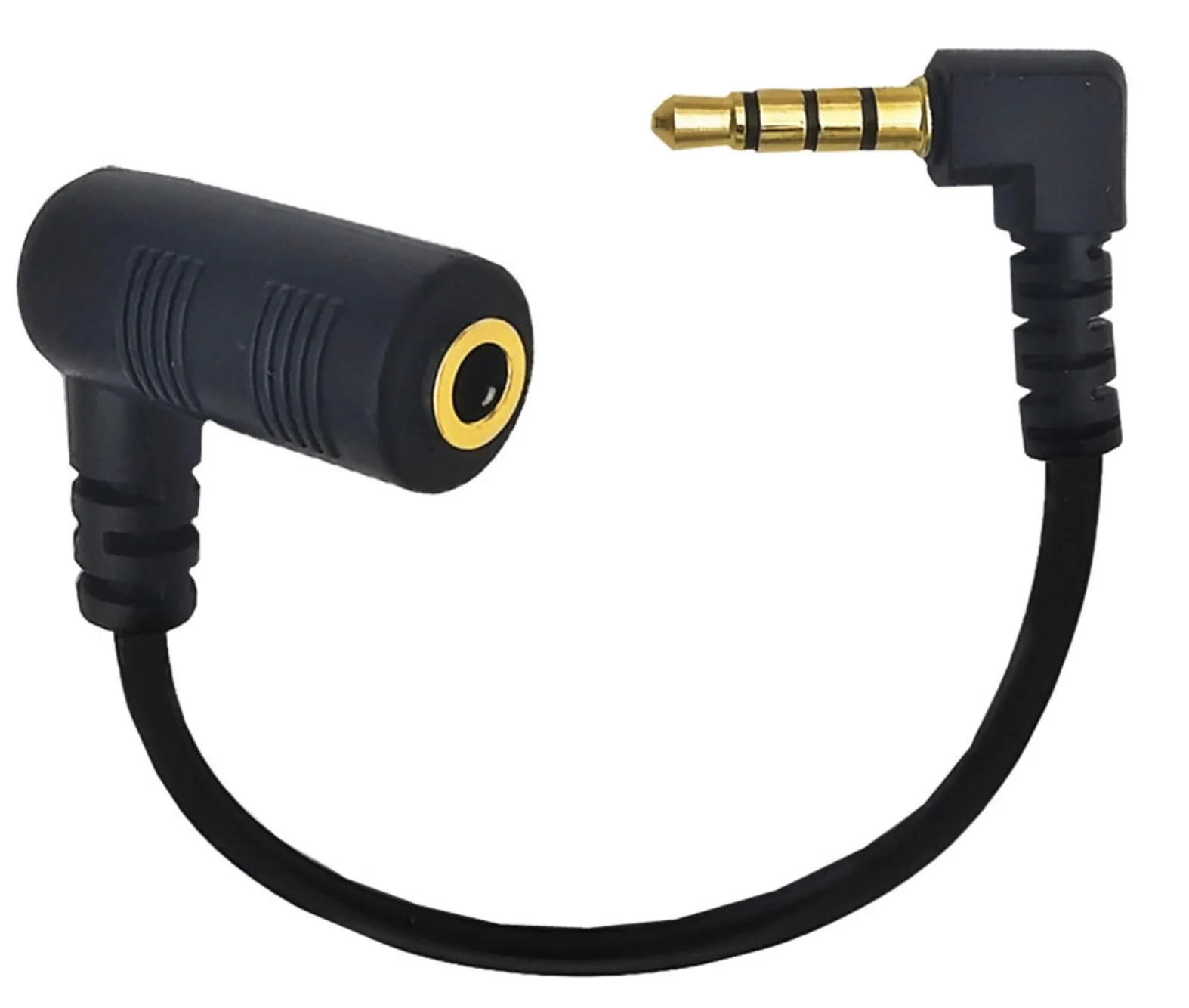
3.5mm 4 Pole TRRS Male to Female Audio Extension Cable Right Angle
-
3.5mm TRS Stereo Male to Female Coiled Audio Extension Cable: This 3.5mm TRS stereo coiled extension cable uses gold-plated connectors and a spiral design for flexible reach and compact storage. The coiled shape keeps your desk or bag tidy while giving you extra length when needed—ideal for portable headphones or car AUX use.
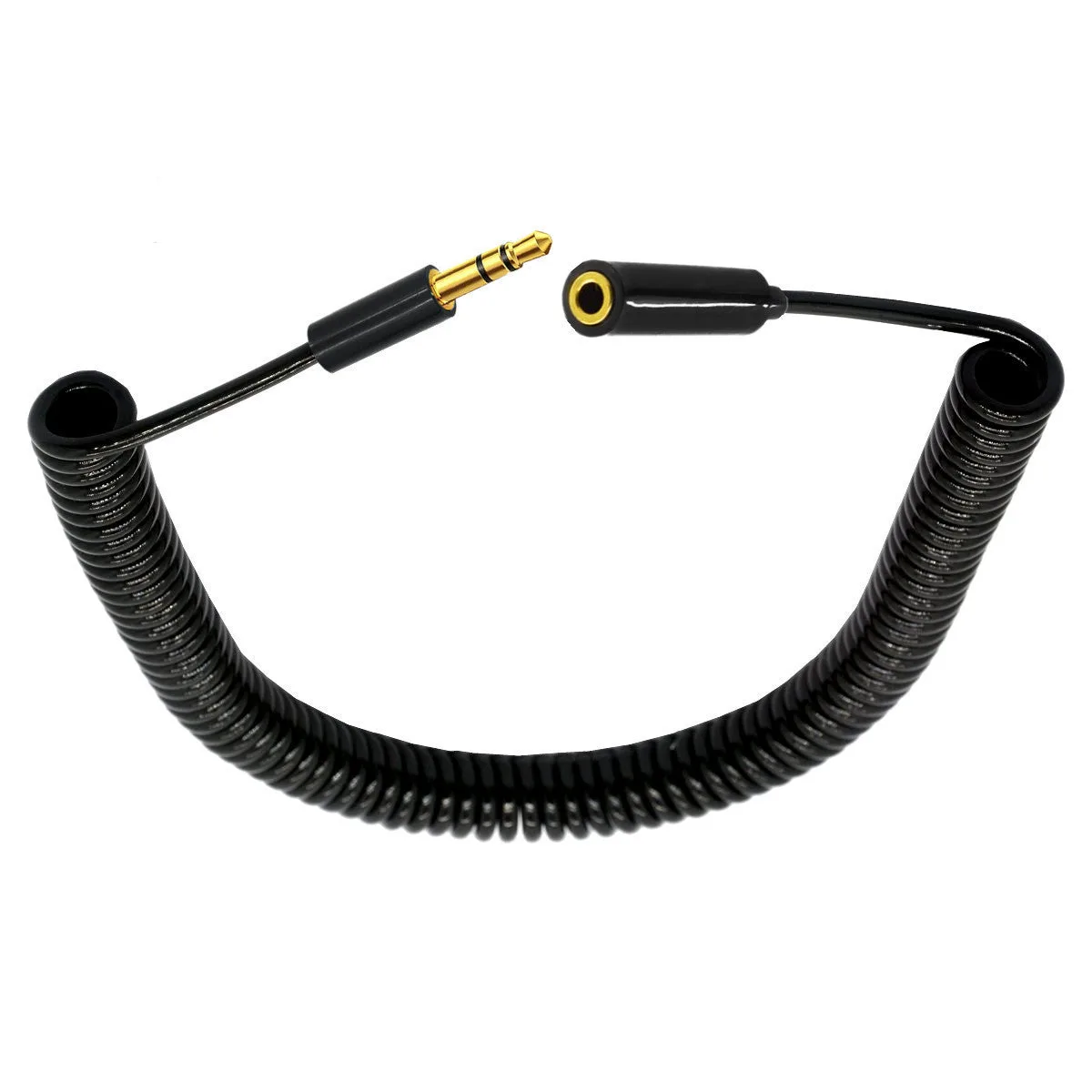
3.5mm TRS Stereo Male to Female Coiled Audio Extension Cable
Who should buy what
Best for
- Gamers or remote workers using a headset with a combined audio+mic plug who need extra reach without losing the mic
- Anyone connecting headphones or AUX devices in a car, at a desk, or on the go who wants tangle-free retractable length
Not for
- Devices with separate audio and mic jacks (use a Y-adapter or dedicated extension for each channel)
- Situations requiring a long fixed-length cable run (a straight cable is simpler and less prone to snagging)