Quick Answer
To ensure a secure connection with your Circuit Blox battery holder, always check the battery orientation, press the holder firmly onto the building block, and inspect the metal contacts for debris or damage before each use.
Why a Secure Connection Matters
A loose or intermittent connection from the battery holder can cause your Circuit Blox projects to flicker, fail to light up, or behave unpredictably. The holder is the power source for the entire circuit, so any instability there affects everything downstream.
The E-Blox battery holder is a single-piece component designed specifically for use with Circuit Blox building sets. It provides a dedicated holder for batteries, but like any connector, it can lose contact if not handled correctly.
Common Causes of Poor Connections
The most frequent issues are reversed battery polarity, bent or dirty contact tabs, and insufficient pressure when snapping the holder onto the block. Over time, battery corrosion can also build up on the terminals.
Unlike some power blocks with built-in switches or indicators, this battery holder is a passive component. That means you rely entirely on physical fit and battery condition for reliable power.
Step-by-Step: Secure Your Battery Holder Connection
- Insert batteries with correct polarity: Place the batteries into the holder, matching the + and - markings inside the compartment. Most Circuit Blox projects use standard AA or AAA batteries, but always check the holder's label. A common mistake is inserting one battery backward, which prevents the circuit from working at all.
- Snap the holder firmly onto the building block: Align the holder's connector tabs with the block's ports and press down evenly until you hear or feel a click. The holder should sit flush against the block without wobbling. If the holder feels loose, it may not be fully seated. Remove and try again, ensuring no debris blocks the connection.
- Inspect metal contacts before each use: Look at the holder's metal tabs and the block's ports for dirt, corrosion, or bent parts. Gently clean with a dry cloth or a pencil eraser if needed. Bent contacts can cause intermittent power. Straighten them carefully with tweezers, but avoid excessive force that could break them.
- Test with a simple circuit first: Connect the battery holder to a basic LED block or a fan block to verify power delivery. If the component doesn't work, the issue is likely the holder or the battery condition. Skipping this step can make troubleshooting harder later. A quick test isolates the problem to the power source.
Product Facts
-
Circuit Blox™ - Battery Holder - E-Blox®: The Circuit Blox Battery Holder from E-Blox is a single-piece component designed for use with Circuit Blox building sets. Because it's a dedicated holder, you don't need extra wires or adapters, but you must ensure a snug fit with the building block for consistent power.
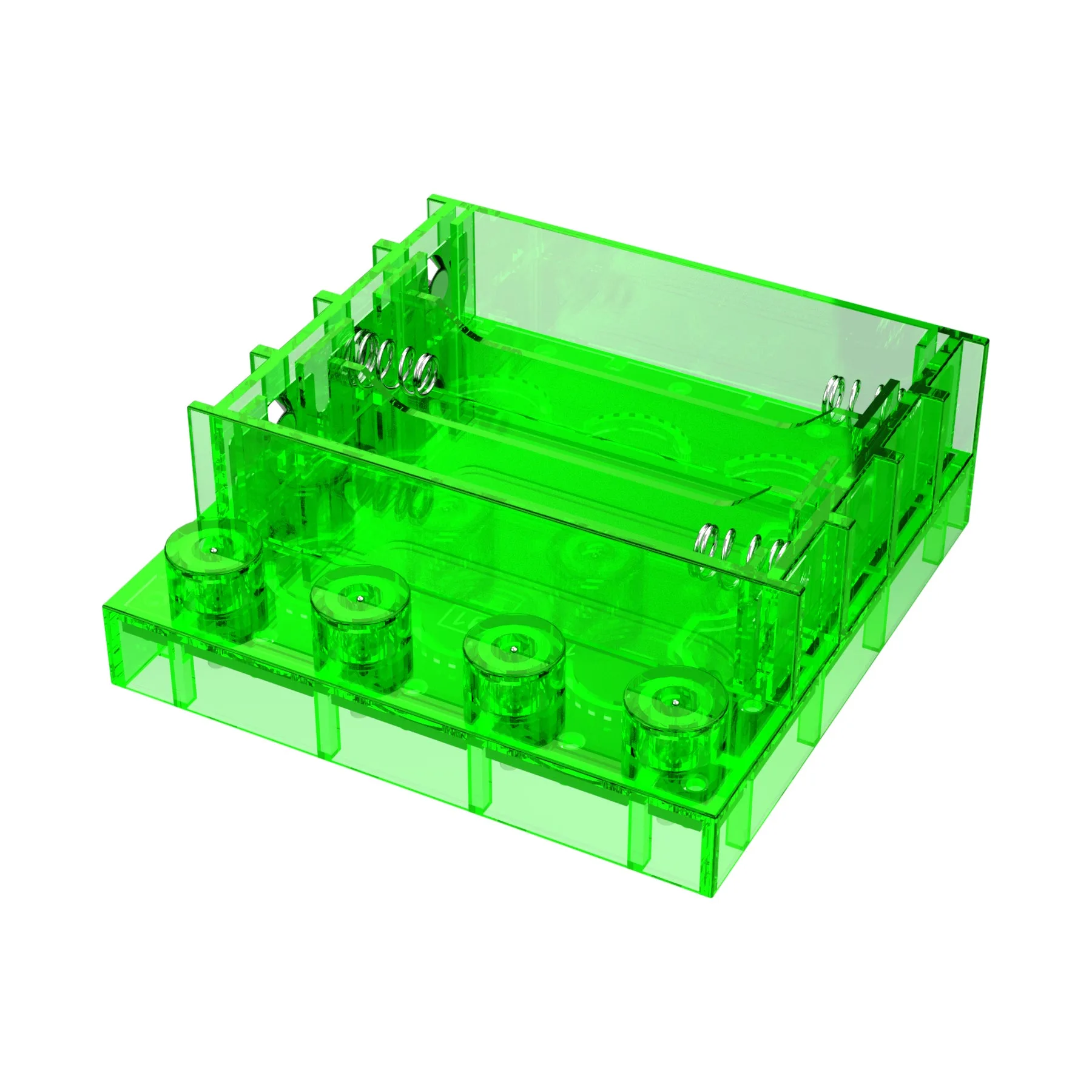
Circuit Blox™ - Battery Holder - E-Blox®