Quick answer
Build the light circuit first with the blocks seated flat and fully pressed together, then place the sound sensor block so it faces the room rather than the speaker, and only then power on. Test with one clear clap before you add music. If the lights stay dark, the cause is almost always a loose block or a sensor pointed at the wrong spot, not a dead component.
What comes in the classroom set and how to divide it
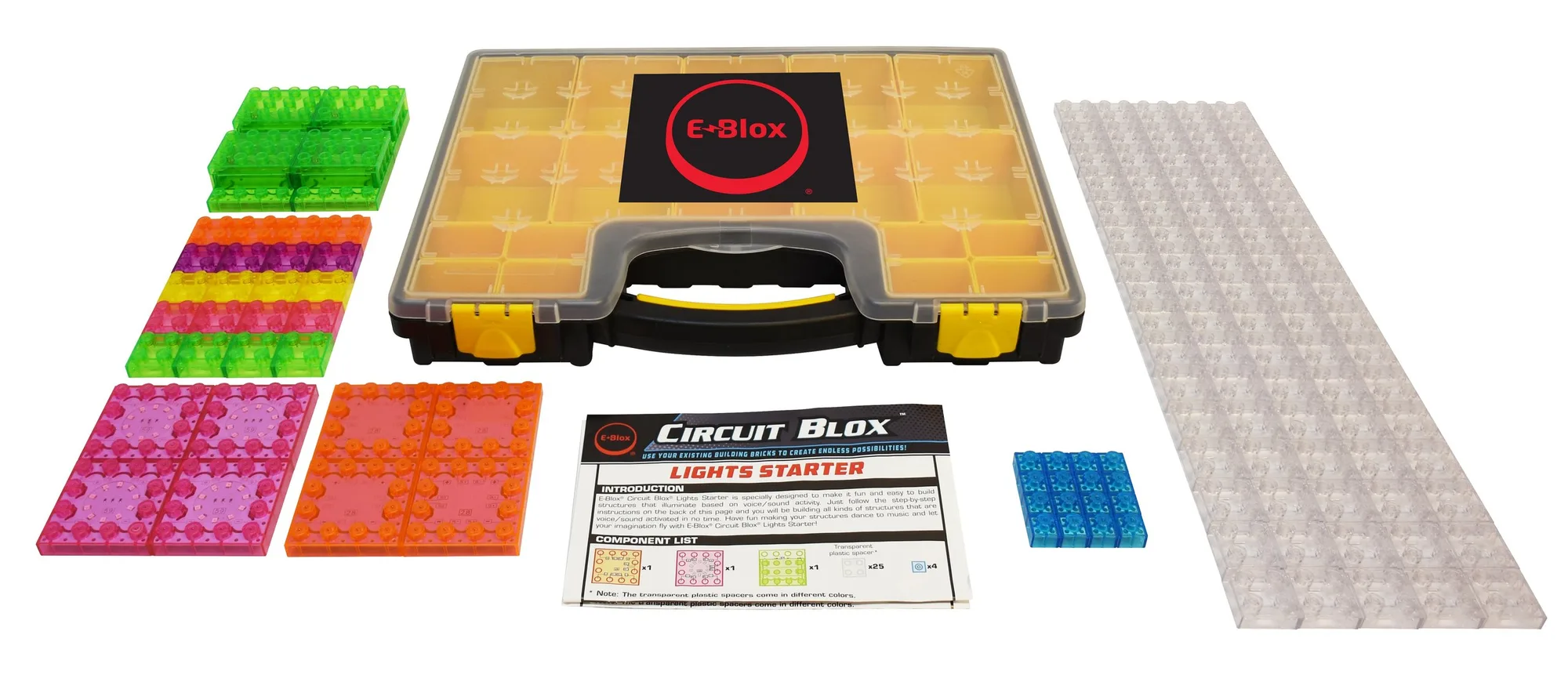
The Sound Activated Dancing Lights Classroom Set is built around one Circuit Blox Lights Starter product plus a 39 page Teacher Guide with Curriculum Lessons, Quizzes and a Quiz Answer sheet. The guide runs four lessons: Shapes, Building Fundamentals, Electricity, Energy, Light & Sound, and Using Light to Communicate. That order is deliberate. Lesson 3 is where the sound sensor work lives, so students who skip straight to the dancing lights miss the vocabulary they need to describe what they are seeing.
For a single class period, split the room into groups of two or three and give each group one build surface. Keep the teacher guide at your station rather than in student hands so the quiz answer sheet stays out of circulation. The kit is listed for K-2 STEM Foundations and addresses NGSS requirements, which means the language in the guide is pitched younger than the block assembly sometimes feels. Read the lesson aloud while students build.
Where the sound sensor should sit in the room
The sensor reacts to sound pressure at its own position, so placement decides whether the build looks impressive or broken. Put the sensor at the front edge of the table, facing out toward the class, at least a foot away from any speaker. If you point it at a speaker, the lights will sit fully on and stop dancing because the input never drops. If you bury it behind the block wall, only a sharp clap right next to it will register.
Hard surfaces make this easier. A tile or bare tabletop reflects sound back to the sensor; a carpeted floor near the build absorbs it and makes the response feel sluggish. If your room is carpeted, raise the build onto a hard tray or a book.
Running it as a repeatable classroom activity
Once one group has a working music reactive circuit build, do not let them rebuild it from scratch next period. Photograph the finished layout from directly above and print it as a reference card. Students then rebuild from the photo, which turns setup into a matching task instead of a troubleshooting session and gives you a fast way to spot a misplaced block.
For assessment, use the quizzes in the teacher guide after the build rather than before. Students who have watched the lights respond to their own voice answer the light and sound questions with far more confidence than students who only read about it.
Setup steps, in order
- 1. Lay out the base and press every block flat: Seat the blocks on a hard, level surface and press each connection until it stops moving. Run your thumb along the whole row before moving on. Checkpoint: no block should rock or lift at a corner when you press the top of it.
- 2. Build the light path before adding sound: Assemble the light portion of the circuit first and confirm the lamp responds. Adding the sound sensor to an unproven circuit makes it impossible to tell which part is at fault. Checkpoint: the light works on its own before the sensor goes in.
- 3. Place the sound sensor at the table edge, facing the room: Keep it at least a foot from any speaker and clear of the block wall so sound reaches it directly. Common mistake: aiming the sensor at the speaker. The lights then stay on instead of dancing.
- 4. Power on and test with one clap, not music: A single sharp clap gives you a clean on and off response you can see. Music adds a constant signal that hides a weak connection. Checkpoint: the lights change on the clap and settle when the room is quiet.
- 5. Add music and adjust the sensor distance, not the volume: Move the sensor closer to the sound source in small steps until the lights follow the beat. Raising the speaker volume distorts the room and makes the response less predictable. Stop adjusting once the lights track the beat; further changes usually make it worse.
- 6. Photograph the working layout and label the tray: Shoot from directly above and keep the printed photo with the kit so the next group can rebuild the same circuit. Next step: hand the photo to students and let them rebuild it themselves before you troubleshoot anything.
Kit facts that affect your setup
- Circuit Blox™ Sound Activated Dancing Lights Classroom Set - E-Blox®: Includes one Circuit Blox Lights Starter product, a 39 page Teacher Guide with Curriculum Lessons, Quizzes and a Quiz Answer sheet, and four lessons covering Shapes, Building Fundamentals, Electricity Energy Light & Sound, and Using Light to Communicate. You do not need to write your own lesson sequence or buy a separate starter kit, but you do need to work through lesson 3 before the sound sensor will make sense to students.
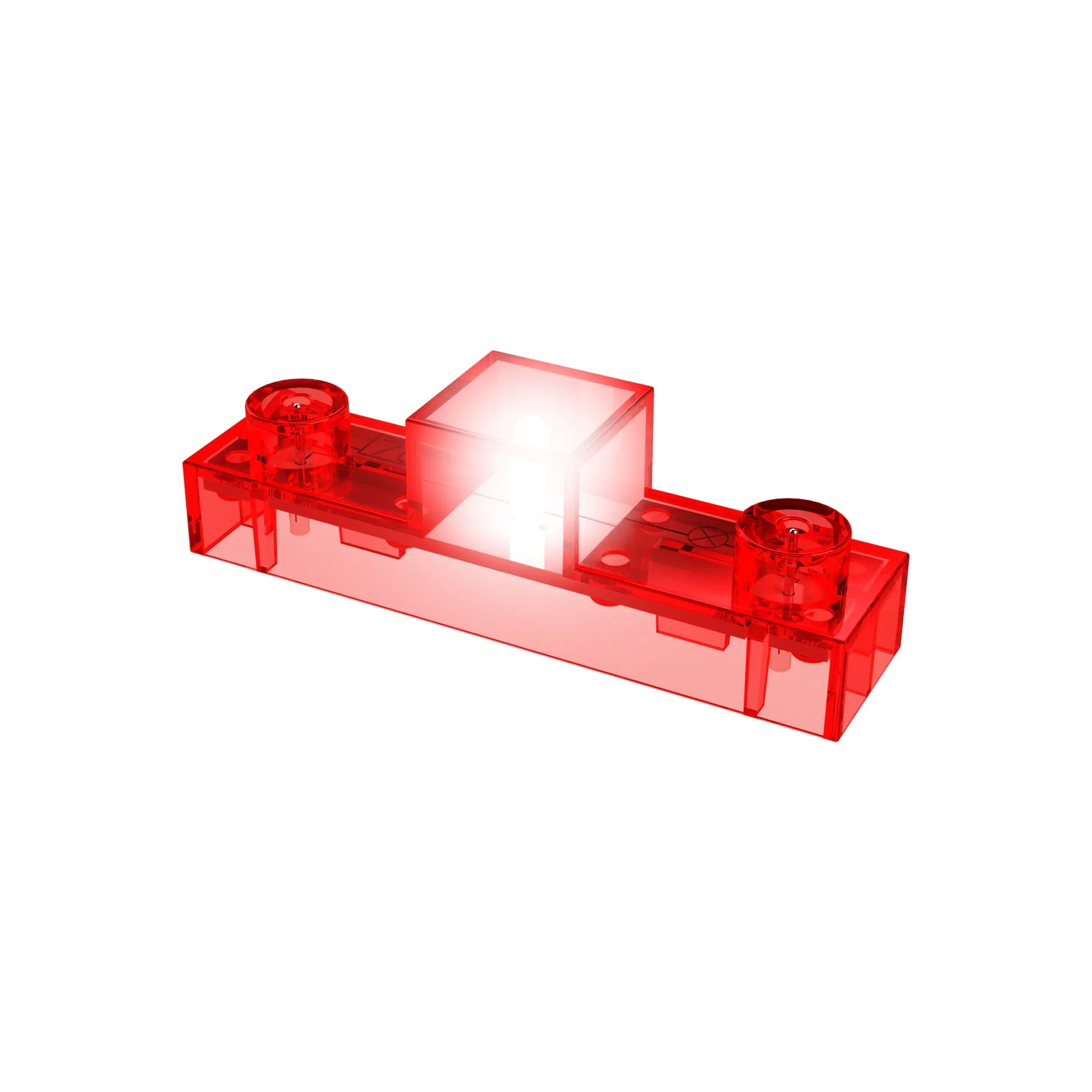
- Circuit Blox™ - Lamp Block - E-Blox®: The Circuit Blox Lamp Block is a single-piece component intended for use with Circuit Blox building sets, providing a lamp function within compatible builds. Keep a spare lamp block on hand so a group whose light stops working can swap the block and keep building while you diagnose the original.