Quick answer
Use a micro cleaning brush set to safely remove dust and debris from tight spots in electronics without scratching or damaging components.
Why use a micro brush instead of a cloth or canned air?
Cloth fibers can snag on small pins or leave lint behind. Canned air can force debris deeper into crevices or blow moisture onto sensitive contacts. A micro brush with nylon bristles offers controlled, dry cleaning that reaches narrow gaps without these risks.
How to clean electronics with a micro brush set
- Power off and unplug the device: Turn off the device and disconnect it from power. If possible, remove the battery. This prevents accidental shorts and injury. Never clean a device that is still connected to power.
- Select the smallest brush that fits the gap: Start with the 1/16-inch brush for narrow slots like headphone jacks or USB ports. Use larger brushes only for open areas. Using a brush that is too large can wedge debris further in.
- Brush in one direction away from the opening: Gently sweep dust outward from the component. Avoid scrubbing back and forth, which can push particles into the device. A single-direction motion lifts debris rather than redistributing it.
- Inspect with a bright light: After brushing, shine a flashlight at an angle to check for remaining dust. Repeat any spots that still look dirty. Dust is easiest to see when lit from the side.
- Finish with a soft, dry cloth for external surfaces: Use a lint-free cloth to wipe the outer casing. Do not use liquids or sprays near openings you just cleaned. Moisture can carry dust into the device and cause corrosion.
Product facts
-
5-piece Micro Cleaning Brush Set: Set includes five brushes from 1/16 to 5/16 inch diameter, each 3 inches long with epoxy-coated tips to prevent scratching. You can match the brush size to the gap you're cleaning, and the coated tips protect delicate circuit boards and connectors.
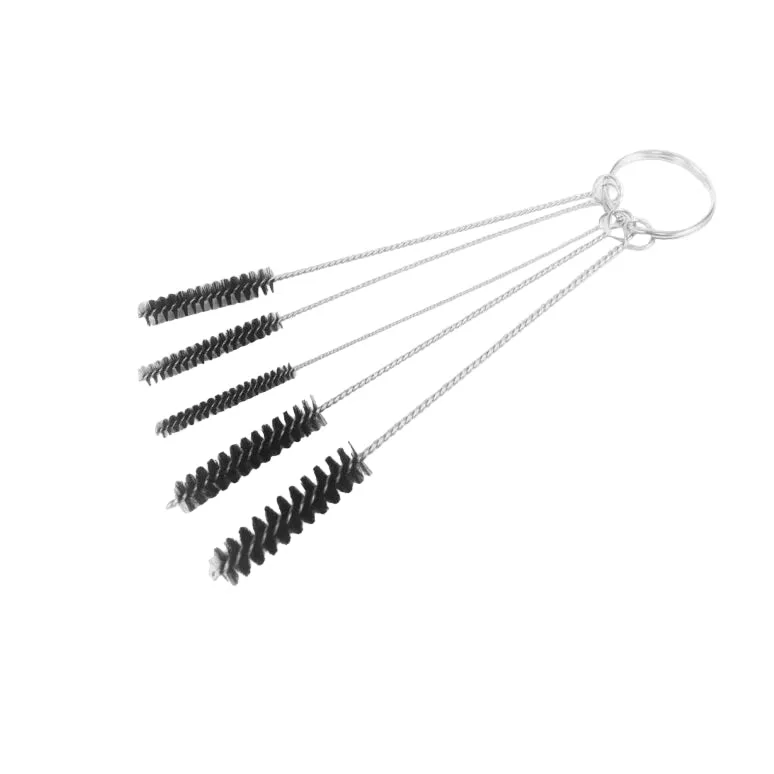
5-piece Micro Cleaning Brush Set