Quick answer
Set up the Clearaudio Concept V2 MM cartridge in this order: mount it square in the headshell, align it to your preferred protractor, set tracking force within the manufacturer's range, dial in VTA so the arm sits parallel to the record, then fine-tune anti-skate by ear. Most problems come from rushing alignment or guessing tracking force, so measure everything and change one variable at a time.
Why the Concept V2 rewards careful setup
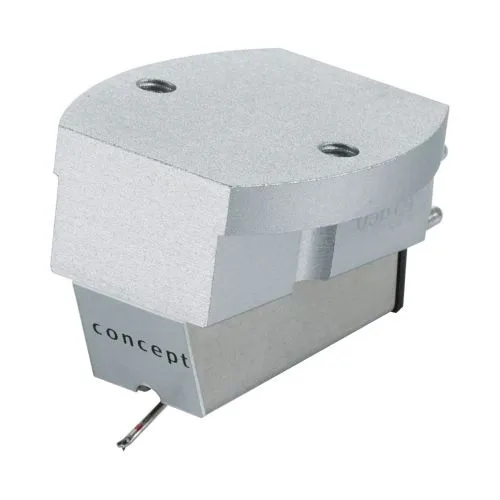
The Concept V2 is a moving magnet cartridge, and MM designs are generally less fussy about loading than moving coil models, but they are not immune to geometry errors. A cartridge that is misaligned or running at the wrong tracking force will mistrack, produce sibilance, and wear records unevenly. Clearaudio builds the V2 with an ebony body to resist resonance, reduced moving mass, an optimized stylus polish, and effective damping. Those choices are aimed at a spatially detailed, vividly textured sound, and they only pay off when the cartridge sits correctly in the arm.
Tools worth having before you start
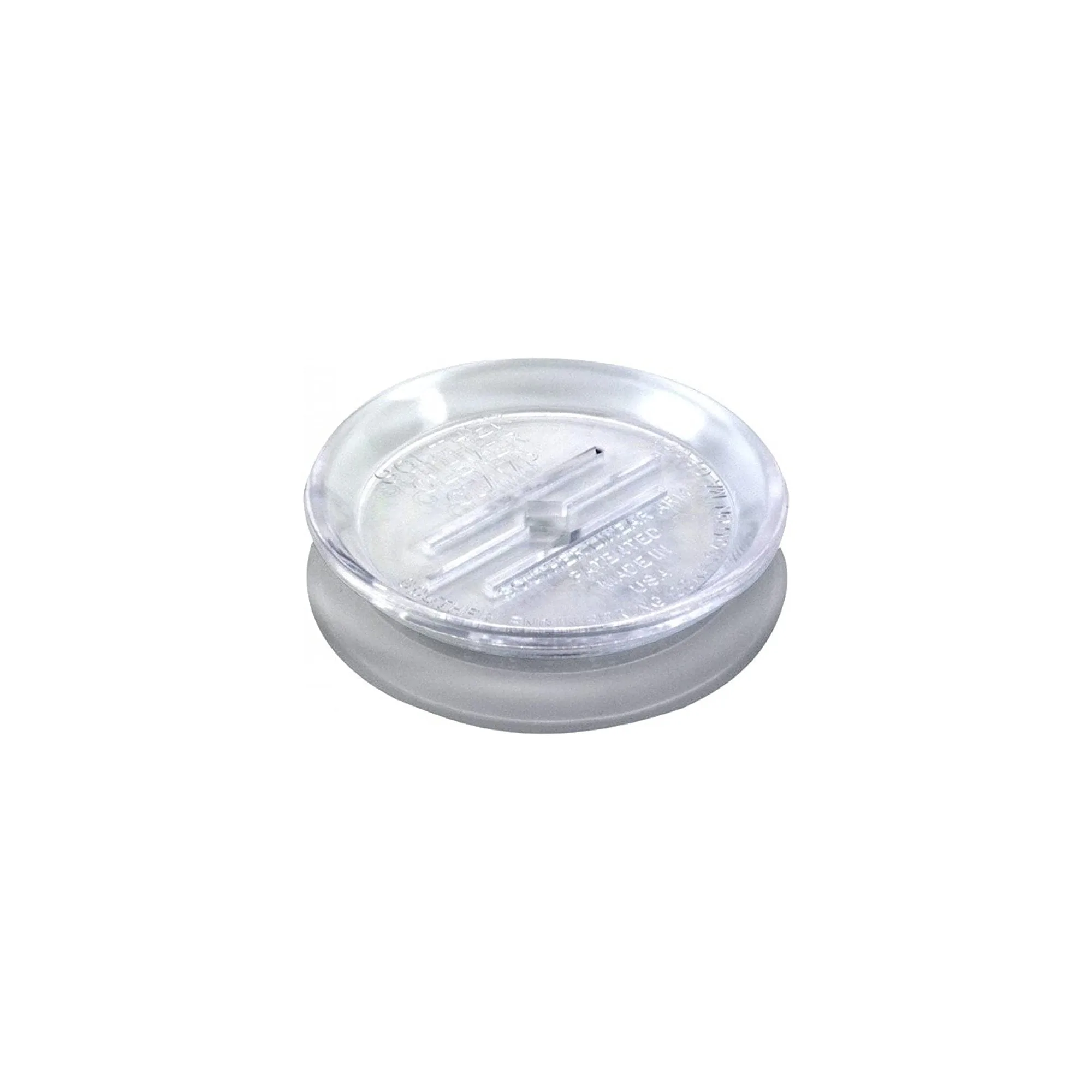
You do not need a laboratory, but a few inexpensive tools make the job repeatable. A protractor matched to your tonearm geometry, a stylus tracking force gauge, a small screwdriver that fits the headshell bolts, and a pair of tweezers for the tiny cartridge tags will cover most of the process. A record clamp is optional for setup, but if you already use one, fit it before you set VTA so the record sits at its normal playing height. The Clearaudio Clever Clamp is a lightweight clamp that slides over the spindle and locks against the record, which keeps the vinyl flat without adding significant mass.
Tracking force, VTA, and anti-skate in plain terms
Tracking force is the downward pressure the stylus applies to the groove. Too little and the stylus skips or mistracks; too much and you accelerate record wear and dull the highs. Use the range printed on the cartridge packaging or in the manual, and set it with a gauge rather than trusting the counterweight scale. VTA (vertical tracking angle) is the angle of the arm relative to the record. Start with the arm tube parallel to the record surface, then adjust in small increments if you hear a tonal imbalance. Anti-skate counteracts the inward pull of the groove; set it to match your tracking force as a starting point, then reduce it if you hear distortion on the right channel.
What to listen for after setup
Once everything is set, play a record you know well. A correctly set up Concept V2 should track confidently through loud passages, keep vocals centered, and avoid harsh sibilance on 's' sounds. If the sound is thin or bright, check VTA and tracking force before blaming the cartridge. If one channel is louder or distorted, revisit alignment and anti-skate. Make one adjustment at a time so you can hear what changed.
Step-by-step setup
- Mount the cartridge square in the headshell: Attach the cartridge to the headshell using the supplied bolts, but leave them slightly loose so you can move the cartridge. Connect the four color-coded tags to the correct pins. Common mistake: overtightening one bolt before the cartridge is aligned, which tilts the body and makes later alignment impossible. Checkpoint: the cartridge body should sit parallel to the headshell edges, with no visible tilt.
- Align to a protractor: Place your protractor on the platter and lower the stylus onto the first null point. Adjust the cartridge in the slots until the cantilever, not the body, lines up with the grid. Move to the second null point and recheck. Common mistake: aligning the cartridge body instead of the cantilever, which leaves the stylus out of alignment even when the body looks straight. Checkpoint: the cantilever should align at both null points without moving the arm.
- Set tracking force with a gauge: Dial the counterweight to roughly the middle of the manufacturer's recommended range, then measure with a stylus gauge at record height. Adjust until the gauge reads your target. Common mistake: trusting the numbers printed on the counterweight, which can be off by a significant margin. Checkpoint: the gauge confirms the force, not the arm's own scale.
- Adjust VTA so the arm is parallel: With a record on the platter, look from the side and raise or lower the arm base until the arm tube is parallel to the record surface. Small changes matter here; a 1-2 mm shift at the pivot can change the sound. Common mistake: setting VTA with no record on the platter, which leaves the arm tail-down once a record is playing. Checkpoint: the arm tube should look level from the side while the stylus is in the groove.
- Set anti-skate and listen: Start with anti-skate set to the same value as your tracking force, then play a track with strong dynamics. If the right channel distorts, reduce anti-skate slightly. Common mistake: setting anti-skate too high, which pulls the stylus toward the outer groove and can cause a thin, unbalanced sound. Checkpoint: both channels should sound equally clean on a well-recorded track.
- Recheck and lock everything down: After you are happy with the sound, gently tighten the cartridge bolts a quarter turn at a time, alternating sides, and recheck tracking force and alignment. Common mistake: skipping the recheck after tightening, which can shift the cartridge slightly and undo your work. Final step: play a full side and confirm no skipping, distortion, or channel imbalance.
Product facts
- Clearaudio Concept V2 MM Cartridge: Clearaudio's V2 MM technology uses ebony as a resonance resistant body, with reduced moving mass, an optimized polishing technique for the stylus, and highly effective cartridge damping. A rigid, well-damped body means the cartridge is less likely to pick up unwanted vibrations, so careful alignment and tracking force settings translate directly into cleaner detail and a more stable stereo image.
- Clearaudio Clever Clamp Record Clamp: The Clearaudio Clever Clamp is a lightweight record clamp that slides over the spindle, grips it, and locks against the record, with an upturned edge for easy handling and removal. Because it does not rely on weight, it keeps the record flat during setup and playback without adding mass to the platter, so your VTA and tracking force settings stay consistent.