Start With the Set You Actually Have
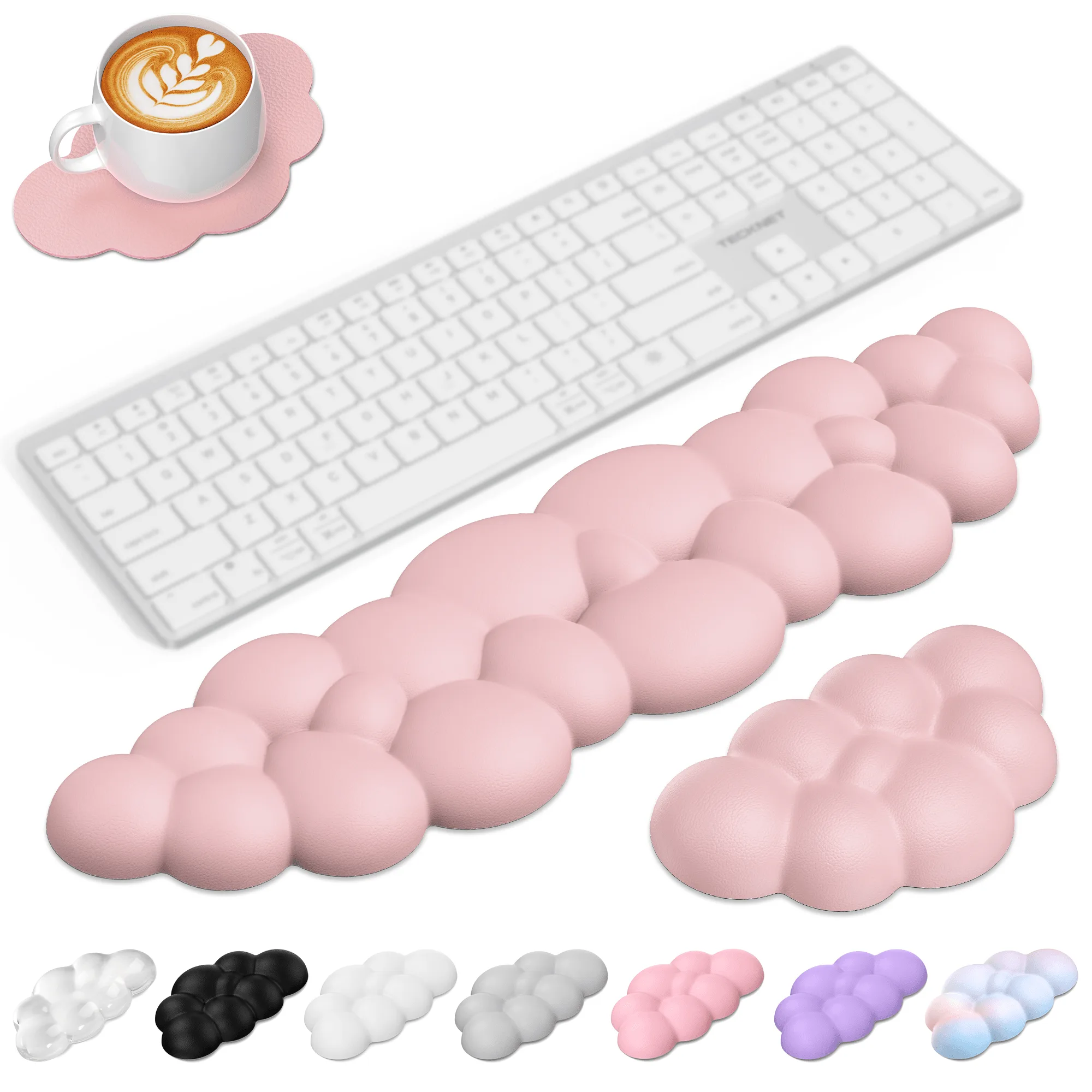
The TECKNET Cloud Keyboard Wrist Rest Set is a three-piece kit: a keyboard wrist rest, a mouse wrist rest, and a coaster. Before you place anything on your desk, separate the three pieces so you do not put the mouse pad where the keyboard rest belongs or use the coaster under a hot drink without checking the surface.
The keyboard rest is sized for 60/65/75/80/96-key keyboards. That range covers many compact and tenkeyless layouts, but it is not a universal fit for every keyboard. Measure your keyboard before you commit to a position, especially if you use a full-size board with a number pad.
Position the Keyboard and Mouse Rests
Placement matters more than pressing hard or adjusting the pad all day. Use these checkpoints to set up the set for typing and mousing.
- Clear the desk surface: Wipe away dust and grit first. The silicone base grips firmly, but it needs a clean, dry surface to stay put.
- Set the keyboard rest in front of the keyboard: The cloud shape is designed to fit the wrist curve and provide soft support. Align the rest so it runs parallel to the keyboard, with no gap that lets your wrist drop between the pad and the keyboard edge.
- Place the mouse rest beside the keyboard rest: Put the mouse wrist rest where your mouse hand naturally lands. The set includes a separate mouse rest, so you do not have to stretch the keyboard rest sideways.
- Check for shifting: Press down lightly and move your hands as you normally would. The silicone base is intended to grip firmly and prevent shifting. If the pad slides, clean the desk and the base again before repositioning.
- Use the coaster where it helps: The coaster is part of the set. Keep it near your drink, but do not place it under the keyboard or mouse rest as a shim.
What the Cloud Set Is Designed to Do
-
TECKNET Cloud Keyboard Wrist Rest Set, Non-Slip PU Leather Wrist Pad with Ergonomic Memory Foam, for Laptop/Office/Gaming & Pain Relief, Rainbow: 3-in-1 set includes keyboard wrist rest, mouse wrist rest, and coaster. One purchase covers both typing and mousing support, so you can keep the same cushioning feel across your desk.
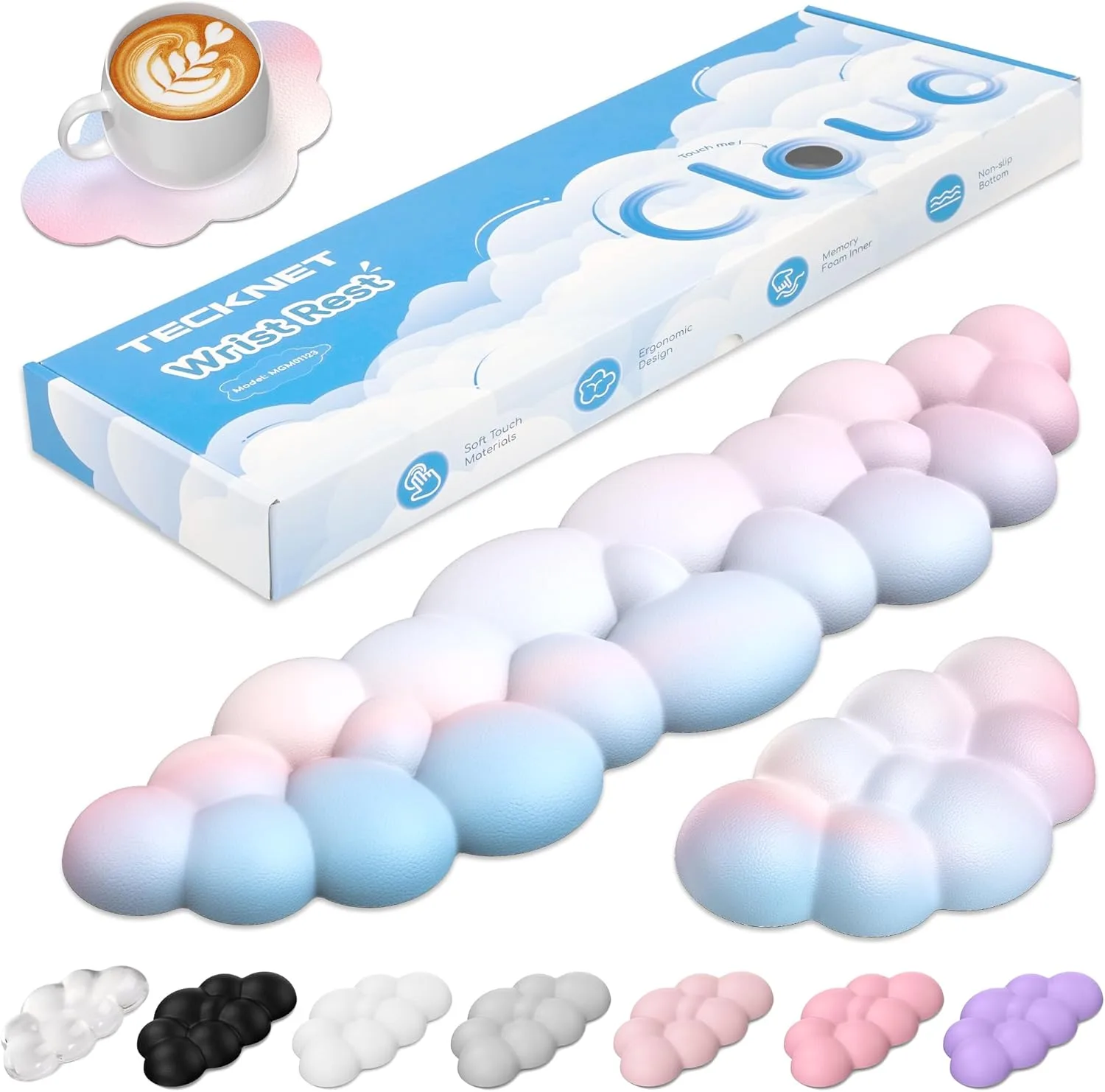
TECKNET Cloud Keyboard Wrist Rest Set, Non-Slip PU Leather Wrist Pad with Ergonomic Memory Foam, for Laptop/Office/Gaming & Pain Relief, Rainbow
-
TECKNET Cloud Keyboard Wrist Rest Set, Non-Slip PU Leather Wrist Pad with Ergonomic Memory Foam, for Laptop/Office/Gaming & Pain Relief, Rainbow: Cloud shape fits wrist curve, provides soft support, and reduces fatigue from prolonged typing and mousing. This explains why the rest is shaped rather than flat and why positioning it along the wrist curve matters.
-
TECKNET Cloud Keyboard Wrist Rest Set, Non-Slip PU Leather Wrist Pad with Ergonomic Memory Foam, for Laptop/Office/Gaming & Pain Relief, Rainbow: Universal Size: Carefully sized to fit 60/65/75/80/96-key keyboards. Check your keyboard layout against this range before assuming the keyboard rest will span your board.
-
TECKNET Cloud Keyboard Wrist Rest Set, Non-Slip PU Leather Wrist Pad with Ergonomic Memory Foam, for Laptop/Office/Gaming & Pain Relief, Rainbow: 80D High-Density Foam: Made of premium memory foam – flexible, durable, and bounce-back resistant. The foam is intended to maintain shape after heavy use, which affects how you clean and store the pad.
Match the Rest to Your Keyboard Layout
The 60/65/75/80/96-key sizing is the clearest compatibility clue in the product record. If your keyboard falls outside that range, the keyboard rest may not line up with the full width of your typing area. That does not mean the set is unusable, but it does mean you should test the fit before you build your desk setup around it.
For office and gaming setups, the mouse rest is often the piece that sees the most varied use. Keep it on the same surface as the keyboard rest so your wrists are supported at a consistent height. The set is described as suitable for office, gaming, or home use, but the supplied information does not include specific height or angle recommendations, so adjust by feel rather than by a fixed rule.
Clean the PU Leather Without Soaking the Foam
The PU leather surface resists water and stains and wipes clean easily. That makes routine cleaning simple, but it does not make the foam core waterproof. Keep cleaning surface-level and avoid saturating the pad.
- Wipe with a damp cloth: Use a cloth that is damp, not dripping. The PU leather surface is designed to be wiped clean.
- Skip harsh cleaners: The supplied information does not list approved cleaning agents. Stick to a simple wipe and avoid abrasive products that could damage the PU leather surface.
- Dry before use: Let the surface air-dry before you put your wrists back on it. Do not put the pad in a washing machine or soak it; the foam core is not described as machine washable.
- Clean the silicone base: Dust and lint reduce grip. Wipe the silicone base and the desk surface to help the pad stay in place.
Keep the Memory Foam in Shape
The 80D high-density foam is described as flexible, durable, and bounce-back resistant, and it is intended to maintain shape after heavy use. You do not need to fluff or knead it. Instead, avoid leaving heavy objects on the pad for long periods and keep it out of direct sun if your desk gets strong afternoon light.
The concave-convex design is meant to promote airflow and reduce sweating. That makes the surface easier to live with during long sessions, but it also means crumbs and dust can collect in the contours. A quick wipe with a damp cloth is usually enough; a soft brush can help lift debris without pressing it into the foam.
When the Set May Not Be the Right Fit
The set is a good match for many compact and tenkeyless keyboards, but it is not a custom-fit product. Consider these limitations before buying.
- Your keyboard is larger than the listed range: The keyboard rest is sized for 60/65/75/80/96-key keyboards. A full-size board with a number pad may extend beyond the rest.
- You need a specific wrist angle: The supplied information does not include angle or height specifications. If you need a precise incline, this set does not provide that guidance.
- You want a machine-washable pad: The PU leather surface wipes clean, but the foam core is not described as washable. Plan on spot cleaning only.