What This Stand Does
The Cockpit-Mounted Single Monitor Stand for TR5 is a display mount that bolts directly to the TR5 simulator chassis. It is designed for sim racing, flight simulation, and truck simulators, positioning a single monitor or TV for a realistic field of view with minimal flex.
Because it mounts to the cockpit rather than the floor, the stand moves with the rig during heavy braking or aggressive driving, keeping the screen position consistent. This makes it a space-efficient choice for compact simulator builds.
Key Specifications from the Catalog
-
Cockpit-Mounted Single Monitor Stand for TR5 Simulator: Supports displays up to 50 inches You can use a wide range of monitors and TVs, including ultrawide and large-format displays, without needing a different stand.
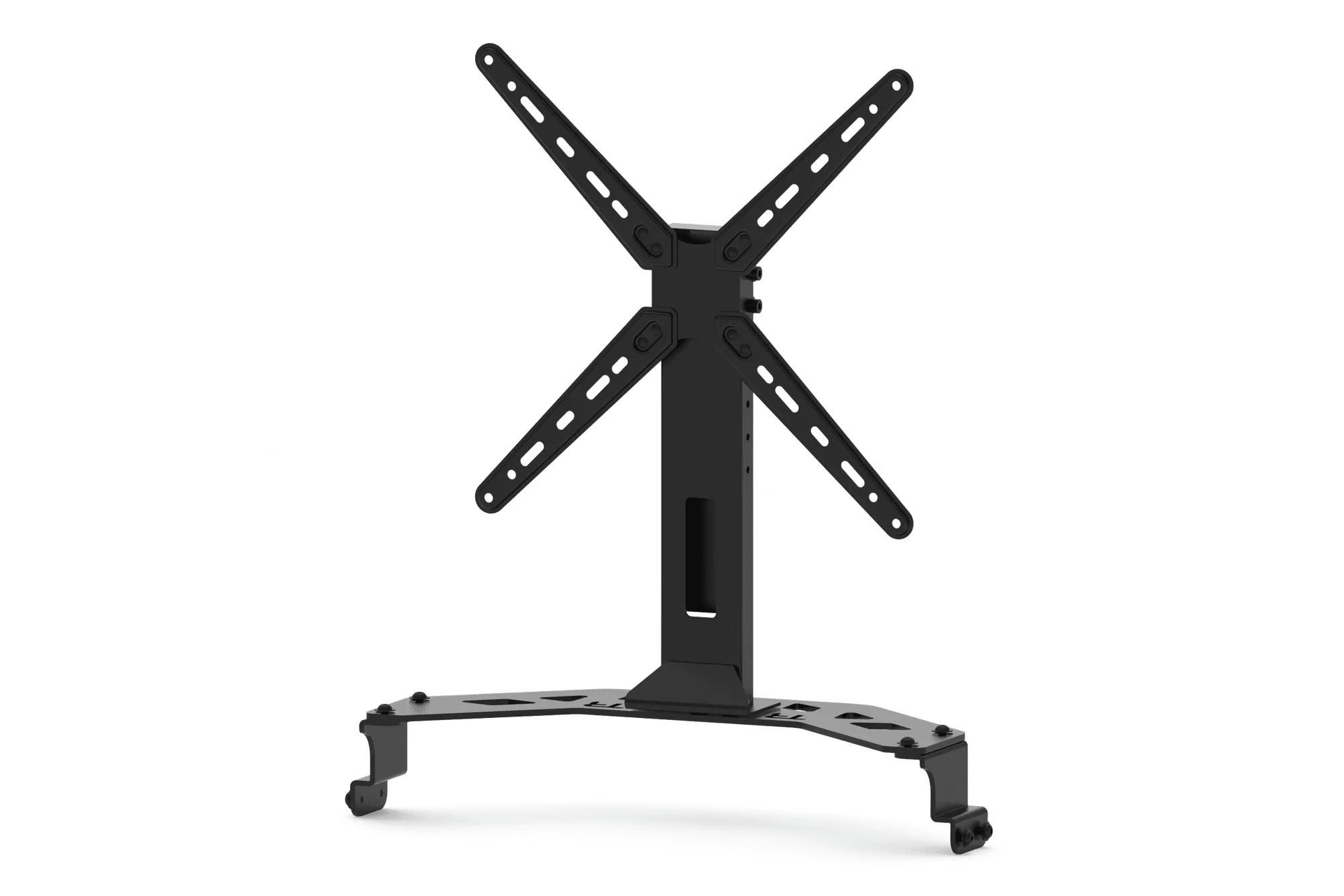
Cockpit-Mounted Single Monitor Stand for TR5 Simulator
-
Cockpit-Mounted Single Monitor Stand for TR5 Simulator: Wide VESA compatibility: 75x75 mm to 400x400 mm Most modern monitors and TVs with VESA mounting patterns in that range will fit, but you should verify your display's VESA pattern before ordering.
-
Cockpit-Mounted Single Monitor Stand for TR5 Simulator: Height adjustment for optimal eye alignment You can set the screen height to match your seated eye level, improving comfort and FOV accuracy.
-
Cockpit-Mounted Single Monitor Stand for TR5 Simulator: Forward and backward positioning for perfect viewing distance Adjusting the screen distance helps you fine-tune your field of view for racing or flight sims.
-
Cockpit-Mounted Single Monitor Stand for TR5 Simulator: No electronics (monitors, TVs, or cockpits) are included You need to supply your own monitor or TV and the TR5 cockpit. The stand is a mounting accessory only.
Setup Steps for the TR5 Integrated Monitor Stand
The following steps are based on the stand's design and compatibility information. No detailed installation instructions were supplied, so use these as a general guide and refer to your specific hardware.
- 1. Prepare the TR5 Cockpit: Ensure the TR5 chassis is fully assembled and stable. The stand bolts directly to the cockpit, so the rig must be on a level surface.
- 2. Attach the Stand to the Cockpit: Bolt the stand's mounting plate to the designated mounting points on the TR5 frame. Use the supplied hardware; do not overtighten. The stand should be rigidly attached to the chassis.
- 3. Mount the Monitor or TV: Attach the VESA bracket to the back of your display. Use screws appropriate for your monitor's VESA pattern (75x75 to 400x400 mm). Lift the display onto the stand's mounting plate and secure it. A second person can help with larger screens.
- 4. Adjust Height and Distance: Loosen the adjustment knobs, set the screen at your preferred height and distance, then tighten. For sim racing, position the screen close behind the wheel base for an accurate FOV. For flight sims, a slightly higher position may suit cockpit views.
- 5. Check Stability: Gently shake the rig to ensure the stand and monitor are secure. Re-tighten any loose bolts. The stand is designed to reduce vibration, but all connections should be firm.
Compatibility and Limitations
This stand is engineered for the TR5 simulator only. It will not fit other cockpits without modification. The stand supports displays up to 50 inches and VESA patterns from 75x75 mm to 400x400 mm, but the weight of your monitor should be within the stand's capacity—though no specific weight limit is supplied, heavy monitors (e.g., large TVs) may exceed the stand's design. Check your display's weight against typical monitor stand limits.
The stand lacks built-in cable management, but you can route cables along the cockpit frame. Trak Racer does not cover damage to personal equipment during installation, so take care when handling your display.
Cockpit-Mounted vs Freestanding Monitor Stands
- Cockpit-Mounted (this stand): Attaches directly to the TR5 chassis. Saves floor space and moves with the rig, reducing vibration. Ideal for compact setups and immersive sims where screen alignment is critical.
- Freestanding Monitor Stand: Sits on the floor independently. Can be placed in front of any rig, but takes up more space and may flex or shift during heavy use. Better for multi-screen setups or when you want to use the stand with different cockpits.
What the Supplied Information Leaves Open
The catalog does not specify the exact weight capacity of the stand, the dimensions of the mounting plate, or detailed installation torque values. It also does not confirm compatibility with specific monitor models or curved screens beyond the VESA pattern range. If you plan to use a very heavy or large display (e.g., a 50-inch TV), verify the stand's capacity with the manufacturer or check community forums for real-world experience.
No instructions for adjusting the stand's tilt or swivel are provided; the stand appears to offer height and distance adjustment, but not angle adjustment. For precise FOV tuning, you may need to shim or use an optional tilt adapter.