Start by confirming the port, not the cable
A coiled Micro HDMI to HDMI cable only works when the device end matches the port. Micro HDMI is Type D, a smaller connector than the Mini HDMI (Type C) and Micro USB ports found on some cameras and tablets. The Innov8 Micro HDMI (Type D) to HDMI 2.0 Coiled Cable is not compatible with Mini HDMI (Type C) or Micro USB ports, so check the device label or port shape before ordering.
Once the port is confirmed, the setup is a short sequence: connect the Type D end to the camera or other Micro HDMI device, connect the Type-A end to a TV, monitor, projector or AV receiver with a standard HDMI input, then plan how the coiled section will reach without pulling tight.
What the Innov8 coiled cable provides
-
Micro HDMI (Type D) to HDMI 2.0 Coiled Cable 4K 60Hz Gold Plated Extends to 2.4m: Micro HDMI (Type D) male to HDMI Type-A male cable This is the connector pairing to match against your camera or device port and your display input.
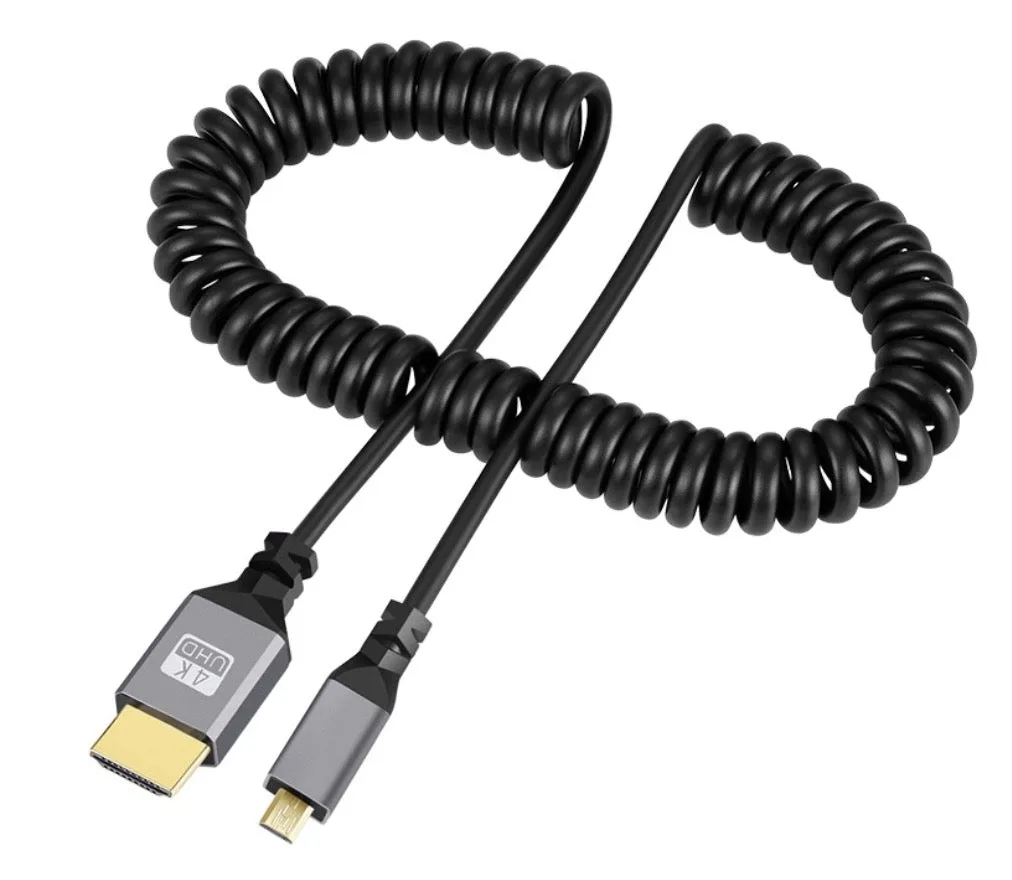
Micro HDMI (Type D) to HDMI 2.0 Coiled Cable 4K 60Hz Gold Plated Extends to 2.4m
-
Micro HDMI (Type D) to HDMI 2.0 Coiled Cable 4K 60Hz Gold Plated Extends to 2.4m: HDMI 2.0 specification compliant, with resolutions up to 4K at 60Hz Use this as the cable's stated video capability when planning a 4K 60Hz camera-to-monitor setup.
-
Micro HDMI (Type D) to HDMI 2.0 Coiled Cable 4K 60Hz Gold Plated Extends to 2.4m: Coiled cable extends up to 2.4 metres Plan the distance between the camera and display around this maximum reach, keeping slack in the coil rather than stretching it taut.
A practical setup sequence for a camera-to-monitor run
These steps follow the supplied connector, reach and compatibility details. They do not replace your camera or display manual for settings such as output resolution.
- Check both ports before you connect: Confirm the camera or device has a Micro HDMI (Type D) output and the display has a standard HDMI input. The cable will not fit Mini HDMI (Type C) or Micro USB ports.
- Connect the Type D end to the device: The smaller Micro HDMI connector goes to the camera, camcorder, action camera or tablet. Seat it fully before moving the rig.
- Connect the Type-A end to the display: Plug the standard HDMI end into a television, monitor, projector or AV receiver with a standard HDMI input.
- Plan the 2.4m reach before you pull: The coiled section extends up to 2.4 metres. Position the camera and display so the cable can reach with the coil relaxed, not at full stretch.
- Set the display input and check the image: Select the correct HDMI input on the display. If you expect 4K 60Hz, confirm that the camera output and the display input are both set to support it; the cable is rated for up to 4K at 60Hz, but the supplied information does not confirm every device's settings.
Why the coiled design suits camera rigs
A coiled HDMI cable for camera work keeps excess cable organised. The Innov8 cable stretches up to 2.4 metres when you need more distance, then retracts to a compact coil for storage and transport. That makes it a practical choice for photography, videography and portable setups where a long fixed cable would hang loose or tangle.
The tradeoff is reach: 2.4 metres is the stated maximum extension, so measure the gap between your camera position and the display before you commit. If your rig needs more distance, this cable is not the right tool for that run.
Construction details that support a stable signal
- Micro HDMI (Type D) to HDMI 2.0 Coiled Cable 4K 60Hz Gold Plated Extends to 2.4m: Premium bare copper conductors with dual shielding These are the supplied construction details behind the cable's claim of reliable audio and video transmission with reduced interference.
- Micro HDMI (Type D) to HDMI 2.0 Coiled Cable 4K 60Hz Gold Plated Extends to 2.4m: 24K gold-plated connectors Gold plating is part of the connector finish; the supplied information does not state a separate performance rating for it.
- Micro HDMI (Type D) to HDMI 2.0 Coiled Cable 4K 60Hz Gold Plated Extends to 2.4m: High-speed digital audio and video transmission This confirms the cable carries both audio and video, so a single run to the display can handle sound as well as picture.
Checks that prevent a return or a failed shoot
- Port type: Micro HDMI (Type D) on the device, standard HDMI on the display. Mini HDMI (Type C) and Micro USB are not compatible.
- Distance: The coil extends to 2.4 metres. Keep the run within that reach and avoid pulling the coil to its limit.
- Resolution expectation: The cable is rated up to 4K at 60Hz. The supplied information does not list supported resolutions below 4K or confirm device-specific output settings, so check your camera and display menus.
- Cable management: Leave enough slack at both connectors so the coil's retraction does not strain the camera port or the display input.
Where the supplied information stops
The supplied record does not include preparation or operating instructions for specific cameras, nor does it confirm compatibility with every device that has a Micro HDMI port. It also does not state supported audio formats, HDCP behaviour or performance beyond the 4K 60Hz rating. Treat those as questions for your camera and display documentation rather than assumptions about the cable.
For a straightforward camera-to-monitor or camera-to-TV connection within 2.4 metres, the Innov8 Micro HDMI (Type D) to HDMI 2.0 Coiled Cable covers the core requirements: the correct Type D connector, a standard HDMI end, 4K 60Hz capability and a coiled format that keeps a portable rig tidy.