Quick answer
For most home office calls, prioritize a wired communication headset with a boom microphone that sits close to your mouth, plus a fit you can wear for hours. The Koss CS300 USB and Koss CS200i are simple, affordable starting points; step up to the Koss SB42 if background noise or speech recognition matters in your daily work.
A headset for home office calls fails in predictable ways: the other person hears your keyboard, your ears ache by the third meeting, or the connection drops mid-sentence. The fix is not more features. It is matching three basics to your actual workday: microphone placement, wearing comfort, and a connection you can trust.
This guide gives you decision rules instead of a spec sheet. You will see which Koss communication headsets fit common home office setups, when wired beats wireless, and which trade-offs are worth accepting. Prices and features below come from the current Koss catalog.
Microphone quality: placement beats marketing
Headset microphone quality depends less on the label and more on where the mic sits. A boom microphone that rests near the corner of your mouth picks up your voice clearly while rejecting room noise. That is why communication headsets still use booms for calls, while earbud microphones hanging near your chest sound distant on conference calls.
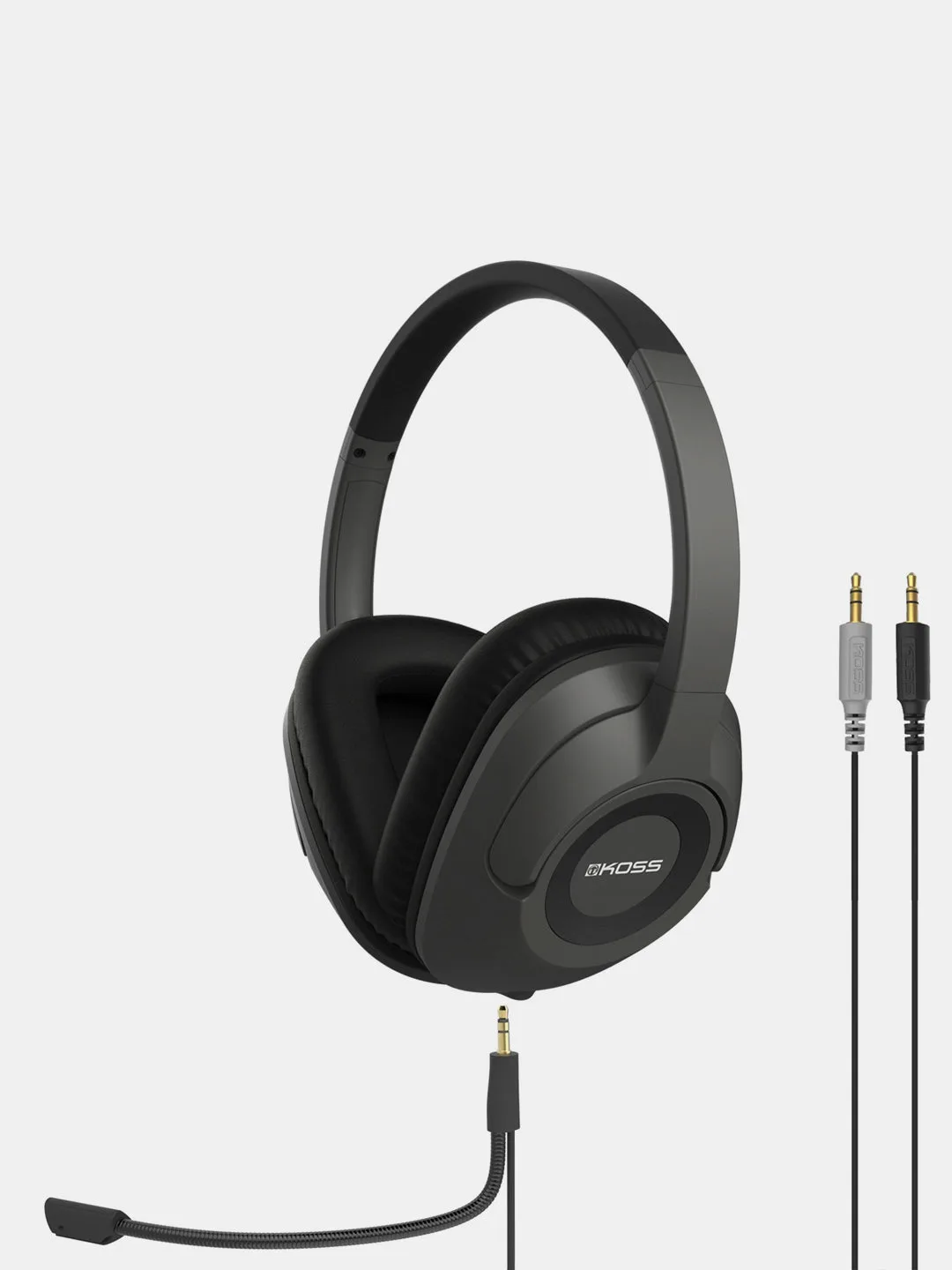
Noise reduction matters most in untreated rooms. The Koss SB42 includes a noise-reduction microphone and Koss Clear Voice Technology (CVT), which the catalog says eliminates excessive background noise and makes PC voice applications such as speech recognition easier to use. If you dictate notes or share a home with others, that is a concrete reason to choose the SB42 over a basic headset.
- Position the boom tip about a finger-width from your mouth, slightly off to the side, to reduce plosives.
- Test your setup by recording a short message and listening back before your first important call.
Wired or wireless: pick reliability first
A wired communication headset removes two common call failures: battery anxiety and wireless dropouts. You plug in, you talk, and the headset works. For a home office where you sit at the same desk most of the day, wired is usually the lower-risk choice, and it often costs less than a comparable wireless model.
Wireless makes sense when you move between rooms during calls or want to step away from the desk. The trade-off is charging routine and occasional interference. If you choose wireless, keep a wired backup headset within reach so a low battery never ends a client call early.
- If your calls are back-to-back, choose wired and skip charging entirely.
- If you pace while talking, wireless freedom may be worth the charging habit.
Comfort for a full workday
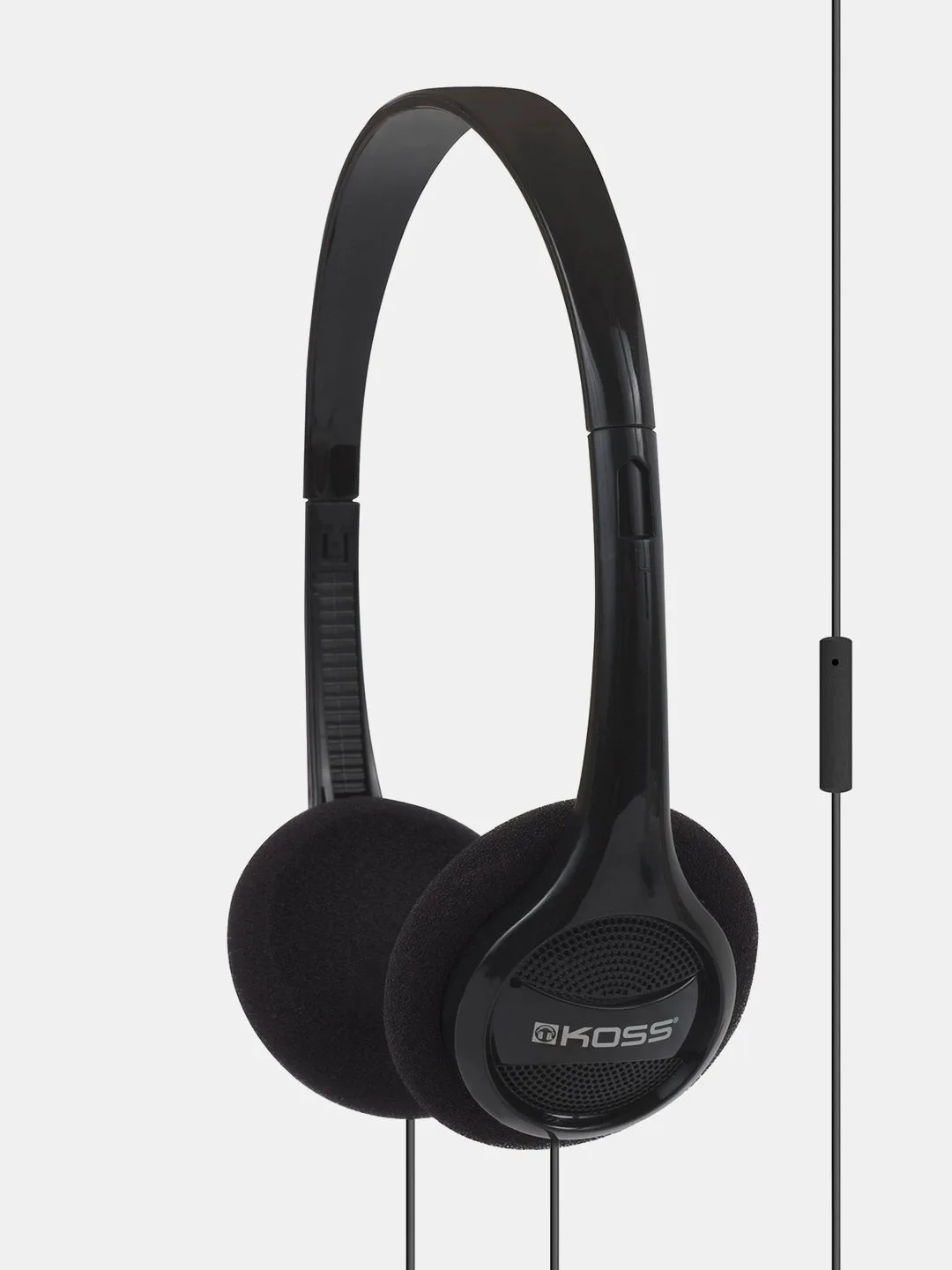
Headset comfort for work is about weight and clamping force, not padding alone. Light on-ear models with soft foam cushions, like the Koss KPH7iK, are built for extended use in schools, libraries, and listening labs, and the same logic applies to a home office: less weight means less pressure on the top of your head and around your ears.
If you wear glasses or take calls for six or more hours, give on-ear models a break every couple of hours, or alternate with a lighter pair. Cushion condition matters too; flattened foam changes both comfort and sound, so replace worn cushions rather than enduring them.
- Adjust the headband so the ear pads rest flat against your ears, not pressed against your jaw.
- Take the headset off during long video meetings when you are only listening.
Connection and compatibility checks
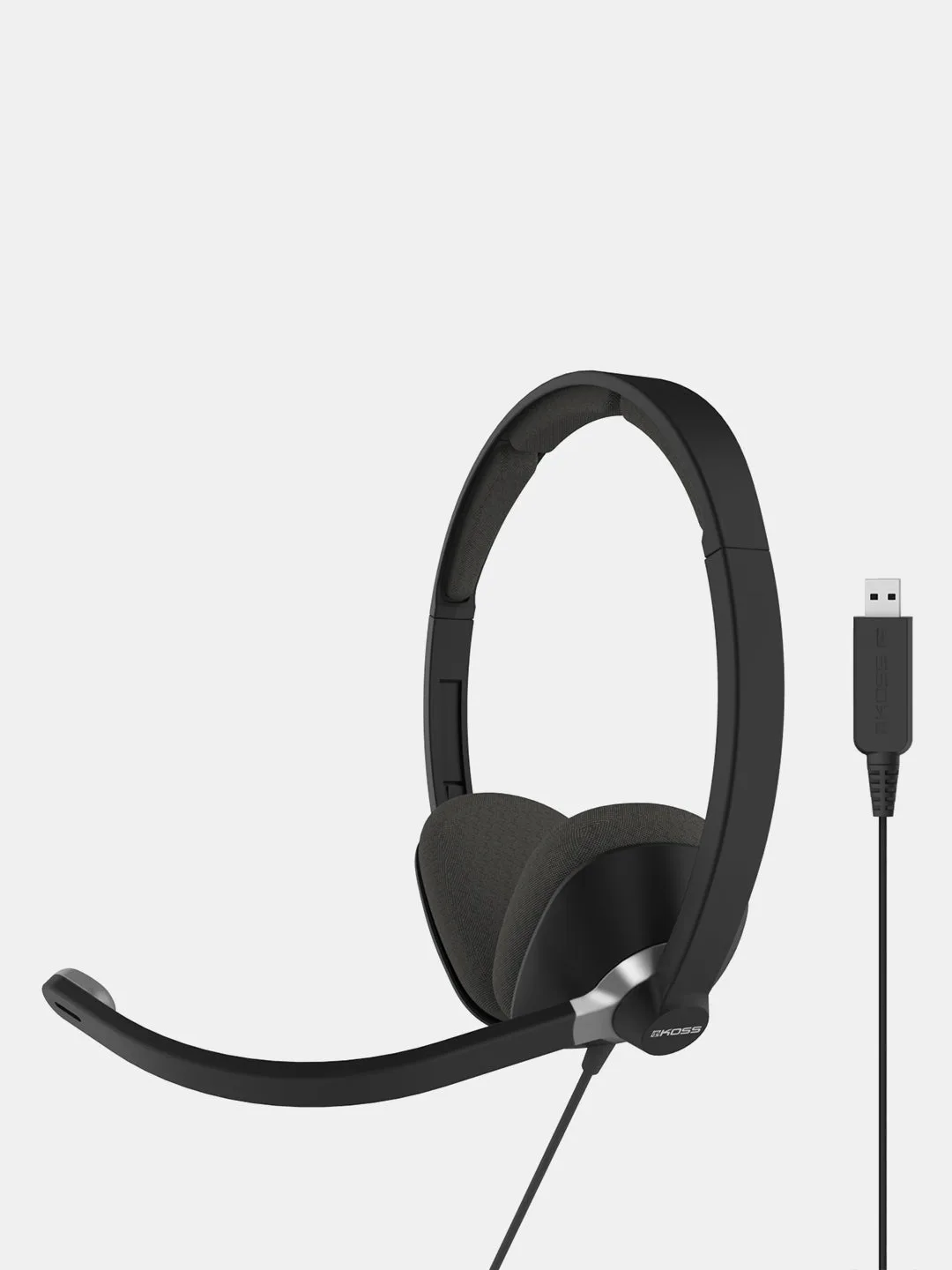
Before buying, confirm how your computer accepts audio. The Koss CS300 USB connects over USB, which suits laptops and desktops without a separate microphone jack. The Koss CS200i and Koss SB42 are communication headsets designed for office, language learning, and internet conference calls, but you should verify the plug type against your machine before ordering.
If your computer has separate headphone and microphone jacks, a single-plug headset may need an adapter. If it has only USB ports, a USB headset avoids that problem entirely. The catalog does not list every plug detail for every model, so treat connection type as a decision point you confirm at purchase, not an assumption.
- Count your available ports: USB-A, USB-C, or separate 3.5 mm jacks.
- Keep a spare adapter in your desk drawer if you switch between devices.
Decision rules for buying a home office headset
- If your room is noisy or you dictate text: Choose a headset with a noise-reduction boom microphone, such as the Koss SB42 with Clear Voice Technology. Noise reduction is the feature that protects call clarity, so pay for it before paying for extras.
- If you take back-to-back calls at one desk: Choose a wired communication headset like the Koss CS300 USB and skip battery management entirely. Wired is the lowest-risk default for a fixed home office setup.
- If you wear glasses or take calls all day: Prioritize low weight and soft foam cushions, and consider a light on-ear model such as the Koss KPH7iK for listening-heavy tasks. Comfort is a daily cost; a headset that hurts will not get used.
- If you are unsure about your computer's ports: Check for USB versus separate headphone and microphone jacks before ordering, and add an adapter if needed. Confirm the connection first; the best headset is useless if it does not plug in.
Koss communication headsets at a glance
- CS300 USB: The CS300 USB communication headset is designed for the office, language learning programs, and internet conference calls, with a full range of sound that brings conversations to life. USB connection keeps setup simple on laptops and desktops without a separate mic jack.
- CS200i: The CS200i communication headset is positioned for the office, language learning programs, and internet conference calls, with a full range of sound. A lower-cost entry point for basic call and study use, provided your device has the matching connection.
- SB42: The SB42 delivers a full range of sound and features Koss Clear Voice Technology (CVT) with an included noise-reduction microphone that eliminates excessive background noise, making PC voice applications such as speech recognition easier to use. The strongest pick here when background noise or dictation accuracy is part of your daily work.
- KPH7iK: The KPH7iK is an affordable audio solution for schools, libraries, and listening labs, with ultra lightweight, durable construction, soft foam cushions for extended use, and an in-line One Touch Remote for calls and music. A light on-ear option for listening-heavy days, though its in-line remote is not a boom microphone.
Who should buy which headset
Best for
- Home office workers who want a simple USB headset for conference calls
- Students and language learners who need clear two-way audio
- Anyone in a noisy room who needs a noise-reduction boom microphone
Not for
- Listeners who mainly want wireless freedom and never take calls
- Buyers who need active noise cancellation, which these models do not list
- Users who cannot confirm their computer's connection type before purchase
Pick the headset that matches your room and your routine: a noise-reduction boom mic if your space is loud, a wired USB connection if you sit at one desk, and the lightest fit you can wear comfortably for hours. Confirm your ports, then buy once.