What the Corepad set gives you for the Orochi V2
Corepad Soft Grips are tailor-made stickers for the Razer Orochi V2, made from a soft polymer-rubber material with a textured surface. The set is designed to add grip on a smooth or glossy mouse shell, absorb hand sweat, and give you more control when your hand would otherwise slip.
Each set contains one application: left and right front button pieces, left and right side pieces, eight left and right side-button pieces, one back piece, and instructions. You also get a double set for the side buttons, which is useful if those small pieces wear or lift first. The grips come in Black or White.
Fit and material facts that affect the install
-
Corepad Grips - Razer Orochi V2: Made of high-quality, soft polymer-rubber material with a special textured surface. The soft material conforms to the Orochi V2 shell, while the texture is what adds grip under your fingers.
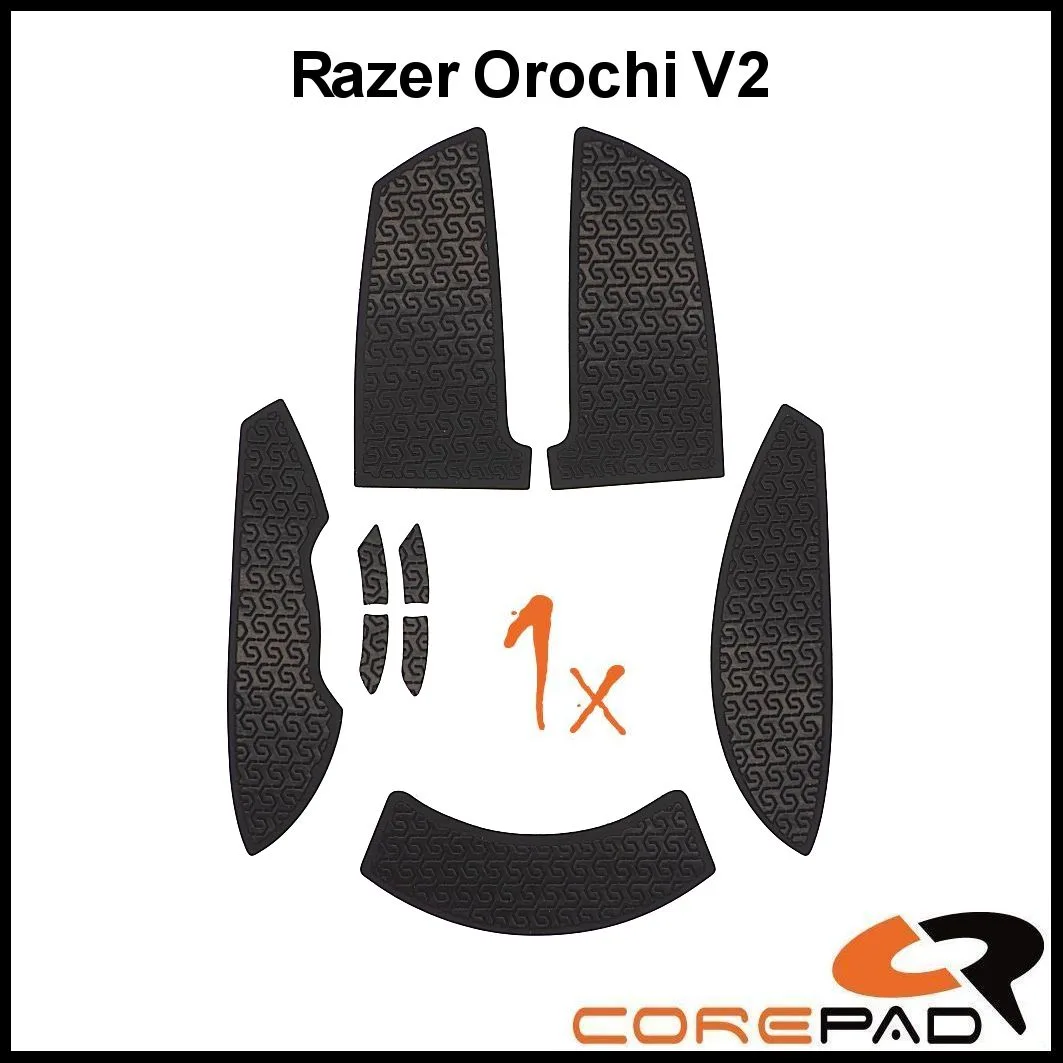
Corepad Grips - Razer Orochi V2
-
Corepad Grips - Razer Orochi V2: Very thin and ergonomic. (Roughly .35mm in thickness) The thin profile keeps the mouse feeling close to its original shape rather than adding a bulky layer.
-
Corepad Grips - Razer Orochi V2: Use high-quality 3M adhesive for the best possible hold and a long service life. The adhesive is what keeps the pieces in place during play, so clean surfaces and careful placement matter.
How to install Orochi V2 grip tape
The Corepad process is simple: peel, stick, and play. The pieces are pre-cut for the Orochi V2, so the main work is placing each piece accurately the first time. The adhesive is designed to be removable without residue, but the grips cannot be stuck on again once removed, so avoid lifting and repositioning.
- Clean and dry the mouse shell: Wipe the areas where each piece will go and let them dry fully. The supplied information does not include a specific cleaning solution, so use a method you already trust on your mouse.
- Match each piece to its location: Lay out the front button, side, side-button, and back pieces before peeling anything. The set includes left and right versions, so check orientation against the Orochi V2 before committing.
- Peel and stick one piece at a time: Start with the largest piece or the area where you slip most. Press the piece down evenly, including the pressed edges, which are there to increase durability.
- Leave the side-button pieces until last: The eight small side-button pieces are the easiest to misalign. Place them after the larger pieces are set so you can see the spacing clearly.
- Press and test before playing: Run a finger over each edge to confirm it is flat. If a piece is lifting at an edge, press it down again now rather than during a session.
The replacement interval is part of the install plan
Corepad recommends replacing the grips every 3-5 months to avoid potential issues with removing the adhesive from your mouse. That makes the install a recurring task, not a one-time upgrade. If you play often or your hands sweat heavily, mark the date you applied the set so you know when the interval is approaching.
Because the grips cannot be reused after removal, plan to have a fresh set on hand before you take the old one off. The double set of side-button pieces helps, but it does not extend the life of the main button and side pieces.
What to check after the first session
- Edges on the front buttons: These take the most repeated contact. Check that the pressed edges are still flat against the shell.
- Side pieces under your thumb: If a side piece has shifted, stop using it and replace it rather than pressing it back repeatedly.
- Side-button pieces: The small pieces can lift first. The spare double set is there for this reason.
- Back piece: This piece sees less friction, but check it for curling at the edges.
Corepad Grips - Razer Orochi V2 at a glance
- Corepad Grips - Razer Orochi V2: 1 set of Corepad Soft Grips (1x l + r front button / 1x l + r side / 8x l + r side button / 1x back) for one application, instructions. Confirms exactly what you receive and that the set covers one full application.
- Corepad Grips - Razer Orochi V2: Can be removed without leaving any residue - but not stuck on again. Removal is clean, but you cannot reposition or reuse a piece once it is off.
- Corepad Grips - Razer Orochi V2: Available in Black and White. Color is the only listed option, so choose based on the look you want on your Orochi V2.
Where the supplied information stops
The supplied record does not include step-by-step preparation instructions, a recommended cleaning agent, or a stated cure time before play. It also does not confirm compatibility with any mouse other than the Razer Orochi V2. Treat the peel-and-stick process as the core method and use your own judgment for surface preparation.
If you are unsure whether the grips will suit your grip style, the material and texture facts are the best guide: soft polymer-rubber with a textured surface, designed to add control on a slippery shell. For a first set, Black or White is the only decision left beyond the install itself.