Quick Answer
Replace the stock feet on your Waizowl OGM Pro Wireless with Corepad Skatez for a consistent PTFE glide. Follow the steps below to install them cleanly and avoid common mistakes.
Why Upgrade the Stock Feet?
The Waizowl OGM Pro Wireless ships with stock feet that wear down over time, which can make your mouse feel scratchy or inconsistent. Corepad Skatez are made from 100% pure PTFE, giving you a smoother and more predictable glide on most mousepads.
One trade-off to consider: the 0.85 mm thickness is slightly thicker than some stock feet. This can slightly raise the mouse, which may change the feel if you're used to a lower profile. Most users adjust quickly, but it's worth knowing before you install.
Step-by-Step Installation
- Clean the Mouse Feet Area: Use a lint-free cloth and isopropyl alcohol to remove any dust, oil, or debris from the recessed areas where the old feet sit. Let the surface dry completely before proceeding. Check that the surface is completely dry and free of residue; any leftover oil can prevent the adhesive from bonding.
- Remove the Old Feet: Gently lift the edge of each stock foot with a plastic spudger or a thin guitar pick. Avoid using metal tools that can scratch the mouse shell. If the old feet resist, apply slight heat with a hairdryer for a few seconds to soften the adhesive. Do not pull too hard; if a foot tears, remove the remaining adhesive with a soft eraser or adhesive remover, but avoid harsh solvents that can damage the plastic.
- Align the New Skatez: Peel the backing from one Corepad Skate and position it over the recess, aligning the edges carefully. Press down from the center outward to avoid trapping air bubbles. Repeat for all feet. Take your time with alignment; once the adhesive touches the surface, repositioning is difficult without losing stickiness.
- Press Firmly and Let Set: Apply firm, even pressure over each skate for about 30 seconds. Then place the mouse on a flat surface and press down again to ensure full contact. Wait at least 10 minutes before using the mouse to let the adhesive bond. Avoid using the mouse immediately; giving the adhesive time to set prevents the skates from shifting during the first few hours.
Product Facts
-
Corepad Skatez - Waizowl OGM Pro Wireless: Corepad Skatez for Waizowl OGM Pro Wireless come in a pack of 2 sets, made from 100% pure PTFE with a thickness of 0.85 mm. You get two full sets in one pack, so you can replace the feet twice or keep a spare set for later, and the pure PTFE ensures a consistent glide without the need for break-in.
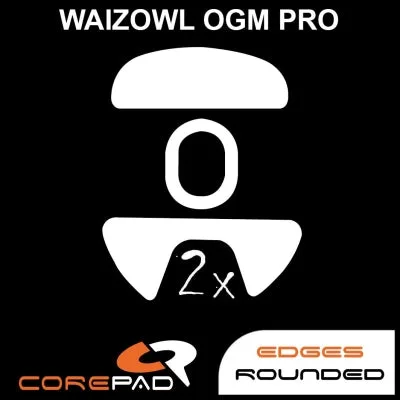
Corepad Skatez - Waizowl OGM Pro Wireless