What This Cable Is Built For
The Crystal Purple 8KHz EVA Two-Piece Braided Aviator Keyboard Cable is designed for high-speed signal delivery, specifically to support HE magnetic keyboards with fast-trigger and rapid-trigger builds. Its 5mm diameter superconductive silver-plated oxygen-free copper core and gold-plated terminals help maintain a dependable connection for compatible mechanical keyboards.
The cable uses USB-A/USB-C interchangeability at the host end, letting you connect to modern laptops, desktops, or hubs without an adapter. The 1.85m layout (1.5m straight section + 0.35m coil) balances a generous desk reach with a neat coiled presentation.
Cable Specifications at a Glance
-
8KHz EVA USB-C Braided Aviator Keyboard Cable — Crystal Purple, 1.85m: Built for responsive 8KHz keyboard setups. Confirms the cable is engineered to handle the high polling rate of 8KHz keyboards without signal degradation.
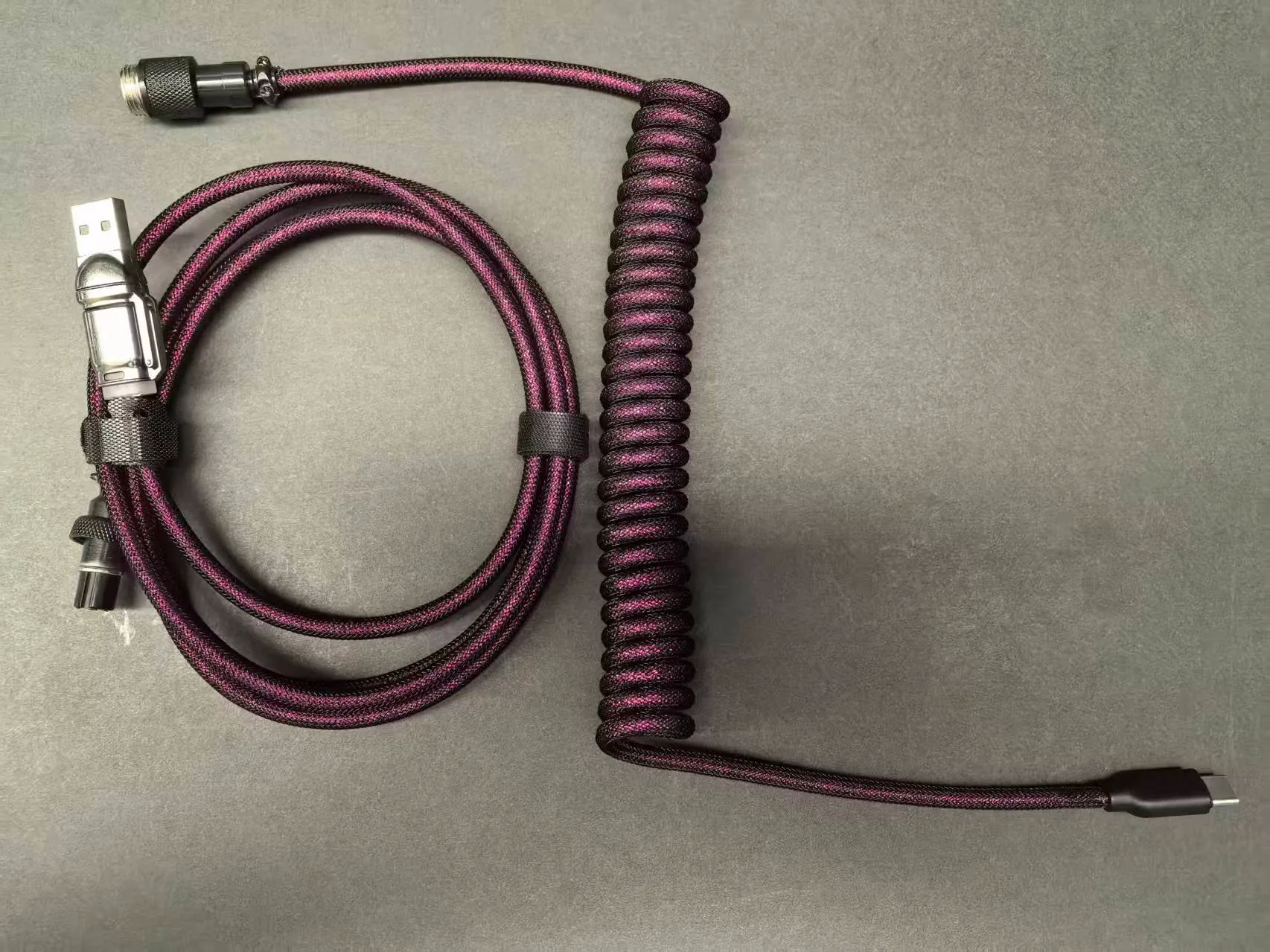
8KHz EVA USB-C Braided Aviator Keyboard Cable — Crystal Purple, 1.85m
-
8KHz EVA USB-C Braided Aviator Keyboard Cable — Crystal Purple, 1.85m: Cable Material: Superconductive silver-plated oxygen-free copper Silver-plated copper offers better conductivity than standard copper, supporting cleaner signal transmission for high-speed typing and gaming.
-
8KHz EVA USB-C Braided Aviator Keyboard Cable — Crystal Purple, 1.85m: Cable Cover Material: EVA sleeve with Atwood nylon and PET The EVA braid provides durability and a distinctive look while protecting the inner cable from everyday wear.
-
8KHz EVA USB-C Braided Aviator Keyboard Cable — Crystal Purple, 1.85m: Connector: Type C (Mini/Micro) to USB-A and USB-C The detachable aviator connector lets you swap between USB-A and USB-C host connections, making the cable compatible with a wide range of devices.
Setting Up the Cable
The 8KHz EVA cable uses a detachable aviator connector, so setup is straightforward. Follow these steps for a clean, secure connection.
- 1. Connect the aviator end to the keyboard cable: Align the gold-plated aviator connector with the corresponding port on the keyboard-side cable. Push gently until it clicks into place. The connector is keyed, so it only fits one way.
- 2. Choose your host connector: Select the USB-A or USB-C adapter that matches your computer port. Plug it into the aviator connector's opposite end.
- 3. Connect to your keyboard and computer: Plug the keyboard-side connector (USB-C, Mini, or Micro, depending on your keyboard) into your keyboard. Then plug the host end into your computer. The cable is ready to use immediately—no driver installation is required.
- 4. Arrange the cable on your desk: The 1.85m length gives you flexibility to route the cable behind your monitor or along the edge of your desk. The coil section adds a tidy curve that keeps the cable from sprawling.
Compatibility Notes
While the cable is built for 8KHz HE magnetic keyboards, it works with any mechanical keyboard that uses a USB-C, Mini USB, or Micro USB port. The supplied information confirms USB-A/USB-C interchangeability at the host end, but does not list every keyboard model. Check your keyboard's connector type before purchasing.
The cable does not include a keyboard, mouse, or receiver—those are shown for illustration only.
Caring for the Braided Cable
The EVA braided sleeve is durable but benefits from a few simple care habits. Keep the cable away from sharp edges and excessive heat. To clean, gently wipe the braided surface with a dry or slightly damp cloth; do not use harsh chemicals or submerge the cable. The gold-plated terminals can be cleaned with a dry cotton swab if they become dusty. Avoid bending the aviator connector at extreme angles, as this can stress the internal wiring.
When not in use, coil the cable loosely rather than wrapping it tightly around a device. This helps preserve the coil's shape and prevents kinking the internal conductors.