Quick answer
Start with a clean, high-contrast vector file at least 300 DPI, and choose printed pins when you need full-color gradients or photographic detail that traditional enamel can't match.
Printed vs. enamel: the real trade-off
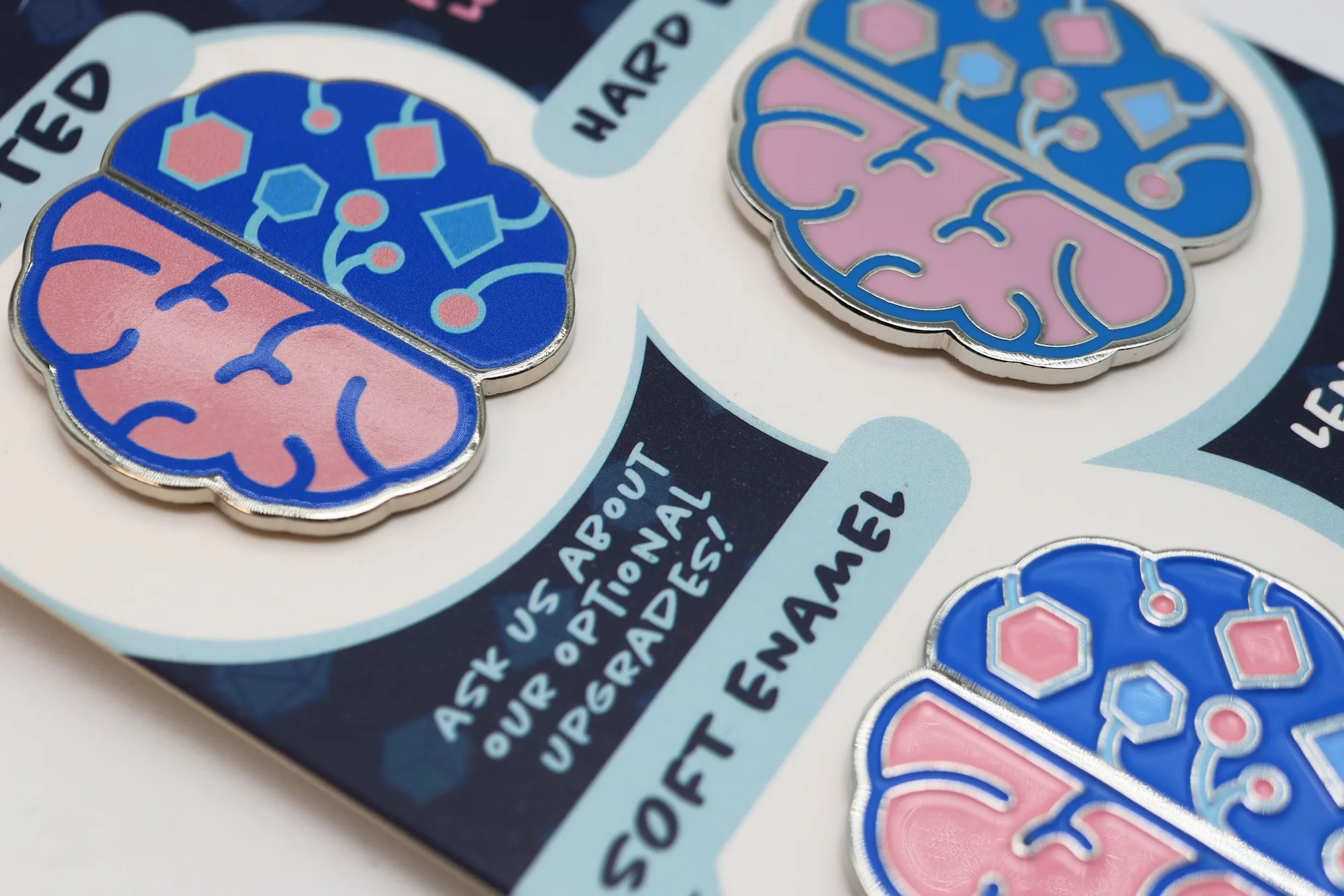
Traditional enamel pins use metal separations and solid color fills, which limits you to flat colors and raised metal lines. Printed pins, like the Custom Printed Pin from Foam Brain Games, use a UV printing process that applies ink directly onto a smooth metal surface. This means you can reproduce gradients, tiny text, and photo-realistic artwork without extra tooling costs per color.
The trade-off is texture. Enamel pins have a raised, dimensional feel that many collectors love. Printed pins are smooth to the touch and lack that raised-metal outline. If your design relies on a painterly style or includes your group's full-color logo, go printed. If you want that classic hard-enamel look with distinct metal borders, stick with traditional enamel.
Art preparation matters more than you think
Your pin will only look as good as the file you send. For printed pins, the printer maps your full-color artwork directly onto the metal shape, so any low-resolution or poorly aligned elements will show up in the final product. Use vector files (AI, EPS, or SVG) whenever possible, and embed any raster images at 300 DPI minimum.
Keep critical details away from the edge by at least 2 mm to avoid clipping during cutting. If your design includes a thin border or a character's face, give it breathing room. Also, remember that white areas in your file will print as white ink on the metal, not as bare metal. Plan your highlights accordingly.
Decision rules for your custom printed pin
- Choose printed over enamel if: Your artwork has gradients, shading, small text (below 8 pt), or photographic elements. Printed pins reproduce these cleanly; enamel would require simplifying the design into solid color areas.
- Pick the right size for your art: Smaller pins (under 1 inch) lose detail fast. For a character bust or a detailed crest, order at least 1.25 inches. For simple symbols or dice icons, 0.75 inches can work. Request a digital proof and zoom in to check legibility before approving.
- Plan your quantity around your event: Printed pins have a setup fee, so ordering a larger batch lowers the per-unit cost. If you need pins for a one-shot convention or a small RPG group, split the order with friends or aim for a quantity that makes the setup cost worthwhile. Check the quantity options on the product page and calculate per-pin cost at each tier.
- Use a transparent or white background: The pin is cut to the shape of your design. A rectangular white box in your file will print as a white background. Save your file with a transparent background so the pin shape follows your artwork's outline.
- Review the finish options: Printed pins come with a smooth epoxy coating that protects the ink and gives a glossy sheen. If you prefer a matte look, ask about matte epoxy availability. The coating adds durability but can yellow slightly over years of sun exposure. Store your pins away from direct sunlight to keep the colors vibrant.
Product spotlight
-
Custom Printed Pin: Printed Pins offer an incredible level of detail, vibrant colors, and a smooth, modern finish. This means you can include your RPG character's full-color portrait or a gradient-filled spell icon without paying extra for each additional color.
Custom Printed Pin
Who should buy a custom printed pin
Best for
- RPG groups wanting full-color character art or group logos on a pin
- Convention organizers needing detailed, photo-realistic designs
- Gamers who prefer a smooth, modern finish over traditional raised enamel
Not ideal for
- Collectors who specifically want the raised metal lines and textured feel of hard enamel pins
- Designs that rely on a metallic background or exposed metal areas (printed pins cover the surface with ink)