Quick answer
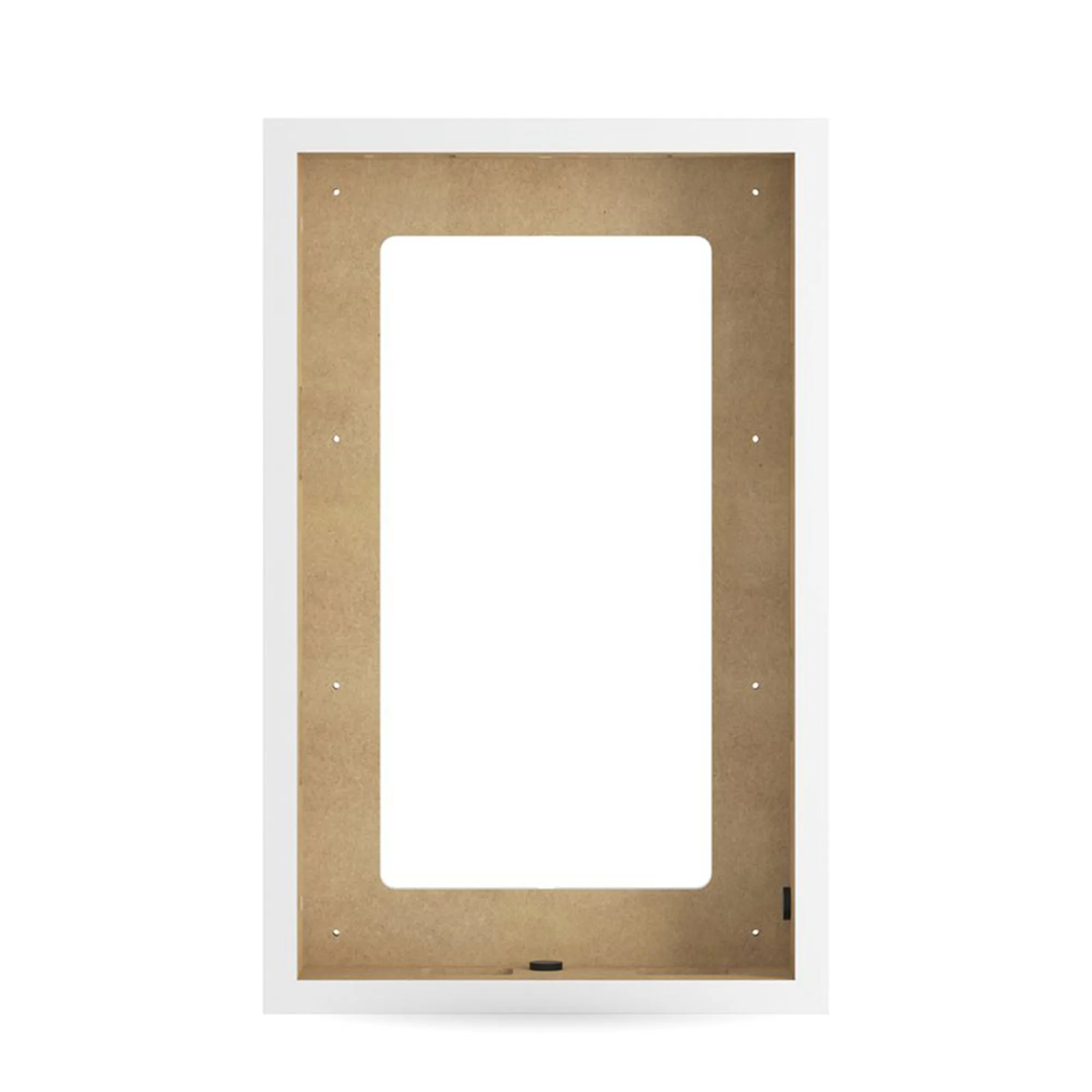
The DALI PHANTOM OW Frame is a dedicated mounting frame for DALI PHANTOM S and M series speakers, allowing both in-wall and on-wall installation. Order the correct frame for your speaker model, prepare a level opening or wall surface, and secure the frame before fitting the speaker. If you are planning an in-ceiling speaker frame setup, check whether your speaker model is supported before you cut.
What the OW Frame actually does
The DALI PHANTOM OW Frame is not a universal bracket. It is a model-specific frame designed for DALI PHANTOM S and M series speakers, including the PHANTOM S-80, S-180, S-280, M-250, M-375, and M-675. It provides a secure and aesthetically pleasing solution for both in-wall and on-wall installations. That dual-purpose design is the main reason to use it: you get one frame that can be mounted flush into a wall cavity or surface-mounted on a wall, depending on your room and construction.
Check speaker compatibility before you cut
The most common mistake with custom install speaker frames is buying before confirming the exact speaker model. The OW Frame covers several PHANTOM models, but you still need to match the frame to your specific speaker. If you are unsure, contact the retailer with your speaker model number. This step takes a minute and prevents a return or a wasted opening in your wall.
Plan for pre-order timing
The S-180 and S-280 are available for pre-order, so if your project uses either of those models, factor lead time into your schedule. Do not cut drywall or book an installer until you have a confirmed delivery date. For renovation projects, this is the difference between a smooth install day and a half-finished wall.
Installation steps
- Confirm your speaker model and frame compatibility: Match the OW Frame to your exact DALI PHANTOM model. The frame supports S-80, S-180, S-280, M-250, M-375, and M-675, but not every PHANTOM speaker. Check the model number on the speaker or its manual before ordering. Checkpoint: if the model is not on the supported list, stop and ask before buying.
- Choose in-wall or on-wall mounting: In-wall mounting requires a framed opening in drywall or a suitable cabinet. On-wall mounting uses the frame as a surface-mount housing. Decide before you cut, because the prep work is different. For in-wall, verify there are no studs, pipes, or cables in the cavity. Checkpoint: use a stud finder and a cable detector before any cut.
- Prepare a level opening or flat surface: For in-wall, mark and cut a level opening sized to the frame, not the speaker. For on-wall, the wall surface must be flat and sound. Out-of-level openings are the most common cause of a frame that will not sit flush. Checkpoint: test-fit the frame before final fixing.
- Secure the frame: Fix the frame according to the supplied instructions and your wall construction. Do not overtighten fixings, as this can distort the frame and make the speaker fit tight. If you are unsure about your wall type, consult an installer. Checkpoint: the frame should be rigid with no movement before the speaker goes in.
- Fit the speaker and finish: Once the frame is secure, install the PHANTOM speaker following its own instructions. The frame is designed to provide a clean aesthetic for both in-wall and on-wall installations, so take time to align it before final tightening. Checkpoint: listen for rattles at low frequency before you finish the wall.
Product facts
- DALI PHANTOM OW Frame: The DALI PHANTOM OW Frame is designed for DALI PHANTOM S and M series speakers, including the PHANTOM S-80, S-180, S-280, M-250, M-375, and M-675, and supports both in-wall and on-wall installations. One frame covers multiple speaker models and two mounting methods, so you can plan a consistent look across a room or a whole home without switching hardware.