Quick answer
Buy a display tray only after you have counted and measured your devices, because trays are sized for specific hardware, not for collections in general. For most home collectors, a multi-unit tray such as the TETRIS MICRO PLAYER PRO TRAY -12 PCS beats several single stands on cost per device. If you own one or two handhelds, buy a small tray or skip the tray and use a shelf edge instead.
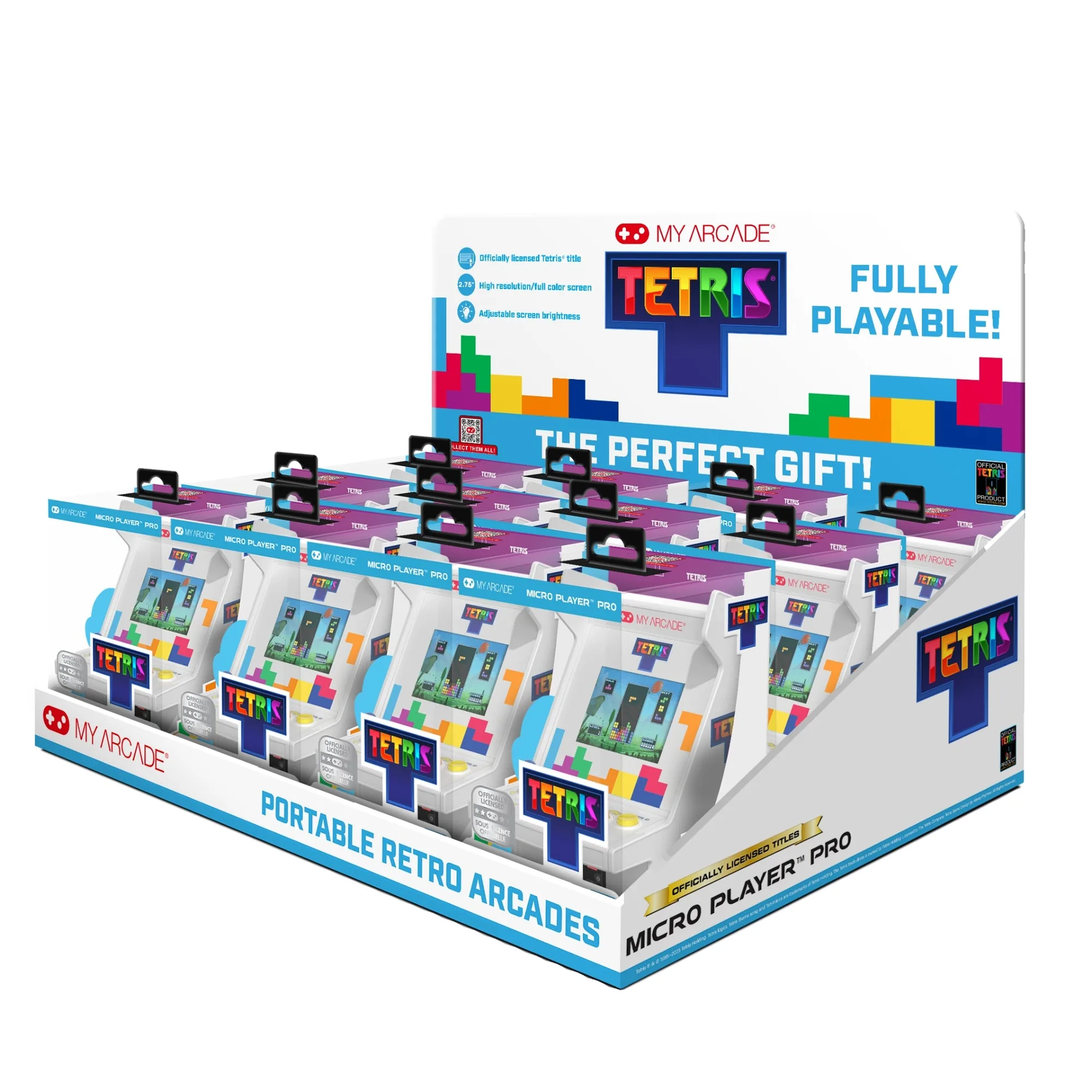
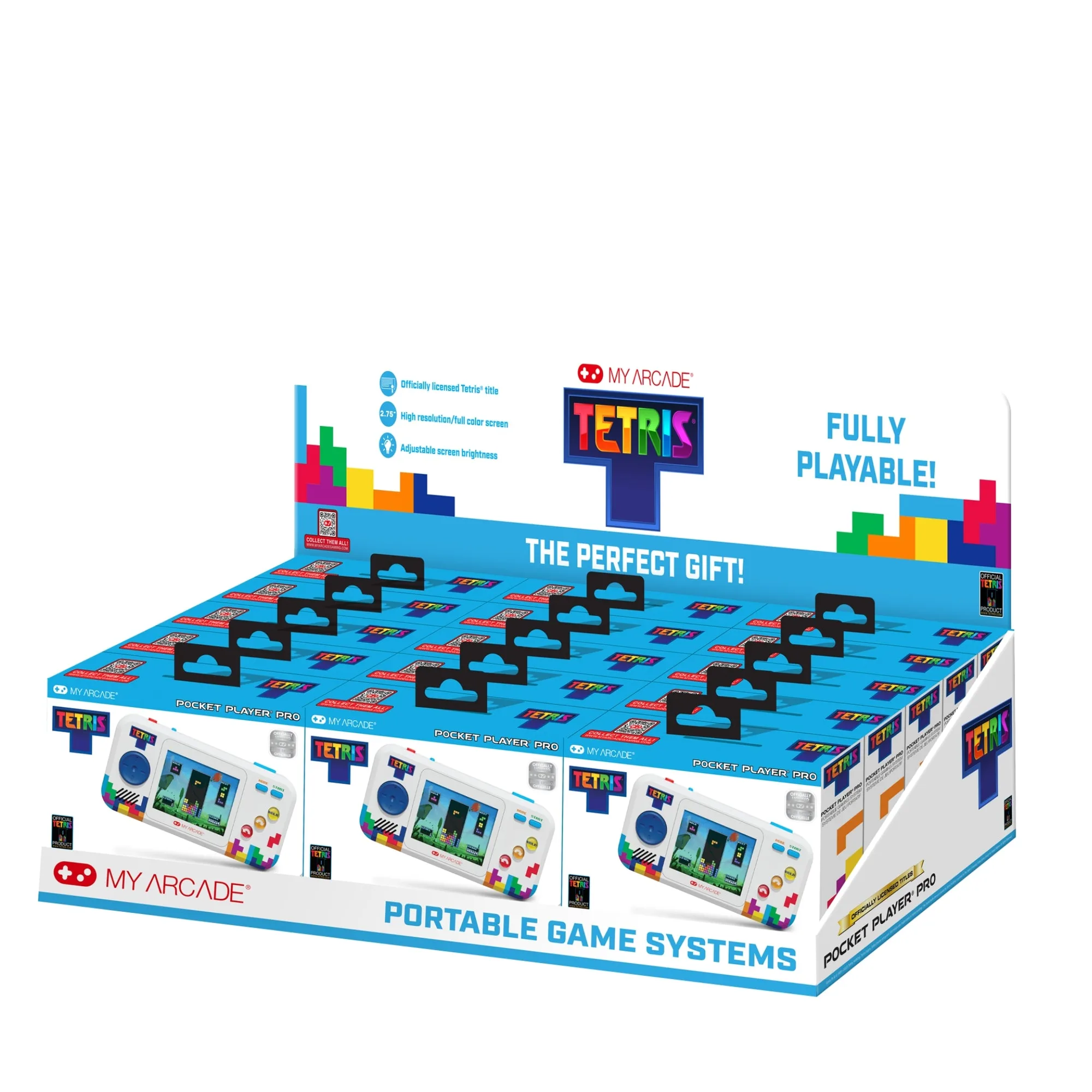
TETRIS MICRO PLAYER PRO TRAY -12 PCS
A display tray is a storage decision disguised as a display decision. You are really choosing how many devices you want visible at once, how much dust you are willing to wipe off, and how much desk or shelf space you are willing to give up permanently.
This guide walks through the fit checks that actually matter, the trade-offs between countertop and shelf trays, and where a tray stops being useful. It uses real My Arcade products as examples so you can see how the sizing logic plays out.
Measure first, then choose a tray
The most common display tray mistake is buying by photo instead of by dimension. Trays are built around specific device footprints, so a tray that looks generous online can leave your handhelds rattling or, worse, not fitting at all. Before you shop, line up the devices you want to display and measure the widest one, the tallest one, and the total width of the group.
Then compare those numbers against the tray's stated capacity. If a listing says it holds 12 units, that tells you the slot count, not the slot size. When a product page does not list individual slot dimensions, treat that as a real limitation: you may need to contact the seller or accept that mixed-size collections are a gamble.
- Measure your widest and tallest device, not the average one.
- Count how many devices you want visible, then add one spare slot if the tray allows it.
- If slot dimensions are not published, ask before buying rather than guessing.
Countertop trays versus shelf trays
Countertop trays are built for retail-style presentation: everything faces forward, labels and screens are visible, and the tray itself becomes part of the display. The trade-off is footprint. A 12-unit tray takes up real counter space, and it works best when you have a dedicated surface rather than a shared desk.
Shelf trays prioritize density over drama. They let you stack more devices in less vertical space, but you lose the front-facing look and often need to pull a device out to see it properly. If your collection is mostly for you rather than for guests, shelf-style organization is usually the more practical choice.
- Choose countertop if you want devices visible and reachable at a glance.
- Choose shelf-style if space is tight and you mostly want dust protection and order.
- Avoid placing a heavy tray on a narrow shelf edge where a bump could tip it.
Match the tray to the device family
Trays designed for one product line rarely fit another cleanly. A tray built around a specific handheld will have slot widths tuned to that device, so mixing in a larger portable console usually means the tray no longer closes, stacks, or holds everything upright. This is where a display tray for gaming systems becomes a compatibility question rather than a style question.
The practical move is to group by family. Keep handhelds with handhelds and larger consoles with larger consoles, then buy a tray sized for the group you actually own. If your collection is genuinely mixed, two smaller trays usually beat one oversized tray that fits nothing well.
- Group by device family before you shop for a tray.
- Do not assume a tray for one product line will fit a different brand or size.
- Two modest trays often work better than one catch-all tray.
Materials, dust, and long-term care
Tray material affects how the display ages. Open trays show dust quickly and need regular wiping, while enclosed or lidded trays cut cleaning time but hide the devices. There is no universally better option, only a match to how often you actually clean.
Think about access too. A tray that requires unloading six devices to reach the one you want will stop being used. Front-loading designs and trays with clear sightlines keep the collection usable, which matters more than a marginally cleaner look.
- Open trays: better visibility, more dusting.
- Lidded trays: less dust, less visibility.
- If you play weekly, prioritize easy access over perfect enclosure.
Decision rules: pick your tray in three checks
- Rule 1: Count devices before you count slots: Write down how many devices you want displayed and how many you are willing to leave in a drawer. If the displayed number is under four, a multi-unit tray is usually overkill. Under four devices: single stand or shelf edge. Four or more: a tray starts to earn its space.
- Rule 2: Match slot size to your largest device: Use the widest and tallest device in your group as the benchmark. If the tray does not publish slot dimensions, assume it fits only the product line it was designed for. Mixed sizes: expect to buy two trays or none. Matching sizes: one tray works.
- Rule 3: Decide countertop or shelf before you compare prices: Countertop trays trade space for visibility. Shelf trays trade visibility for density. Choosing after you compare prices usually leads to a tray that does not fit your room. Pick the format first, then compare trays within that format.
Product facts that affect your tray decision
- TETRIS MICRO PLAYER PRO TRAY -12 PCS: This countertop point-of-purchase retail display tray includes 12 units of the Tetris Micro Player Pro (DGUNL-7025), with a high resolution 2.75-inch full color display, built-in speaker with volume control, 3.5 mm headphone port, adjustable screen brightness, and power by either 4 AA batteries or USB-C. It is a true multi-unit tray rather than a single stand, so it makes sense when you want a row of matching devices displayed together. Because it is built around one specific handheld, it is a poor fit for mixed-size collections.
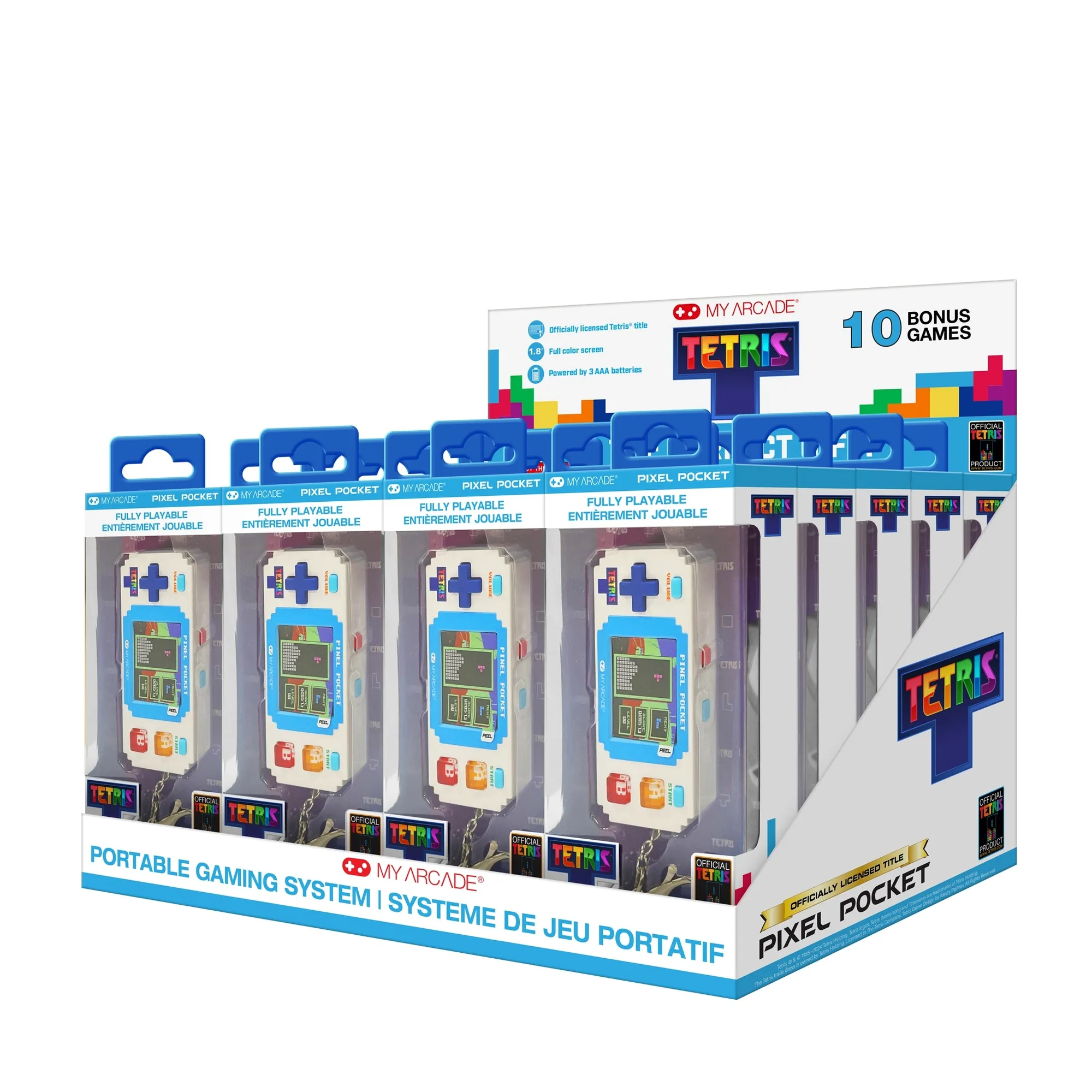
- Tetris® Go Gamer: Tetris has remained an iconic puzzle game for nearly four decades, and this handheld brings that timeless classic to players of all ages. A compact, single-purpose handheld like this is a good candidate for a small tray or a single display slot, but it does not need a 12-unit tray on its own.
- GO GAMER CLASSIC- Black/Blue: This handheld gaming system is loaded with 300 fun and easy to play video games, has a full color 2.5-inch screen, and fits easily in your pocket, purse, bag or backpack. Its small footprint means tray slot width matters more than slot height. Measure the 2.5-inch screen body, not the packaging, when checking tray fit.
- https://myarcadercz.com/products/galaga-joystick-player-2-ffd23f394ccbfde4da0f0cdc-1804664GALAGA Joystick Player: GALAGA remains a timeless arcade classic, and this joystick player offers an engaging challenge to your reflexes and an opportunity to enhance your hand-eye coordination. Joystick-style players are wider than flat handhelds, so they often need a shelf or open surface rather than a standard slot tray.
Who should buy a display tray
Best for
- Collectors with four or more same-family handhelds who want them visible and organized
- Retail or display setups that need a forward-facing, multi-unit presentation
- Anyone whose devices currently live loose in a drawer and get scratched
Not for
- Owners of one or two handhelds who would rather spend the space on something else
- Mixed collections of very different device sizes that no single tray fits
- People who want enclosed, dust-proof storage rather than an open display
A display tray works when it matches the devices you actually own and the space you actually have. Count, measure, and choose the format before you compare prices, and you will avoid the most common tray regret: a display that fits nothing well.