Quick answer
Build your VANGUARD vehicle figure display around one clear sightline, then add figures and accessories that reinforce scale rather than crowd it. Start with the vehicle as the anchor, place one or two 1/12 scale figures at natural interaction points, and use VANGUARD accessory sets to tell a specific story. Check the result from your normal viewing distance before adding more.
A VANGUARD vehicle can anchor a shelf, but it only reads as a scene when the figures around it look like they belong there. The difference between a crowded lineup and a convincing display usually comes down to composition: where the vehicle sits, how figures relate to it, and which accessories you add or leave off.
This guide walks through a repeatable process for a Valaverse vehicle setup. Each step includes a checkpoint so you can stop before the display becomes busy. The goal is not to fill every inch, but to make the vehicle and figures look like they are part of the same moment.
Start with the vehicle's footprint, not the figures
Place your VANGUARD vehicle on the shelf first and measure its footprint, including any add-ons that extend past the body. A missile launcher turret in an upward firing position, for example, adds height that can block figures behind it. Knowing the true footprint before you place figures prevents the common mistake of building a scene that only works from one narrow angle.
Decide whether the vehicle is the main subject or a background element. If it is the main subject, center it and leave open space on at least two sides. If it is background, push it toward the rear and angle it slightly so the front is still visible. This choice sets the composition rules for everything that follows.
- Checkpoint: can you see the vehicle's main silhouette from your normal viewing spot? If not, rotate it before adding figures.
Choose figure poses that interact with the vehicle
Figures look more natural when they relate to the vehicle instead of standing at attention beside it. A figure reaching toward a door, checking a wheel, or standing on a bumper tells a small story. Use the vehicle's features as prompts: windowless doors invite a figure to open or close them, while a brush guard or cow catcher gives a figure something to stand near or lean against.
Keep the number of figures low at first. One or two well-posed figures usually read better than four figures competing for attention. If you use a Delta Corps figure, its interchangeable head and hands let you adjust the pose and expression to match the scene without buying another figure.
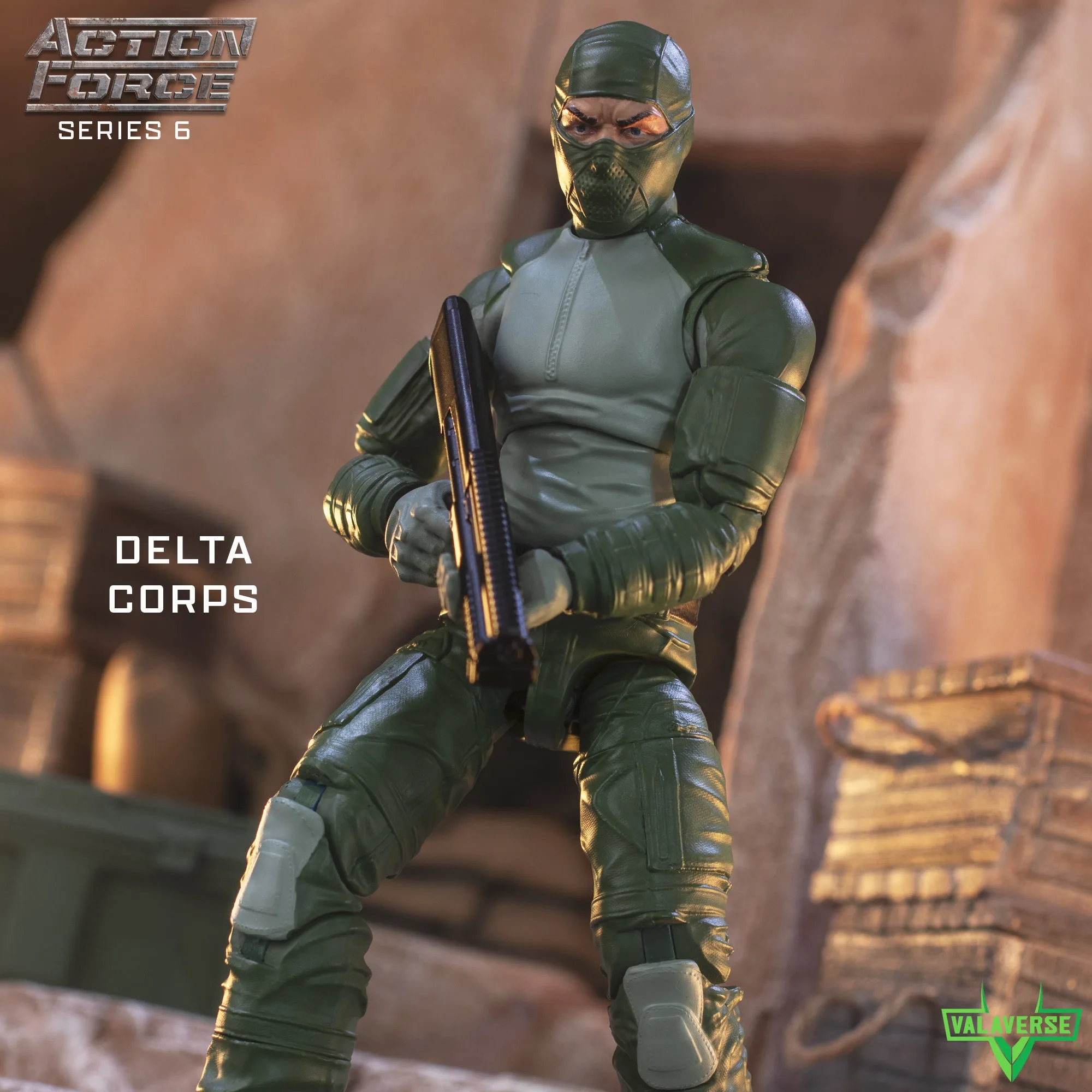
Delta Corps
- Common mistake: posing every figure facing the same direction. Vary angles so the eye moves across the shelf.
Use accessory sets to solve composition problems
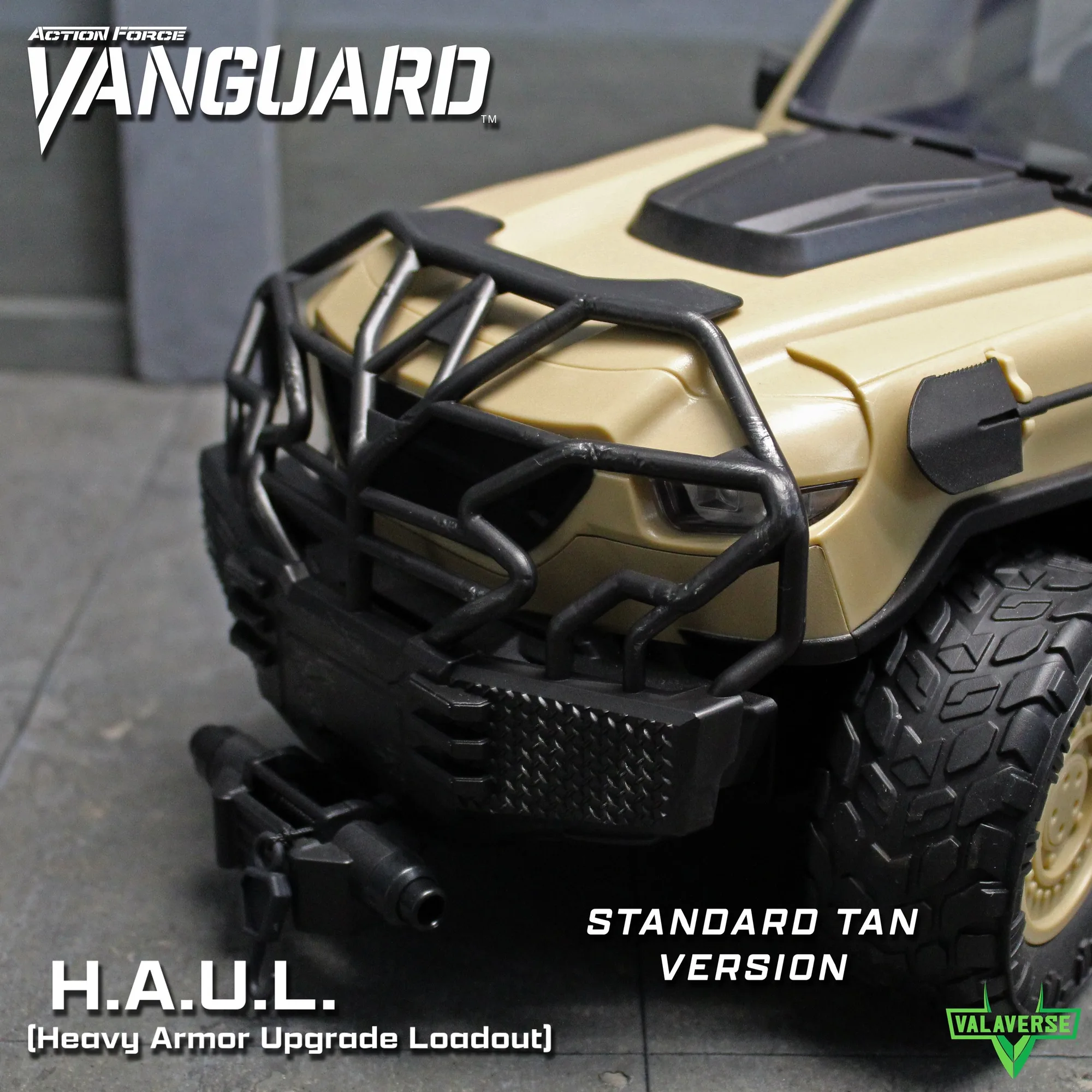
Accessory sets are not just detail upgrades; they change how a vehicle reads. A H.A.U.L. set with windowless doors and armored panels makes a vehicle look more tactical and closed-off, which can help a display feel focused. The same set's brush guard and cow catcher add front-end mass, giving figures a natural place to stand or reach.
If you want a more aggressive silhouette, the VANGUARD Desert Tan Missile Launcher Add-On adds a turret that can be put in an upward firing position. That vertical element can balance a wide vehicle on a narrow shelf, but it also raises the top line of the display. Add it only after you have checked that it does not hide figures behind the vehicle.
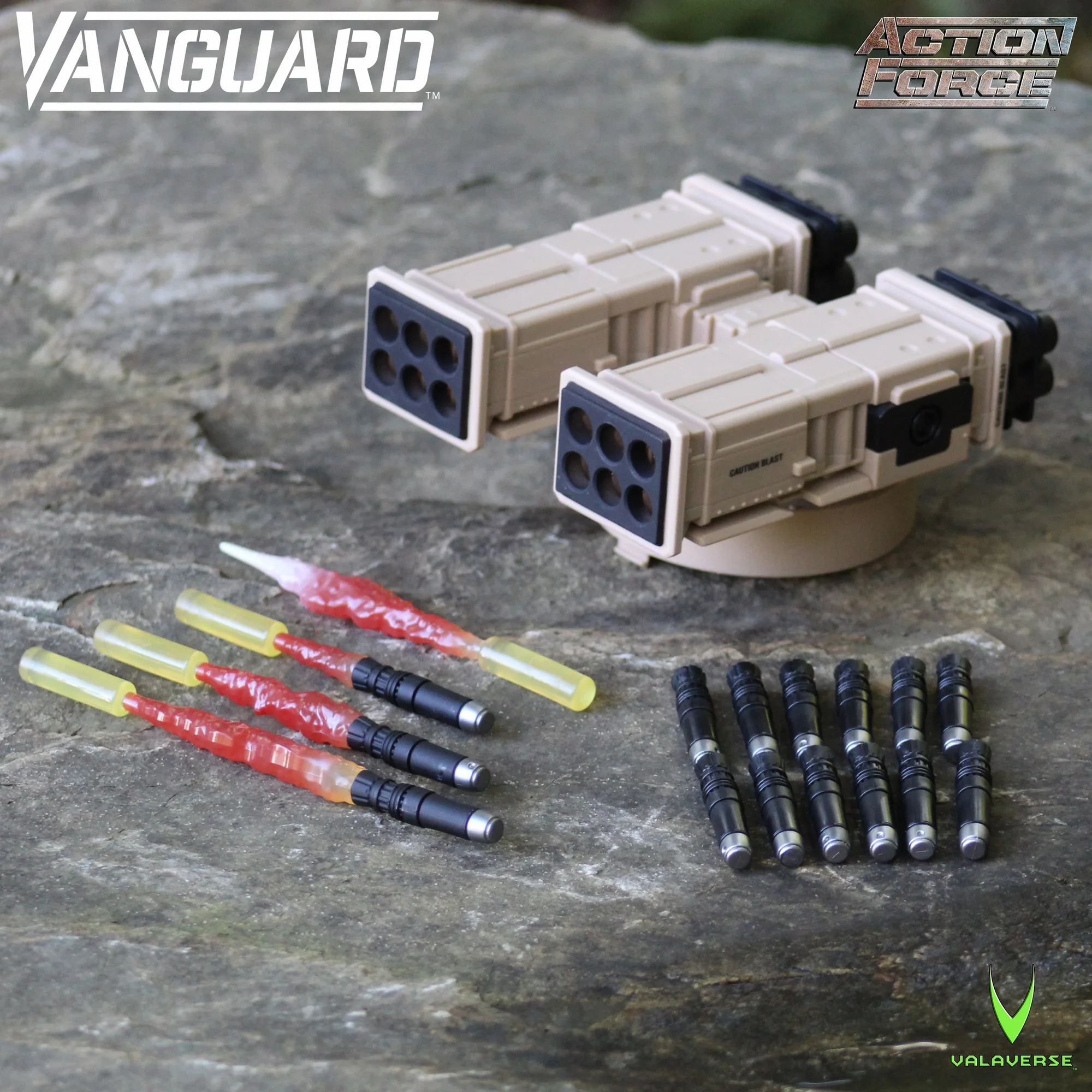
VANGUARD Desert Tan Missile Launcher Add-On
- Checkpoint: add one accessory at a time and view the shelf from your normal distance before adding the next.
Set the sightline and background
A display reads best when the most important elements sit near eye level. If your shelf is above or below eye level, tilt the vehicle slightly forward so its front and figures remain visible. A plain background, such as a neutral wall or a simple printed backdrop, keeps attention on the vehicle instead of competing with it.
Lighting matters as much as placement. A single light from the front or slightly above reveals the vehicle's shape and the figures' poses. Avoid lighting from directly behind, which turns the display into silhouettes. If you use multiple lights, keep them at similar angles to avoid confusing shadows.
- Common mistake: placing the vehicle so its darkest side faces the viewer. Rotate it until the main features catch light.
Edit the display before you call it finished
Step back and look for anything that does not support the scene. Extra figures, loose accessories, or a second vehicle can dilute the focus. Remove one item at a time and see if the display improves. Often, a simpler composition with a clear vehicle-figure relationship is more convincing than a crowded one.
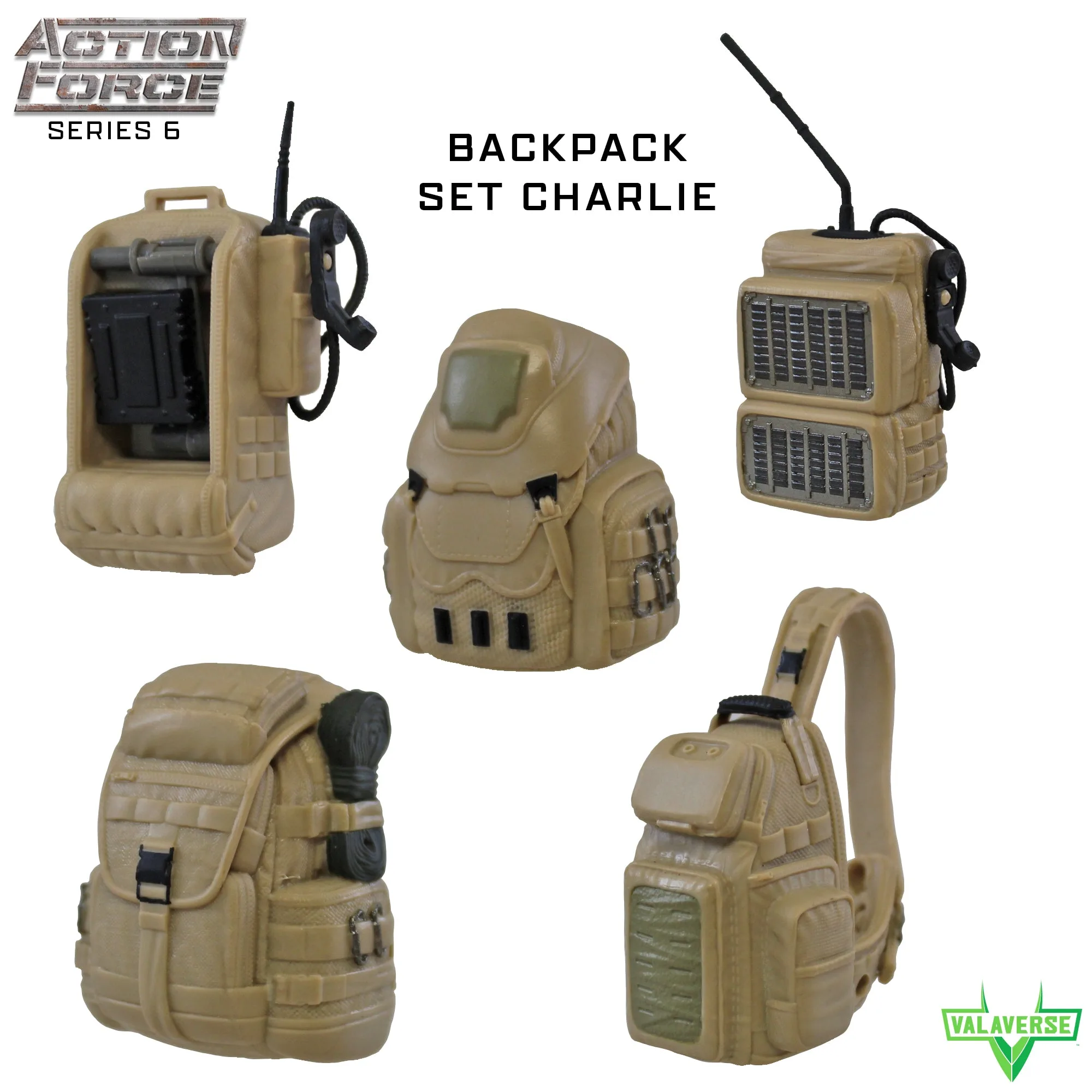
Once the composition works, secure any small pieces that could shift. Backpack sets and loose weapons can be placed on figures or stored nearby. If you plan to change the display often, keep accessory sets in labeled bags so you can rebuild the same look without searching.
- Checkpoint: if you cannot describe the scene in one sentence, remove elements until you can.
Your step-by-step VANGUARD display process
- 1. Anchor the vehicle: Place the VANGUARD vehicle on the shelf and measure its footprint, including any add-ons. Decide if it is the main subject or background, then position it accordingly. Checkpoint: the vehicle's silhouette should be clear from your normal viewing distance.
- 2. Add one or two figures: Pose figures so they interact with the vehicle, using doors, bumpers, or turrets as prompts. Keep the count low and vary their facing directions. Common mistake: filling every open space with figures before checking the composition.
- 3. Add accessories that support the scene: Choose accessory sets that reinforce the story, such as H.A.U.L. doors for a tactical look or a missile launcher for height. Add one piece at a time. Checkpoint: each accessory should make the scene clearer, not busier.
- 4. Set the sightline and lighting: Adjust the vehicle's angle so its front and figures are visible. Use front or slightly above lighting to reveal shapes without harsh shadows. Common mistake: backlighting that turns the display into silhouettes.
- 5. Edit and secure: Remove anything that does not support the scene. Secure small pieces and store spare accessories in labeled bags for easy rebuilding. Checkpoint: if you cannot describe the scene in one sentence, simplify until you can.
Product facts that affect display choices
- VANGUARD H.A.U.L. Tan Accessory Set: Includes 4 windowless doors, 4 armored panels that fit into the doors, 2 additional armored frames for rear doors that can hold the M240 rifle (not included), a windshield armor add-on, a brush guard that fits onto the bumper, and a cow catcher that fits onto the bumper or on top of the brush guard. These parts change the vehicle's silhouette and give figures specific interaction points, such as doors to open or a bumper to stand near.
- VANGUARD Desert Tan Missile Launcher Add-On: Fits all Action Force Vanguard vehicles, includes 12 non-firing missiles, 3 blasting missiles in different sizes, 1 rear blast effect, and a launcher turret that can be put in an upward firing position. Vanguard vehicle not included. The upward turret adds height and a focal point, which can balance a wide vehicle but may block figures placed behind it.
- Delta Corps: 1/12 scale action figure with interchangeable head and hands, display stand, and one weapon. Intended for adult collectors; may feature sharp points and small parts, not for children under 13. The interchangeable parts let you adjust a figure's pose and expression to fit the vehicle scene without adding another figure.
- Backpack Set Charlie: 1/12 scale backpack accessory set in tan, includes 5 different backpack styles, fits all Action Force figures. Intended for adult collectors; may feature sharp points and small parts, not for children under 13. Backpacks add a field-gear look to figures and can suggest a specific role or mission without changing the vehicle.
A strong VANGUARD vehicle figure display comes from a few deliberate choices, not from adding everything at once. Anchor the vehicle, place figures that interact with it, and use accessory sets to solve specific composition problems. Check the result from where you actually view it, and edit until the scene reads clearly.