Quick answer
Set up the Dogtra 2702T&B transmitter by charging both units fully, pairing the collar to the transmitter before you adjust anything else, then testing each button and the beeper at close range. Do the pairing first so you know every later adjustment is actually reaching the collar.
Why pairing comes before button testing
The 2702T&B is a two-part system: the handheld transmitter sends the commands and the collar receives them. If you test buttons before the collar is linked, a silent collar tells you nothing about whether the button, the battery, or the pairing is at fault. Pair first, then test, and you always have a known starting point.
Keep the transmitter and collar close together during setup, ideally within a few feet. Long-distance testing during initial pairing adds variables you do not need yet.
When a replacement transmitter is the right move
If your original transmitter is lost or damaged but the collar still works, replacing just the transmitter is usually the cheaper path. The Dogtra 2702T&B replacement transmitter is built for that exact system, so you are not buying a whole new setup.
One practical catch: chargers are not included with the replacement transmitter. Check that your existing charger fits before you order, or plan to source one separately. If you are unsure which charger you have, compare it with the one you used on the original transmitter.
Step-by-step 2702T&B setup
- Charge the transmitter and collar: Charge both units fully before pairing. Use the charger that came with your original 2702T&B system, since the replacement transmitter does not ship with one. Common mistake: pairing on a half-charged battery and blaming the pairing when the collar simply drops out. If you cannot confirm a compatible charger, resolve that before setup day.
- Power on in the right order: Turn on the collar first, then the transmitter, and keep them within a few feet of each other. This gives the transmitter a clean signal to find. Common mistake: turning both on across the yard and assuming pairing failed.
- Pair the collar to the transmitter: Follow the pairing procedure for the 2702T&B system so the transmitter recognizes the collar. Watch for the collar's confirmation response rather than assuming it worked. Common mistake: rushing past the confirmation and discovering the collar is still linked to an old transmitter. If the collar does not confirm, repeat the pairing sequence once before troubleshooting anything else.
- Test each control at close range: With the collar still nearby, press each button and confirm the collar responds as expected. This separates a working button from a working collar. Common mistake: testing only one button and assuming the rest are fine.
- Check the beeper function: Activate the beeper and listen for a clear tone at close range. If the beeper is silent, recheck the collar's charge and pairing before assuming a fault. Common mistake: judging beeper volume outdoors with wind and distance working against you. Test the beeper indoors or in a quiet spot first, then repeat outside.
- Do a short field check: Take the paired system outside and test at increasing distance in the area you actually hunt or train. Confirm response at the ranges you expect to use. Common mistake: skipping the field check and discovering a range problem only when the dog is already working. If response drops off sooner than expected, recheck the collar's charge before anything else.
Product facts
-
2702T&B TRANSMITTER: Replacement transmitter for the Dogtra 2702T&B system; chargers are not included. It restores a lost or damaged handheld unit without buying a full system, but you need to confirm you already have a compatible charger.
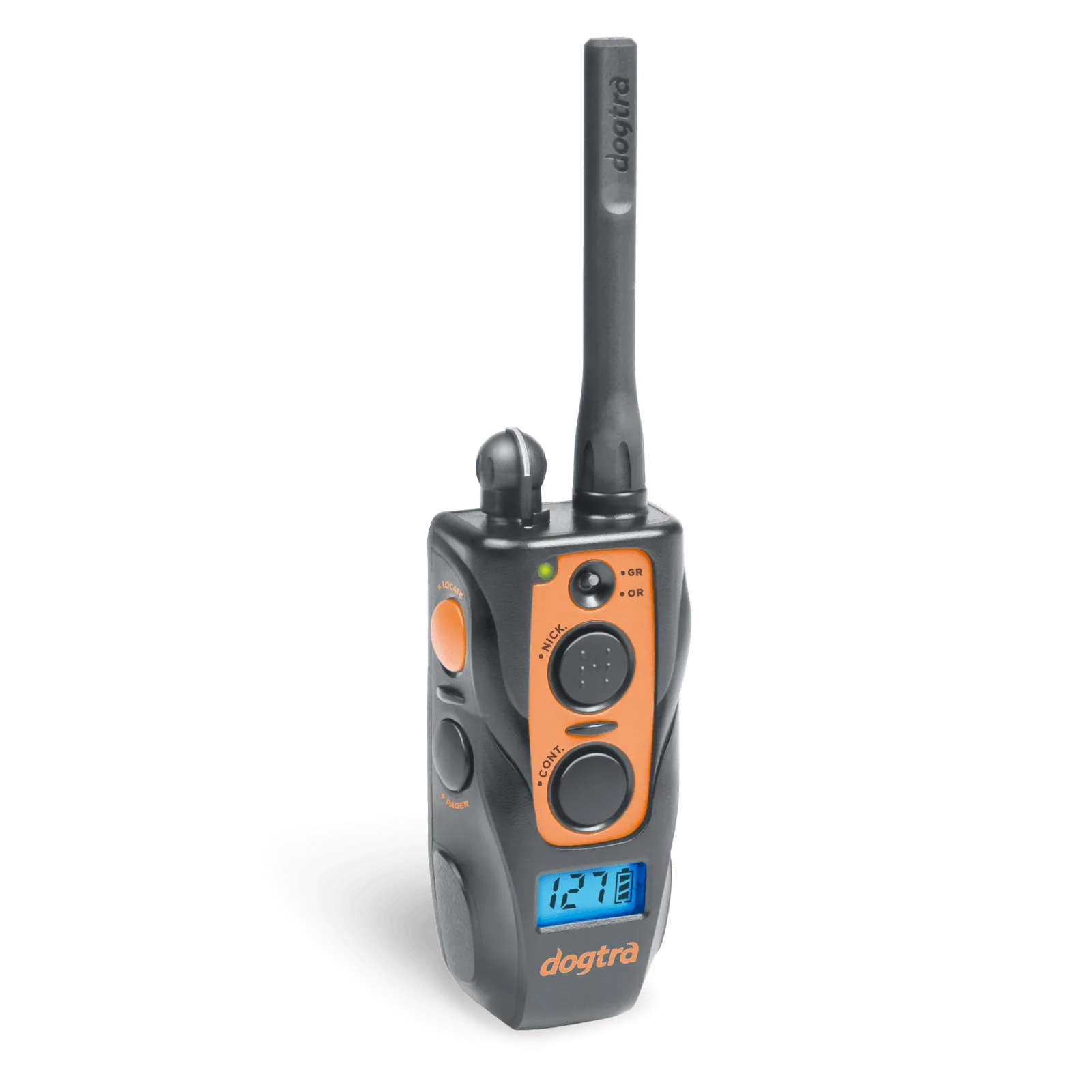
2702T&B TRANSMITTER