Quick Answer
For ages 9-12, match the kit to experience first: confident builders ready for coding should start with the Engino STEM & Robotics ERP PRO Set, while first-time builders are better served by the low-pressure Buildings & Bridges set or the Creative Builder 50 Model Set. If your child already builds independently and wants a robotics challenge, jump to the ERP PRO or GinoBot rather than repeating a beginner kit.
Most age labels on STEM kits tell you the minimum age a child can safely handle the parts, not the experience level the build actually demands. That gap is why a 10-year-old who has never followed a manual can get stuck on a set labeled for ages 9+, while a 9-year-old who has been building for two years finishes it in an afternoon.
This guide sorts the Engino range by what a child can already do, not just how old they are. You will find decision rules for picking between structural, motorized, and programmable sets, plus honest trade-offs so you do not buy a kit your child outgrows in a month or one that sits untouched because it assumed too much.
Why Age Labels Are Only Half the Story
Engino sets in this range span three very different demands: structural builds that teach force and balance, motorized builds that add movement, and programmable robotics that add code. A child who has only built static models will find a coding set rewarding, but only if they are comfortable troubleshooting why a model does not move. A child who already codes at school may find a purely structural set too slow.
The practical fix is to gauge two things before buying: how independently your child follows a manual, and whether they enjoy debugging. If they abandon a build the moment a step goes wrong, start with a structural or motorized set. If they keep tinkering until it works, a programmable kit will hold their attention far longer.
- Ask your child to describe the last thing they built and what went wrong. Their answer reveals their real experience level.
- Check whether the kit's model count and controller type match the kind of play they already enjoy.
Match the Kit Type to the Builder You Have
Structural sets such as the Engino Discovering STEM Buildings & Bridges set are the safest entry point for a child new to Engino. With 9 guided models, it teaches how triangulation reduces bending and how weight flows into abutments, so the learning is visible in the build itself. It is also the least expensive way to find out whether your child enjoys Engino's building system before committing to a robotics kit.
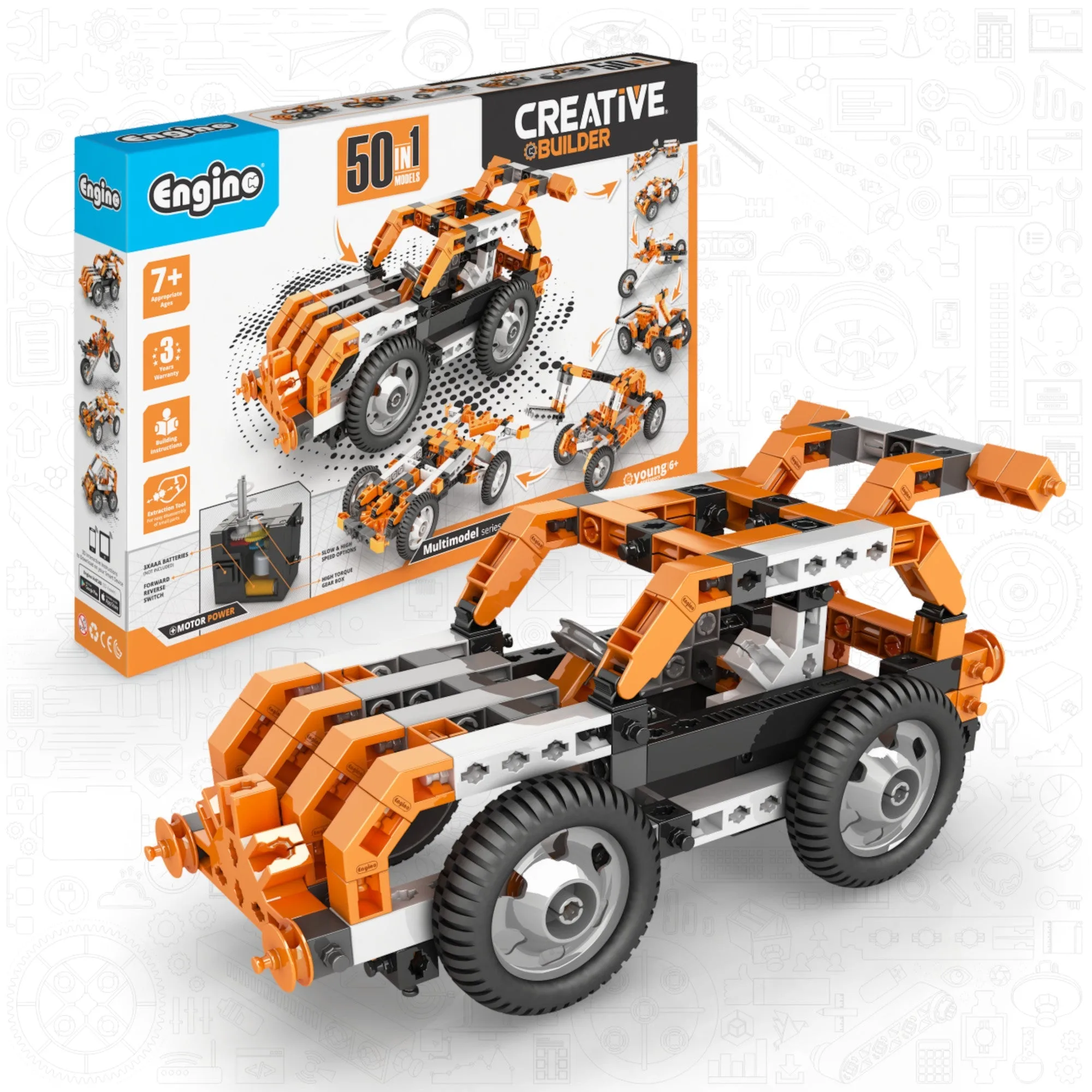
Motorized sets sit in the middle. The Engino Creative Builder 50 Motorized Model Set offers 50 guided models, starting with beginner vehicles and moving to cranes and quads. That progression means one purchase can serve a child for a year or more, which is useful if you are unsure how quickly they will advance. The trade-off is that it does not teach coding, so a child who wants to program will eventually need a second kit.
Programmable robotics is the top tier. The Engino STEM & Robotics ERP PRO Set uses an advanced controller with 7 input/output ports plus Bluetooth and USB, and supports over 30 models that combine physics, mechanics, and computational logic. This is the right choice for a tween who already builds confidently and wants to see code change how a machine behaves.
- New to Engino: start structural, then move up.
- Comfortable builder, no coding yet: a motorized set bridges the gap.
- Confident builder who wants to program: go straight to a robotics kit.
What Changes as Your Child Moves Up
The jump from structural to motorized is mostly about patience with assembly, since adding a motor means more steps and more chances for a loose connection. The jump from motorized to programmable is different: it adds a software layer where the model can be physically correct but still fail because of a logic error. That is a genuinely new skill, and it is where some tweens thrive and others lose interest.
If you are unsure which side of that line your child falls on, pick a kit that includes both building and coding in one box rather than buying two separate sets. The Engino STEM Qboidz & Junior Robotics Set combines building with motors, sensors, and coding for ages 5-7, so it is below this age band, but it shows the pattern: a single set that grows from building into programming reduces the risk of a wasted purchase.
- Motorized kits reward persistence more than speed.
- Programmable kits reward children who enjoy fixing logic errors, not just physical ones.
Decision Rules: Pick the Right Engino Kit in Three Questions
- Rule 1: If your child has never built an Engino set, start structural.: Choose the Buildings & Bridges set. It teaches force and balance through 9 guided models without adding motors or code, so the only new skill is the building system itself. Checkpoint: if they finish all 9 models and ask for more, they are ready for a motorized or robotics kit.
- Rule 2: If your child builds confidently but has not coded, choose motorized or entry robotics.: The Creative Builder 50 Motorized Model Set adds movement across 50 models without a software layer. If they specifically want to program, the GinoBot offers 10 robotic models with Bluetooth and motion control as a gentler introduction than the ERP PRO. Checkpoint: if they enjoy debugging a model that does not move, they will handle a programmable kit well.
- Rule 3: If your child already codes or asks how to make a model react, go straight to the ERP PRO.: The ERP PRO Set supports over 30 models with a controller that has 7 input/output ports plus Bluetooth and USB. It is the most demanding kit in this range and the one least likely to be outgrown quickly. Checkpoint: this kit assumes independent building. If your child still needs step-by-step help, start one tier lower.
Key Product Facts at a Glance
- Engino STEM & Robotics ERP PRO Set Advanced Building & Coding Kit for Ages 9–12+ (Rechargeable Battery Included): Uses the advanced ERP PRO Controller with 7 input/output ports plus Bluetooth and USB, and supports building and programming over 30 models that integrate physics, mechanics, and computational logic. This is the strongest fit for a tween who already builds independently and wants coding to change how a model behaves. The rechargeable battery removes the ongoing cost of disposable batteries.
- Engino Inventor Robotized- GinoBot: 10-in-1 Programmable Robotics & Coding STEM Kit for Kids Ages 9+: Includes 10 advanced robotic models, from industrial cranes and excavators to multi-legged robots, with Bluetooth connectivity and motion control, and integrates with Engino's kidCAD 3D Viewer. A good middle step for a child who wants robotics but is not ready for the ERP PRO controller. The 10-model count keeps the focus on depth over volume.
- Engino Discovering STEM Buildings & Bridges: Educational Construction Toy for Kids Ages 9+ (9 Models to Build): Lets young engineers explore force and balance through 9 guided models, starting with a beam bridge, then adding trusses to compare rigidity and see how triangulation reduces bending, before moving to an arch bridge. The lowest-risk entry point for a first-time Engino builder. The guided progression means a child learns why a structure holds, not just how to assemble it.
- Engino Creative Builder: 50 Motorized Model Set- STEM Construction Toys for Kids Ages 7+ (50 Models to Build): Offers 50 guided models to build and rebuild, starting with beginner-friendly vehicles like cars and snowmobiles, then intermediate machines such as cranes and quads, with advanced challenges beyond that. One purchase that can serve a child across a wide skill range. The trade-off is that it does not include coding, so it will not satisfy a child who specifically wants to program.
Who These Kits Fit
Best for
- Parents of tweens who already build independently and want a robotics challenge that grows with them
- Families choosing a first Engino set for a 9-12 year old and wanting a low-risk starting point
- Children who enjoy troubleshooting and want to see code change how a physical model behaves
Not for
- Children under 9 who still need heavy adult help with assembly, who should look at the Qboidz & Junior Robotics Set instead
- Buyers who want a single kit that covers both structural building and coding at the lowest cost, who should expect to buy two sets over time
- Children who prefer open-ended creative play over following guided model instructions
Pick the kit that matches what your child can already do, not the age on the box. Start structural if they are new to Engino, move to motorized if they build confidently, and choose the ERP PRO or GinoBot when they are ready to code. That sequence keeps each purchase useful for longer and avoids the two most common mistakes: buying too easy and buying too soon.