Quick answer
For teens 12+ who are ready to move beyond block coding, the Engino STEM & Robotics Produino Set is the clear pick: it combines KEIRO visual flow programming with the Arduino IDE and open-source circuit design. If your teen is 9–12 or new to coding, start with the Engino Coding Lab GinoBot instead and step up to Produino later.
Buying a robotics kit for a teenager is different from buying one for a younger child. Teens 12+ can handle real programming environments, circuit concepts, and multi-session builds, but only if the kit matches their actual experience level. The wrong choice either bores them or frustrates them within a week.
Engino's advanced lineup splits into two clear paths: the Produino set for open-source programming and electronics, and the GinoBot for sensor-driven coding with a gentler on-ramp. This guide explains what each kit actually contains, who each one fits, and how to decide without overbuying.
What separates an advanced robotics kit from a starter kit
Starter robotics kits usually rely on drag-and-drop block coding and a fixed set of pre-designed models. Advanced kits introduce text-based programming, real controllers, and electronics concepts like circuits and sensors. That shift matters for teens because it connects what they build to how professional robotics actually works.
The Engino STEM & Robotics Produino Set sits firmly in the advanced category. Its Produino controller is a dual-platform system: teens can begin with KEIRO visual flow programming and then move into the Arduino IDE, which is the same environment used in many university and maker projects. That progression is what makes it a long-term purchase rather than a one-month toy.
- Check whether the kit offers a path from visual coding to text-based coding, not just one or the other.
- Look for a controller that supports external sensors and expansion, so the kit grows with your teen.
Match the kit to your teen's coding experience
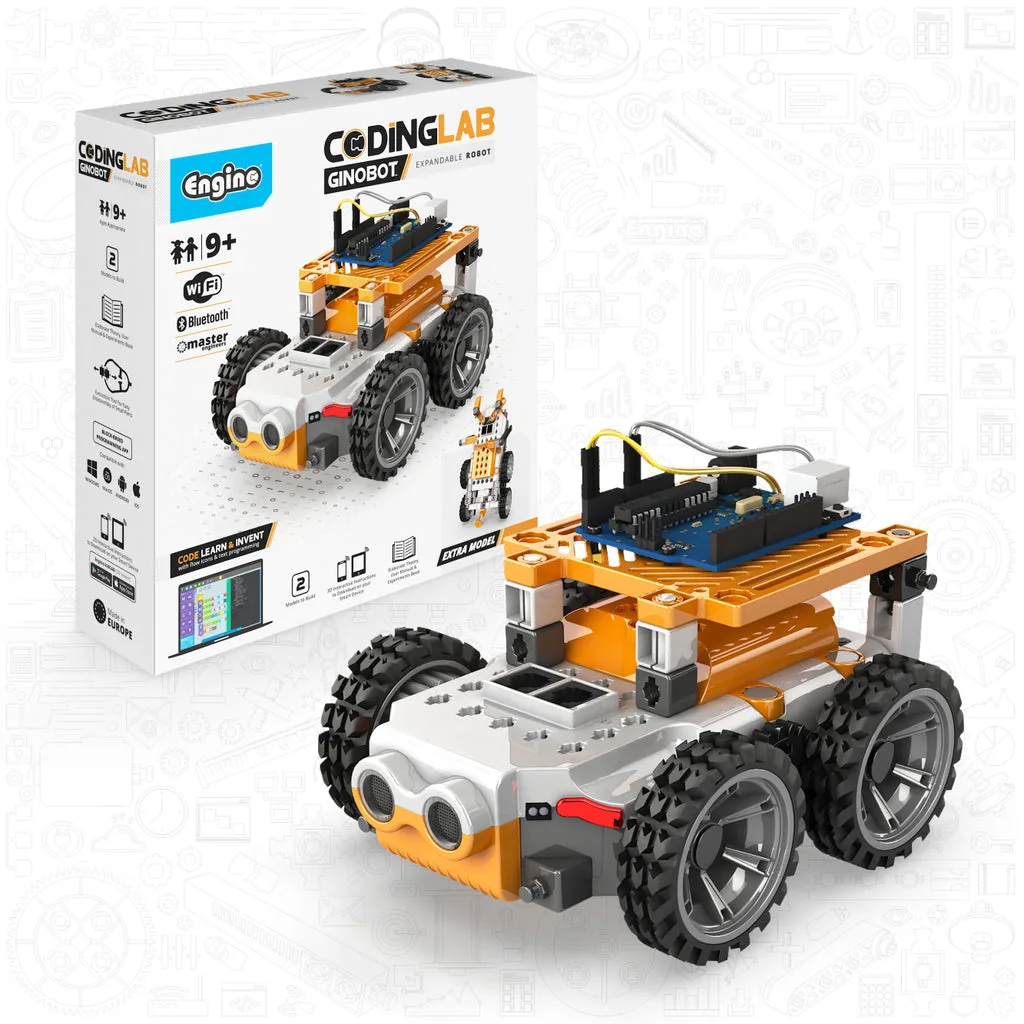
A 13-year-old who has never coded will struggle if you hand them an Arduino-based kit on day one. The better sequence is to start with a sensor-driven robot like the Engino Coding Lab GinoBot, which uses KEIRO software and includes color, infrared, and ultrasound sensors. That builds confidence with logic and cause-and-effect before introducing text-based code.
Once your teen is comfortable with flow programming, the Produino set becomes the natural next step. Because it supports both KEIRO and Arduino IDE, they can rebuild familiar models in a more powerful environment rather than starting over. That continuity is rare in this category and worth paying attention to.
- New to coding: choose GinoBot first.
- Comfortable with blocks and ready for text code: choose Produino.
- Already writing Python or Arduino code: skip straight to Produino.
Consider build count and replay value
A kit's model count tells you how much building time it contains. The Produino set includes 34 models to build, while the GinoBot kit builds 2 robots. Those numbers reflect different goals: Produino is a long curriculum-style kit, GinoBot is a focused robotics platform you program repeatedly.
Neither approach is better in the abstract. If your teen enjoys variety and completing projects, the higher model count wins. If they prefer mastering one machine and pushing its behavior further, a smaller, sensor-rich kit like GinoBot keeps them engaged longer.
- 34 models suits teens who like structured progression and finishing projects.
- 2 robots suits teens who prefer deep iteration on one system.
Budget and upgrade path
Advanced robotics kits cost more because of the controller, sensors, and software. The Produino set is Engino's flagship robotics solution at USD 370.00, compared with USD 185.00 for the GinoBot kit. If budget is tight, starting with GinoBot and upgrading later is a legitimate strategy, since both use KEIRO software.
One honest limitation: Engino's product listings do not always specify which individual sensors or expansion modules are included beyond what the catalog states. Before buying, confirm the exact contents if your teen has a specific project in mind, such as line-following or remote control.
- Both kits share the KEIRO environment, so skills transfer if you upgrade.
- Verify sensor and module contents before committing to a specific project.
Decision rules: which Engino kit fits your teen
- If your teen has never coded: Choose the Engino Coding Lab GinoBot. Its KEIRO software and three sensor types let beginners see cause and effect immediately, without facing a text-based IDE on day one. Start here, then upgrade to Produino once flow programming feels easy.
- If your teen already writes code or wants Arduino experience: Choose the Engino STEM & Robotics Produino Set. The dual-platform controller supports both KEIRO and Arduino IDE, and the 34 models provide months of structured building. This is the strongest long-term value for teens 12–16+.
- If your teen prefers mastering one robot over building many: Choose GinoBot. Two programmable robots with color, infrared, and ultrasound sensors reward repeated iteration rather than constant rebuilding. Depth over breadth — ideal for teens who like to tinker.
- If budget is the deciding factor: GinoBot at USD 185.00 is roughly half the cost of the Produino set at USD 370.00, and both share the KEIRO software environment. Starting with GinoBot does not lock you out of Produino later.
Key product facts for teen robotics kits
- Engino STEM & Robotics Produino Set – Advanced Coding & Engineering Kit for Ages 12–16+ (34 Models to Build): The Produino controller is a dual-platform system combining KEIRO visual flow programming with the Arduino IDE, and the set introduces open-source programming and circuit design. Teens can start with visual coding and graduate to professional-level text programming without switching kits.
- Engino Coding Lab- GinoBot STEM Robotics Toys for Kids Ages 9+ (2 Robots to Build): GinoBot builds two robotic models, a balancing robot and a 4-wheel drive vehicle, both programmable through KEIRO software, with color, infrared, and ultrasound sensors. The sensor set makes robot behavior visible and immediate, which is ideal for teens building coding logic for the first time.
Who these kits are for
Best for
- Teens ages 12–16+ ready to move from block coding to Arduino or open-source programming (Produino)
- Teens ages 9+ who are new to coding and need a sensor-driven, visual on-ramp (GinoBot)
- Families who want a kit that grows across multiple school years
Not for
- Children under 9 who are still developing fine motor skills — Engino's Creative Builder 25 Multimodel Set is a better starting point
- Teens who only want a quick one-afternoon build with no programming interest
- Buyers who need a fully specified sensor list before purchase, since Engino's listings do not always detail every included module
Pick the GinoBot if your teen needs a confident first step into coding, and pick the Produino set if they are ready for real Arduino programming and circuit design. Either way, you are buying into the same KEIRO software ecosystem, so the skills and the investment carry forward.