What to Expect from the Esports Tiger Arc 2 on Your Glorious Model D
If you own a Glorious Model D or Model D Wireless, upgrading the stock mouse feet to the Esports Tiger Arc 2 can refresh your glide feel. These skates are designed as a direct replacement for the Model D and Model D Wireless, using a proprietary PTFE material that aims to improve glide over the standard Arc feet.
The Arc 2 release (2019) features rounded edges and a reinforced construction, with a thickness between 0.7 and 0.8 mm. That thickness is similar to many aftermarket skates, so you shouldn't need to adjust your mouse's sensor height. However, the supplied information does not confirm the exact sensor behavior for every mouse pad, so test on your usual surface first.
Esports Tiger Arc 2 – Glorious Model D / Model D Wireless
-
Esports Tiger Arc 2 - Glorious Model D / Model D Wireless: 1 Pack 1 Set of replacement skates for Glorious Model D and Model D Wireless. The set includes all necessary feet for one mouse, so you don't need to buy multiple packs.
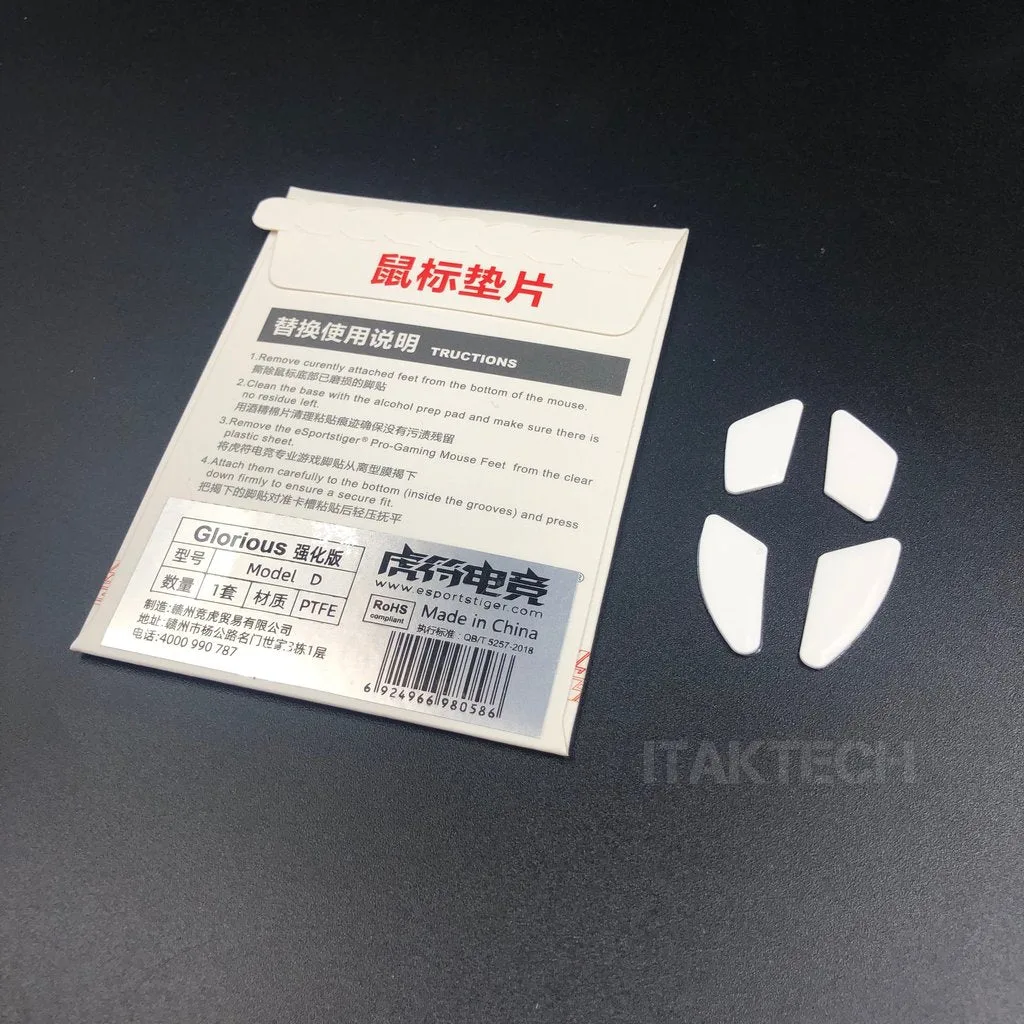
Esports Tiger Arc 2 - Glorious Model D / Model D Wireless
-
Esports Tiger Arc 2 - Glorious Model D / Model D Wireless: Made from Reinforced Arc 2 Proprietary PTFE Material for improved glide over Arc. PTFE is a common high-performance skate material; the reinforced formulation is intended to provide a smoother, faster glide than the original Arc feet.
-
Esports Tiger Arc 2 - Glorious Model D / Model D Wireless: Thickness: Between 0.7 - 0.8 mm. This thickness is standard for replacement skates and should maintain the same sensor distance as the original feet, though individual results may vary by pad.
-
Esports Tiger Arc 2 - Glorious Model D / Model D Wireless: Rounded Edges. Rounded edges help the skates glide more smoothly over the mouse pad and reduce the chance of catching on fabric or stitching.
How to Install the Esports Tiger Arc 2 on Your Glorious Model D
Installing replacement mouse skates is a straightforward process if you take your time. The supplied information does not include step-by-step instructions from the manufacturer, so the following general procedure is based on common practice for similar skates. Work in a clean, well-lit area.
- Remove the old skates: Use a hairdryer on low heat to warm the existing feet, then gently lift them with a plastic spudger or tweezers. Avoid metal tools that could scratch the mouse shell.
- Clean the skate recesses: Wipe away any adhesive residue with isopropyl alcohol and a lint-free cloth. Let the surface dry completely before applying the new skates.
- Apply the Arc 2 skates: Peel the backing from each skate and align it carefully in the recess. Press down firmly to ensure good adhesion, following the supplied product instructions. Avoid touching the adhesive side with your fingers.
- Break in the glide: Use the mouse on your pad for a few hours to let the PTFE material settle. The glide may feel slightly different at first, then stabilize.
Glide Performance and Pad Compatibility
The Arc 2 skates are designed to provide a controlled glide improvement over the original Arc feet. The proprietary PTFE material and rounded edges should reduce friction on most cloth pads, giving you a smoother feel without becoming too fast. On hard pads, the glide may be quicker, but the supplied information does not specify performance on different pad types.
If you are coming from stock Glorious skates, you should notice a more consistent glide with less initial resistance. The 0.7–0.8 mm thickness means the sensor height remains close to factory spec, so you likely won't need to adjust your LOD (lift-off distance) settings. However, always test on your preferred pad to confirm compatibility.