Quick answer
If your Pulsar X2 CrazyLight feels scratchy or inconsistent, replace the worn stock feet with Esports Tiger ICE V2 skates made for this mouse. They fit directly and restore a smooth glide, but only if you install them cleanly and avoid over-polishing.
Why the X2 CrazyLight is sensitive to skate condition
The Pulsar X2 CrazyLight is designed to be very light, so small changes in friction are easier to feel than on a heavier mouse. Worn or contaminated skates create drag that undermines the light chassis and makes aim feel inconsistent.
Esports Tiger ICE V2 skates use PTFE and a 2.5D edge treatment to reduce friction and prevent edge drag. That matters on a light mouse because the skate edge can catch during quick flicks if the edges are not finished well.
When ICE V2 is the right fix—and when it isn’t
ICE V2 is a good match if your current skates are visibly worn, scratched, or have lost their smooth feel. It is also a sensible upgrade if you want a more consistent glide without changing the mouse’s shape or weight.
If the scratchiness comes from a warped mouse base or debris trapped under the stock skates, new skates may not solve it. Check the base for flatness and clean it thoroughly before installing. If the base is damaged, address that first or consider a different mouse.
Diagnose your CrazyLight glide problem
- Symptom: Scratchy or inconsistent glide: Inspect the stock skates for wear, scratches, or trapped debris. If they are worn, replace them with Esports Tiger ICE V2 skates for the Pulsar X2 CrazyLight. Clean the mouse base with isopropyl alcohol and let it dry completely before applying new skates. If the base is flat and clean, new ICE V2 skates should restore smooth glide.
- Symptom: Skate edges catch during flicks: Check that the skates are seated flush and not overhanging the base edges. The 2.5D edge treatment on ICE V2 reduces drag, but only if the skate is aligned correctly. Press firmly around the edges after application. If an edge still catches, remove and reapply the skate; if it persists, the base may be warped.
- Symptom: Glide feels too fast or uncontrollable: ICE V2 skates are designed for low friction. On a very light mouse, some players may find the glide too quick. Give yourself a few days to adjust. If control is still poor, consider a different skate or mousepad rather than modifying the skates. Stop using ICE V2 if control does not improve after a week; choose a skate with more friction instead.
- When to stop and choose another option: If the mouse base is cracked or warped, or if the sensor or buttons are failing, replacing skates will not fix the core issue. In that case, repair or replace the mouse first. Also stop if you prefer a slower, more controlled glide—ICE V2 is optimized for speed. Skates are a wear item; if the mouse itself is damaged, address that before buying new skates.
Product facts
-
Esports Tiger ICE V2 - Pulsar X2 CrazyLight: Crafted from premium PTFE and featuring an innovative 2.5D edge treatment. PTFE lowers friction, and the edge treatment helps prevent the skate edge from dragging during fast swipes.
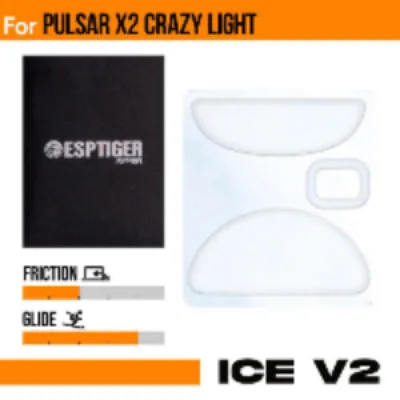
Esports Tiger ICE V2 - Pulsar X2 CrazyLight