What the Tiger ICE set gives you for the M42 Wireless
The Esports Tiger ICE - Xtrfy M42 Wireless is a replacement foot set, not a full mouse. It is a one-pack, one-set product made from pure PTFE with rounded edges, released as part of Tiger Gaming’s 2021 ICE line. Those details matter because they describe the two things you will feel first: the material and the edge finish.
If you are replacing worn stock feet on an Xtrfy M42 Wireless, this set is the direct-fit option in the catalog. The rounded edges are intended to reduce the sharp lip that can catch on a cloth pad, while the pure PTFE material is listed as having a smoother glide. That does not mean it is the fastest or slowest option available — it means the feel is built around a clean, consistent slide rather than a textured or controlled one.
Catalog facts that affect the install
-
Esports Tiger ICE - Xtrfy M42 Wireless: 1 Pack 1 Set — Replacement Feet You get one complete set of replacement feet for the M42 Wireless, so plan the install around a single mouse rather than mixing sizes from a multi-set.
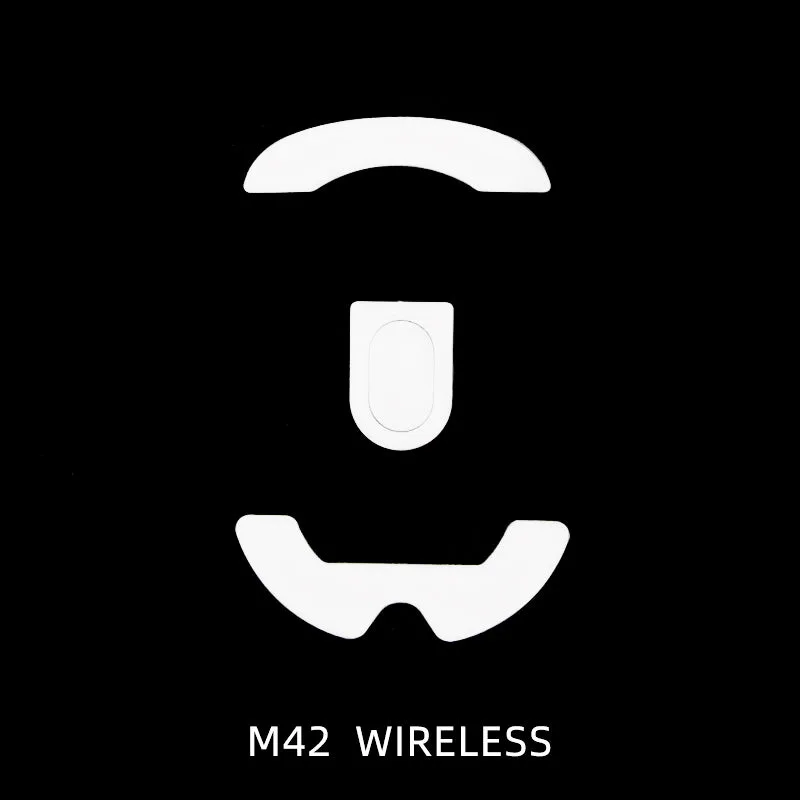
Esports Tiger ICE - Xtrfy M42 Wireless
-
Esports Tiger ICE - Xtrfy M42 Wireless: Pure PTFE Material with smoother glide PTFE is the same broad material family used for most aftermarket mouse feet; the listed smoother glide is the performance characteristic to expect once the feet are seated.
-
Esports Tiger ICE - Xtrfy M42 Wireless: Rounded Edges Rounded edges are the detail that helps the foot transition over pad surfaces without a sharp leading edge catching during small movements.
-
Esports Tiger ICE - Xtrfy M42 Wireless: Tiger Gaming 2021 ICE Release This identifies the product generation, so you know you are looking at the ICE line rather than a different Tiger Gaming formula.
How to install Tiger ICE feet on the M42 Wireless
The supplied record does not include a manufacturer step-by-step, so treat the sequence below as a practical installation routine rather than a quoted instruction. Stop if anything feels forced.
- Work on a clean, stable surface: Set the mouse upside down on a non-slip mat or cloth. A stable base keeps the mouse from sliding while you lift an old foot.
- Remove the old feet carefully: Lift a corner of each worn foot and peel slowly. The goal is to keep the recessed area clean and flat; do not gouge the plastic.
- Clean the recess: Remove old adhesive residue before applying the new set. A dry, debris-free surface gives the new adhesive the best chance to bond.
- Test-fit before peeling the backing: Place each Tiger ICE foot in its recess without removing the adhesive liner. Confirm the shape and orientation match the M42 Wireless cutouts before committing.
- Apply and press firmly: Peel the liner, set the foot in place, and press across the whole surface for several seconds. Pay attention to the rounded edges so they sit flush.
- Let the adhesive settle before play: The supplied information does not specify a cure time. A short wait before heavy use is reasonable, but follow any adhesive guidance that comes with the set if it differs.
What the glide upgrade actually changes
The Xtrfy M42 Wireless glide upgrade is mostly about consistency. Pure PTFE with rounded edges is listed as smoother, so the practical change is a more even slide from the first movement rather than a sudden jump in speed. On a cloth pad, rounded edges help the foot avoid digging in during micro-adjustments; on a hard pad, the same edge finish reduces the chance of a sharp catch at the start of a swipe.
Do not expect the set to change the mouse’s weight, sensor behavior, or shape. It is a contact-point upgrade: the feet are the part touching the pad, so that is the part whose feel changes. If your current feet are worn flat or have nicked edges, the difference will be more obvious than if you are swapping from fresh stock feet.
Checkpoints after the first session
The supplied record does not include break-in guidance or a wear schedule. Use these checks to judge the install itself.
- Check for lifting edges: Run a finger around each foot after play. A rounded edge that has lifted will feel like a lip; reseat it before it collects dust.
- Listen for scraping: A consistent scratchy sound can mean a foot is not fully seated or debris is trapped underneath.
- Compare left and right glide: If one side feels noticeably slower, inspect that foot for a partial bond or a misaligned edge.
- Recheck the recess: If a foot will not sit flat, remove it and confirm the recess is clean rather than forcing it down.
Where the supplied information stops
The catalog record confirms the material, edge style, pack contents, and product generation, but it does not include a stated thickness, a durometer rating, a manufacturer installation guide, or a replacement interval. Those omissions are decision limits, not product flaws. If thickness or a specific feel target matters to you, ask before ordering rather than assuming a number.
For M42 Wireless owners who want a direct replacement set with a documented material and edge finish, the Esports Tiger ICE set is a straightforward fit. The honest trade-off is that the record gives you the what — pure PTFE, rounded edges, one set — without a measured performance claim, so your own first session is the real test.