Quick Answer
The Esports Tiger YanZi skates for Razer Viper V2 Pro use high-purity PTFE with a 2.5D curved edge for a smooth, low-friction glide. Follow the steps below to install them correctly and avoid common setup mistakes.
Why Choose YanZi Skates for Your Viper V2 Pro
The YanZi series is specially adjusted with colorful high-purity PTFE material that offers a smooth and flat surface. The 2.5D curved edge protects your mouse pad from wear while enhancing glide smoothness. The anti-collapse filling provides better support under pressure, and the 3M adhesive ensures a secure bond.
Compared to stock skates, these provide a noticeably faster and more consistent glide, especially on cloth pads. However, the high-purity PTFE can feel slick if you're used to slower, controlled feet — you may need a short adjustment period.
What You'll Need
Before starting, gather a clean workspace, a soft cloth or microfiber towel, isopropyl alcohol (70% or higher), and a plastic spudger or thin guitar pick. Avoid using metal tools that can scratch the mouse base.
Step-by-Step Installation Guide
- Remove the old skates: Heat the stock skates gently with a hairdryer for 10-15 seconds to soften the adhesive. Use a plastic spudger or guitar pick to lift an edge and peel the skate off slowly. Avoid bending the skate sharply, which can leave residue. If the old adhesive leaves residue, remove it with isopropyl alcohol before proceeding.
- Clean the skate recesses: Dampen a microfiber cloth with isopropyl alcohol and wipe the recessed areas where the skates sit. Remove all dust, oil, and adhesive residue. Let the surface dry completely for 2-3 minutes. Any leftover residue or moisture can prevent the new skates from bonding evenly.
- Align and apply the new YanZi skates: Peel the backing from one YanZi skate. Align it carefully over the recess, using the mouse's original skate outline as a guide. Press down firmly from the center outward, holding for 10 seconds. Repeat for the remaining skates. Do not touch the adhesive side with your fingers — oils can reduce adhesion.
- Break in the skates: Move the mouse across your mouse pad in large, slow circles for 30-60 seconds. This helps the PTFE settle and removes any initial stickiness. The glide will become smoother after a few hours of use. If the glide feels uneven, check that all skates are fully seated and not overlapping the mouse base edge.
Product Details
-
Esports Tiger YanZi - Razer Viper V2 Pro: Esports Tiger YanZi for Razer Viper V2 Pro uses specially adjusted colorful high-purity PTFE with a 2.5D curved edge, anti-collapse filling, and 3M adhesive. The high-purity PTFE gives a faster, smoother glide, while the 2.5D edge reduces mouse pad wear and the 3M adhesive keeps the skates firmly in place during intense gaming.
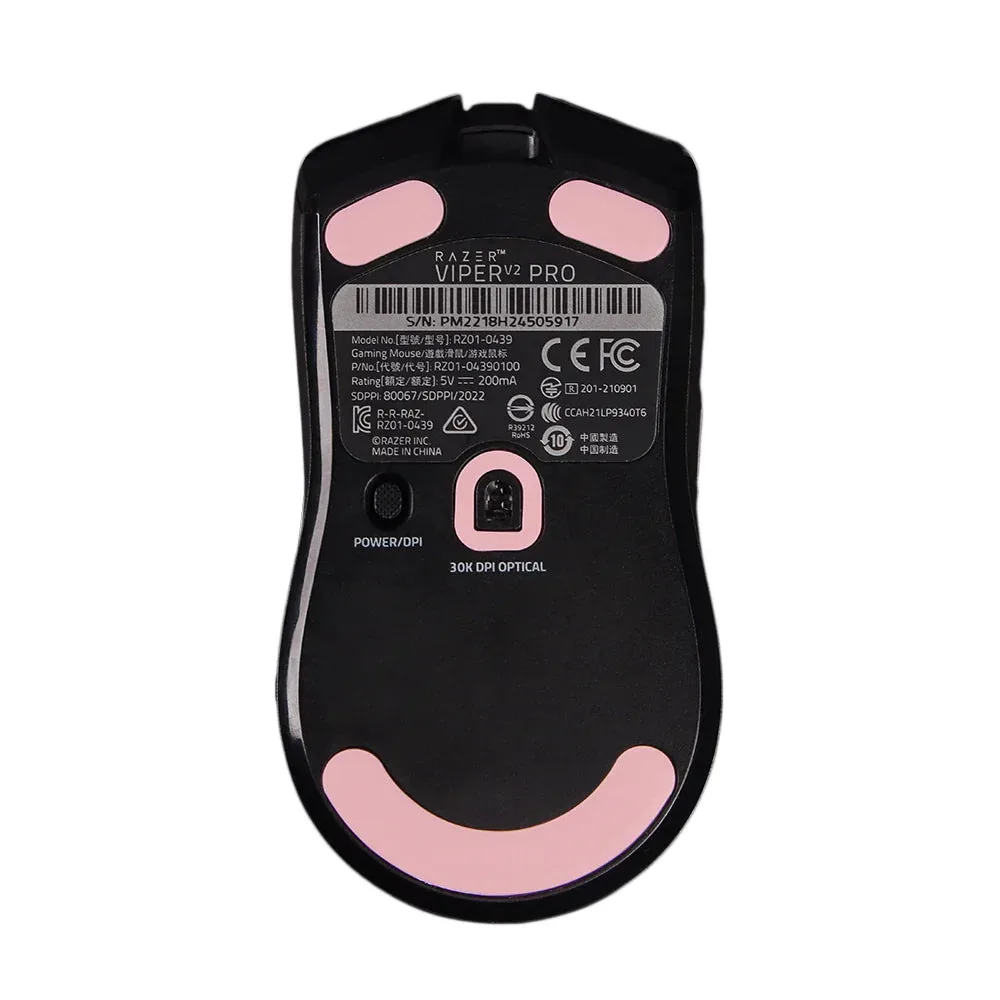
Esports Tiger YanZi - Razer Viper V2 Pro