Start With the NVR, Not the Camera
The eufy PoE Bullet Security Camera E40 is an add-on camera, not a standalone unit. eufy states it is designed to work exclusively with the eufy NVR S4 and cannot function on its own. That single fact should shape your whole plan: confirm you have an NVR S4 before you buy cable, mounts or a camera, because the E40 has nothing to record to or connect through without it.
If you are still deciding between camera styles, the E40's role is as a wired bullet camera that extends an existing S4 system. For a broader look at how the E40 compares with another eufy PoE model, see our separate E41 vs E40 comparison.
E40 Facts That Affect Installation
-
eufy PoE Bullet Security Camera E40: The Add-on Camera is designed to work exclusively with eufy NVR S4 and cannot function on its own. This is the compatibility gate for the entire install. Without an NVR S4, the camera has no supported host.
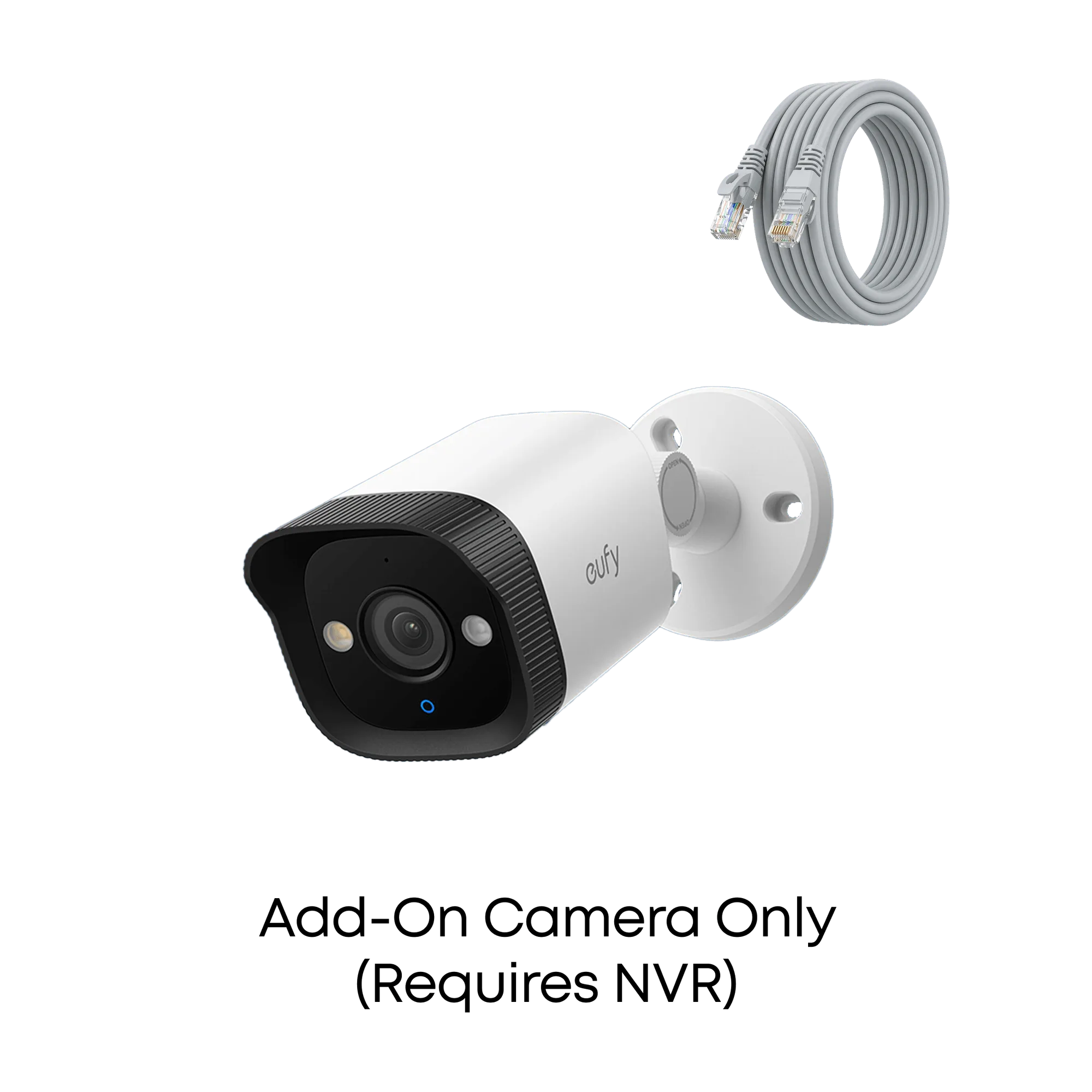
eufy PoE Bullet Security Camera E40
-
eufy PoE Bullet Security Camera E40: PoE technology means a single cable handles both power and data, but a PoE NVR, switch or injector is needed and a DC adapter is not included. You must plan for PoE power delivery at the camera end. There is no bundled power adapter to fall back on.
How the E40 Gets Power and Data
Power over Ethernet is the practical heart of this install. One Ethernet cable carries both power and data to the camera, which simplifies routing compared with running separate power and video lines. The tradeoff is that the power has to come from PoE equipment on the other end: a PoE NVR, a PoE switch or a PoE injector.
The E40 does not include a DC adapter, so a non-PoE power route is not part of the supplied setup. Before you commit to a cable run, confirm which PoE source you will use and that it is part of your NVR S4 setup. The supplied information does not list supported PoE standards or power ratings, so check those details against your NVR documentation rather than assuming compatibility with arbitrary switches.
A Practical Order for the Install
- 1. Confirm your NVR S4 is in place: The E40 is an add-on camera for the eufy NVR S4. Set up or verify the NVR first, since the camera depends on it for recording and management.
- 2. Choose your PoE power source: Decide whether power will come from the PoE NVR, a PoE switch or a PoE injector. The camera needs one of these; a DC adapter is not included.
- 3. Plan the single-cable run: Because PoE carries power and data on one cable, map the route from your PoE source to the camera position before mounting anything.
- 4. Pick a mounting spot that suits the lens: The E40 has a 122° field of view, so aim it to cover the area you care about rather than simply pointing it at the nearest wall.
- 5. Connect and pair with the NVR S4: With the NVR ready and PoE available, connect the camera and complete pairing through your NVR S4 system. The supplied information does not include step-by-step pairing screens, so follow the NVR's own setup flow.
What the E40 Sees, and Why It Matters Outdoors
The E40 records in 4K UHD with a 122° wide-angle field of view, which helps capture a broad area in detail. Its starlight color night vision uses AI-ISP processing to show color at night without needing a spotlight, and the camera is IP67 weatherproof for rain, snow and sun. For an outdoor bullet camera, that rating is the relevant durability fact to weigh when choosing a mounting location.
The camera also includes AI human detection that eufy says reduces false alerts by distinguishing people, pets and vehicles. That is useful for a wired camera that records 24/7 through the NVR S4, because it helps you focus on relevant events rather than every motion trigger.
Specs to Match Against Your Mounting Plan
- eufy PoE Bullet Security Camera E40: 4K UHD resolution with a 122° wide-angle field of view. Wide coverage in high resolution can reduce the number of cameras needed for a given area, which affects how many cable runs you plan.
- eufy PoE Bullet Security Camera E40: IP67 weatherproofing for rain, snow and sun. An outdoor-rated housing means you can place the camera where it needs to be rather than sheltering it.
- eufy PoE Bullet Security Camera E40: Starlight color night vision with AI-ISP processing and no spotlight required. Night visibility is a core reason to install a wired camera, and this feature works without extra lighting hardware.
Setup Tips That Save Time
- Test before you mount: Connect the camera to your PoE source and NVR S4 before final mounting so you can confirm it powers up and pairs.
- Keep the PoE source accessible: Your NVR, switch or injector is part of the camera's power path. Plan access for troubleshooting.
- Use the field of view to set height: The 122° field of view is wide, so a slightly higher or angled position can cover more ground without wasting resolution on a wall.
- Check the NVR's own instructions for pairing: The supplied E40 information does not include a pairing sequence. Use the eufy NVR S4 setup documentation for that step.