Quick answer
The eufy Smart Lock C30 with Door Lever fits most standard residential doors, but you must confirm your door thickness, backset, and lever orientation before installing. Follow the steps below to check fit, swap the lever, and complete setup without a bridge.
Why the C30 lever bundle changes your prep
Unlike a lock-only purchase, this bundle includes a matching door lever. That means you are replacing both the lock and the handle, so the lever's finish and handing must match your door's existing cutouts. The unified design eliminates mismatched hardware, but it also means you need to remove the old lever before you can test the new lock's fit.
The C30 uses built-in Wi-Fi, so no bridge is required. That simplifies setup, but it also means the lock needs a reasonably strong Wi-Fi signal at the door. Check signal strength before you start drilling or screwing anything in.
When this lock is not the right fit
If your door is unusually thin or thick, or has a non-standard backset, the C30 may not align with the existing holes. In that case, you would need to modify the door or choose a different model. Also, if your door has a decorative trim or glass panel that prevents a clean lever install, the included lever may not sit flush. Measure first; the lock cannot be adapted to every door.
Step-by-step fit and installation
- Measure door thickness and backset: Use a tape measure to check your door's thickness and the backset (distance from the door edge to the center of the lever hole). Compare these to the lock's supported range—if not listed, check the product page or manual. Common mistake: assuming all doors are standard; a 1/8-inch difference can prevent the lock from clamping securely. Write down your measurements before removing old hardware.
- Remove the old lever and lock: Unscrew and remove the existing lever and deadbolt/lock from the door. Keep the screws and any spacers in a bag—you may need them if the new hardware requires different lengths. Checkpoint: make sure the door edge is clean and the holes are intact; if the wood is damaged, repair it before installing the new lock.
- Test-fit the new lever and lock: Hold the new lever and lock in place without screwing them in. Check that the lever sits flush against the door and that the lock's bolt aligns with the strike plate on the frame. Common mistake: forcing screws into misaligned holes, which can strip the wood or cross-thread the screws. If the lever does not sit flush, stop and check door thickness or trim interference.
- Install the lever and lock body: Following the included instructions, secure the lever and lock with the provided screws. Tighten them evenly in a cross pattern to avoid uneven pressure. Checkpoint: operate the lever and the lock's thumbturn (if present) to confirm smooth movement before moving to the next step.
- Power on and pair with the eufy Security app: Insert the batteries (check the manual for type and orientation) and open the eufy Security app. Create or log into your account, then follow the in-app prompts to add the lock. Since Wi-Fi is built in, you will connect directly to your home network—no bridge. Common mistake: rushing the Wi-Fi pairing; keep the lock within a few feet of your router during setup if possible. Test remote locking and unlocking from the app before closing the door.
- Set up access and test notifications: Use the app to add users, set access codes, and enable real-time notifications. Test by locking and unlocking the door, then check that your phone receives an event notification. Checkpoint: verify that event history shows the correct user and timestamp. If notifications fail, check your phone's app permissions and Wi-Fi signal at the door.
Product facts
-
eufy Security Smart Lock C30 with Door Lever: Built-in Wi-Fi lets you manage the lock remotely through the eufy Security app without a bridge. You can skip buying a separate bridge, but you should confirm your door area has stable Wi-Fi before installation.
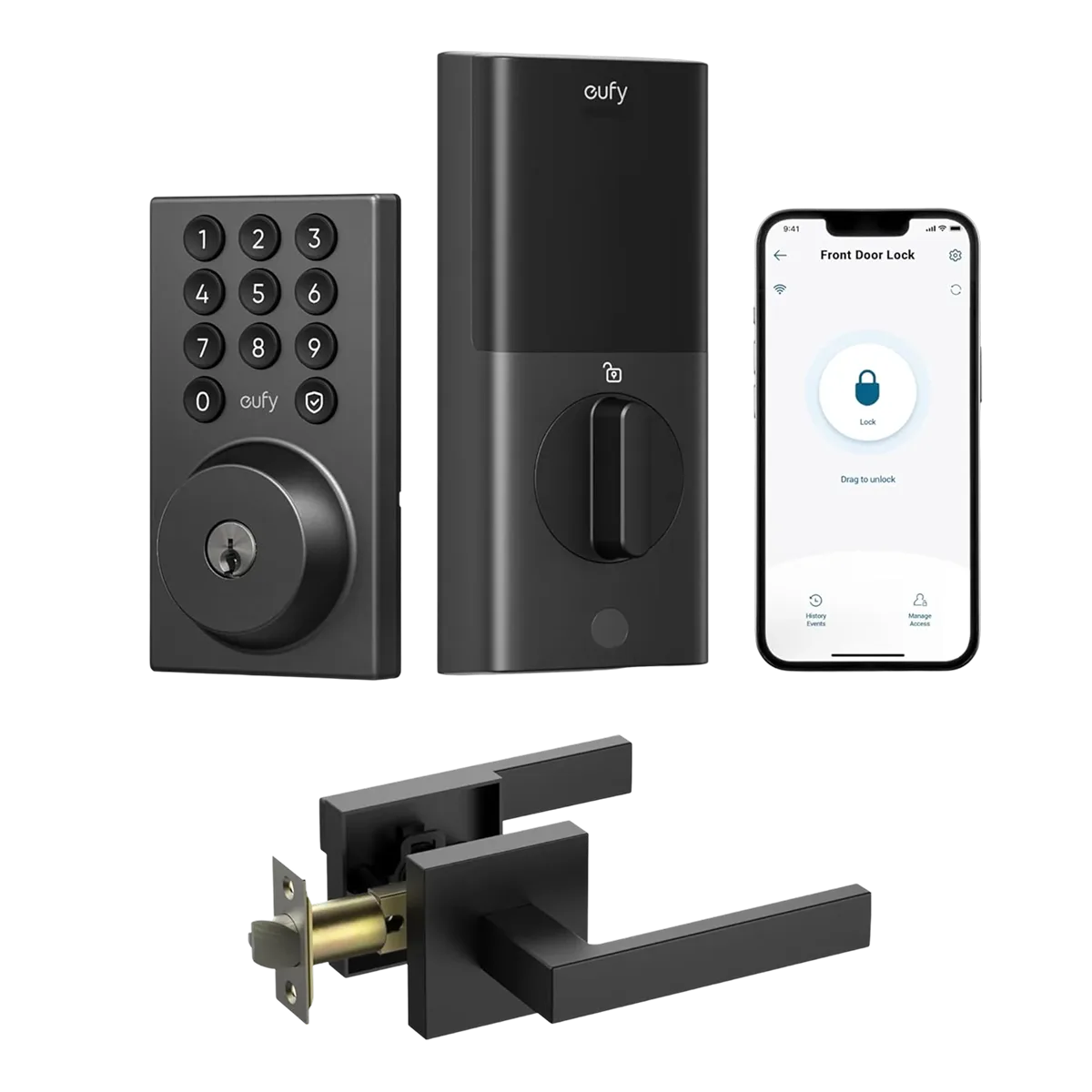
eufy Security Smart Lock C30 with Door Lever