Quick Answer
Install the eufyCam C37 with solar panel by choosing a spot with good sun exposure and Wi-Fi signal, mounting the camera and panel, then completing app setup for 360° tracking.
Why Placement Matters for the eufyCam C37
The eufyCam C37's solar panel needs direct sunlight to keep the battery topped up, so placement is the most important decision you'll make. A spot that gets morning sun and is within Wi-Fi range will give you the most reliable performance.
The camera's 360° AI tracking means it can cover a wide area, but the solar panel must remain in a sunny position. If the panel is shaded for part of the day, the battery may drain faster than it charges, especially in winter or cloudy weather.
Step-by-Step Installation and Performance Guide
- Choose the Mounting Location: Pick a spot under an eave or on a wall where the camera has a clear view of the area you want to monitor and the solar panel will get at least 4-6 hours of direct sunlight. Make sure the Wi-Fi signal is strong at that location. Check your Wi-Fi strength with your phone before drilling holes.
- Mount the Camera and Solar Panel: Use the included mounting bracket to attach the camera securely. Position the detachable 3W solar panel separately so it faces the sun—south-facing in the northern hemisphere, north-facing in the southern hemisphere. Tilt it to an angle that maximizes sun exposure year-round. Avoid mounting the panel flat against a wall; an angled bracket or pole mount works better.
- Connect the Solar Panel to the Camera: Plug the solar panel cable into the camera's charging port. Ensure the connection is weatherproof by tightening the rubber cover or seal. The panel will start charging the battery automatically. If the connection is loose, moisture can get in—double-check the seal.
- Set Up the Camera in the eufy App: Download or update the eufy App to version 6.0.10 or later. Add the camera by scanning the QR code, follow the on-screen instructions to connect to your Wi-Fi, and place the camera in its final position. Update the app before adding the camera to avoid compatibility issues.
- Configure 360° AI Tracking: In the app, enable AI tracking and set the activity zones. The camera will automatically pan and tilt to follow people, pets, and vehicles. Adjust the motion sensitivity to reduce false alerts from passing cars or branches. Test the tracking by walking through the area and refine the zones if needed.
- Monitor Solar Charging and Battery Health: Check the battery level in the app after a few days. The solar panel should keep the camera topped up, but if the battery is draining, adjust the panel angle or trim nearby branches that cast shade. In winter, expect slower charging; consider moving the panel to a sunnier spot temporarily.
Product Facts
-
eufyCam C37 2K Smart Security Camera CCTV with Solar panel: The eufyCam C37 features 360° AI Tracking with Pan and Tilt, using a single camera to eliminate blind spots and keep people, pets, and vehicles centered as they move. This means you can mount the camera in a corner and still get full coverage without needing multiple cameras.
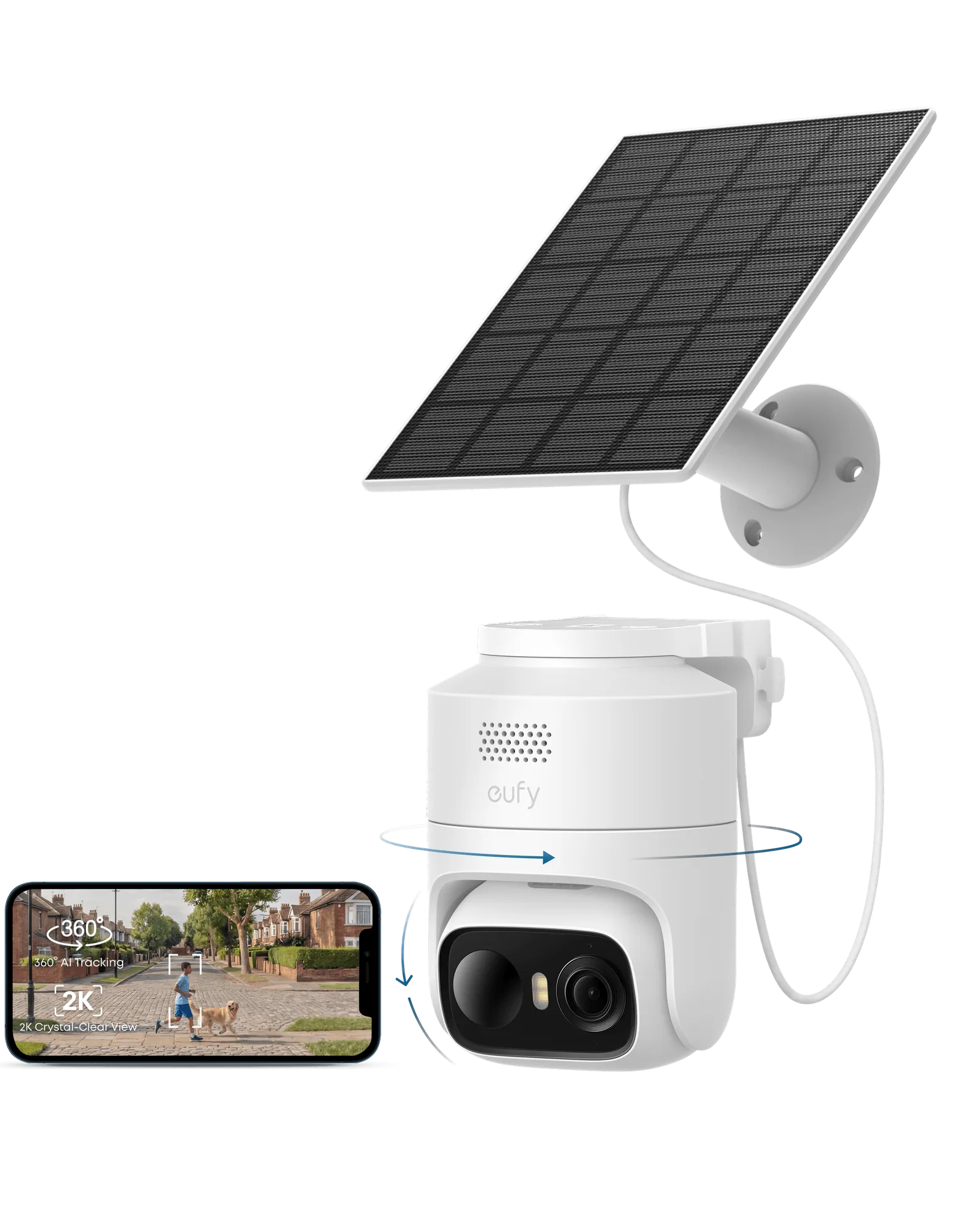
eufyCam C37 2K Smart Security Camera CCTV with Solar panel