Quick Answer
To set up the Expeditions Metal Mechs expansion, attach the silicon base snaps to the miniatures before your first game, then place them on the board whenever a mech is deployed. This guide walks through the process and highlights common pitfalls.
Why Metal Mechs Change Your Setup
Metal miniatures add weight and durability, but they also change how you handle setup. The silicon base snaps are not just decorative—they keep the mechs stable on uneven terrain and protect the paint from scratches. Unlike plastic miniatures, metal mechs can dent if dropped, so handling them carefully during setup is worth the extra seconds.
One trade-off: metal mechs are heavier, so they may tip over more easily on sloped or crowded boards. The silicon bases help, but you may still need to adjust your play area to give them a flat surface. Keep this in mind when arranging the board.
Before You Start: Check Your Components
Before diving into the setup, verify that you have all the pieces: the two metal mech miniatures and the silicon base snaps in six colors. If any snap is missing or damaged, contact the store before your first game. It’s easier to replace a missing part than to improvise a base that doesn’t fit securely.
Also, make sure you have the base game or expansion rulebook handy. The metal mechs replace the standard plastic mechs, but the rules for deployment and movement remain the same. This guide focuses on the physical setup, not the gameplay rules.
Setup Steps
- Unpack and inspect: Remove the two metal mechs and the silicon base snaps from the packaging. Check that each mech has no visible defects and that you have six snaps of different colors. If any snap is missing, contact the store before playing.
- Attach the base snaps: Press a silicon snap onto the bottom of each mech. Use gentle, even pressure to avoid bending the metal. Choose a color that matches your player token or faction for quick identification. Ensure the snap is fully seated; a loose snap can cause the mech to wobble.
- Place on the board: When the game instructs you to deploy a mech, set it on the board in the designated area. Make sure the surface is flat and clear of other components to prevent tipping. If the mech tips over, adjust the base snap or reposition it on a flatter spot.
Product Facts
-
Expeditions Gears of Corruption Metal Mechs (expansion): This pack of 2 metal mech miniatures for Expeditions: Gears of Corruption includes silicon base snaps in 6 different colors. The color variety lets you match bases to player colors or terrain, and the silicon material grips the table to reduce sliding during play.
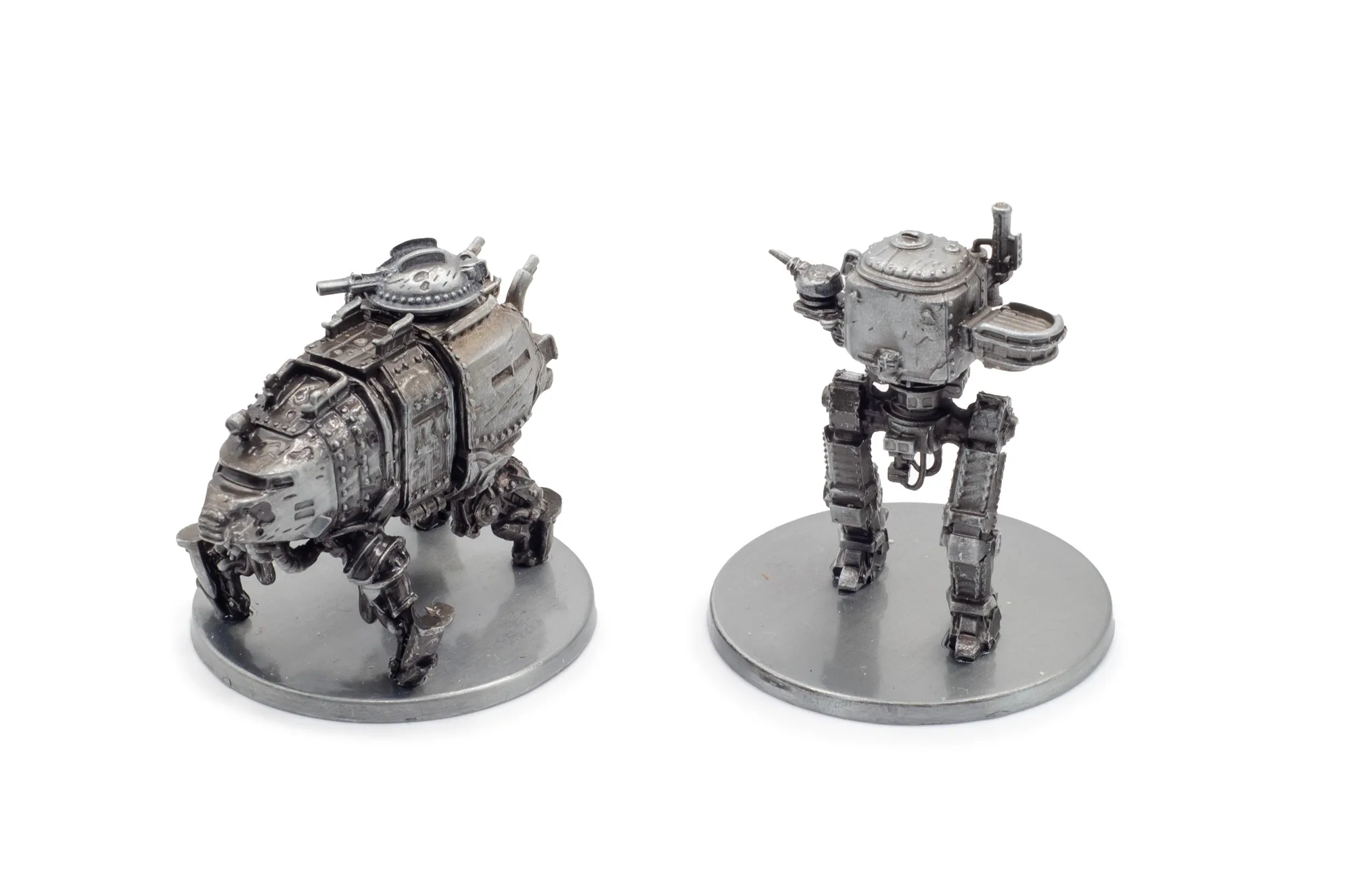
Expeditions Gears of Corruption Metal Mechs (expansion)