Quick answer
Assemble the EZCube Extension Kit by connecting the extension panels to your existing EZCube planter using the provided hardware, ensuring a snug fit and level alignment. This add-on lets you expand your bed into longer, L-shaped, or zoned layouts without buying a whole new planter.
Why extend instead of buying a new bed?
The EZCube Extension Kit is designed for gardeners who want to personalize their space as their garden grows. Instead of purchasing a second planter, you can attach the extension to your existing EZCube to create a longer bed, an L-shape for a patio corner, or dedicated zones for different crops.
This modular approach saves money and reduces waste, but it does require careful planning: measure your available space, decide on the layout, and ensure the extension panels align with your current bed's dimensions. The kit uses the same lightweight, weather-safe, recycled material as your EZCube, so the finished structure looks and performs consistently.
What to know before you start
Before opening the box, confirm that your existing EZCube bed is clean and on a level surface. The extension connects to the open side of your bed, so you may need to remove any soil or plants from that side to access the connection points.
Check that all hardware from the kit is present. If anything is missing, contact customer support before starting. The extension's panels are lightweight, but you may want a second person to help hold them in place while you secure the fasteners.
Step-by-step assembly
- Prepare the site: Clear the area around the side of the EZCube where you'll attach the extension. Ensure the ground is level and the existing bed is stable. Remove any soil or plants from that side to access the connection points. A level base prevents gaps and stress on the connections.
- Lay out the extension panels: Unpack the extension kit and lay out all panels and hardware. Identify which panels will form the new walls and which are for the base (if included). Compare them to the open side of your EZCube to confirm the fit. Dry-fit the panels before securing to catch alignment issues early.
- Attach the extension panels: Position the first extension panel against the open side of your EZCube, aligning the holes or slots. Use the provided screws or connectors to fasten the panel to the existing bed. Tighten firmly but avoid over-tightening to prevent stripping. Check each fastener as you go; a loose connection can cause wobble.
- Add remaining panels and corners: Continue attaching the remaining panels to create your desired shape (longer bed, L-shape, or dedicated zones). For corners, use the corner brackets or connectors from the kit. Ensure all panels are flush and level. Use a level to verify alignment before fully tightening all fasteners.
- Secure and finish: Once all panels are connected, go back and tighten every fastener. Add soil and plants as desired. If the extension creates a new corner, consider reinforcing the inside with a stake or bracket for extra stability. Wait 24 hours before heavy planting to let the structure settle.
Product facts
-
EZCube Extension Kit: The EZCube Planter Extension Kit is made of the same lightweight, weather-safe, recycled material as your EZCube, so you can build confidently. This means the extension will match your existing bed in durability and appearance, and you won't need special tools or heavy lifting to attach it.
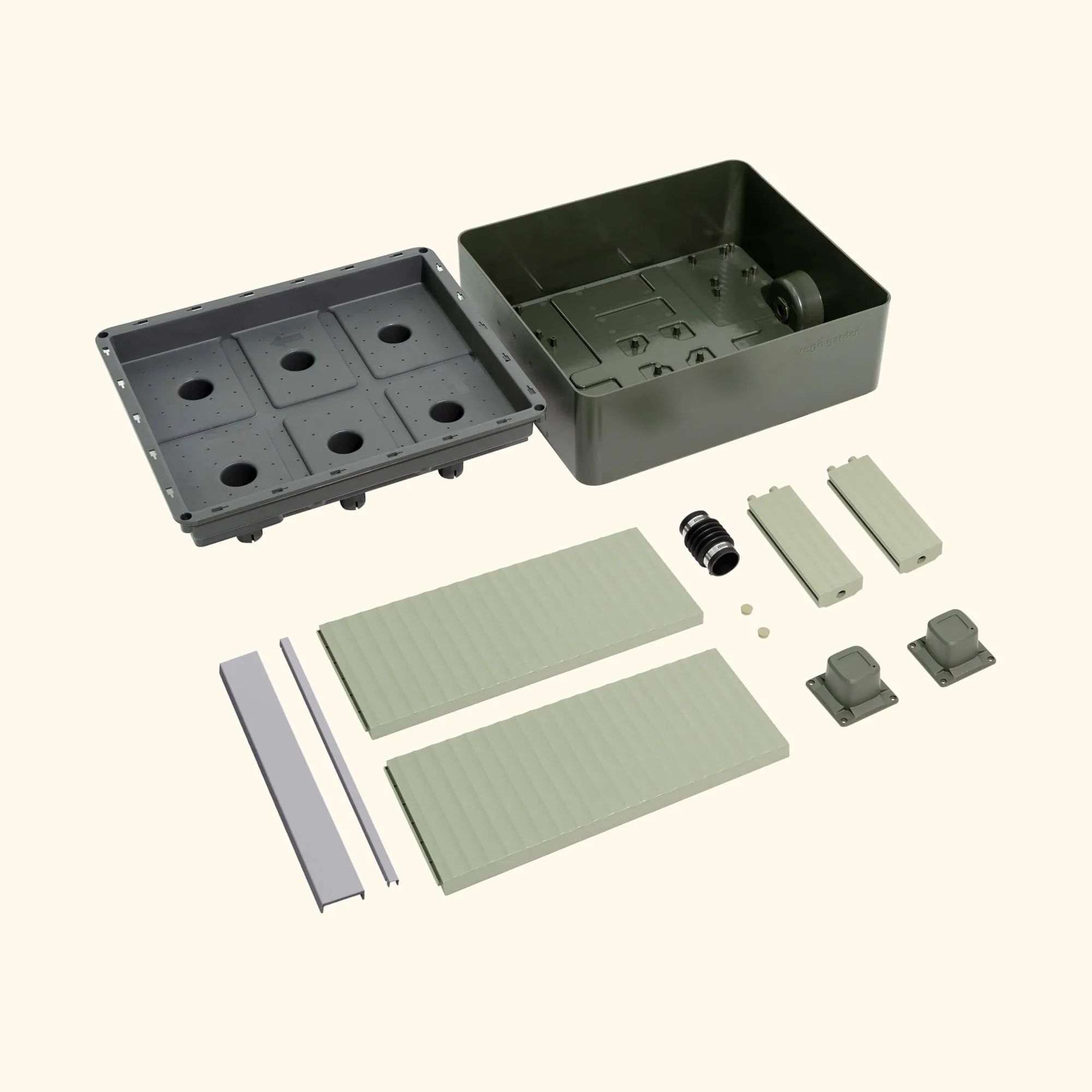
EZCube Extension Kit