A weapon light is a critical piece of gear for anyone who relies on a firearm for self-defense, duty, or competition. It must function flawlessly every time you press the switch, because in a high-stress situation, a dead or failing light can be the difference between safety and disaster. That's why regular maintenance of your Fenix weapon light is not just recommended—it's essential.
In this guide, we'll walk you through the key steps to keep your tactical light in peak condition. From cleaning the lens and body to managing batteries and inspecting seals, you'll learn how to extend the life of your light and ensure it performs when you need it most. Whether you own a dedicated weapon light or use a versatile headlamp for hands-free illumination, these tips apply to any Fenix light you trust in the field.
Why Regular Weapon Light Maintenance Matters
A weapon light endures harsh conditions: recoil, heat, carbon residue, and exposure to the elements. Over time, these factors can degrade performance if left unchecked. Dust and debris can scratch the lens, battery contacts can corrode, and O-rings can dry out, compromising water resistance. Regular maintenance prevents these issues and ensures your light is always ready.
Beyond functionality, maintenance also preserves the value of your investment. Fenix lights are built to last, but they still require basic care. By following a simple routine, you can avoid costly repairs and replacements, and enjoy years of reliable service from your tactical light.
- Inspect your light after every range session or extended use.
- Clean the lens and body regularly to prevent buildup.
- Check battery contacts for corrosion and clean if needed.
Cleaning Your Weapon Light: Step-by-Step
Cleaning your weapon light is straightforward. Start by ensuring the light is turned off and the battery is removed. Use a soft, lint-free cloth to wipe down the exterior, removing dirt, carbon, and oils. For stubborn residue, a mild soap and water solution works well—just avoid submerging the light unless it's rated for it.
Pay special attention to the lens. Use a microfiber cloth and a lens cleaner or isopropyl alcohol to gently remove any film or debris. Avoid abrasive materials that could scratch the glass. Also, clean the threads and O-rings with a cotton swab, then apply a thin layer of silicone grease to keep them pliable and ensure a watertight seal.
For the interior, use a dry cotton swab to clean the battery compartment and contacts. If you see any corrosion, use a pencil eraser or a contact cleaner to gently remove it. Always ensure the compartment is completely dry before inserting a new battery.
- Use a microfiber cloth for the lens to avoid scratches.
- Apply silicone grease to O-rings after cleaning.
- Clean battery contacts with a dry swab or eraser.
Battery Care and Replacement
Batteries are the lifeblood of your weapon light. Always use high-quality batteries from reputable brands, and replace them at the first sign of dimming. Rechargeable batteries, like those used in Fenix's rechargeable models, should be cycled according to the manufacturer's guidelines to maximize lifespan.
If you store your light for extended periods, remove the batteries to prevent leakage and corrosion. For rechargeable lights, store them at a partial charge (around 50%) in a cool, dry place. This helps maintain battery health and ensures your light is ready when you need it.
Fenix offers a range of rechargeable options that simplify battery management. For example, the Fenix GL19R V2.0 features a built-in USB-C charging port, making it easy to top up the battery without removing it from the light. This convenience encourages regular charging, so you're less likely to find yourself with a dead light in a critical moment.
- Replace batteries annually or when performance drops.
- Store batteries separately if the light won't be used for months.
- Use the charging port on rechargeable models for easy maintenance.
Inspecting Seals, Switches, and Mounts
The O-rings and seals on your weapon light are crucial for keeping out moisture and debris. Inspect them regularly for cracks, wear, or dryness. If they look damaged, replace them immediately. A well-maintained seal ensures your light remains waterproof and dustproof, even in adverse conditions.
The switch is another critical component. Test it periodically to ensure it responds crisply and consistently. If the switch feels mushy or unresponsive, it may need cleaning or service. Also, check the mounting system—whether it's a rail mount or a remote switch—to ensure it's secure and free of debris that could cause loosening over time.
For lights with remote switches, like the Fenix AER-02 V2.0 Remote Switch, inspect the cable for frays or damage, and ensure the connection is clean. A faulty remote switch can render your light unusable, so regular checks are vital.
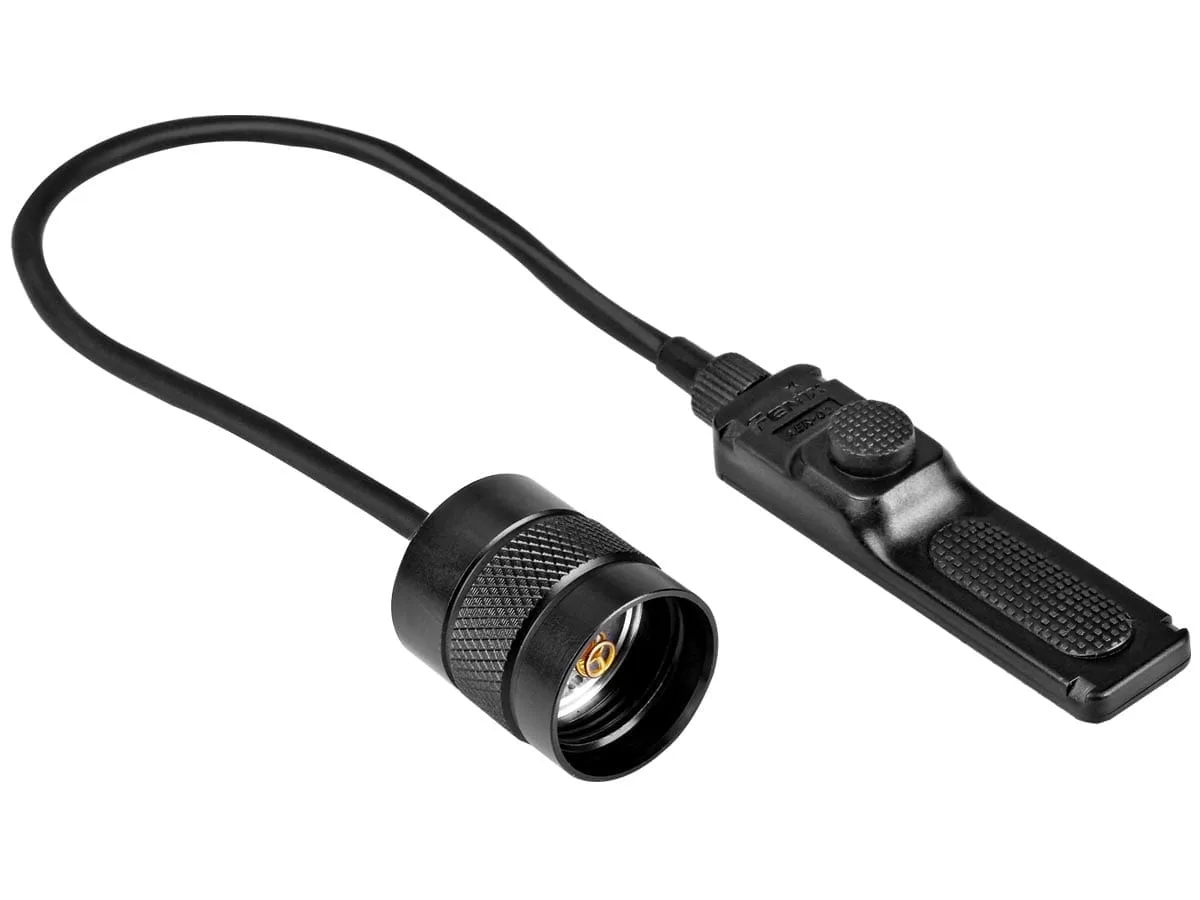
Fenix AER-02 V2.0 Remote Switch
- Inspect O-rings for cracks or wear and replace if needed.
- Test the switch and remote switch regularly.
- Ensure the mount is tight and free of debris.
Maintaining Rechargeable Weapon Lights
Rechargeable weapon lights offer convenience and cost savings, but they require specific care. Always use the recommended charger and cable, and avoid overcharging. Fenix lights typically have built-in protection circuits, but it's still wise to unplug once fully charged.
Periodically calibrate the battery by fully discharging and recharging it, especially if you notice reduced runtime. This helps maintain battery capacity. Also, keep the charging port clean and free of lint or moisture, as a dirty port can lead to charging issues.
If you own a rechargeable headlamp like the Fenix HM61R V3.0 Rechargeable Headlamp, the same principles apply. Even though it's not a weapon light, its battery and charging port need the same attention to ensure long-term reliability. The HM61R V3.0 is a versatile option that can serve as a backup or hands-free light, and proper maintenance will keep it ready for any situation.
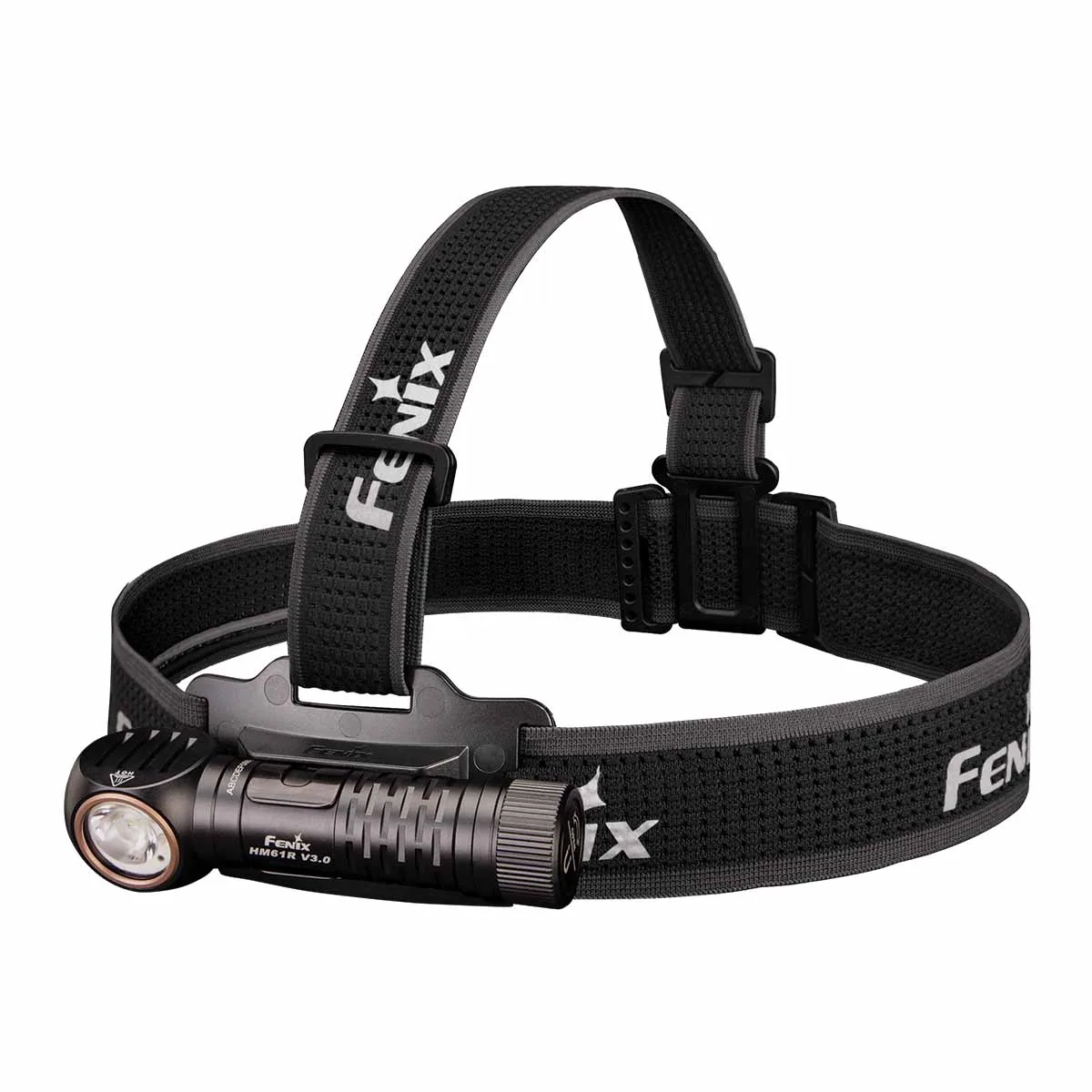
Fenix HM61R V3.0 Rechargeable Headlamp
- Use only the recommended charger and cable.
- Clean the charging port regularly.
- Calibrate the battery every few months.
Troubleshooting Common Issues
If your weapon light fails to turn on, the first step is to check the battery. Ensure it's inserted correctly and has sufficient charge. If the battery is fine, inspect the contacts for corrosion or debris. Cleaning the contacts often resolves the issue.
If the light flickers or dims, it could be a loose connection or a failing battery. Try a fresh battery and ensure the tail cap or head is tightened properly. If the problem persists, the LED or driver may need service, so contact Fenix support.
For lights with multiple modes, if the mode switching is erratic, the switch may be dirty. Clean it with a contact cleaner and test again. If issues continue, professional servicing may be required.
- Check battery and contacts first when troubleshooting.
- Tighten all connections to fix flickering.
- Clean the switch if mode selection is unreliable.
Regular maintenance of your Fenix weapon light is a small investment of time that pays off in reliability and longevity. By following these simple steps—cleaning, battery care, and inspection—you can ensure your light performs flawlessly when you need it most. For a dependable rechargeable option that's easy to maintain, consider the Fenix GL19R V2.0, which offers convenient USB-C charging and rugged construction. Explore it today and keep your tactical light ready for action.