Quick answer
To build a figure-8 race track layout with the Figure-8 Combo, start by assembling the Oval Playset as your base, then add the Bridge Add-On Kit to create the crossover. Finally, insert the 60° Turn Expansion Pack to complete the figure-8 loop. This setup gives you a smooth, two-lane track with a bridge for endless racing fun.
Why the Figure-8 Combo is a smart starting point
The Figure-8 Combo bundles three ROADWORKS playsets into one ready-to-play layout. Unlike buying separate pieces, this combo gives you a complete figure-8 circuit out of the box, so you can skip the guesswork and get racing faster. The included bridge and turn expansion are specifically chosen to create the classic crossover shape, which adds excitement and strategic lane changes to play.
Common mistakes to avoid when building your track
Even with a combo kit, small errors can cause frustration. Watch out for these pitfalls:
• Forcing pieces together: Connectors should slide in smoothly. If they don't, check orientation before applying pressure.
• Skipping the bridge: The bridge is what makes the figure-8 work. Without it, you just have a loop.
• Ignoring the manual: The assembly manual is included for a reason—it shows the correct sequence and bridge placement.
Step-by-step Figure-8 Track Setup
- Unpack and sort pieces: Lay out all track pieces from the Oval Playset, Bridge Add-On Kit, and 60° Turn Expansion Pack. Group them by type (straight tracks, curves, bridge supports) to make assembly easier. Check that you have all pieces before starting; missing a connector can stall the build.
- Assemble the oval base: Connect the curved and straight pieces of the Oval Playset to form a closed loop. Ensure connectors are fully inserted and the track lies flat. A wobbly base will cause cars to derail—press down firmly on each connection.
- Add the bridge crossover: Following the manual, attach the Bridge Add-On Kit at the point where the track needs to cross over itself. The bridge should elevate one lane above the other. The bridge must be centered and stable; test by running a car over it before proceeding.
- Insert the 60° turn expansion: Replace a straight section with the 60° Turn Expansion Pack to create the figure-8 shape. This turn directs the track back toward the bridge, completing the crossover. Make sure the turn aligns smoothly with adjacent pieces; a misaligned turn will cause cars to jump the track.
- Test and adjust: Place both TOONS cars on the track and push them gently through the layout. Watch for any rough connections or unstable bridge sections, and adjust as needed. Run cars in both directions to check for consistent performance.
Product facts
-
Combo: Figure-8: Includes 1 x Oval Playset, 1 x Bridge Add-On Kit, and 1 x 60° Turn Expansion Pack. You get all the pieces needed for a complete figure-8 layout in one purchase, saving time and ensuring compatibility.
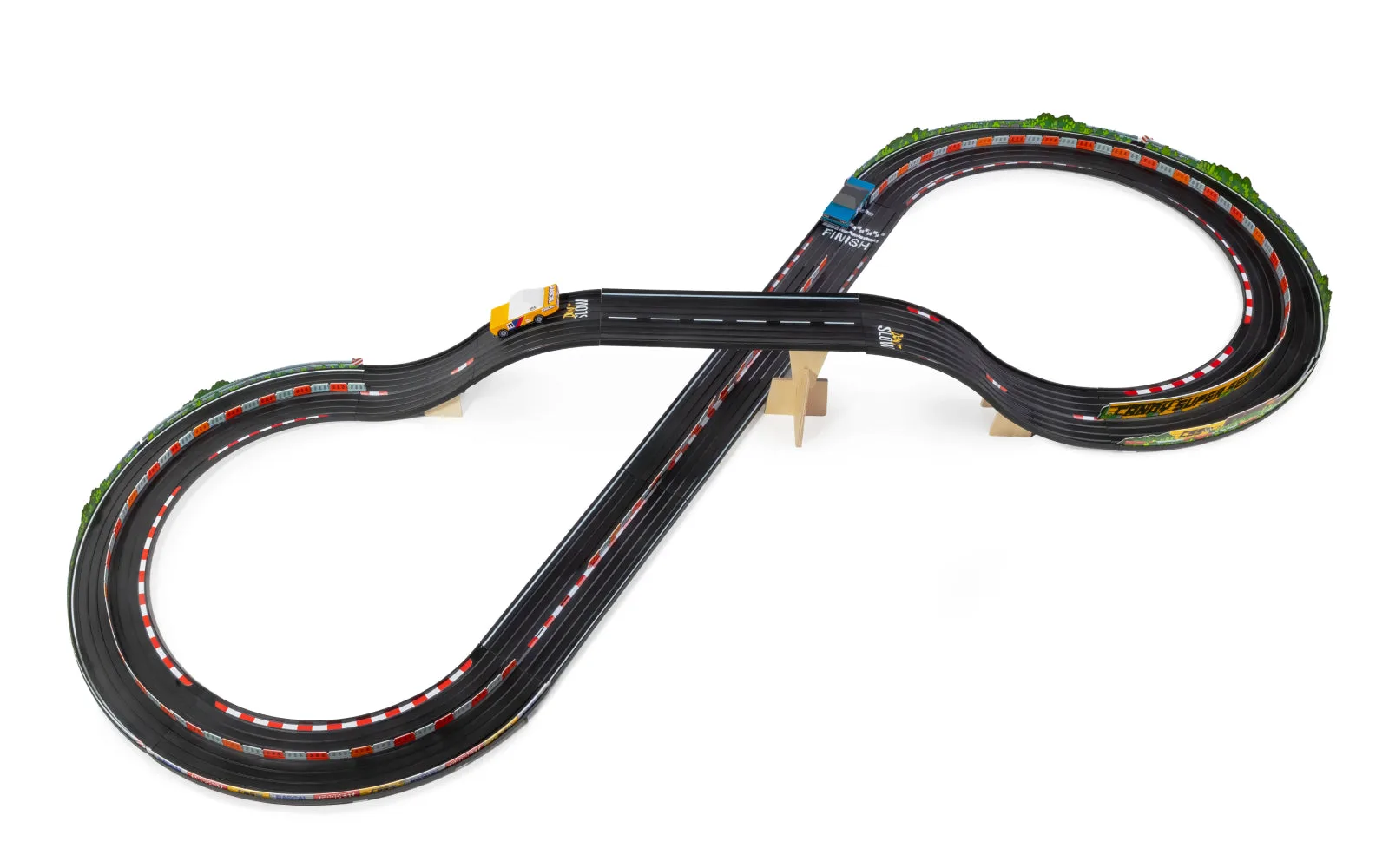
Combo: Figure-8
-
Combo: Figure-8: Comes with 2 x TOONS cars: Rascal Rally Orange and Rascal Rally Blue. Two cars are included so kids can race head-to-head right away, no extra purchases needed.
-
Combo: Figure-8: Track is compatible with other ROADWORKS Add-On Kits and expansion packs. You can easily expand the layout later, keeping the toy fresh as kids grow.