Quick Answer
Most loose or misplaced accessory pieces on Valaverse sets come down to one of four causes: a part that was never fully seated, a swapped door or panel, a bumper add-on mounted in the wrong position, or a backpack pushed past its peg. Check the seating first, then the orientation, then the mounting point. If a peg or tab is bent or cracked, stop forcing it and treat the piece as display-only.
You open a VANGUARD H.A.U.L. set, snap the armored panels into the doors, and one panel sits proud of the frame. Or you move a figure and a backpack drops off the peg for the third time. Loose and misplaced accessory pieces are the most common frustration with 1/12-scale accessory sets, and most of the time the part is not broken. It is seated wrong, oriented wrong, or mounted at the wrong point.
This guide walks through the four situations collectors actually run into, what causes each one, and the exact corrective step. It also tells you when to stop adjusting and switch to a different approach, because forcing a stiff peg is how a fix turns into a replacement.
Symptom 1: A Door or Panel Sits Loose in the Frame
A windowless door or armored panel that rocks in place usually is not fully seated. The VANGUARD H.A.U.L. sets include 4 windowless doors and 4 armored panels that fit into the doors, and the panels need even pressure across the whole edge, not a push at one corner. Press the panel in with two fingers spread across its face until you feel or hear it settle. If one corner still lifts, pull the panel out and reseat it from the opposite corner first.
If the panel seats but the door itself moves in the frame, check that the door is square before you push it home. A door inserted at a slight angle can look seated while one hinge edge floats. Remove it, line up both edges, and press straight in. Do not twist the door to force it; that is how a tab gets stressed.
- Seat panels with even pressure across the face, not at one corner.
- Remove and reseat a door if it looks seated but still rocks.
- Never twist a door or panel to force it into place.
Symptom 2: Armored Panels Keep Popping Out
Panels that pop out repeatedly after a correct seat usually mean the panel is in the wrong door. With 4 doors and 4 panels in a set, it is easy to mix them up during assembly, especially if you are working across two vehicles. Pull all four panels, then fit them one door at a time instead of assembling everything at once. If a panel seats cleanly in one door and pops out of another, you have found the mismatch.
If every panel pops out of every door, stop and check for a bent edge or a bit of flash on the panel rim. A panel that will not stay seated after a clean reseat is a candidate for a warranty or replacement conversation rather than more force.
- Fit panels one door at a time to catch mismatches early.
- If a panel only fits one door, keep that pairing together.
- A panel that never stays seated is a replacement issue, not a technique issue.
Symptom 3: Bumper Add-Ons Sit Crooked or Fall Off
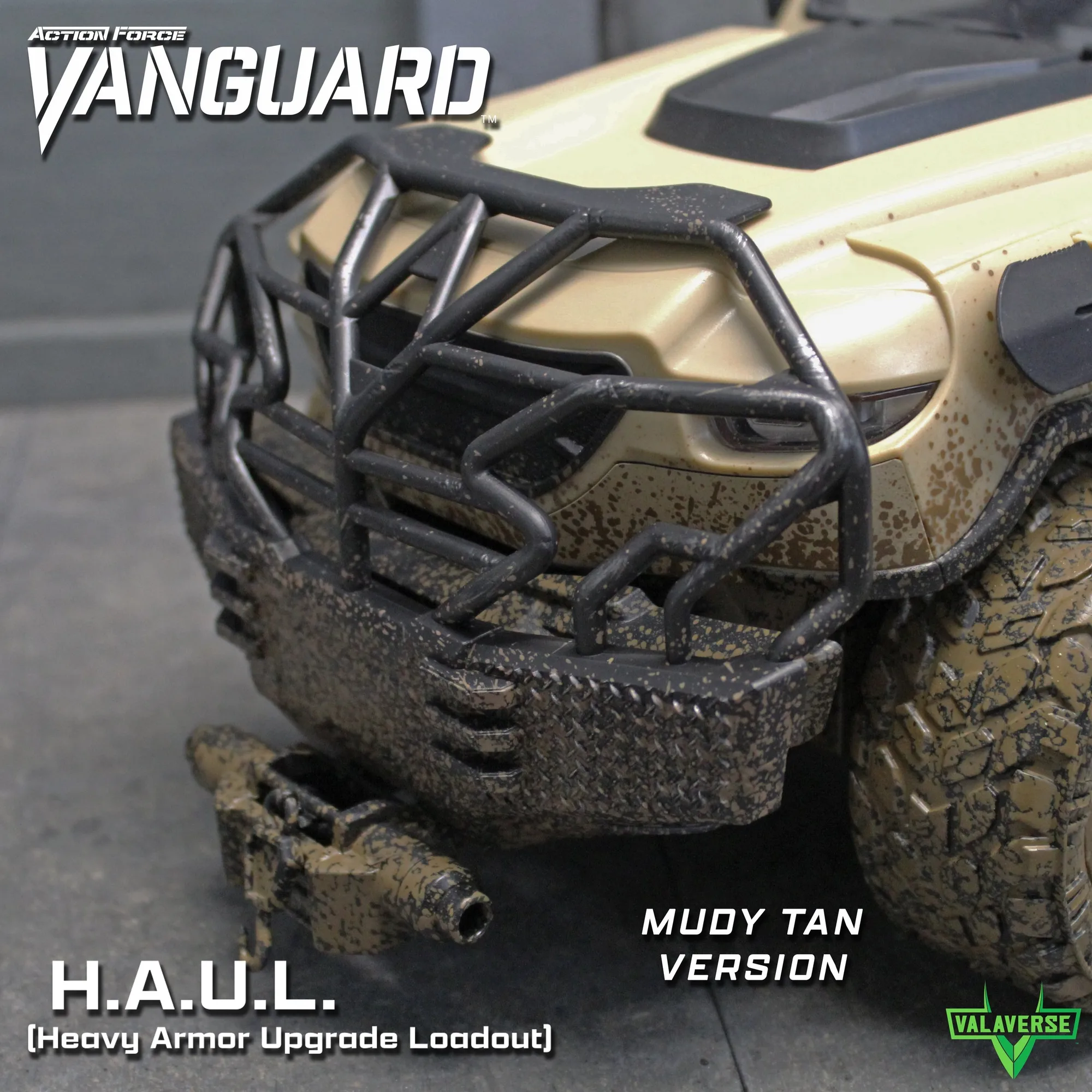
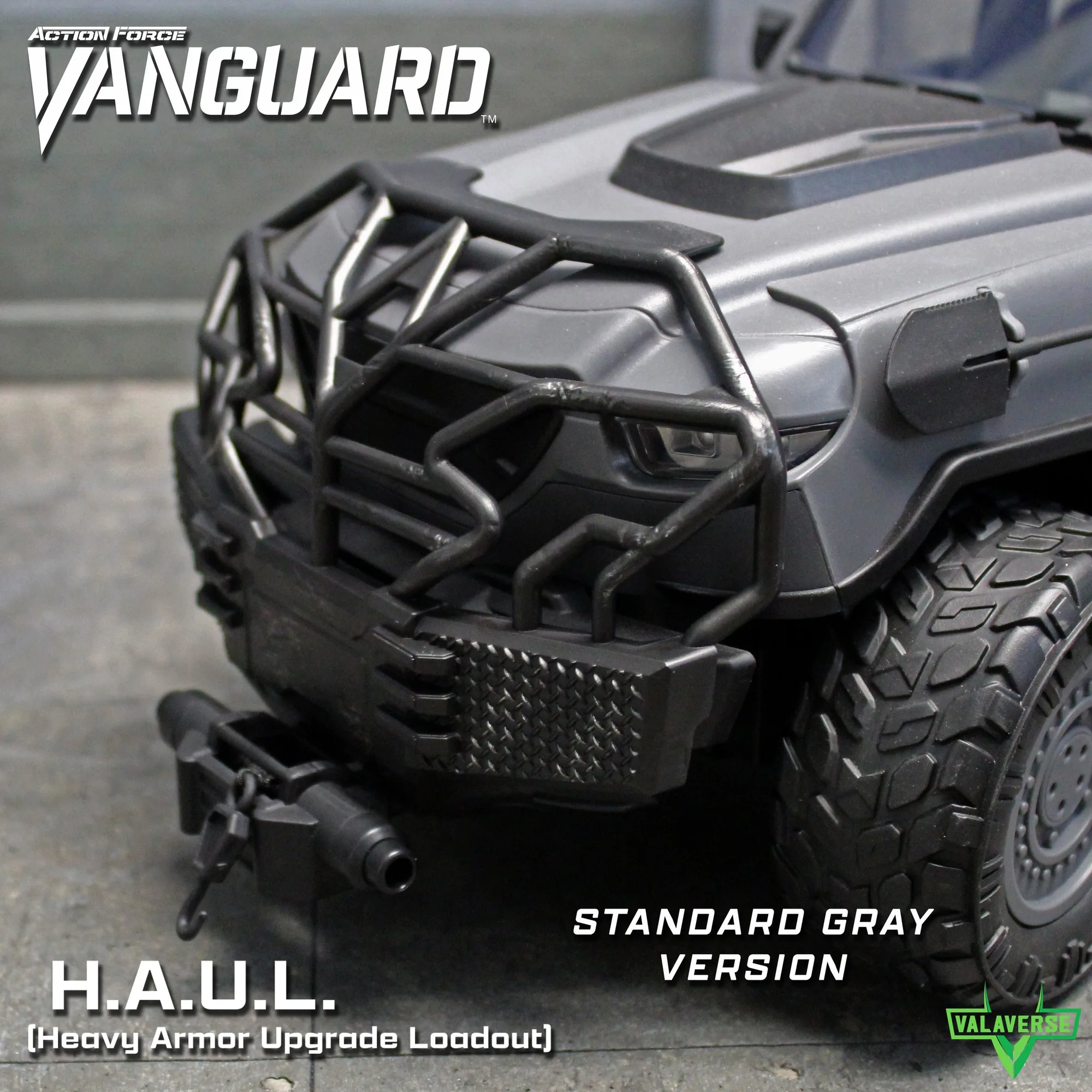
The Brush Guard fits onto the bumper, and the Cow Catcher fits onto the bumper or on top of the Brush Guard. If a bumper add-on sits crooked, the most likely cause is that it was pushed onto the bumper without the mounting point fully aligned. Remove it, look at how the guard meets the bumper, and reattach straight down rather than at an angle. Crooked seating stresses the attachment point and is the usual reason a guard works loose later.
If you are stacking the Cow Catcher on top of the Brush Guard, attach the Brush Guard first and confirm it is solid before adding the second piece. Stacking onto a loose guard multiplies the movement. If the Cow Catcher will not sit flat on the guard, try it directly on the bumper instead; both positions are supported by the set, and one will usually fit your display better.
- Attach the Brush Guard before stacking the Cow Catcher on top.
- Reattach crooked add-ons straight down, not at an angle.
- If the stacked position will not sit flat, mount the Cow Catcher on the bumper instead.
Symptom 4: Backpacks Drop Off Figures
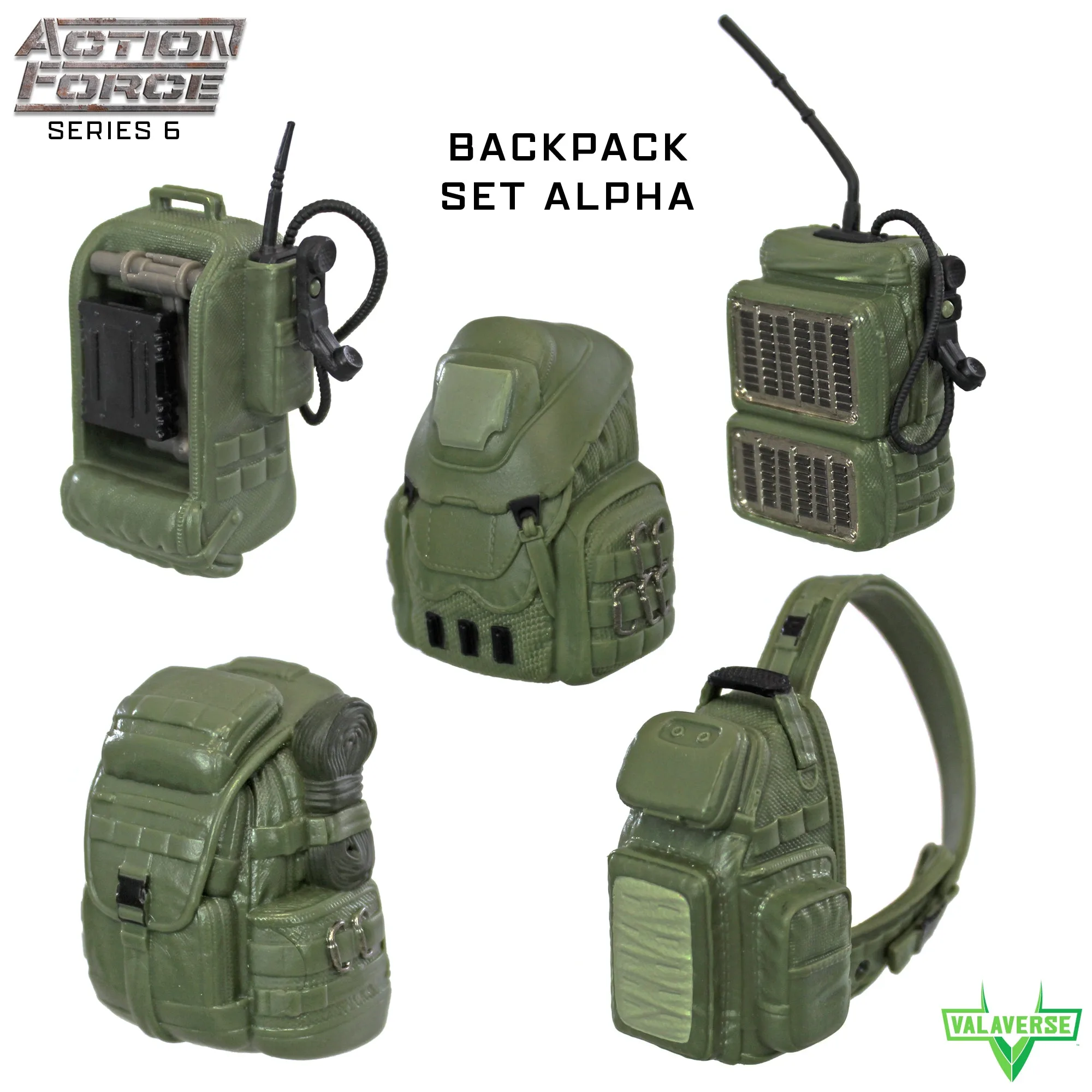
Backpack sets like Backpack Set Alpha and Backpack Set Charlie include 5 different backpack styles each, and not every style sits the same way on every figure. A backpack that falls off is usually pushed onto the peg at an angle, or it is a style whose weight sits high on the figure. Remove it, line up the peg, and press straight in until it stops. If it still drops, try a different style from the same set; the five styles are not identical in how they hang.
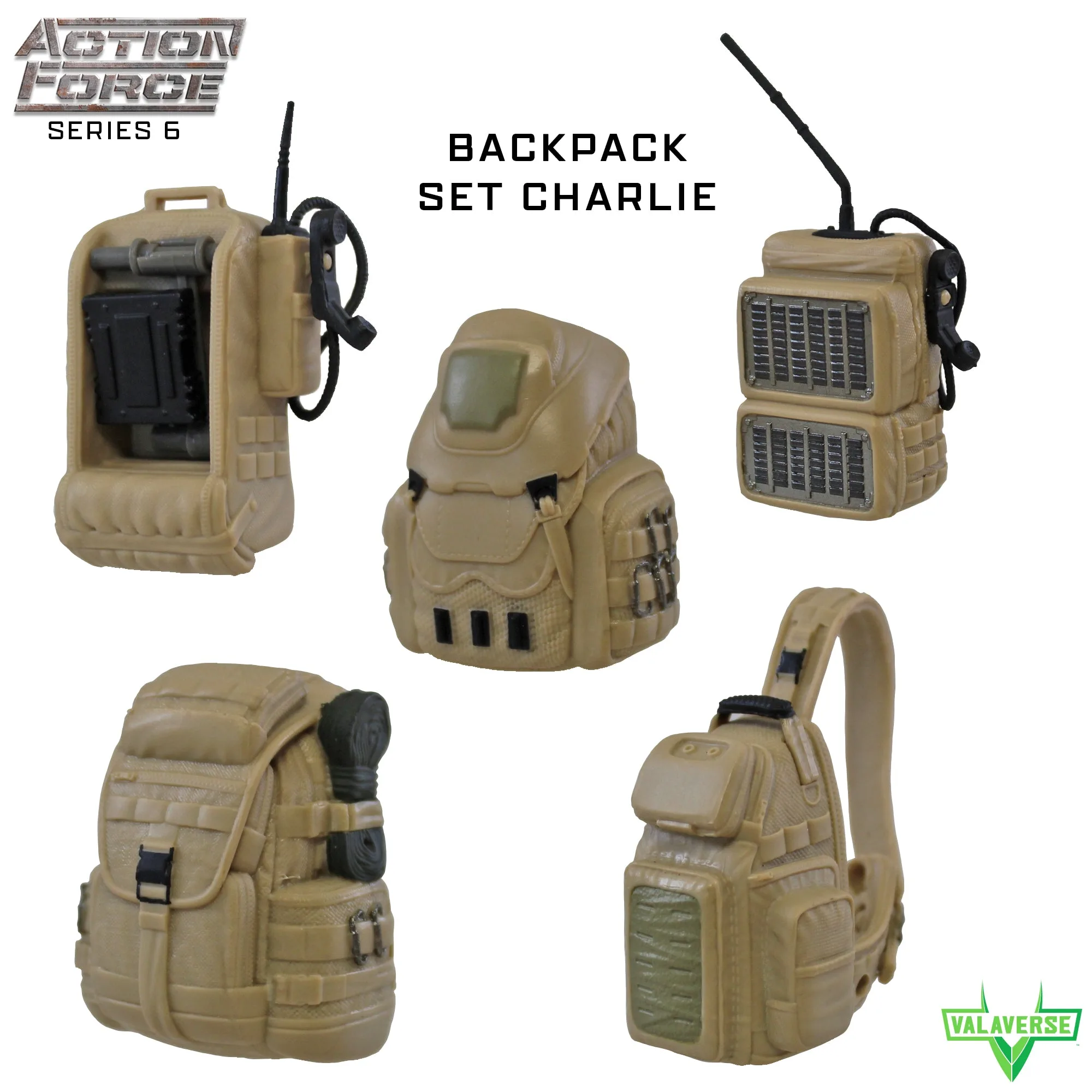
Backpack Set Charlie
If a backpack will not stay on any figure, check the peg for a bend or a stress mark. A bent peg will not hold, and continuing to force the pack on can widen the mount. That is the point to set the piece aside for display on a shelf rather than on a posed figure.
- Press backpacks straight onto the peg, not at an angle.
- Swap to a different style from the same set if one keeps dropping.
- A bent peg means the piece is display-only from here.
When to Stop Adjusting and Choose Another Option
Stop adjusting when you feel resistance that does not give way after a clean reseat, when a peg or tab is visibly bent or cracked, or when the same part fails in the same way three times. At that point the problem is the part, not your technique. For a vehicle add-on, that may mean mounting a piece in its alternate position, such as the Cow Catcher on the bumper instead of the Brush Guard. For a backpack, it may mean retiring that style to a shelf display.
If a piece arrived damaged or will not seat after a careful attempt, contact the retailer or manufacturer with your order details and a photo of the fit issue. Do not keep forcing it. A small amount of patience at the reseat stage prevents most of the damage that turns a loose piece into a broken one.
- Stop after three failed attempts with the same part.
- Try the alternate mounting position before assuming a defect.
- Photograph the fit issue before contacting support.
Diagnosis: Match the Symptom to the Fix
- Panel rocks but does not fall out: The panel is seated at one corner instead of across the face. Remove it and press it in with even pressure across the whole panel. If it still rocks after two reseats, check for a bent rim.
- Panel pops out of one door but not others: The panel and door are mismatched. Keep that panel paired with the door it fits and reassemble the rest one door at a time. A panel that fits no door is a replacement candidate.
- Brush Guard or Cow Catcher sits crooked: The add-on was angled onto the bumper instead of pressed straight down. Remove it, align the mounting point, and reattach vertically. If stacking the Cow Catcher will not sit flat, mount it on the bumper instead.
- Backpack drops off a figure: The pack was pushed onto the peg at an angle, or the style sits high on that figure. Reseat straight, then try a different style from the same set. A bent peg means display-only from here.
- Same part fails three times: Stop adjusting. The issue is the part, not your technique. Photograph the fit and contact support with your order details. Forcing a stiff peg is how a fix becomes a replacement.
What the Sets Actually Include
- VANGUARD H.A.U.L. Muddy Tan Accessory Set: Fits all Action Force Vanguard vehicles and includes 4 windowless doors, 4 armored panels that fit into the doors, 2 additional armored frames for rear doors, a windshield armor add-on, a Brush Guard that fits onto the bumper, and a Cow Catcher that fits onto the bumper or on top of the Brush Guard. Knowing the full parts list helps you identify which piece is loose and where it is supposed to mount, so you do not force a part into the wrong position.
- VANGUARD H.A.U.L. Gray Accessory Set: Same contents as the other colorways, including the 2 additional armored frames for rear doors that can hold the M240 rifle (not included). The rear-door frames are a common source of confusion because they accept a rifle that is not part of the set; if a frame seems loose, check that nothing is mounted in it before reseating.
- Backpack Set Alpha: 1/12 scale military green backpack accessory set with 5 different backpack styles included, fitting all Action Force figures. Because five styles are included, a backpack that will not stay on one figure may simply be a style mismatch; swapping styles is often faster than adjusting the peg.
- Backpack Set Charlie: 1/12 scale tan backpack accessory set with 5 different backpack styles included, fitting all Action Force figures. The same style-swap logic applies here, and the tan colorway lets you match a figure or vehicle without changing the fit approach.
Loose and misplaced accessory pieces are almost always a seating or orientation problem, not a defect. Work through the symptom that matches your situation, reseat before you force, and stop when a peg or tab is visibly stressed. That approach keeps your VANGUARD H.A.U.L. pieces and backpack sets display-ready instead of turning a small fit issue into a broken part.