Quick Answer
If your KeySmart screws keep coming loose, first try tightening them with a screwdriver. If they still slip, replace them with Super Grip Replacement Screws, which feature a rubber ring to stay put. For persistent issues, consider upgrading to a model with locking screws like the KeySmart Air FKM.
You reach for your keys, and suddenly the whole KeySmart comes apart in your hand. Screws on the floor, keys scattered—it’s annoying and inconvenient. But this isn’t a design flaw you have to live with. Loose screws on a key organizer are a common issue, and there are simple fixes.
In this guide, we’ll walk through why KeySmart screws loosen, how to tighten them properly, and when it’s time to replace the screws or upgrade your key holder. You’ll learn the difference between standard screws and the newer locking designs, so you can choose the right solution for your daily carry.
Why Do KeySmart Screws Come Loose?
The most common reason is simple: everyday use. Every time you slide a key in or out, or even just carry your KeySmart in your pocket, you put slight rotational force on the screw. Over time, that micro-movement can cause the screw to back out, especially if it wasn’t tightened fully in the first place.
Another factor is the type of screw. Standard screws on older or budget models rely on friction alone to stay in place. If the threads wear or the metal expands slightly from temperature changes, the screw can loosen. Also, if you’ve added extra keys or tools, the added thickness can put more pressure on the screw, making it more likely to slip.
- Check your screw tightness every few weeks as part of routine maintenance.
- Avoid over-tightening, which can strip the threads.
How to Tighten Your KeySmart Screws
First, gather a small Phillips-head screwdriver. Place your KeySmart on a flat surface. Insert the screwdriver into the screw head and turn clockwise until you feel resistance. Be careful not to over-tighten—you want the keys to be secure but still able to pivot slightly.
If the screw still feels loose after tightening, it may be stripped. In that case, you’ll need to replace the screw. This is where Super Grip Replacement Screws come in handy. They come in multiple lengths so you can match the screw to your key load, and they feature a black rubber ring that grips the threads to prevent loosening.
- Use the correct screwdriver size to avoid stripping the head.
- If you feel slipping, stop and replace the screw rather than forcing it.
When to Replace Screws vs. Upgrade Your KeySmart
Replacing the screws is a cost-effective fix if your KeySmart is otherwise in good shape. Super Grip Replacement Screws cost just a few dollars and include spacers and washers. They’re compatible with most KeySmart models, so you can keep using your favorite organizer.
However, if you’ve had repeated issues with screws coming loose, or if your model is older, you might benefit from a newer design with locking screws. For example, the KeySmart Air FKM (2025 upgrade) uses locking screws that are engineered to stay tight over time. This can be a worthwhile upgrade if you want a set-and-forget solution.
- Replacement screws are ideal for minor looseness.
- Upgrade to a locking-screw model if you’re tired of frequent adjustments.
Diagnosis: Loose KeySmart Screws
- Symptom: Keys fall off the holder or the screw backs out after a few days of use. This is the problem you’re experiencing.
- Likely Cause: Everyday motion loosens the screw over time, or the screw threads are worn and can’t hold. If the screw is stripped, tightening won’t help.
- Corrective Action: Tighten the screw with a screwdriver. If that fails, replace it with Super Grip Replacement Screws, which have a rubber ring to stay in place. This should solve the issue for most users.
- Stop or Choose Another Option: If you’ve replaced screws and still have problems, or you want a permanent fix, consider upgrading to a model with locking screws like the KeySmart Air FKM. This is the point where further repair isn’t worth it; upgrade instead.
Products That Help Fix Loose Screws
- Super Grip Replacement Screws (KeySmart® Tools): Comes with 3 sets of new Super Grip Screws for your KeySmart key holder: 2 x 5mm length screws (ideal for up to 4 keys) 2 x 8mm length screws (ideal for up to 8 keys) 2 x 14mm length screws (ideal for up to 14 keys) 8 x black spacers/washers Super Grip Screws: Machined from durable stainless steel. Black rubber ring to ensure screws stay tightened on your KeySmart and keep your keys in place. Spacers/Washers: Made... These screws directly address the loosening problem with a rubber ring that increases friction, so you won’t have to retighten as often.
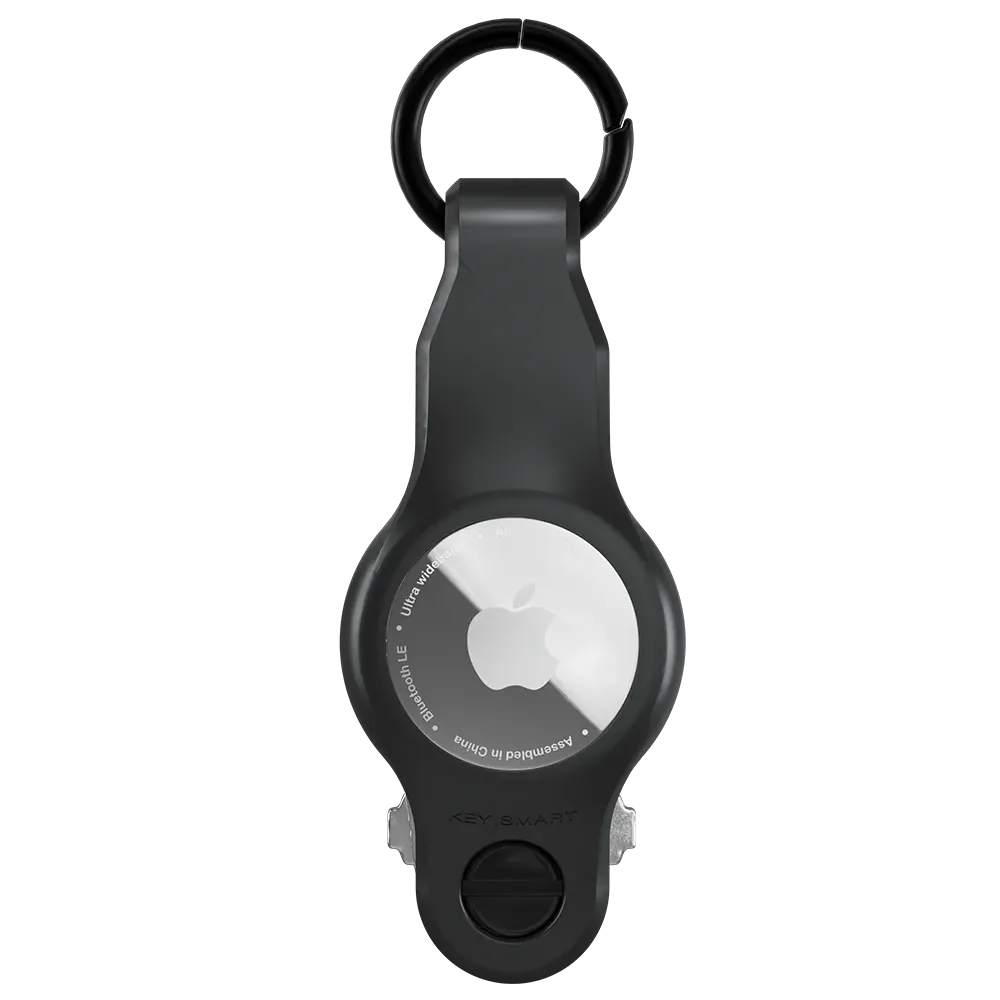
- KeySmart Air FKM | Compatible With Apple Airtag | Organize Up To 5 Keys: KeySmart Loop Air is the modern, refined way to organize your keys and track them with ease using any of your iDevices. The compact design holds your keys and your AirTag in one simple accessory, instead of loosely attaching yet another keyring to your keys. 2025 Upgrade: Locking Screws for Improved Tightness. The locking screws are engineered to keep your keys tight, without getting loose over time, staying neatly... If you prefer a permanent fix, this model’s locking screws are designed to stay tight, and it also adds AirTag compatibility for tracking.
Loose screws don’t have to ruin your day. Start by tightening, then move to replacement screws if needed. If the problem keeps coming back, a locking-screw model is a smart upgrade. With the right fix, your keys will stay put, and you’ll get back to enjoying the convenience of a compact key organizer.