Quick Answer
Waterslide decal silvering on Gunpla is usually caused by trapped air or moisture under the decal. You can often fix it by applying a softening solution or carefully puncturing and pressing out the air, but if the decal is already sealed under a topcoat, replacement may be the better option.
Why Silvering Happens on Gunpla Decals
Silvering occurs when a thin layer of air gets trapped between the decal film and the plastic surface, creating a cloudy, reflective look. This is most common on matte or textured surfaces, or when the decal is applied over a rough paint finish without a gloss coat first. Even careful application can sometimes leave micro-bubbles that turn into silvering once the decal dries.
The problem is not a defect in the decal itself — it is a surface-prep or application issue. Using a gloss clear coat before decals gives a smooth base that minimizes trapped air. If you are working with an older decal set like the GD-38 HGUC Zeon 3 Decals, ensure the backing is fully wetted and the decal slides freely before positioning.
Trade-offs: Fix vs. Replace
Not every silvered decal can be saved. If the decal has already been sealed under a matte or gloss topcoat, puncturing or softening it may damage the surrounding finish. In that case, removing the decal entirely and applying a fresh one is cleaner. Replacement decals like the GD-38 HGUC Zeon 3 Decals offer multiple markings so you can swap a silvered squad number or warning decal without redoing the whole sheet.
If the silvering is small and the decal is not topcoated yet, a drop of decal softener or a careful pinprick followed by gentle pressure often works. The risk is low, but pressing too hard can tear the decal. Always test on an inconspicuous area first.
Diagnose & Fix Decal Silvering
- Symptom: A cloudy or reflective patch under the decal film, visible when light hits the surface at an angle. The decal appears to float above the plastic instead of looking painted on.
- Likely Cause: Air or moisture trapped between the decal and the surface. Common causes: applying over a matte finish without a gloss undercoat, not pressing out all bubbles during application, or letting the decal dry before it fully adhered.
- Corrective Action (before topcoat): Apply a drop of decal softener (like Mr. Mark Softer) to the silvered area. Wait 30 seconds, then gently press the decal with a damp cotton swab from center to edge. If silvering remains, prick the spot with a sharp hobby knife tip and reapply softener, then press again. If the decal wrinkles or tears during this step, stop and remove it.
- Corrective Action (after topcoat): Puncturing or softening a topcoated decal risks damaging the clear layer. Instead, carefully sand the area with 2000-grit paper to remove the topcoat, then apply softener as above. If the decal lifts, remove it entirely and replace with a fresh decal from a set like GD-38 HGUC Zeon 3 Decals. If the topcoat is damaged, stop and plan to re-topcoat the entire part after the new decal is applied.
Product That Helps
-
GD-38 HGUC Zeon 3 Decals: GD-38 HGUC Zeon 3 Decals are multi-use water decals by Bandai with no instructions — you decide where to place squad numbers and warning markings. If a decal is too damaged to fix, having a fresh set with multiple options lets you replace only the silvered marking without buying a full new sheet.
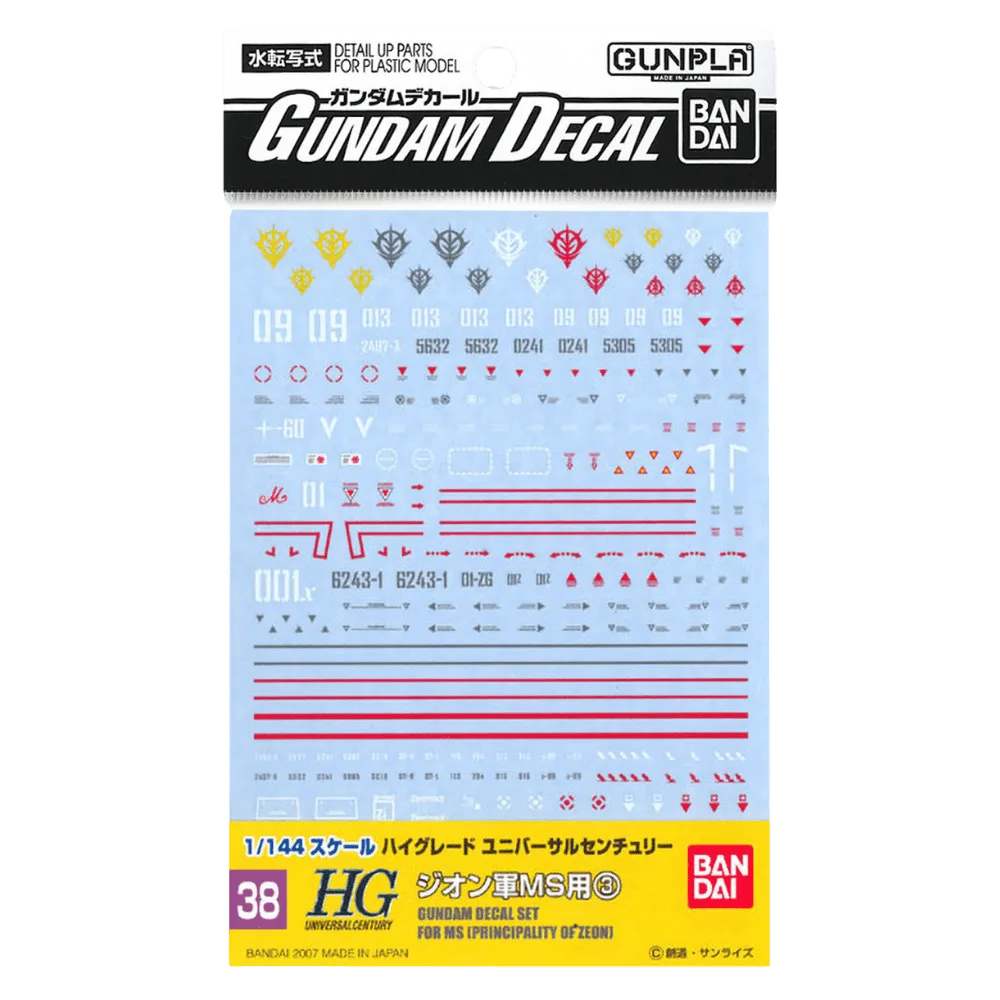
GD-38 HGUC Zeon 3 Decals