Getting Started with Your Flight Simulation Joystick
Setting up a new flight simulation joystick for PC gaming is straightforward, especially when the hardware is designed for plug-and-play use. The Flight Simulation Joystick from LITNXT connects via USB and is automatically recognized by Windows—no driver installation or complex setup is required.
Once connected, the joystick works with mainstream simulation platforms. You bind its buttons and axes to controls within your flight sim software, such as Microsoft Flight Simulator, X-Plane, or DCS World. This guide walks through the simple steps to get airborne.
Setting Up the Joystick in Your Flight Sim
Follow these steps to configure the joystick for use with any compatible flight simulation platform.
- Connect the Joystick via USB: Plug the joystick into an available USB port on your PC. The system automatically recognizes the device—no driver installation is needed. The red functional buttons provide clear tactile feedback, confirming the connection is active.
- Open Your Flight Simulator’s Control Settings: Launch your preferred flight simulation platform and navigate to the controls or settings menu. Look for the joystick configuration section, where you can assign functions to each button and axis.
- Bind Buttons and Axes: Select the joystick from the list of detected controllers. Assign in-game actions—such as throttle, pitch, roll, and view controls—to the physical buttons and axes on the joystick. The button layout is designed for intuitive access during extended sessions, so you can map commonly used functions to easily reachable positions.
- Test and Adjust Sensitivity: After binding, test the controls in a free flight or practice mode. If available, adjust axis sensitivity or dead zones within the sim’s control options to match your flying style. The optional Hall sensor configuration in the grip head delivers consistent input response for fine adjustments.
Product Specifications That Matter for Setup
-
Flight Simulation Joystick, USB Plug-and-Play, Compatible with Mainstream Flight Simulation Platforms and Various Aircraft Configurations: USB plug-and-play connectivity with automatic system recognition. No driver installation or complex setup required. This means you can start using the joystick immediately after connecting it to your PC, without hunting for drivers or troubleshooting compatibility.
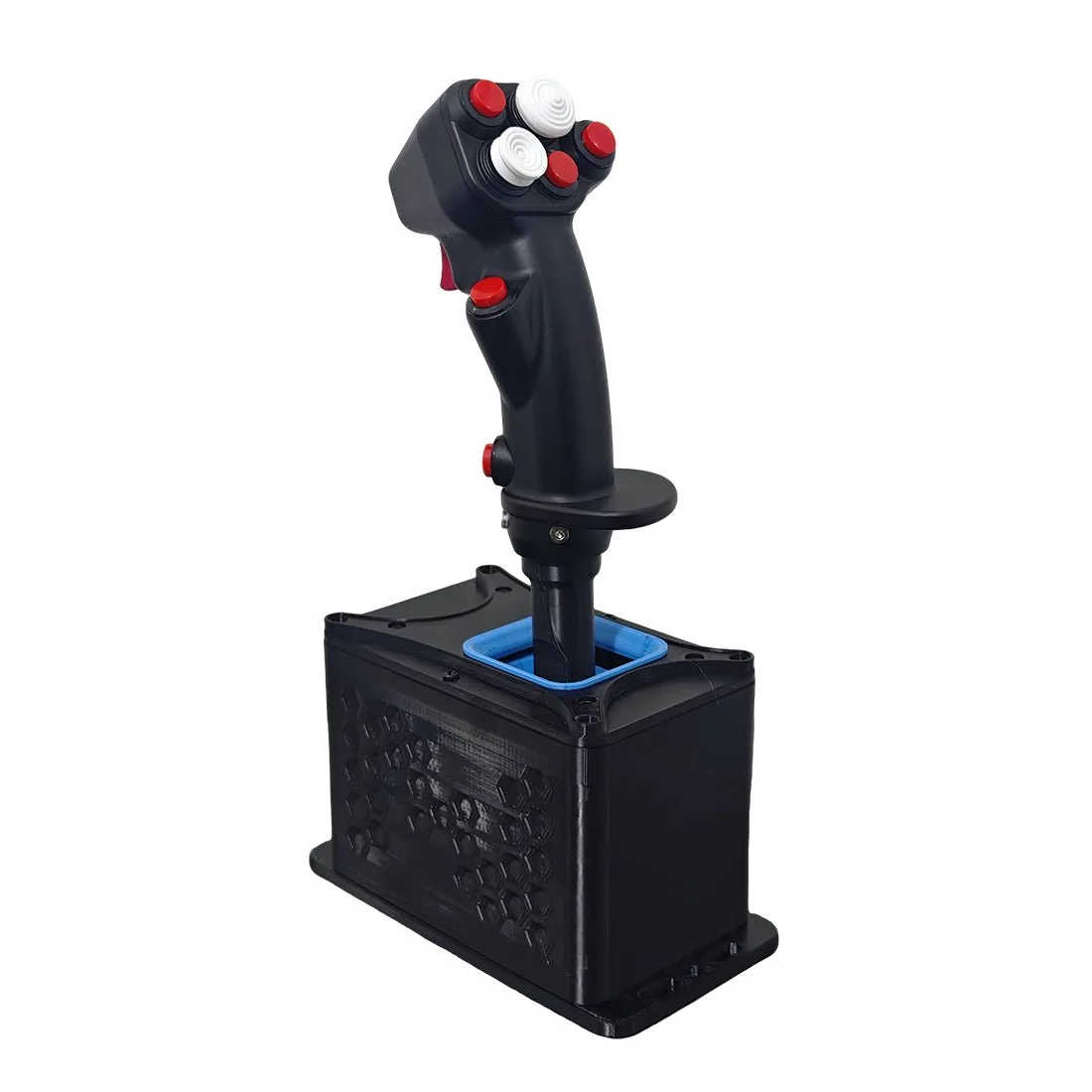
Flight Simulation Joystick, USB Plug-and-Play, Compatible with Mainstream Flight Simulation Platforms and Various Aircraft Configurations
-
Flight Simulation Joystick, USB Plug-and-Play, Compatible with Mainstream Flight Simulation Platforms and Various Aircraft Configurations: Developed specifically for PC-based flight simulation, supporting mainstream simulation platforms and a wide range of aircraft models through in-game button and axis binding. The joystick is designed to work with the sims you already use, and binding controls in-game gives you full flexibility to map actions for any aircraft.
-
Flight Simulation Joystick, USB Plug-and-Play, Compatible with Mainstream Flight Simulation Platforms and Various Aircraft Configurations: Optional high-precision Hall sensor configuration in the grip head delivers consistent input response for fine control adjustments. If you choose the Hall sensor variant, you get smoother, more precise inputs—helpful for tasks like aerial refueling or instrument approaches.
Compatibility and Limitations
The joystick is built for PC flight simulation and is compatible with mainstream platforms. It supports a wide range of aircraft models through in-game binding, but specific aircraft or add-ons may require manual configuration. Because the joystick relies on software-side binding, check your sim’s controller setup to ensure all desired functions are assigned.
The product is rated for ages 16 and up. It weighs 1300 g (product weight) and measures 37 x 28 x 10 cm, so ensure your desk or mounting area has enough space. The joystick connects via USB with no additional power supply needed.