What the Flip Charging Dock actually does
The Flip Charging Dock is a small AC-powered base for Flip rechargers. Instead of hunting for a loose cable every time you need to top up a Flip power bank, you plug the dock into a wall outlet and set your Flip on it. The dock also gives you two USB ports for charging phones, tablets, or other USB-powered devices.
That combination makes it a useful desk charging setup: one outlet point handles your Flip power bank and a couple of everyday gadgets. The tradeoff is that the dock is not a battery itself. It only works when plugged into an AC outlet, so it is a home-base accessory rather than something you carry for off-grid charging.
How to set up the Flip Charging Dock
Follow these steps in order so you know the dock is powered and your Flip is seated correctly.
- Check your Flip model: The dock works with Flip 12, 24, or 36. Confirm your recharger is one of those models before relying on the dock.
- Plug the dock into an AC outlet: The supplied instruction is to plug the charging dock into an AC outlet to charge your Flip recharger. The dock accepts 110–240V, 50–60Hz input, so it is built for standard wall power.
- Place your Flip on the dock: Seat the Flip recharger on the dock to begin charging. The dock is designed for the Flip 12, 24, and 36, so no separate charging cable is needed for the power bank itself.
- Connect other devices to the USB ports if needed: Once the dock is plugged in, its two USB ports can recharge other USB-powered devices such as phones and tablets. The USB output is 5V, up to 3A shared, with a 15W maximum across the ports.
- Mount the dock if you want a fixed spot: The included screw lets you mount the Flip Charging Dock to most standard 110V AC outlets. That keeps the dock in place and reduces clutter on a desk or counter.
Flip Charging Dock facts that affect your setup
-
Flip Charging Dock: Works with Flip 12, 24 or 36. Compatibility is the first checkpoint. If your Flip is a different model, the dock is not confirmed to work with it.
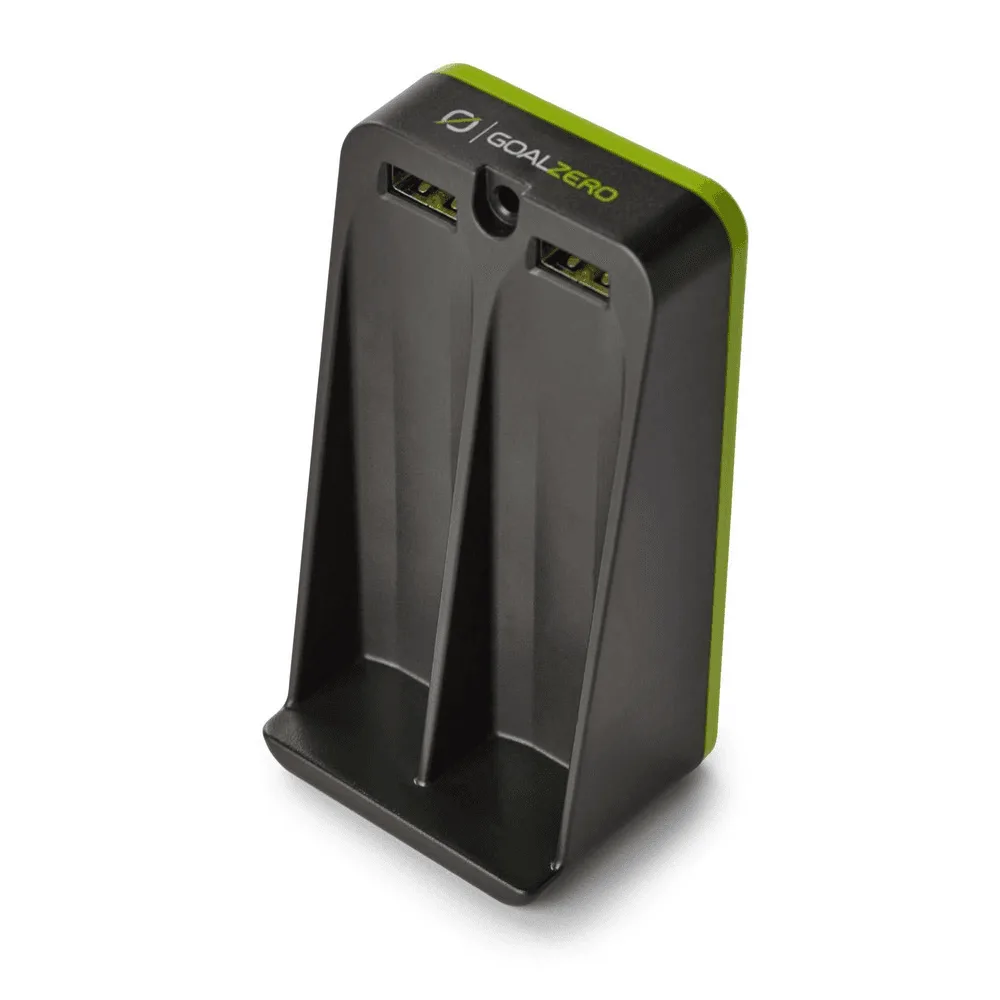
Flip Charging Dock
-
Flip Charging Dock: USB Output: 5V, up to 3A shared (15W max). The two USB ports share power, so charging two devices at once will split the available output rather than giving each port the full amount.
-
Flip Charging Dock: AC Input: 110-240V, 50-60Hz, 0.35A. This tells you the dock is intended for standard AC wall power and is not a travel converter or a battery-powered charger.
-
Flip Charging Dock: You can use the included screw to mount the Flip Charging Dock to most standard 110V AC outlets. Mounting is optional but useful if you want a permanent desk charging setup without the dock hanging loose from the outlet.
Where the dock fits in a desk charging setup
A charging dock for a power bank makes the most sense where you already have an outlet and want to reduce cable clutter. Put the Flip Charging Dock on a desk, nightstand, or counter, plug it in, and leave your Flip there between trips. The two USB ports let you charge a phone and a tablet from the same dock, which can replace a separate wall charger for those devices.
Keep in mind that the dock's USB output is shared. If you connect two devices that both draw heavily, each will charge more slowly than if it were alone. For overnight charging that is usually fine; for a quick top-up before heading out, use one port at a time if speed matters.
What the supplied information does not confirm
The product record gives clear compatibility and power details, but a few things are not stated. Treat these as open questions rather than assumed features.
- Charge time for a Flip power bank: The supplied information does not give a charge time for the Flip 12, 24, or 36 on the dock. Do not assume a specific duration.
- USB charging standards: The record lists 5V output but does not name fast-charging protocols. Compatibility with a particular phone's fast-charging mode is not confirmed.
- Mounting screw fit: The included screw is described for most standard 110V AC outlets, but the record does not specify the screw size or thread. Check your outlet plate before relying on the mount.
Who should consider the Flip Charging Dock
The Flip Charging Dock is a practical add-on if you already own a Flip 12, 24, or 36 and want a cable-free way to keep it charged at home. It is also a reasonable choice if you want one outlet to serve both your power bank and a phone or tablet. The catalog price is USD 13.17, with a comparison price of USD 19.95, and the dock carries a two-year warranty.
If you need to charge a different power bank model, or you want a charger that works without an AC outlet, this dock is not the right tool. It is an AC-powered accessory, not a portable power source.