Quick Answer
To install a flush mount ceiling fan with remote, turn off power, assemble the fan, mount it directly to the ceiling box, wire the receiver, and sync the remote before attaching the canopy.
Why Choose a Flush Mount Fan with Remote?
Flush mount ceiling fans sit close to the ceiling, making them ideal for rooms with low ceilings or where you want a clean, unobtrusive look. Adding a remote control means you can adjust speed, light, and direction without pulling chains or reaching up.
One trade-off is that flush mount fans typically have shorter blade spans, so they move less air than larger, downrod-mounted models. For small to medium rooms, this is rarely a problem.
A reversible ceiling fan with remote lets you switch the blade direction for summer and winter, improving comfort and energy efficiency year-round.
What to Check Before You Start
Before installing, verify that your ceiling outlet box is rated to support the weight of a ceiling fan. Most flush mount fans weigh around 15–20 pounds, so a standard ceiling box may not be sufficient.
Also confirm the fan's location rating. For example, the Britton 19" Flush Mount Reversible Ceiling Fan is listed for dry locations only, so it should not be installed in damp or wet areas like covered porches or bathrooms with high humidity.
Ensure you have the correct tools: screwdriver, wire strippers, pliers, a voltage tester, and a ladder. Having a helper makes the job safer and easier.
Step-by-Step Installation and Setup
- Turn Off Power: Switch off the circuit breaker or fuse that supplies the ceiling outlet box. Use a voltage tester to confirm no electricity is flowing before touching any wires. Never skip the voltage test—even if the switch is off, wiring can still be live.
- Assemble the Fan: Follow the manufacturer's instructions to assemble the fan motor, blades, and light kit. For the Britton 19" fan, attach the three ABS blades and the LED light module (bulb included). Lay a soft cloth on the floor to protect the fan's finish during assembly.
- Mount the Bracket: Secure the mounting bracket to the ceiling outlet box using the provided screws. Make sure the bracket is level and firmly attached. If the outlet box is not fan-rated, replace it before mounting to avoid sagging or accidents.
- Wire the Receiver and Fan: Connect the receiver wires to the household supply (black to black, white to white, green/bare to ground), then connect the receiver to the fan wires according to the manual. Use wire nuts and wrap with electrical tape. Double-check that each wire nut is tight and no copper strands are exposed.
- Attach the Canopy: Carefully tuck all wires into the ceiling box, then lift the fan canopy up to the bracket and secure it with the provided screws. Make sure no wires are pinched. Gently pull on the canopy to ensure it's locked in place before releasing.
- Sync the Remote: Turn on the power and, within a few seconds, press and hold the remote's pairing button (often the 'Learn' or 'Set' button) until the fan light blinks or you hear a beep. Release and test the remote functions. If the remote doesn't sync, turn off power for 10 seconds and repeat the pairing process.
- Test and Set Direction: Use the remote to turn on the fan, cycle through speeds, and test the light. Adjust the reverse switch (or remote setting) for summer (counterclockwise) or winter (clockwise) airflow. Confirm the fan runs smoothly at each speed and that the light turns on/off without flickering.
Product Spotlight
-
19" Britton Flush Mount Reversible Ceiling Fan with Remote Control: This flush mount ceiling fan features a DC motor, remote control, and reversible blades, with an 18.9" size and 900 CFM airflow. The compact size and DC motor make it efficient for small rooms, while the remote and reversible function add convenience and year-round comfort.
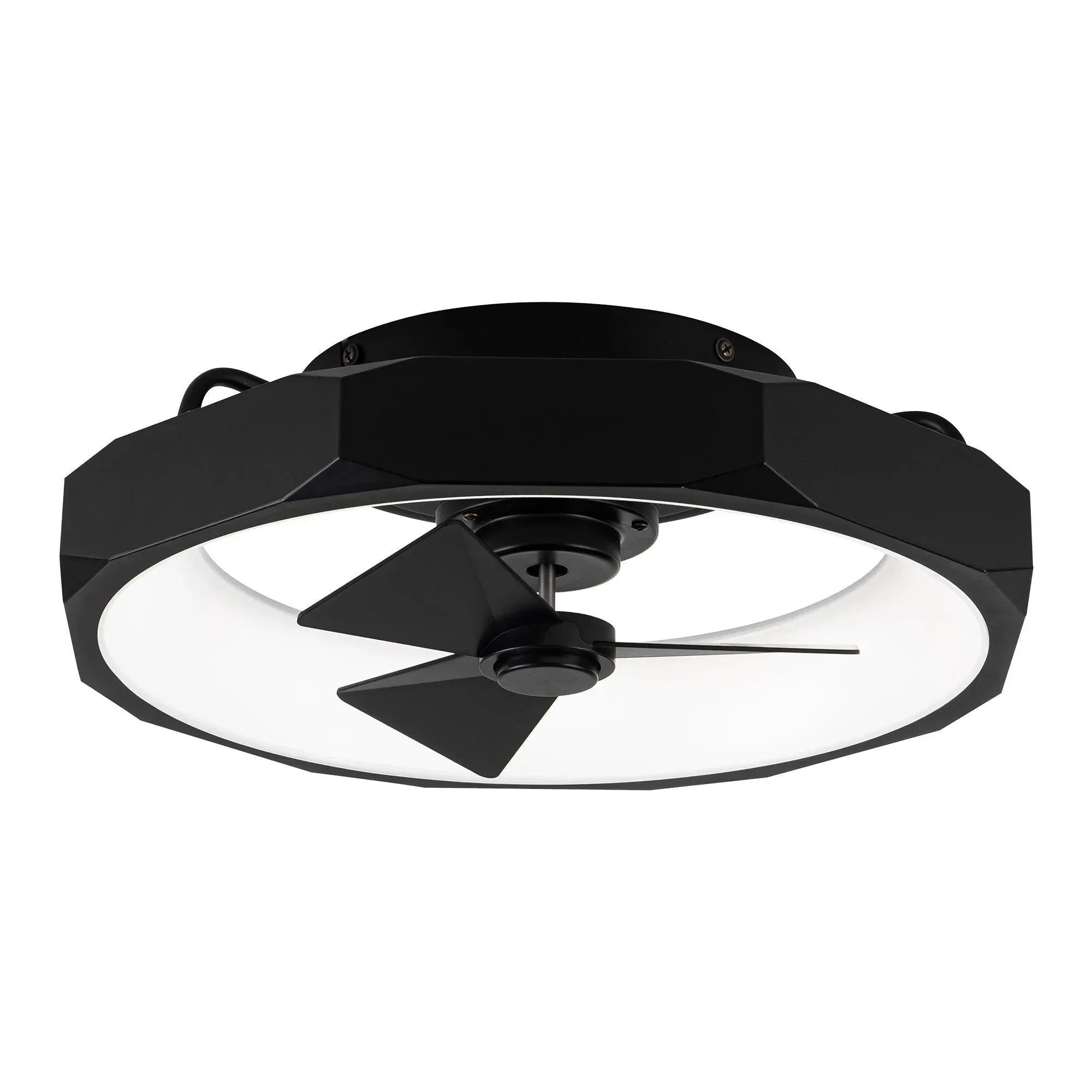
19" Britton Flush Mount Reversible Ceiling Fan with Remote Control