Why a Dedicated Numpad Still Matters
If you work with spreadsheets, accounting software, or any task that demands frequent number entry, a dedicated numpad can speed up your workflow. A standalone wireless numpad like the Foundation Tri-Mode Wireless Numpad from LOFREE lets you position it exactly where you need it, without being tethered to a full-size keyboard. This guide focuses on the key factors to consider when choosing a calculator-style numpad for your desk.
What the Foundation Tri-Mode Wireless Numpad Offers
-
Foundation Tri-Mode Wireless Numpad: Tri-mode wireless connectivity offers flexible options for pairing with your devices. You can connect via Bluetooth, 2.4 GHz, or USB-C, making it easy to switch between a desktop, laptop, or tablet without unplugging cables.
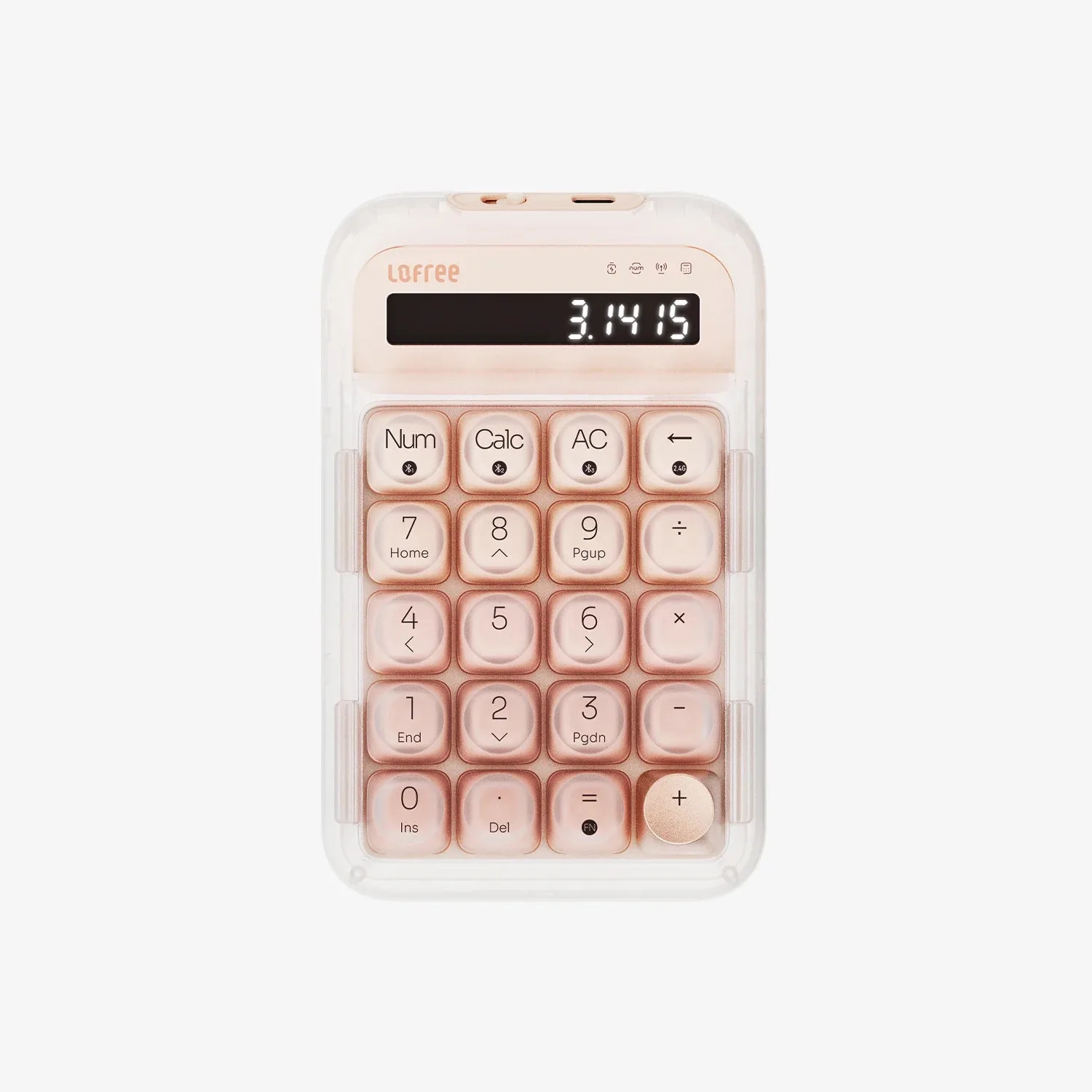
Foundation Tri-Mode Wireless Numpad
-
Foundation Tri-Mode Wireless Numpad: Designed as a standalone numpad, it provides convenient number entry for calculations and data input. Its dedicated numeric layout saves you from reaching across a keyboard, reducing hand movement and potential errors during data entry.
-
Foundation Tri-Mode Wireless Numpad: Features a sleek, minimalist design that fits seamlessly into any workspace. The clean aesthetic complements modern mechanical keyboard setups without clashing with your existing gear.
Key Considerations for Your Purchase
Before buying a wireless numpad, consider these factors:
Connectivity: The Foundation Numpad's tri-mode wireless means you can leave one receiver in your desktop and pair another device via Bluetooth, switching with a button press. This is ideal if you share a desk between a work laptop and a personal computer.
Form Factor: As a standalone numpad, it takes up less desk space than a full keyboard. If you already own a tenkeyless or compact mechanical keyboard, this numpad fills the gap for number-heavy tasks without adding bulk.
Compatibility: The supplied information confirms it is compatible with mechanical keyboard enthusiasts seeking to expand their setup. It is designed to work as a companion piece, not a replacement for your main keyboard.
Standalone Numpad vs. Full-Size Keyboard
- Standalone Numpad (Foundation Tri-Mode): Adds number entry to a compact keyboard setup. Tri-mode wireless lets you place it on either side of your main keyboard or even on a separate surface. Easily stowed when not in use.
- Full-Size Keyboard with Built-in Numpad: Takes up more desk space and may force your mouse hand into an awkward reach. Less flexible for repositioning during different tasks.
What the Catalog Does Not Confirm
The supplied information does not specify battery capacity, charging time, or exact wireless range. If these details are important for your daily use, you may want to check the product packaging or manufacturer support page for the most precise specifications. The catalog also does not confirm compatibility with specific operating systems or software beyond general device pairing.