Quick answer
Wipe the G435 ear pads with a barely damp microfiber cloth after each session, let them air-dry fully, and charge the headset before the battery drops to zero. These two habits handle most G435 headset cleaning and battery care without harsh cleaners or deep disassembly.
Why the G435 needs a light-touch routine
The G435 is built to be lightweight for extended wear, and that same lightweight design means the ear pads and headband respond better to gentle, frequent cleaning than to occasional deep scrubbing. Heavy moisture or strong cleaners can break down the pad surface faster than regular wiping.
Battery care follows the same principle: short, timely charges are easier on the cell than letting the headset sit empty for days. The catalog does not list a specific battery rating or charge time for this model, so treat the charging guidance here as general good practice rather than a timed schedule.
When to clean versus when to replace
Clean the ear pads whenever you see visible buildup, notice a change in comfort, or finish a long gaming session in warm conditions. If the pads stay compressed, flaky, or no longer sit smoothly after cleaning and drying, replacement is the better answer than repeated scrubbing.
For the Black and Neon Yellow colorway, check the pads and headband for dye transfer from hair products or cosmetics. A quick wipe after use keeps the contrast between the black body and neon accents looking sharp.
Step-by-step G435 cleaning and battery routine
- Power off and unplug: Turn the headset off and disconnect the charging cable before cleaning. Mistake to avoid: wiping the pads while the headset is charging, which invites moisture near the port. Make unplugging the first action, not an afterthought.
- Wipe the ear pads with a barely damp cloth: Use a microfiber cloth wrung out until it feels almost dry, and wipe the pad surfaces in gentle circles. Mistake to avoid: soaking the pads or using alcohol-based sprays, which can degrade the pad material. If you can squeeze a drop of water from the cloth, it is too wet.
- Clean the headband and hinges: Wipe the headband and the area around the hinges with the same damp cloth, then dry immediately with a second dry cloth. Mistake to avoid: letting moisture sit in the hinge gaps. Dry the hinges right away rather than letting them air-dry wet.
- Air-dry completely before use: Leave the headset in a ventilated spot until the pads feel fully dry to the touch. Mistake to avoid: putting it back on while damp, which traps moisture against your ears. If the pads feel cool and damp, give them more time.
- Charge before the battery hits empty: Plug in the headset when you notice the battery getting low rather than waiting for a full shutdown. Mistake to avoid: storing the headset for weeks at zero charge. A short top-up charge is better than a deep discharge.
- Store it dry and dust-free: Keep the headset in a dry place away from direct sun and dust when not in use. Mistake to avoid: leaving it in a humid bathroom or a hot car. Storage conditions affect both pad life and battery health.
Product facts
-
G435 - Black and Neon Yellow: Lightweight construction intended for extended wear. Because you may wear it for long sessions, a quick wipe after each use prevents buildup from hardening on the pads.
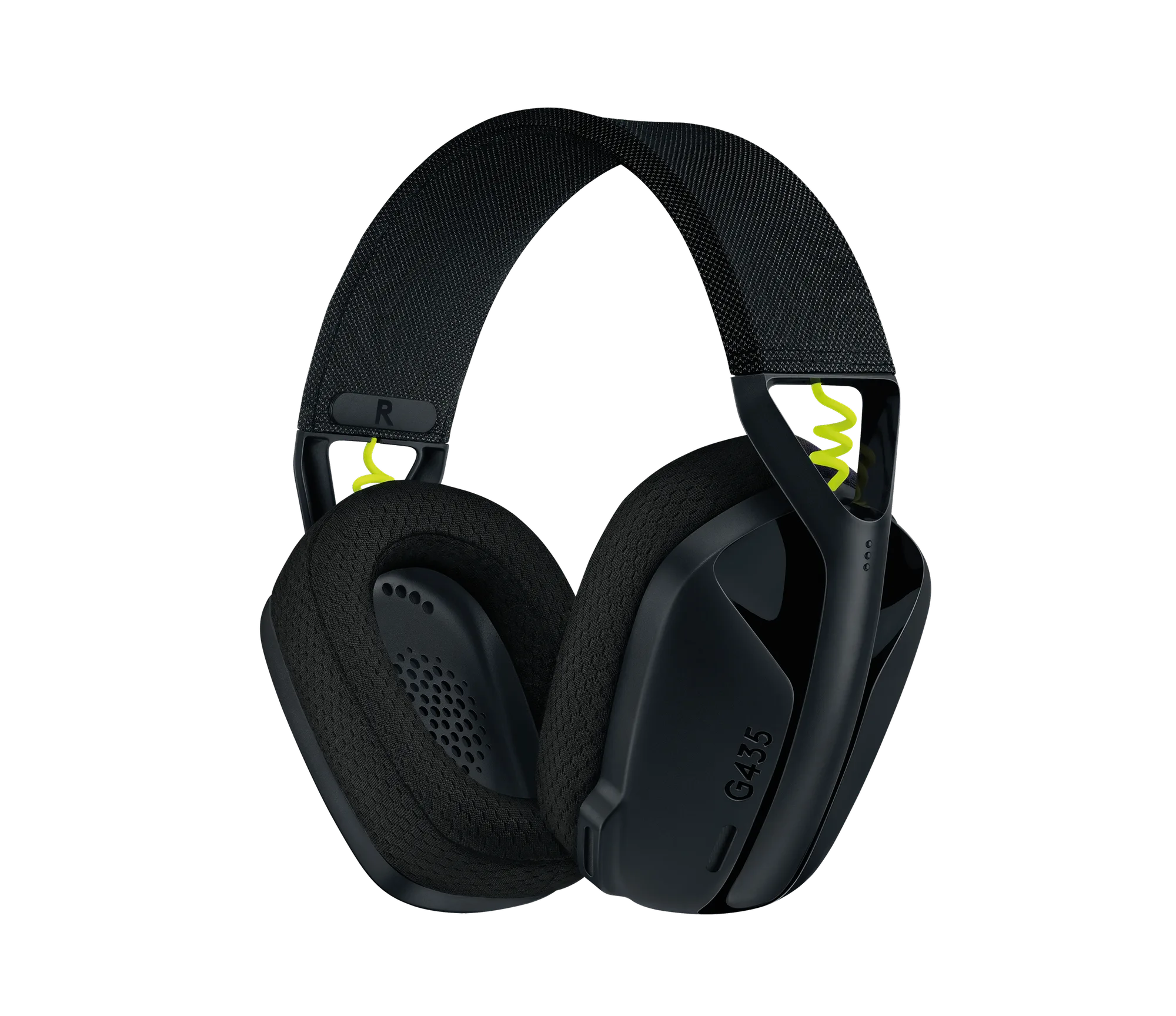
G435 - Black and Neon Yellow
-
G435 - Black and Neon Yellow: Available in Black and Neon Yellow. The light-colored accents show residue and dye transfer more readily, so inspect them during each cleaning.