What This Guide Covers
This guide walks you through installing the SUPCASE Unicorn Beetle PRO Rugged Case on your Galaxy S22. The case uses a dual-layer construction and raised bezels to shield your phone from drops, bumps, and scratches. You'll learn how to fit the case, confirm alignment, and what to check after installation.
The information is based on what the catalog confirms about this specific product. Where a step or detail isn't supplied, we note it so you can refer to the included instructions.
What the Catalog Confirms About Your Case
-
Galaxy S22 Unicorn Beetle PRO Rugged Case-Black: Compatible with Galaxy S22 (standard model). Ensures you have the correct phone model before starting. This case is not designed for the S22+ or S22 Ultra.
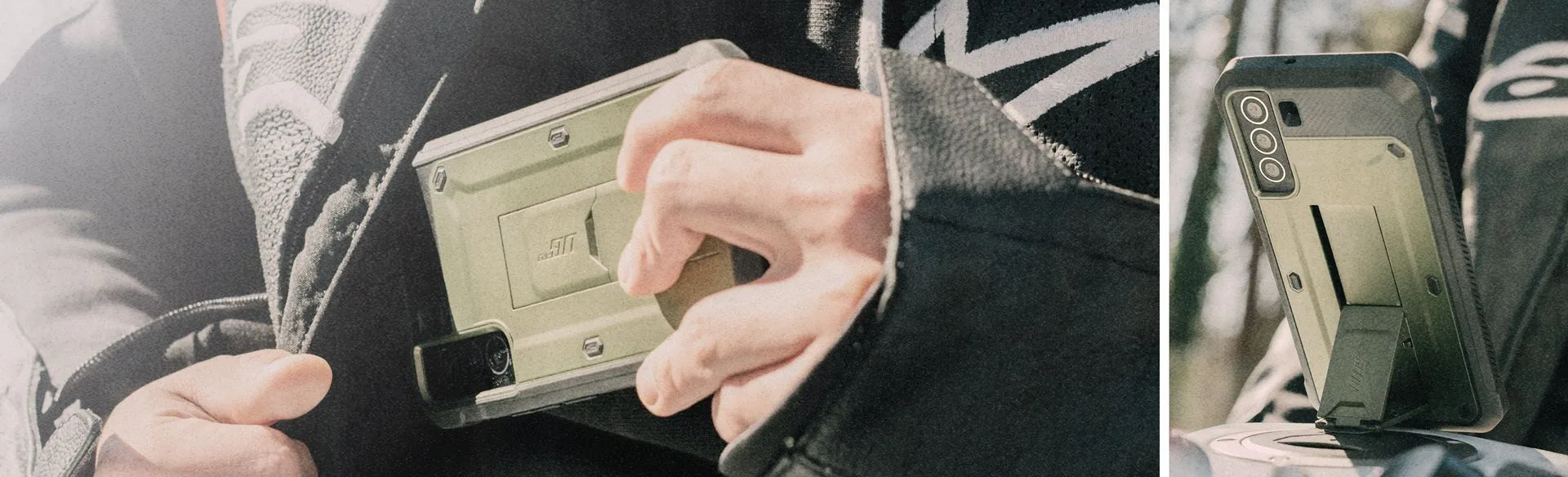
Galaxy S22 Unicorn Beetle PRO Rugged Case-Black
-
Galaxy S22 Unicorn Beetle PRO Rugged Case-Black: Rugged dual-layer construction for enhanced protection. The two layers work together to absorb impact. When installing, make sure both layers are fully seated.
-
Galaxy S22 Unicorn Beetle PRO Rugged Case-Black: Raised bezels to help protect your screen and camera. After installation, check that the bezels sit evenly above the screen and camera lens. This confirms the case is properly aligned.
-
Galaxy S22 Unicorn Beetle PRO Rugged Case-Black: Includes a built-in screen protector for added defense. The screen protector is integrated into the case. Ensure it is clean and free of bubbles during installation.
-
Galaxy S22 Unicorn Beetle PRO Rugged Case-Black: Precise cutouts for easy access to ports and buttons. After fitting, test each button and port to confirm the case is seated correctly. Misalignment can block access.
How to Install the Unicorn Beetle PRO Case
Follow these steps to secure the case on your Galaxy S22. Work on a clean, flat surface to avoid dust getting trapped between the case and phone.
- Prepare the case and phone: Remove any existing case or screen protector from your Galaxy S22. Wipe the phone with a soft, dry cloth to remove dust and fingerprints. The Unicorn Beetle PRO case includes a built-in screen protector, so you don't need to add one separately.
- Insert the phone into the inner layer: The dual-layer case has a softer inner layer that fits snugly around the phone. Align the phone with the cutouts for the camera and ports. Gently press the phone into the inner layer, starting from the bottom and working upward. The case should snap into place without excessive force.
- Attach the outer layer: The outer rugged layer slides over the inner layer. Begin at the bottom edge and push the outer layer upward until it clicks into place. Run your finger along the edges to ensure the two layers are fully mated.
- Check alignment and fit: Verify that the raised bezels sit evenly above the screen and camera lens. Press each button (volume, power, side key) to confirm the precise cutouts allow full travel. Also check that the charging port and speaker grills are unobstructed.
- Final inspection: Hold the phone by the case and gently twist to see if there is any movement. A properly installed case should feel solid with no wobble. If the case shifts, remove and reinstall, ensuring both layers are fully seated.
What the Supplied Information Does Not Cover
The catalog does not specify a recommended installation time, torque, or pressure values. It also does not provide instructions for removing the case or cleaning it. For removal, reverse the steps: pry the outer layer away starting from a corner, then lift the phone out of the inner layer. For cleaning, use a soft, damp cloth and mild soap; avoid abrasive cleaners that could scratch the case.
If you encounter resistance during installation, stop and double-check the phone model and case orientation. Forcing the case may damage the phone or the case itself.