Quick answer
Installing an SD2SP2 adapter is one of the easiest GameCube mods: you just slot it into the SP2 port on the console's underside. No soldering is required, but you do need a compatible softmod setup to load games or homebrew from the SD card.
Why the SD2SP2 is a good first mod
The SD2SP2 adapter takes advantage of the serial port 2 on the bottom of the GameCube, which was originally used for the Broadband Adapter. This makes it a clean, low-profile solution because the adapter sits flush in the port and doesn't stick out like a memory card SD adapter.
The main trade-off is that the SP2 port is only present on DOL-001 models. DOL-101 consoles lack this port, so the SD2SP2 won't fit. For those consoles, a memory card slot SD adapter is the alternative.
The SD2SP2 also requires a softmod entry point, such as a game save exploit or a modchip, to run homebrew software that reads from the SD card. Without that software, the adapter does nothing on its own.
What you need before you start
You'll need an SD2SP2 adapter, a microSD card (or SD card with an adapter), and a way to launch homebrew on your GameCube. This could be a game save exploit like the Wind Waker or Twilight Princess hack, or a modchip.
The SD card should be formatted to FAT32 for maximum compatibility with Swiss and other homebrew software. Most adapters work with cards up to 2TB, but 32GB or 64GB is a practical sweet spot for GameCube games.
If you're not comfortable with the software side, you can send your console to a modding service that handles the installation and setup for you.
Step-by-step installation
- Confirm your GameCube model: Check the bottom of your console for a DOL-001 model number. The SD2SP2 only fits in the SP2 port on DOL-001 models. If you have a DOL-101, the port is missing and the adapter won't fit. If you have a DOL-101, consider a memory card slot SD adapter instead.
- Prepare your SD card: Format your SD card to FAT32. Use a card that is 32GB or 64GB for the best compatibility with Swiss and other homebrew software. Copy your homebrew apps and game ISOs to the card. Use a high-quality card from a known brand to avoid read errors during gameplay.
- Insert the SD2SP2 adapter: With the console turned off, flip it over and locate the SP2 port. Insert the SD2SP2 adapter with the SD card slot facing up and the metal contacts facing toward the console's edge. Push it in firmly until it clicks into place. The adapter should sit flush with the console's bottom. If it sticks out, it's not fully seated.
- Launch homebrew software: Power on the console and launch your softmod entry point (e.g., a game save exploit). From the homebrew menu, launch Swiss or your preferred loader. Swiss should detect the SD card in the SP2 port. If the SD card isn't detected, double-check that the adapter is fully inserted and the SD card is FAT32 formatted.
- Test loading a game: In Swiss, navigate to the SD card and select a game to load. If the game loads and plays without issues, your installation is complete. If you encounter compatibility issues, try a different SD card or re-format with a different cluster size.
Professional installation option
-
GameCube SD2SP2 Install: Powr Up Gaming offers a GameCube SD2SP2 Install service that includes installation of the SD2SP2 adapter for your GameCube. This is a good choice if you want a professional to handle the physical installation and ensure the adapter is seated correctly, especially if you're not confident opening your console.
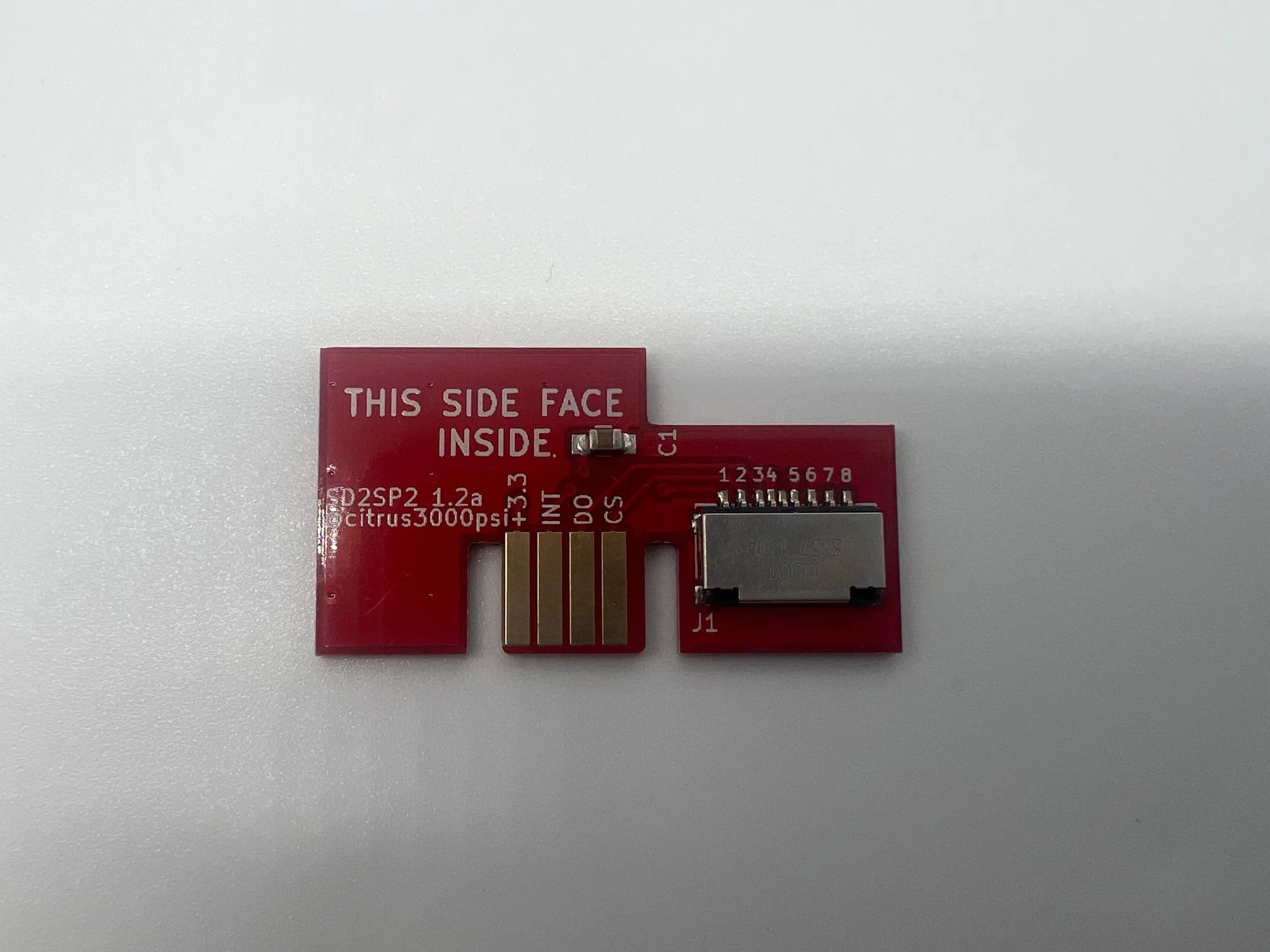
GameCube SD2SP2 Install
Once your SD2SP2 is installed and working, the next step is to build a library of games and homebrew on your SD card. If you run into any issues, consider consulting a professional modding service for help.