Quick answer
A GDS dock wins when you need consistent power, data, and a secure connection in a vehicle. A standard cradle only holds the tablet and may not charge or transfer data. For most field, fleet, or public safety setups, choose a GDS dock with IntelliSkin. If you only need to prop a tablet on a desk and charge occasionally, a standard cradle can work.
How GDS Docks and Standard Cradles Differ
A standard cradle typically grips the tablet and may offer a pass-through connector or no charging at all. A GDS dock uses pogo pins or a Uni-Conn adapter to deliver power and data through an IntelliSkin case. That means you drop the tablet in and it charges without plugging a cable each time. The trade-off is that GDS docks require a compatible IntelliSkin case, while a standard cradle often fits a bare tablet.
Power Delivery and Data: What Actually Matters
Power Delivery (PD) is not just about charging speed; it lets the dock negotiate the right voltage for the device. The GDS Desktop Dock with Power Delivery + DeX Support uses a USB Type-C port and 18-pin contacts to charge and transfer data, including DeX support for Samsung devices. A standard cradle with a basic USB connection may charge slowly or not at all if it lacks PD. For vehicle use, a powered dock that maintains charge while running GPS and dispatch apps is the difference between a full shift and a dead battery.
Mounting and Security Trade-offs
GDS docks come in locking and non-locking versions. A locking dock secures the tablet in place, which matters in open vehicles or public-facing settings. The GDS Uni-Conn Locking Tilt & Swivel Dock allows 180-degree tilt and swivel, so you can angle the screen toward a customer or driver. A standard cradle may only offer a fixed angle or a simple clamp. If you need to reposition the tablet often, a swivel dock is worth the extra cost. If the tablet stays in one spot, a basic cradle can be enough.
Key Trade-offs: GDS Dock vs Standard Cradle
- Power and charging: GDS docks deliver power through pogo pins or Uni-Conn adapters, often with Power Delivery. Standard cradles may only hold the tablet or offer slow charging via a basic connector. If you need to run GPS and apps all day, choose a powered GDS dock.
- Data and peripherals: GDS docks with USB-C or PoE can transfer data and support features like DeX. Standard cradles rarely include data transfer. For syncing or using a tablet as a desktop, a GDS dock is necessary.
- Security and adjustment: Locking GDS docks secure the tablet and often offer tilt and swivel. Standard cradles may be fixed and easy to remove. In public or mobile settings, a locking adjustable dock reduces theft and improves ergonomics.
- Case compatibility: GDS docks require an IntelliSkin case or adapter. Standard cradles often fit bare tablets or generic cases. If you already use IntelliSkin, GDS is the natural upgrade. If not, factor in the case cost.
Product Facts
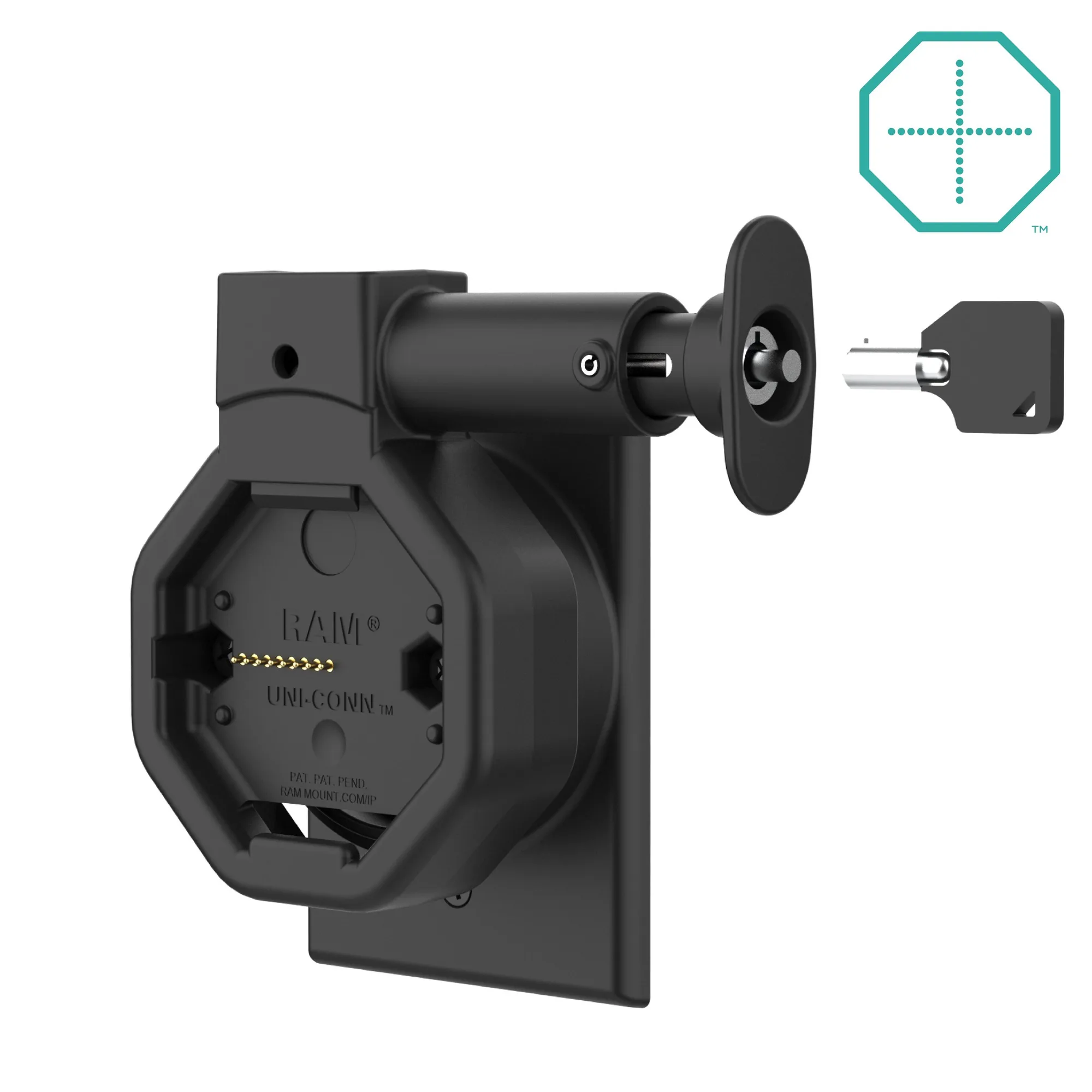
- GDS® Uni-Conn™ Powered Locking Wall Dock with PoE: The GDS Uni-Conn Powered Locking Wall Dock with PoE & Release Button (RAM-GDS-DOCKL-W5-U5-POEU) is a snap-in wall docking solution for devices in IntelliSkin Thin-Case with Rear Pogo Pads. Power goes to the pogo pins via a JST connector and PoE Adapter. It installs over a standard rectangular electrical outlet box. This dock is ideal for fixed wall-mounted tablets in warehouses, clinics, or offices where you want power and network over one cable and a locking release for security.
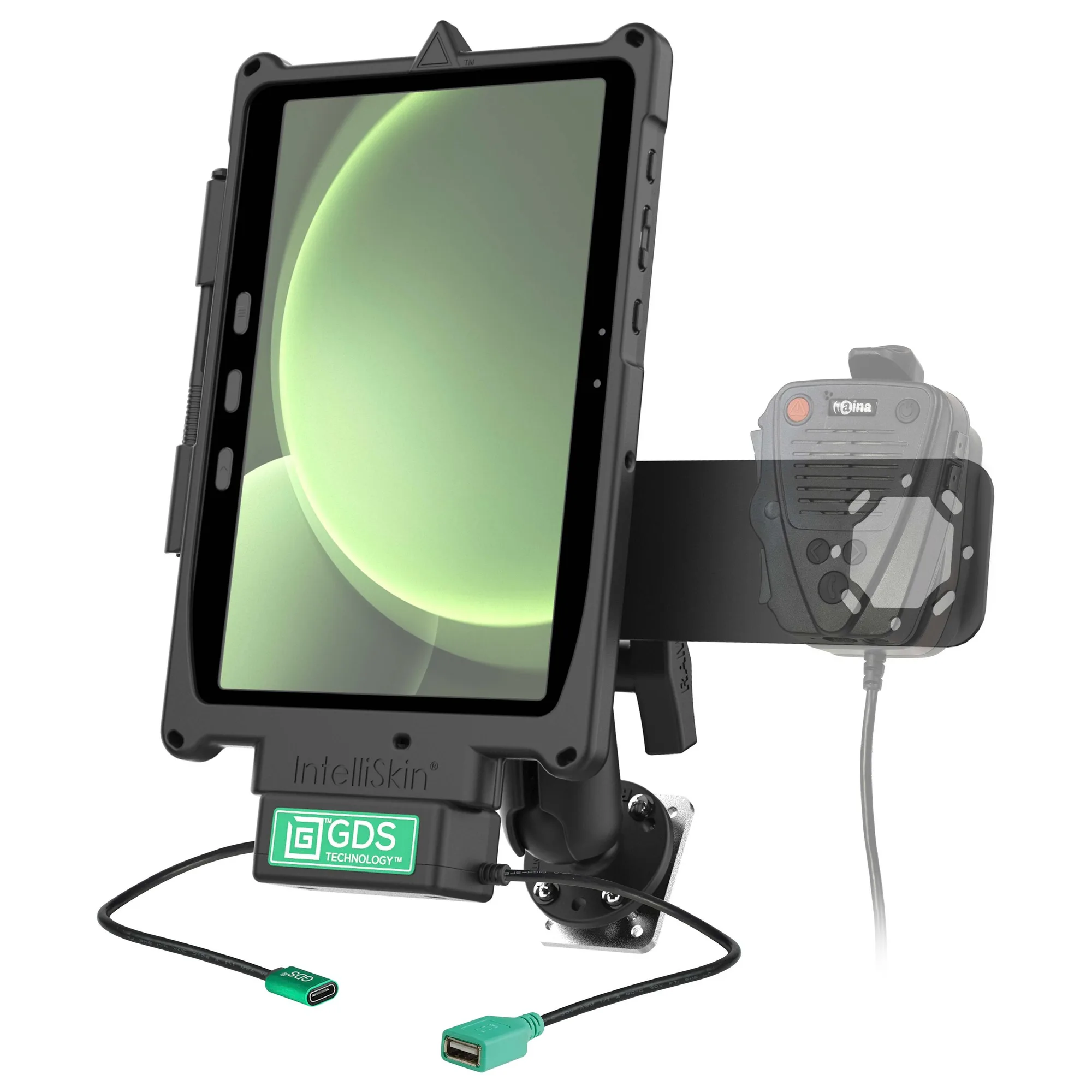
- GDS® Uni-Conn™ Aina PTT Voice Responder Bundle for Tab Active4 Pro: The GDS Uni-Conn Aina PTT Voice Responder Bundle for Tab Active4 Pro (RAM-GDS-U1-SAM54-KIT3) is a rugged all-in-one Push-To-Talk mounting solution that integrates the Tab Active5/4 Pro into mission-critical workflows. It includes a GDS Uni-Conn dock, Uni-Conn adapter, and IntelliSkin for the Samsung Tab. This bundle is built for field operations, public safety, and fleet management where instant PTT communication and reliable docking are required.
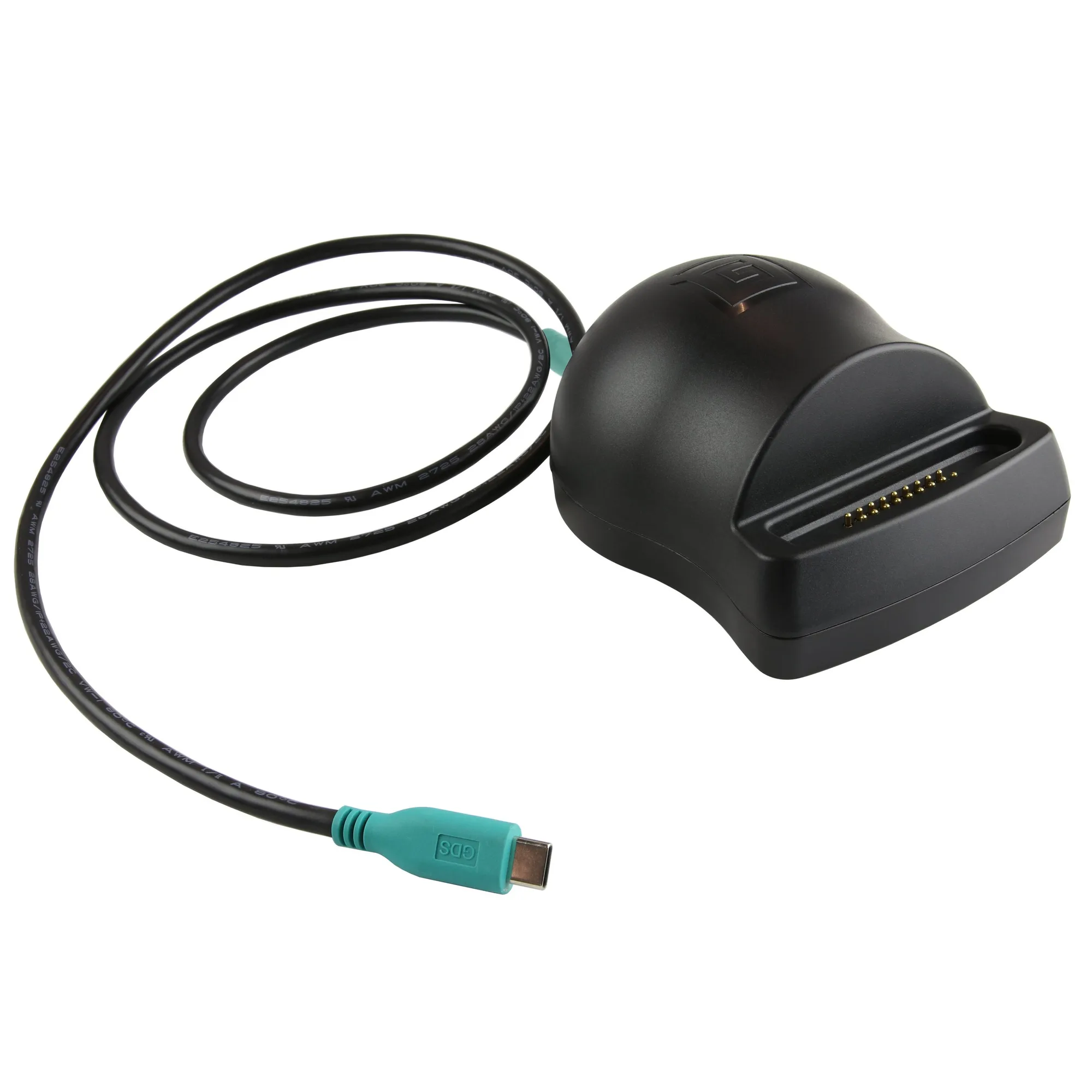
- GDS® Desktop Dock with Power Delivery + DeX Support (Next Gen): The GDS Desktop Dock with Power Delivery + DeX Support (Next Gen) is a low-profile docking and charging station for phones and tablets in IntelliSkin Next Gen sleeves. It has a USB Type-C port and included USB Type-C to USB Type-C cable for data transfer and charging, including Power Delivery. It features 18-pin contacts that connect to IntelliSkin Next Gen-wrapped devices. This is a desk-friendly option for office or home use where you need PD charging and DeX support without a bulky vehicle mount.
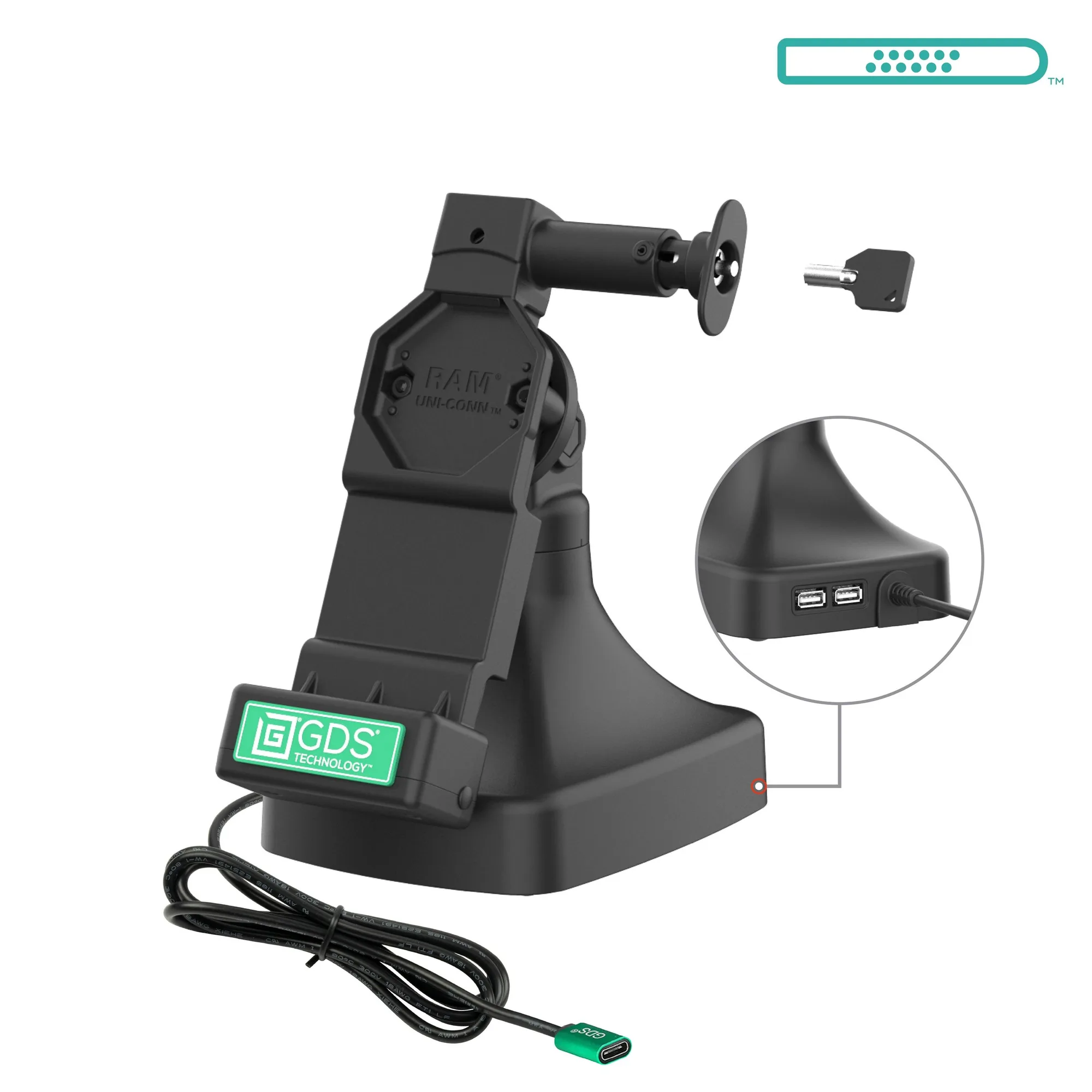
- GDS® Uni-Conn™ Locking Tilt & Swivel Dock with USB-C + Data: The GDS Uni-Conn Locking Tilt & Swivel Dock with USB-C + Data (RAM-GDS-DOCKL-D14-U4C-2A) is a free-standing powered dock for devices in IntelliSkin Next Gen, IntelliSkin Hard Case, or standard IntelliSkin Thin-Case with a GDS Uni-Conn adapter. It swivels 180 degrees and tilts 180 degrees, ideal for customer-centric industries like retail and hospitality. Choose this when you need to share the screen with customers or adjust the angle frequently, and you want locking security plus USB-C data.
Which Setup Fits Your Workflow?
Best for
- Field service, fleet, and public safety teams that need reliable charging and data in vehicles
- Retail or hospitality counters where the tablet must swivel toward customers and stay secure
- Wall-mounted kiosks or workstations that need power and network over one cable
Not for
- Users who only need a simple stand for occasional desk charging and don't require data or locking
- Tablets without an IntelliSkin case or adapter, unless you plan to add one