What the Calico Cat Skin Offers Your PS5 Controller
The GeekShare Calico Cat Controller Skin brings a playful, cozy aesthetic to your PS5 controller with its calico cat-inspired design featuring warm cream, orange, and brown tones. Beyond its charming look, this full-cover skin helps reduce everyday scratches and wear while keeping all buttons, joysticks, triggers, and controls easily accessible.
Designed for both PS5 and Xbox controllers (available in separate style variants), the skin offers a comfortable grip that maintains a natural feel during extended gaming sessions. Its precise fit ensures the skin stays in place without interfering with your gameplay.
Product Details at a Glance
-
GeekShare Calico Cat Controller Skin: Full-Cover Style – Adds a coordinated decorative look while helping reduce everyday scratches and wear. This means the skin protects the controller's surface from minor scuffs and dust, keeping it looking newer for longer.
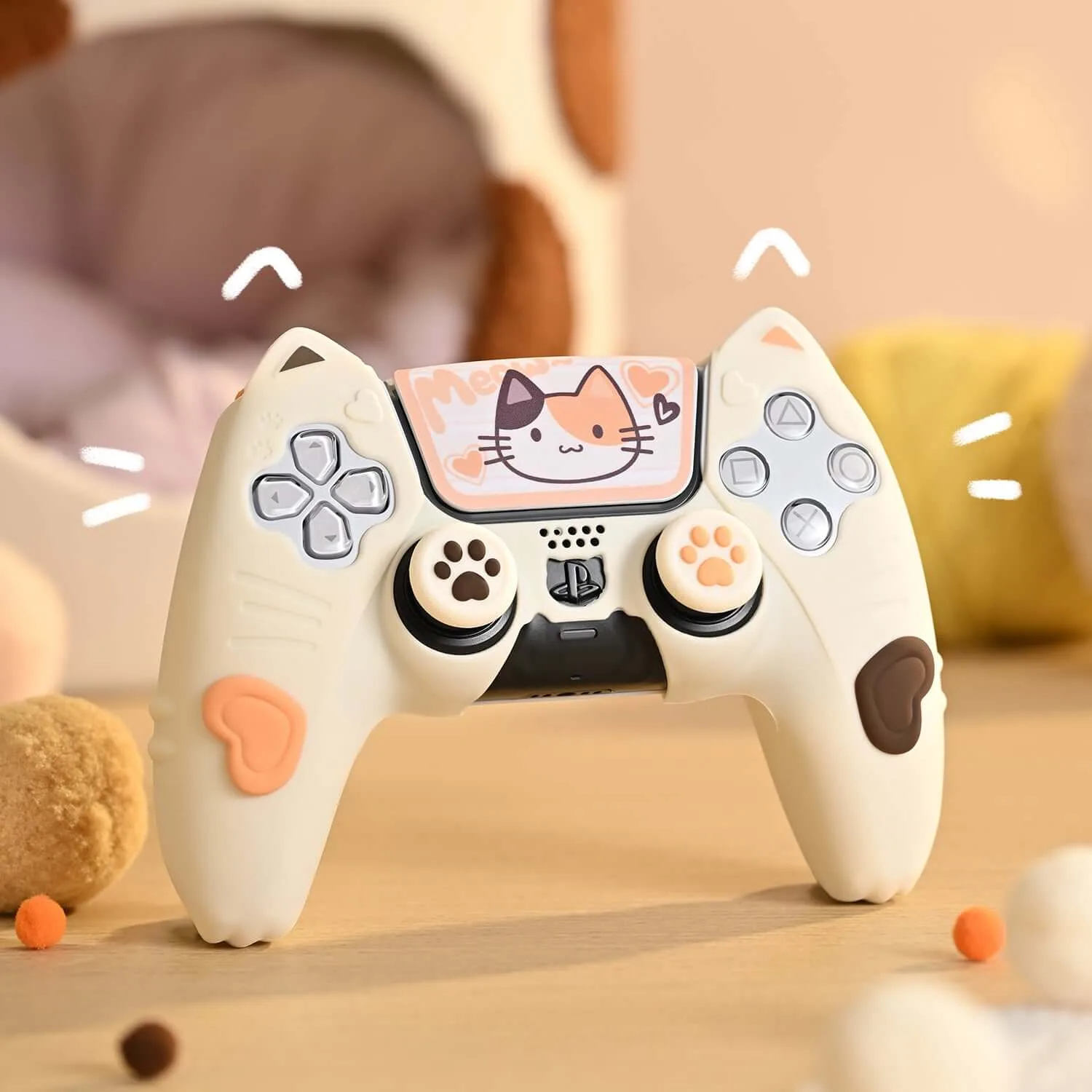
GeekShare Calico Cat Controller Skin
-
GeekShare Calico Cat Controller Skin: Precise Fit – Designed to keep buttons, joysticks, triggers, and controls easily accessible. You won't have to struggle with misaligned cutouts or reduced responsiveness; the skin is tailored to your PS5 controller's exact shape.
-
GeekShare Calico Cat Controller Skin: Comfortable Grip – Maintains a comfortable feel for everyday gaming. The skin doesn't add bulk or a slippery texture, so your hands stay comfortable during long play sessions.
-
GeekShare Calico Cat Controller Skin: Easy to Install – Designed for convenient installation and removal. You can apply or remove the skin quickly without tools or adhesive residue, making it easy to switch styles or clean.
How to Install the Calico Cat Skin on Your PS5 Controller
Installing the GeekShare Calico Cat Controller Skin is straightforward. Follow these simple steps for a smooth application.
- Prepare your controller: Ensure your PS5 controller is clean and dry. Remove any existing skins, cases, or accessories to allow the new skin to adhere properly.
- Align the skin: Hold the skin over the controller, matching the cutouts for buttons, joysticks, and triggers. Start from the center and work outward to avoid air bubbles.
- Press and smooth: Gently press the skin onto the controller's surface, smoothing out any wrinkles or bubbles with your fingers. Pay extra attention to edges and corners for a secure fit.
- Check accessibility: After application, test all buttons, triggers, and joysticks to ensure they move freely. The skin is designed to keep controls accessible, but a quick check ensures nothing is misaligned.
Care and Maintenance Tips
To keep your Calico Cat Skin looking its best, wipe it with a soft, slightly damp cloth when needed. Avoid harsh chemicals or abrasive cleaners that could damage the design. The skin is easy to remove and reapply, so you can clean both the skin and controller separately if desired.
When not in use, store your controller in a cool, dry place away from direct sunlight to prevent the skin from fading or warping over time.