What the Garden House Case Offers for Your OLED
The GeekShare Garden House Protective Case brings a cozy garden-inspired illustration with soft green tones and playful character details to your Nintendo Switch OLED. Beyond the fresh look, it's designed to shield your console from everyday bumps, scratches, dust, and splashes using sturdy PC material.
This case comes in a 5-piece separable design, meaning the protective pieces for the console and each Joy-Con are separate. That makes installation and removal straightforward, and it also allows the case to fit the console closely without adding bulk.
Key Product Details at a Glance
-
GeekShare Garden House Protective Case: Compatibility: Nintendo Switch / Nintendo Switch OLED / Nintendo Switch 2 If you own an OLED model (or plan to upgrade to Switch 2), this case fits without needing a different version.
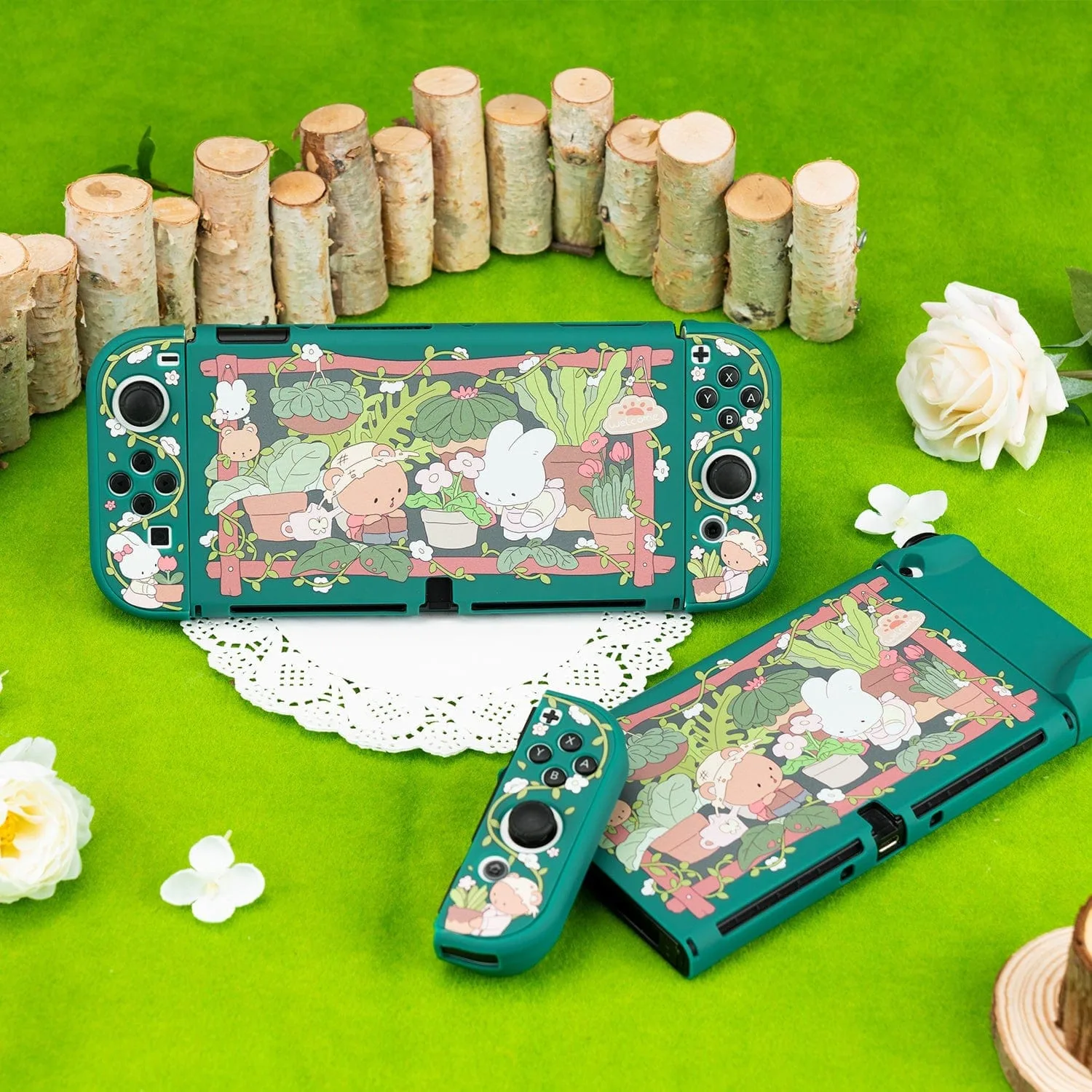
GeekShare Garden House Protective Case
-
GeekShare Garden House Protective Case: Dockable Design – Tested for use with the Nintendo Switch dock without removing the protective case. You can keep the case on while docking, saving time and avoiding repeated removal.
-
GeekShare Garden House Protective Case: 5-Piece Separable Design – Separate protective pieces are easy to install and remove while fitting the console and Joy-Con controllers closely. The separate pieces make installation simple and allow you to access the console or controllers individually.
-
GeekShare Garden House Protective Case: Precise Fit – Accurate cutouts keep buttons, joysticks, ports, and controls easily accessible. You won't need to remove the case to use any function, including charging or connecting accessories.
How to Install the Garden House Case on Your OLED
The 5-piece separable design makes installation straightforward. Follow these steps to get the case on your Switch OLED without trouble.
- 1. Prepare your console: Place your Nintendo Switch OLED on a clean, flat surface. Detach the Joy-Con controllers from the console if you prefer, though the case can also be installed with them attached.
- 2. Fit the main console piece: Take the largest piece (for the console body) and align it with the back of the tablet section. Press gently along the edges until it snaps into place. The precise cutouts ensure the power button, volume rocker, and game card slot remain accessible.
- 3. Attach the Joy-Con pieces: Each Joy-Con gets its own protective piece. Slide the piece over the controller from the top or bottom, matching the shape. The soft-touch finish helps the piece grip without slipping. Repeat for the other Joy-Con.
- 4. Check the fit and dock test: Reattach the Joy-Cons to the console if you removed them. The case is designed to be dockable, so you can slide the console into the official Nintendo Switch dock without taking the case off. Confirm that the dock connection works and that the case doesn't interfere.
Protection and Everyday Use
The Garden House case is made from durable PC material, which provides a hard shell that resists scratches and minor impacts. The soft-touch finish also helps reduce fingerprints and gives a comfortable, non-slip feel during handheld play.
Because the case is thin and precise, it doesn't add noticeable weight or bulk. You can continue using your carrying case or grip without issues. The dockable design means you can charge and play on the TV without removing the protection.
If you're looking for a case that combines a charming aesthetic with reliable everyday protection for your Switch OLED, the GeekShare Garden House Protective Case is a solid choice.