Quick answer
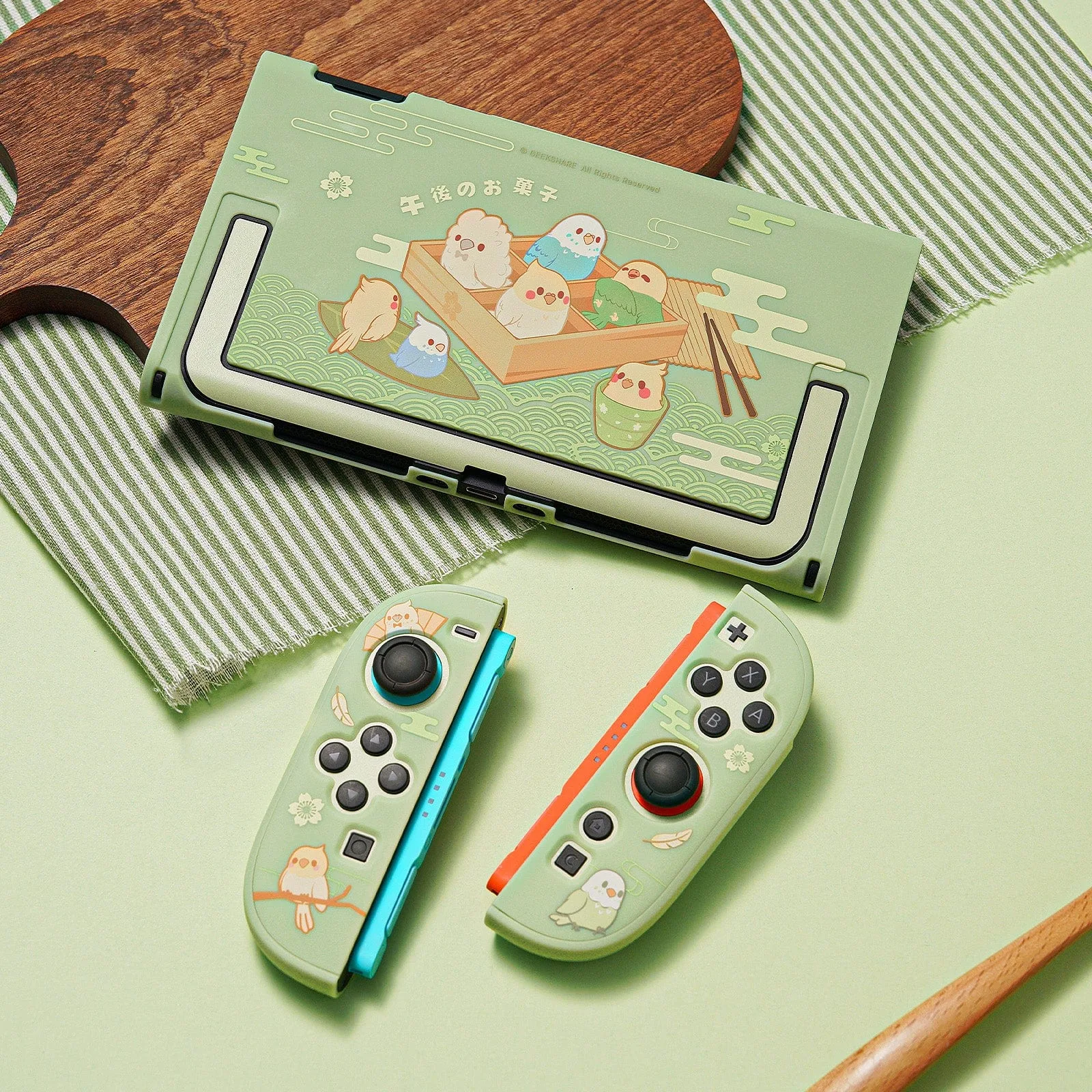
The GeekShare Little Parrots Protective Case with Stand is a Switch 2 case with a built-in rear kickstand, precise cutouts, and a cheerful parrot design. Install it by aligning the top edge first, then pressing around the sides and bottom until every port and button is unobstructed. If the case feels tight or the kickstand does not sit flush, stop and reseat it rather than forcing it.
Check the case before you install it
Before attaching anything, confirm you have the correct model. The Little Parrots case is designed for Switch 2, not the OLED model. If you are unsure which console you own, compare the width and vent placement first. A case that looks similar may not have the same cutout positions.
Lay the case on a clean, soft surface and inspect the inside for dust or grit. Small particles trapped between the case and console can cause scratches over time. Wipe the inside with a dry microfiber cloth if needed.
Install the case without stressing the shell
Start by sliding the top edge of the console into the case, then work downward around the sides. The case is made to fit closely, so you should feel gentle resistance, not a snap or crack. Press the bottom corners last. Once seated, run a finger around every opening to confirm buttons, joysticks, ports, and vents are fully accessible.
If a button feels mushy or a port is partially blocked, remove the case and try again. Forcing it can bend the shell or leave a gap that collects dust. The Little Parrots case is not a waterproof enclosure; it protects against scratches, bumps, and daily wear, so a correct fit matters more than a tight one.
Use the kickstand on stable surfaces
The integrated rear stand is meant for tabletop gaming and hands-free viewing. Open it fully until it locks into position, then set the console on a flat, hard surface. Soft or uneven surfaces like beds and cushions let the stand sink, which can make the console tip backward.
When you finish playing, close the stand gently before storing the console. Leaving it open in a bag can put pressure on the hinge. If the stand feels loose over time, check that the case is still fully seated; a partially attached case can make the kickstand sit unevenly.
Decide if this case matches your routine
The Little Parrots case suits players who want everyday protection, a built-in stand, and a playful look. It is not a replacement for a travel pouch or a hard-shell carrying case, and it does not add water resistance. If you mostly play docked and rarely use a kickstand, a slimmer case may be a better fit.
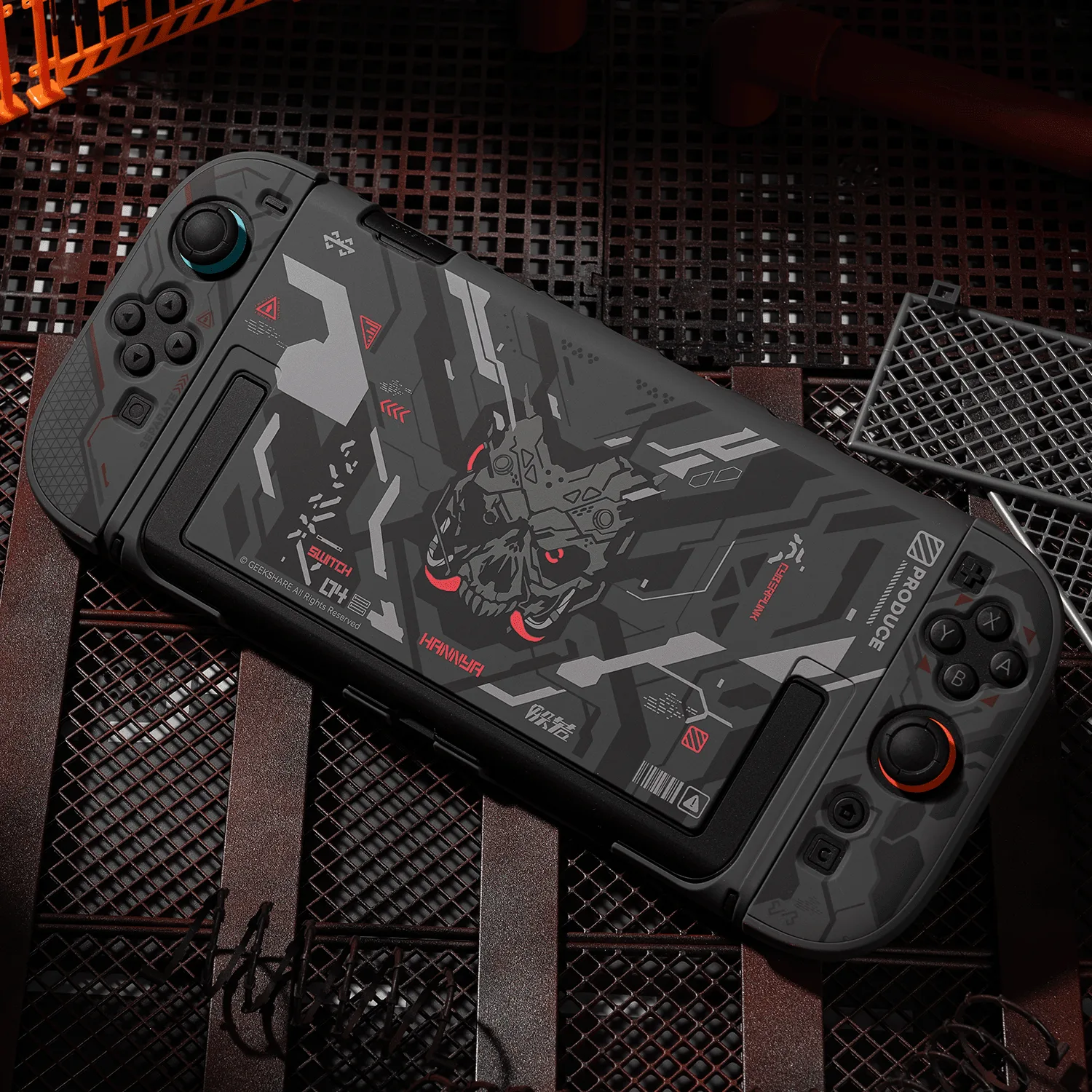
For comparison, the GeekShare Cyber Mecha Protective Case with Stand also includes a kickstand but uses a dark mechanical design with red accents. The GeekShare Lily of the Valley Protective Case uses a 5-piece separable design and a soft-touch finish, but it does not list a built-in stand. Choose based on whether the stand is essential to how you play.
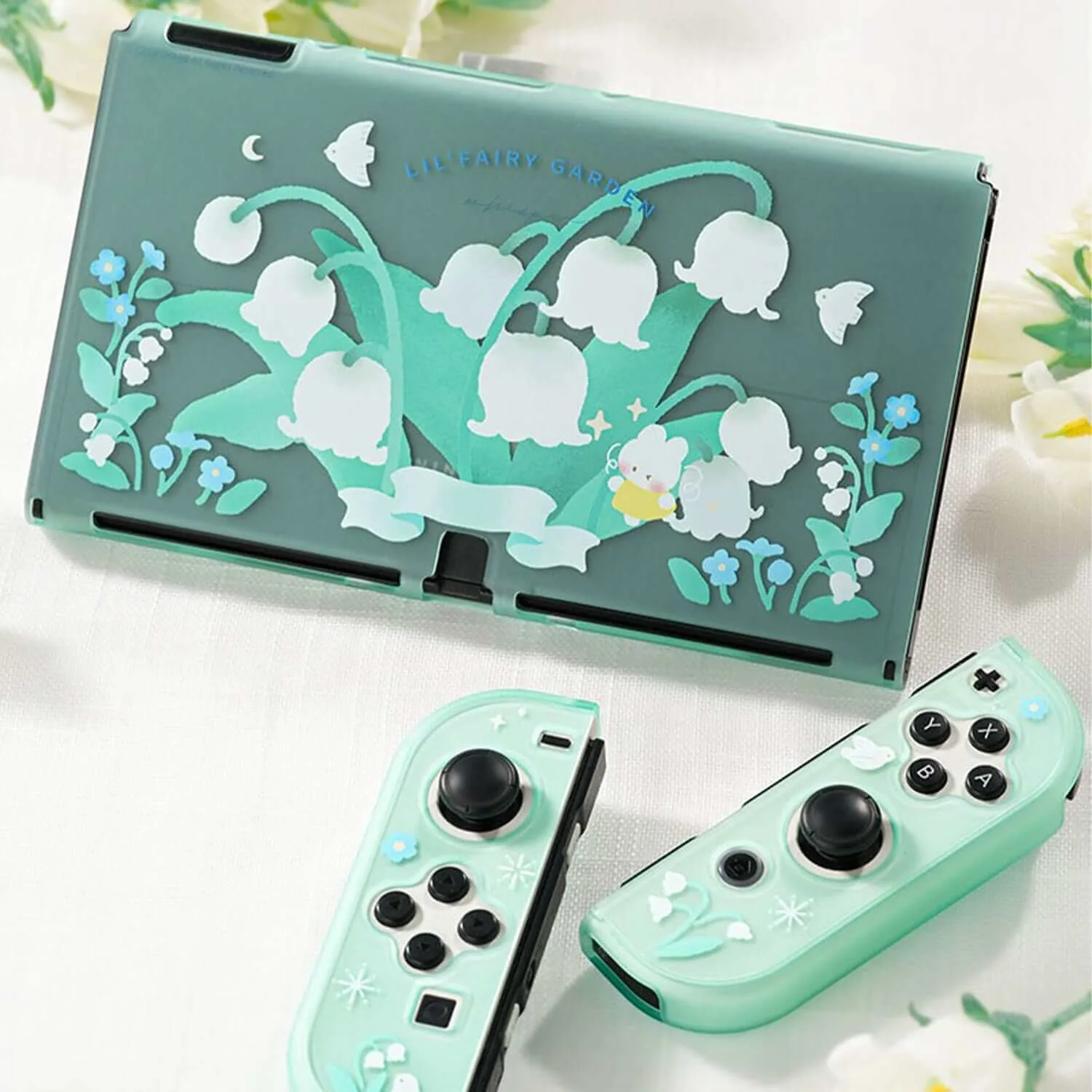
GeekShare Lily of the Valley Protective Case
Step-by-step installation and fit check
- Match the case to your console: Confirm you have a Switch 2 before installing. The Little Parrots case is not listed for the OLED model, and a mismatched shell can block ports or leave gaps. Checkpoint: the case should sit flat against the console back with no visible bowing.
- Clean the console and case: Wipe the back of the console and the inside of the case with a dry microfiber cloth. Dust trapped under a close-fitting case can scratch the finish over time. Checkpoint: no grit or lint should be visible on either surface.
- Seat the top edge first: Slide the top of the console into the case, then press the sides and bottom corners into place. Work slowly so the shell does not flex more than necessary. Mistake to avoid: forcing the bottom corners first can stretch the case and make the kickstand sit unevenly.
- Test every button and port: Press each button, move the joysticks, and plug in a charging cable and headphones if you use them. Every control should feel normal, not mushy or blocked. Checkpoint: if anything is hard to reach, remove the case and reseat it before playing.
- Open the kickstand on a hard surface: Open the rear stand until it stops, then set the console on a desk or table. Soft surfaces let the stand sink and the console can tip. Mistake to avoid: using the kickstand on a bed or cushion, which defeats the stability it is designed to provide.
- Close and store the stand: Fold the kickstand back into the case before putting the console in a bag. An open stand can catch on other items and stress the hinge. Next step: if you need more protection for travel, pair this case with a separate carrying pouch rather than relying on the case alone.
Product facts
- GeekShare Little Parrots Protective Case with Stand: Little Parrots Design – Features cute parrot-inspired illustrations with soft green tones for a fresh and cheerful look. A visible style choice that helps you decide if the case matches your taste before you buy.
- GeekShare Little Parrots Protective Case with Stand: Built-In Kickstand – Integrated rear stand makes tabletop gaming and hands-free viewing more convenient. Useful for playing on a desk or tray table without holding the console, but it needs a flat surface to stay stable.
- GeekShare Little Parrots Protective Case with Stand: Precise Fit – Designed to keep buttons, joysticks, ports, and controls easily accessible. You can check each opening after installation to confirm nothing is blocked or hard to press.
- GeekShare Little Parrots Protective Case with Stand: Everyday Protection – Helps protect your Switch 2 from scratches, bumps, and daily wear. Sets the right expectation: it is daily protection, not a waterproof or drop-proof shell.