What the Magic School Set Includes
The GeekShare Magic School Button and Thumb Grip Caps Set brings a playful, magic-themed look to your Nintendo Switch Joy-Con controllers. The set includes ABXY button caps, a D-pad cap, and two thumb grips, all designed to coordinate for a cohesive decorative upgrade.
Key Product Details at a Glance
-
GeekShare Magic School Button and Thumb Grip Caps Set: Compatibility: Nintendo Switch / Switch OLED / Switch Lite This set works across all current Switch models, so you can use it whether you have the standard Switch, the OLED model, or the Lite.
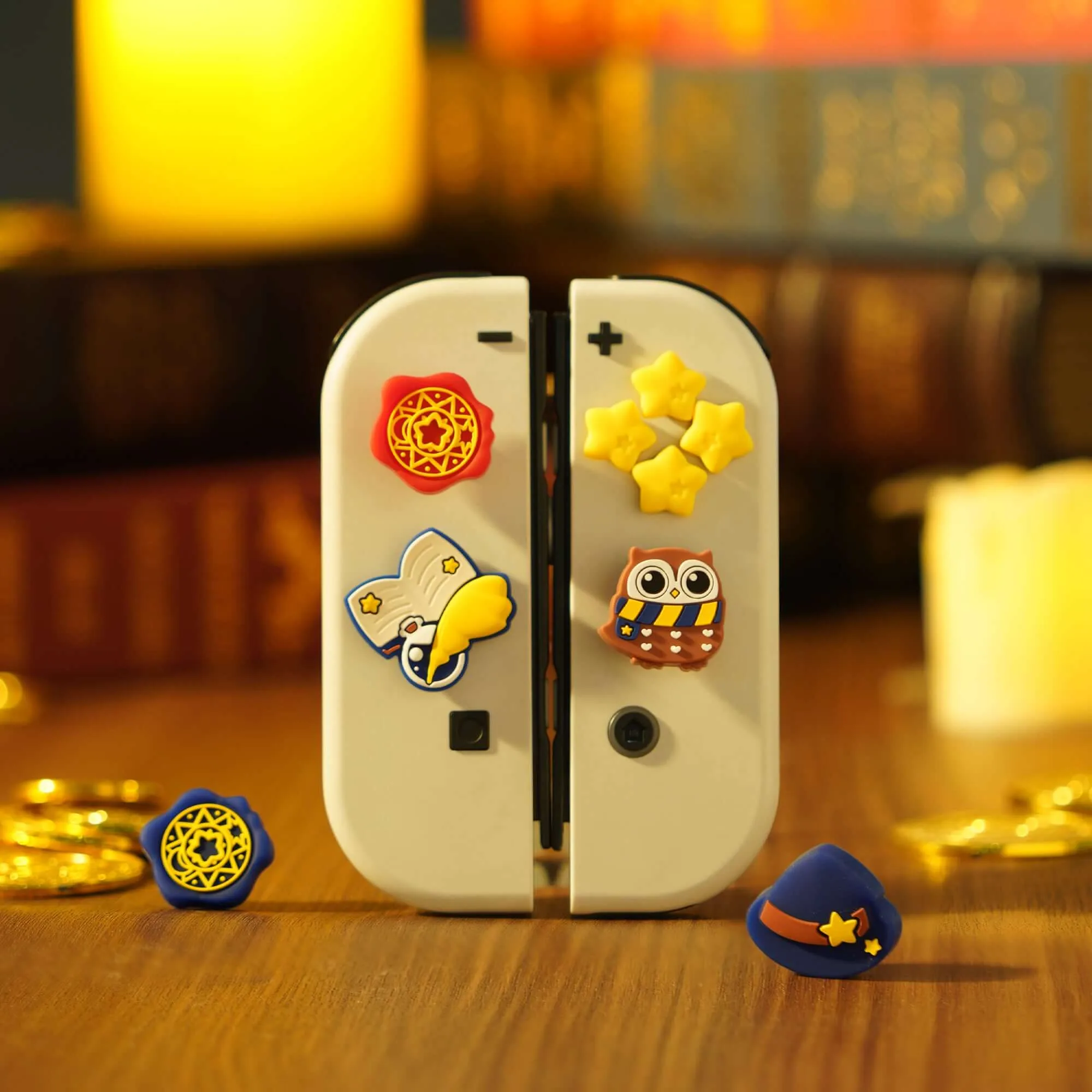
GeekShare Magic School Button and Thumb Grip Caps Set
-
GeekShare Magic School Button and Thumb Grip Caps Set: Button Cap Set – Includes ABXY button caps and a D-pad cap for a coordinated decorative upgrade. You get everything needed to refresh the main face buttons and the directional pad in one package.
-
GeekShare Magic School Button and Thumb Grip Caps Set: Secure Thumb Grip Fit – Designed to wrap around the joystick for a snug fit during everyday gameplay. The thumb grips stay in place during normal play, so you don't have to worry about them slipping off mid-game.
How to Install the Button Caps and Thumb Grips
Installation is straightforward and takes just a few minutes. The button caps use included stickers, while the thumb grips slip directly over the joysticks.
- Prepare your Joy-Con: Clean the button surfaces and joystick tops with a soft, dry cloth to remove any dust or oil. This helps the stickers and grips adhere properly.
- Attach the button caps: Peel the backing from the included stickers, center each sticker on the back of the corresponding button cap (ABXY and D-pad), then press the cap firmly onto the existing button. Hold for a few seconds to ensure a good bond.
- Install the thumb grips: Simply stretch each thumb grip over the joystick and push it down until it sits flush against the base. No adhesive is needed for the grips.
- Check fit and adjust: Press each button a few times to make sure the caps don't interfere with movement. If a cap feels loose, press it down again. For the D-pad, note that it is compatible with skin stickers but may not fit with most protective shell cases.
Fit and Feel for Everyday Play
The thumb grips add a subtle texture that helps keep your thumbs in place during longer sessions, while the button caps maintain the original button travel and responsiveness. The set is decorative and also helps reduce everyday surface wear on your original buttons and joysticks.
One thing to keep in mind: the D-pad button cap is designed to work with skin stickers, but it may not fit if you have a protective shell case installed. If you use a shell case, you may need to remove it before applying the D-pad cap.