Quick answer
Set up your Generic Fluxx Display by choosing a high-traffic spot, stocking it with a mix of Fluxx card games that fit the display's six-game capacity, and arranging boxes face-out for easy browsing. Check and refill the display weekly to keep it inviting.
Why a mixed display works better than a single-game shelf
A Generic Fluxx Display is branded with the Fluxx logo and generic imagery, not tied to any specific Fluxx game. That means you can mix and match up to six different Fluxx card games in one unit, or three copies of Fluxx: The Board Game. This flexibility lets you showcase variety and catch the eye of different types of players, from fans of themed editions to those looking for a quick card game.
Choosing the right games to stock
Since the display holds six card games, pick a selection that covers different themes and play styles. Include a couple of evergreen versions alongside newer or themed editions to appeal to both new and returning customers. Avoid overstocking a single title; the goal is to present a range that encourages browsing and discovery.
Step-by-step demo shelf setup
- Pick a high-traffic location: Place the display where customers naturally pause—near the entrance, by the checkout, or in a dedicated game demo area. Avoid low-traffic corners or direct sunlight that could fade boxes. Check that the spot doesn't block walkways or emergency exits.
- Assemble and secure the display: Follow the manufacturer's instructions to build the display if needed. Make sure it stands stable on a flat surface and can't tip over easily. If it's a countertop unit, consider using mounting tape or a non-slip mat. Test stability by gently nudging the display—it shouldn't wobble.
- Stock with a balanced mix of Fluxx games: Fill the six card-game slots with a variety of Fluxx editions—for example, two classic versions, two themed versions, and two new releases. If using Fluxx: The Board Game, it takes the space of two card games, so plan accordingly. Leave one slot empty or use it for a 'coming soon' placeholder to create curiosity.
- Arrange boxes face-out and upright: Position each game so the cover art and title are clearly visible. Avoid stacking boxes horizontally or covering logos. If the display has shelves, stagger heights slightly to add visual interest. Ensure price tags or stickers don't obscure key artwork or the Fluxx logo.
- Add a small 'Demo' or 'Try Me' sign: Place a small sign nearby inviting customers to open a demo copy or ask staff for a quick tutorial. This turns the display into an interactive touchpoint. Keep the sign concise and place it at eye level for average adult shoppers.
- Schedule weekly checks and restocking: Inspect the display every week for empty slots, damaged boxes, or misplaced games. Refill sold-out titles and rotate in new editions to keep the selection fresh. Use a simple checklist to track which titles need reordering.
Product facts
-
Generic Fluxx Display: These displays are Fluxx branded with the logo and generic Fluxx imagery, but not branded to any specific Fluxx game, so you can mix and match six Fluxx card games in one display (or 3 of Fluxx: The Board Game). This means you can create a varied demo shelf without committing to a single title, making it easier to rotate stock and highlight different games.
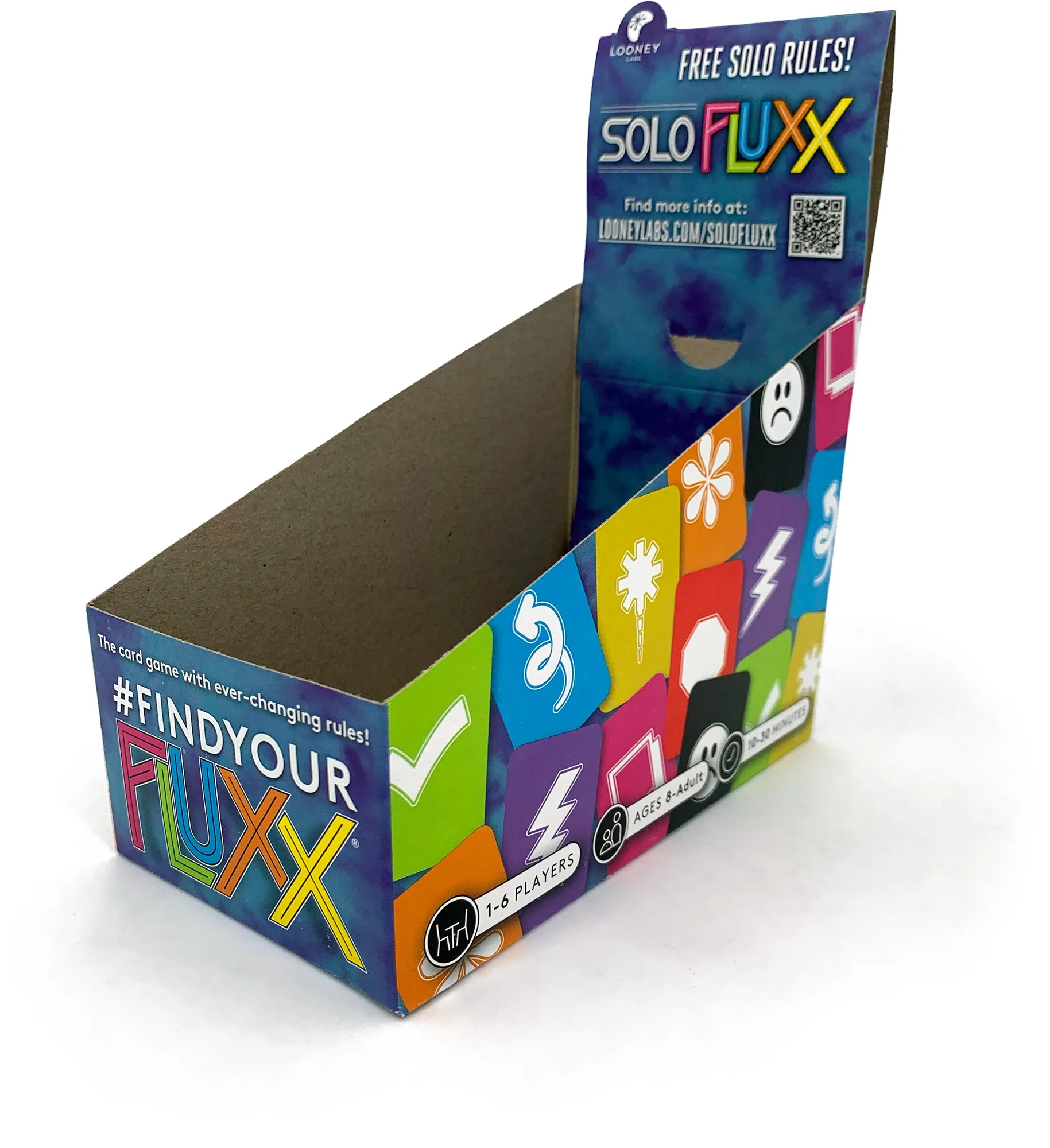
Generic Fluxx Display