Quick answer
Choose the IRONCLAW WIRELESS SE if you have larger hands and prefer a full palm grip, because its shape is designed for right-handed palm support and it uses a 26,000 DPI sensor. Choose the HARPOON v2 WIRELESS if you want a smaller, asymmetric mouse with six programmable buttons and a lower price, which suits claw or relaxed fingertip grips and tighter desk spaces. Both are wireless, but only the IRONCLAW WIRELESS SE is described as having trimodal connectivity.
Size and grip: the decision that matters most
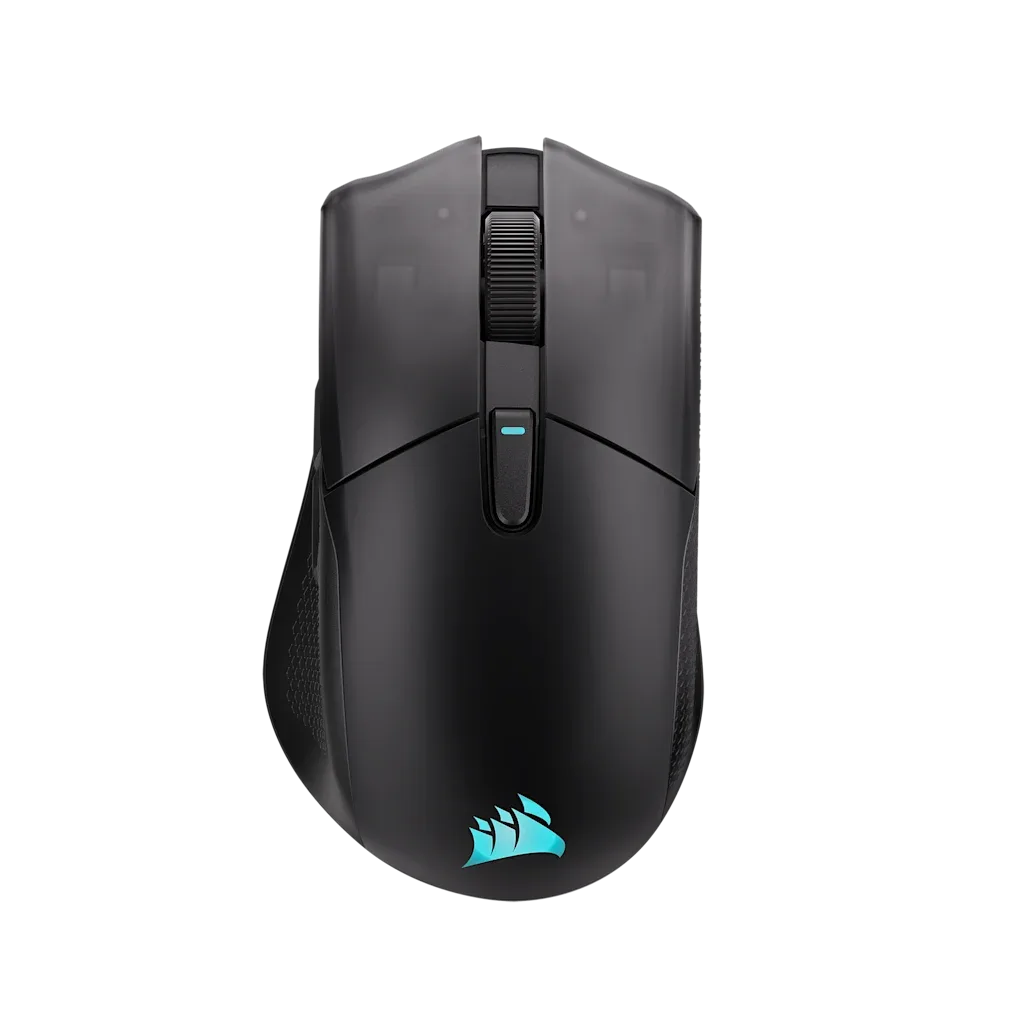
The IRONCLAW WIRELESS SE is explicitly designed for right-handed users to grip comfortably with the palm of the hand. That makes it the more natural match for palm grip, where your hand rests flat on the mouse and your fingers extend to the buttons. The HARPOON v2 WIRELESS is described as asymmetric and ergonomic, but its catalog entry does not state a hand-size target or a specific grip style. In practice, a smaller asymmetric shape like the HARPOON v2 tends to work better for claw grip or a relaxed fingertip grip, where you curl your fingers and control the mouse with your fingertips rather than your whole palm. If your hand is large and you often feel cramped on compact mice, start with the IRONCLAW WIRELESS SE. If you have smaller hands or prefer to steer with your fingers, start with the HARPOON v2 WIRELESS.
Sensor and buttons: what each mouse gives you
Both mice use a 26,000 DPI sensor, so raw sensitivity is not the differentiator here. The HARPOON v2 WIRELESS pairs that sensor with six programmable buttons and CORSAIR’s ergonomic shape. The IRONCLAW WIRELESS SE uses the same 26,000 DPI figure but emphasizes palm comfort and trimodal connectivity. The practical difference is button count and shape, not sensor resolution. If you rely on extra side buttons for abilities, push-to-talk, or macros, the HARPOON v2’s six programmable buttons give you more places to map commands. If you mainly need a comfortable resting shape for long sessions, the IRONCLAW WIRELESS SE’s palm-first design is the stronger fit.
Connectivity and price: what you pay for
The IRONCLAW WIRELESS SE is listed at USD 63.89, compared with a catalog comparison price of USD 89.99. The HARPOON v2 WIRELESS is listed at USD 46.19, compared with USD 69.99. The HARPOON v2 costs less, which makes it the easier entry point if you are upgrading from a basic wired mouse or building a second setup. The IRONCLAW WIRELESS SE costs more and adds trimodal connectivity, which is useful if you switch between a desktop, a laptop, and a console or tablet and want one mouse to cover all of them. Neither catalog entry states battery life in hours, so check the current product page if runtime between charges is a deciding factor for you.
How to test the fit before you commit
Measure your hand from the base of your palm to the tip of your middle finger. If that measurement is roughly 18 cm or more, a palm-grip shape like the IRONCLAW WIRELESS SE is usually the safer starting point. If it is under 18 cm, or if you already know you prefer claw grip, the HARPOON v2 WIRELESS is the more likely match. Also check your desk space: a smaller mouse leaves more room for wide mouse movements in low-sensitivity games. Finally, confirm which buttons you actually use. Count the commands you map today; if that number is above four, the HARPOON v2’s six programmable buttons may save you from keyboard macros.
Trade-offs to weigh
- Palm comfort vs finger control: The IRONCLAW WIRELESS SE is built around palm support for right-handed users, while the HARPOON v2 WIRELESS uses a smaller asymmetric shape that leaves room for claw or fingertip control. Pick the IRONCLAW for long palm-grip sessions; pick the HARPOON v2 if you steer with your fingers.
- Button count vs simplicity: The HARPOON v2 WIRELESS gives you six programmable buttons. The IRONCLAW WIRELESS SE’s catalog entry does not list a programmable button count, so do not assume parity. If you map many commands, confirm the IRONCLAW’s button layout on its product page before buying.
- Trimodal flexibility vs lower price: The IRONCLAW WIRELESS SE adds trimodal connectivity at USD 63.89. The HARPOON v2 WIRELESS is USD 46.19 and does not list trimodal connectivity. Pay more only if switching between multiple devices is part of your routine.
Product facts at a glance
- Ratón gaming IRONCLAW WIRELESS SE: 26,000 DPI sensor, designed for right-handed palm grip comfort, trimodal connectivity. Palm-grip players with larger hands get a shape built for their grip, and trimodal connectivity lets one mouse serve multiple devices.
- HARPOON v2 WIRELESS Gaming Mouse: 26K DPI CORSAIR MARKSMAN sensor, 6 programmable buttons, asymmetric ergonomic shape. The extra programmable buttons and smaller asymmetric shape suit claw-grip players who want more commands within finger reach.
Which CORSAIR mouse fits you?
Best for
- Larger hands and palm-grip players who want a right-handed ergonomic shape
- Players who switch between several devices and want trimodal connectivity
- Long sessions where palm support matters more than saving desk space
Not for
- Claw-grip players with small hands who want a compact mouse
- Buyers on a tight budget who do not need trimodal connectivity
- Left-handed players, since the IRONCLAW WIRELESS SE is described for right-handed use