Quick answer
Rent the Hasselblad HC 80mm when you need a fast, normal-length lens for medium format portraits. Plan your session around its 70 cm close focus and f/2.8 aperture, and test the autofocus before the shoot.
Why the HC 80mm suits portrait work
On Hasselblad H system cameras, the 80mm focal length gives a field of view similar to a standard lens on full-frame, which works well for half-length and environmental portraits. The f/2.8 maximum aperture lets you separate a subject from the background without needing the fastest lens available.
Because it is a medium format lens, you can expect smoother tonal transitions and more room to crop than with smaller sensors. That said, the depth of field at f/2.8 is shallower than you might be used to, so focus accuracy matters.
Rental logistics and what to confirm
Matphoto lists the HC 80mm as a rental item, so you will not own the lens. Before booking, confirm the rental period covers your shoot day plus a buffer for pickup and return. Check whether a front cap and hood are included, since the 67mm front diameter means you may need your own filters.
Ask about the condition of the lens and whether it has been recently serviced. A rental lens may show cosmetic wear, but the glass and autofocus should be in good working order. Test it as soon as you receive it.
Balancing aperture and depth of field
At f/2.8, the HC 80mm can isolate a subject nicely, but for a full-face portrait you may find only the eyes are sharp. Stop down to f/4 or f/5.6 if you need both eyes and the tip of the nose in focus. For group shots, go further to f/8 or beyond.
Keep in mind that medium format depth of field is shallower than 35mm at the same aperture and framing. Use the camera's depth-of-field preview or a focus check on the digital back if available.
Step-by-step portrait setup with the HC 80mm
- Inspect the lens at pickup: Check the glass for scratches or haze, mount it on your camera, and fire a few test shots at different apertures. Confirm that autofocus engages and that the aperture ring moves smoothly. If anything feels stiff or noisy, ask for a replacement before leaving the rental desk.
- Set your starting exposure: Begin at f/2.8 for maximum subject separation, ISO 100, and a shutter speed of at least 1/125 s to avoid handshake. Use a tripod for static portraits to allow slower speeds and precise framing. Remember that 80mm on medium format is less prone to shake than a long telephoto, but still watch your shutter speed.
- Choose focus point and drive mode: Select the central autofocus point and place it over the subject's near eye. Use single-shot AF for portraits; continuous AF can drift if the subject sways. If your camera supports focus confirmation, wait for the beep before firing. For shallow depth of field, take three shots with slight focus bracketing to ensure at least one is sharp.
- Frame with the 70 cm close-focus limit in mind: Move physically closer or further to compose rather than relying on zoom. At 70 cm, you can fill the frame with a face; for a full-length shot, step back to about 2–3 meters. If you need a tighter crop than 70 cm allows, switch to a longer lens or use a close-up diopter.
- Stop down for group or environmental portraits: For two or more people, set f/5.6 to f/8 and focus on the person nearest the center. Check that all faces fall within the depth of field; use a depth-of-field calculator app if unsure. Avoid stopping down beyond f/11 unless necessary, as diffraction can soften detail on high-resolution digital backs.
Rental lens at a glance
-
HASSELBLAD HC 80MM: Maximum aperture range of f/2.8 to f/32 and close focus of 70 cm. The fast aperture helps blur backgrounds, while the 70 cm minimum distance lets you fill the frame with a head-and-shoulders portrait.
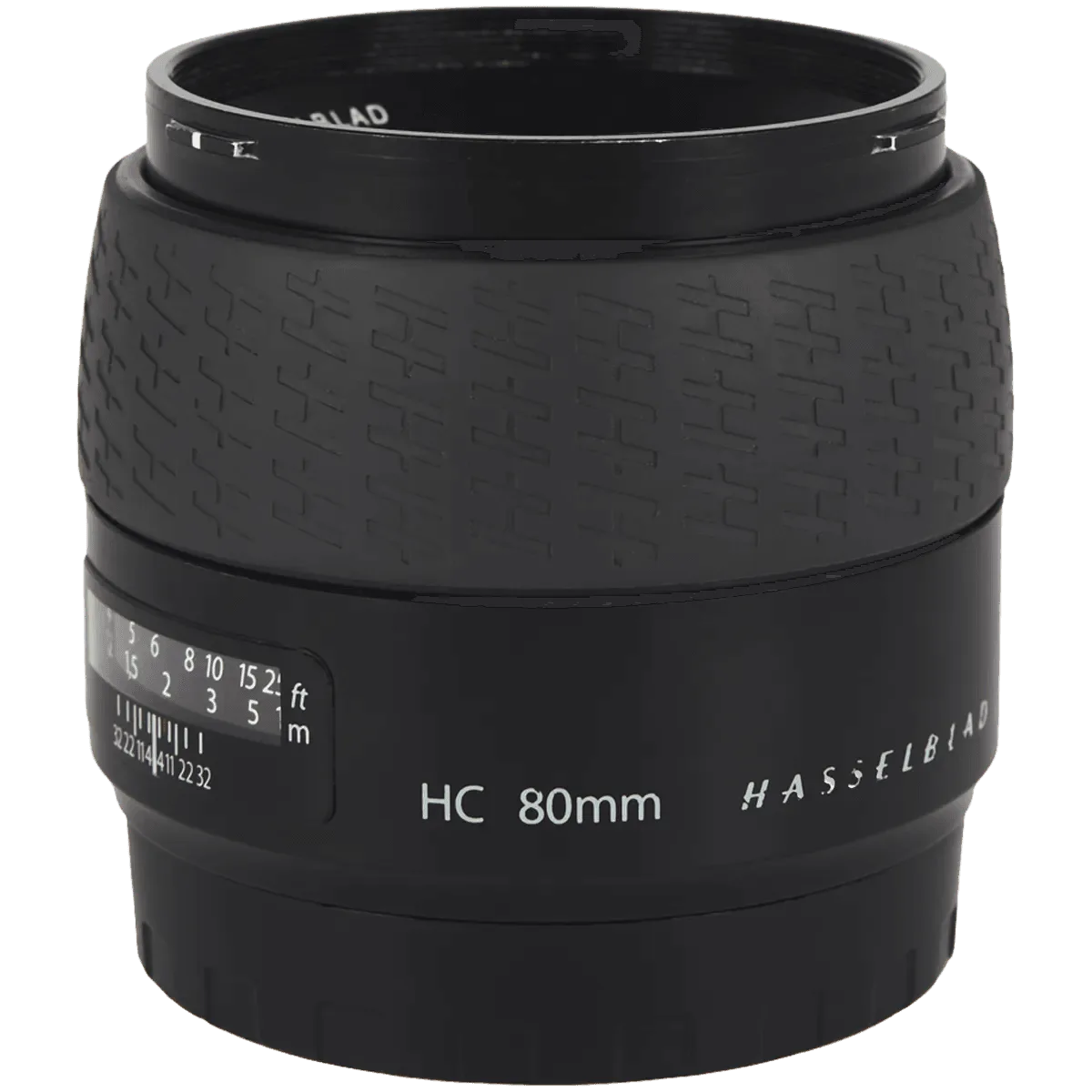
HASSELBLAD HC 80MM