Quick answer
The AudioQuest HDMI 90° NU/R Flat Adaptor lets you route HDMI cables flush against a wall or into a tight corner, but successful installation depends on orienting the adaptor correctly before pushing the device into place.
Why the orientation matters
Unlike a standard straight HDMI plug, the 90° adaptor has a fixed right-angle bend. If you rotate the adaptor after tightening the HDMI port, you risk bending the connector pins or damaging the port on your TV or soundbar. The flat profile of the AudioQuest NU/R design helps it lie closer to the wall, but the direction of the bend must match your cable’s exit path.
When you may need a different approach
If your HDMI port is recessed inside a panel or if the space is less than 1 inch deep, the 90° adaptor may still protrude too far. In those cases, consider an ultra-low-profile coupler or a flexible HDMI cable instead. The adaptor works best when the port is flush with the device face and the wall clearance is at least 0.5 inches.
How to install the HDMI 90° NU/R Flat Adaptor in tight spaces
- Check the clearance behind your device: Measure the gap between the HDMI port and the wall or cabinet back. The adaptor adds roughly 0.6 inches of depth. If you have less than that, skip to step 5. If clearance is under 0.5 inches, consider a different cable routing or a low-profile coupler.
- Orient the adaptor before plugging it in: Hold the adaptor so the flat cable exit points away from the wall. For a wall-mounted TV, the cable should run downward or sideways—never upward into the wall cavity. Common mistake: plugging the adaptor in first and then trying to rotate it can damage the port. Always decide the exit direction beforehand.
- Plug the adaptor firmly into the HDMI port: Push the adaptor straight into the port until it clicks. Do not wiggle or tilt it. The NU/R design has a snug fit; if it resists, check that you are not upside-down. A loose connection causes intermittent signal loss. If it does not click, remove and reinsert with even pressure.
- Connect your HDMI cable to the adaptor: Insert the cable’s male end into the adaptor’s opposite side. The flat shape should lie flat against the surface you are mounting to. Avoid bending the cable sharply right after the adaptor. A gentle curve prevents internal wire damage.
- Secure the cable and test the connection: Use a cable tie or adhesive clip to hold the cable in place along its intended path. Turn on the device and verify video and audio output. If no signal appears, reseat both ends. The adaptor is passive, so a faulty connection is almost always a loose fit.
Product fact
-
HDMI 90° NU/R Flat Adaptor: The AudioQuest HDMI 90° NU/R Flat Adaptor is an HDMI adaptor designed for flexible connection angles in tight spaces. It is part of AudioQuest's HDMI Adaptors category and is offered under the Standard SKU. Its flat right-angle shape reduces the depth needed behind your TV or wall mount, making it easier to push the screen flush against the wall without kinking the cable.
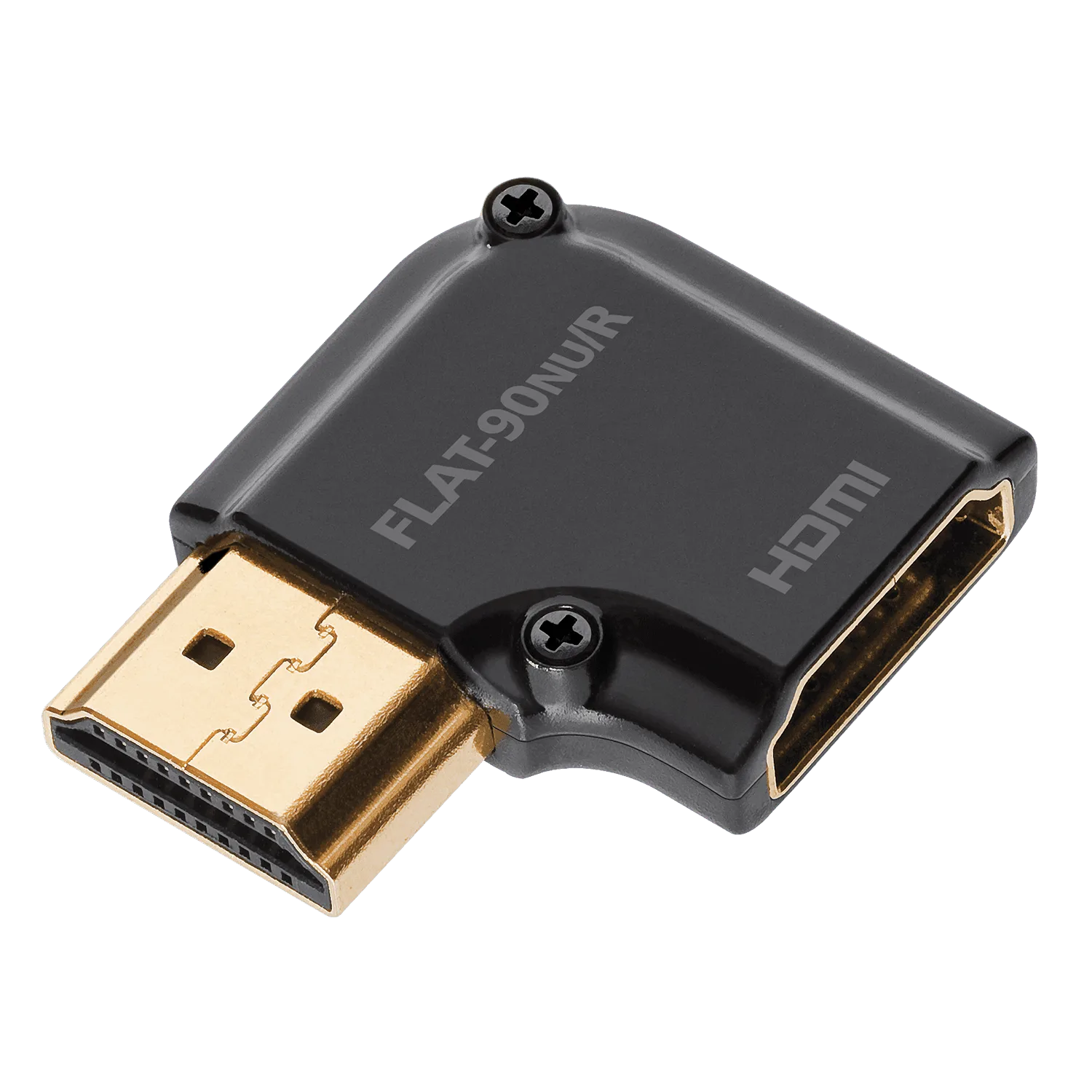
HDMI 90° NU/R Flat Adaptor