Quick answer
Plug the headphones into a second device first. If they work there, the jack or its settings on the original device are the problem. If they stay silent, the fault is in the cable, the plug, or an adapter in the chain. Test one link at a time so you replace the right part instead of guessing.
Test the headphone jack in this order
Work from the cheapest check to the most disruptive one. Start with the device: unplug the headphones, look into the jack with a flashlight, and remove any pocket lint or dust with a dry toothpick or a soft brush. A blocked jack often feels like a dead jack. Then plug in and check that the plug seats fully; a plug that stops short usually means debris or a case blocking the opening.
Next, confirm the device is actually routing audio to the jack. On phones and laptops, open the sound settings and make sure the output is not still set to Bluetooth or HDMI. Volume limits, mute states, and app-specific output settings can all produce no sound from headphones even when the hardware is fine. If the jack works with a different pair of headphones, the original headphones are the fault; if it fails with both, move on to the adapter and cable checks.
How to tell cable damage from a jack problem
A failing cable usually gives you warning signs before it goes completely silent: sound that cuts out when you move your head, one channel dropping, or crackling when you touch the plug. Wiggle the cable near the plug and near the earcup while audio plays. If the sound flickers only at one spot, that section of the cable is damaged and no amount of cleaning the jack will fix it.
A true jack problem behaves differently. The audio is silent or distorted no matter how you hold the cable, and the same headphones work normally on another device. If you have a spare cable that fits your headphones, swapping it is the fastest way to separate a cable fault from a jack fault. If the headphones have a fixed cable, treat a confirmed cable break as the end of the road for repair and compare replacement options instead.
Adapter and 3.5mm jack checks
Adapters add a second failure point, and they are the most common culprit when a headphone jack not working complaint follows a phone upgrade or a new laptop. Unplug the adapter and inspect both ends for bent contacts, dark residue, or a plug that no longer clicks into place. Re-seat it firmly; a partial connection can pass enough signal for faint or one-sided audio.
Match the adapter to the job. A TRS plug carries stereo audio only, while a TRRS plug adds a microphone contact. If you plug a TRRS headset into a TRS-only jack, or the reverse, you can get mono sound, no sound, or a microphone that is never recognized. Test the adapter on a second device and, if possible, test the headphones without the adapter. If audio returns only when the adapter is removed, replace the adapter rather than the headphones.
When to stop troubleshooting and replace the part
Stop when you have isolated the fault to a single link. If the headphones fail on two devices, the cable is damaged beyond the plug, or the jack itself is loose or intermittent, further cleaning and re-seating will not help. Replace the cable or adapter if they are removable, or replace the headphones if the cable is fixed. If the device jack is the confirmed fault, a repair or a USB-C or Bluetooth alternative is the practical next step.
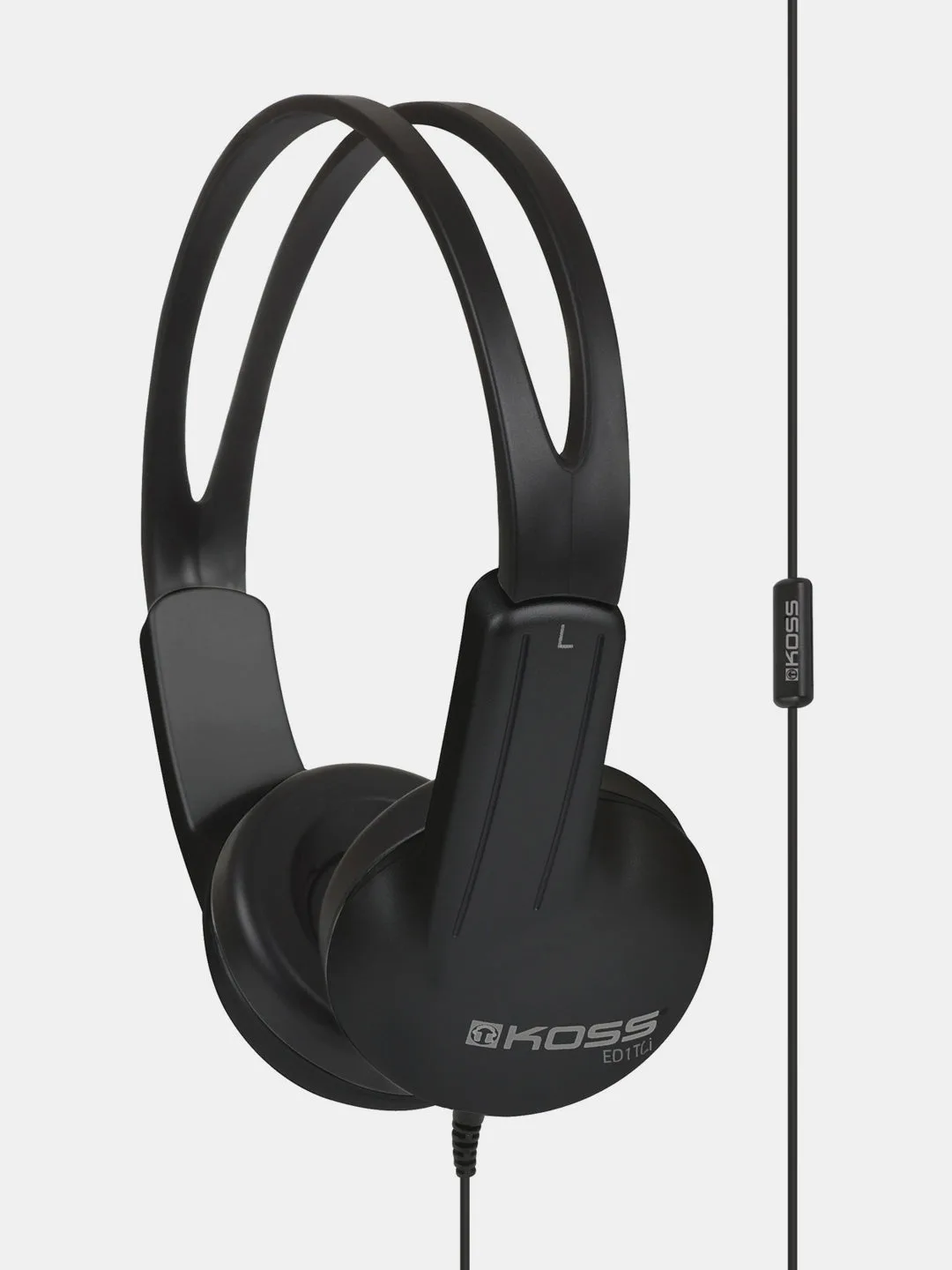
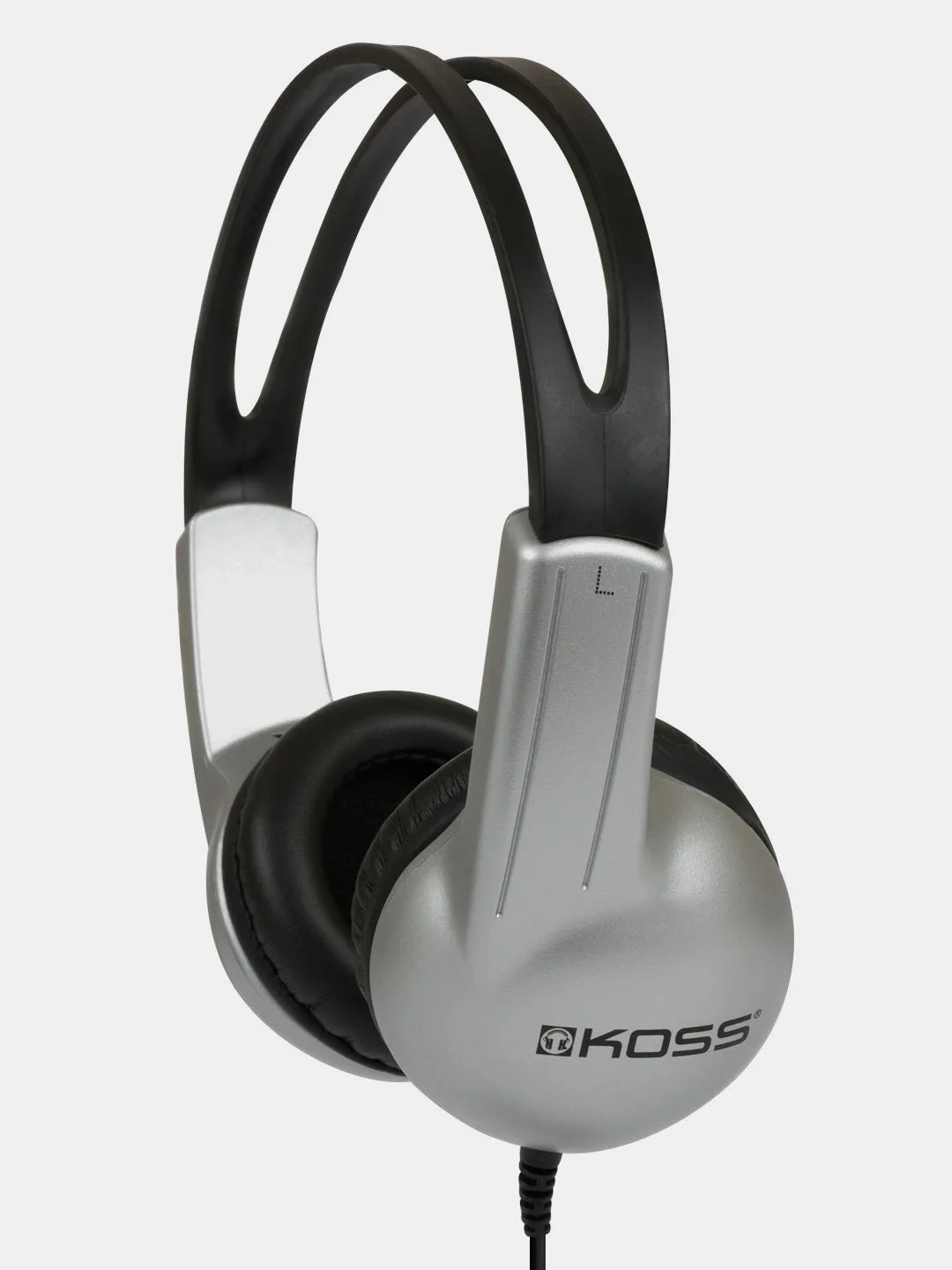
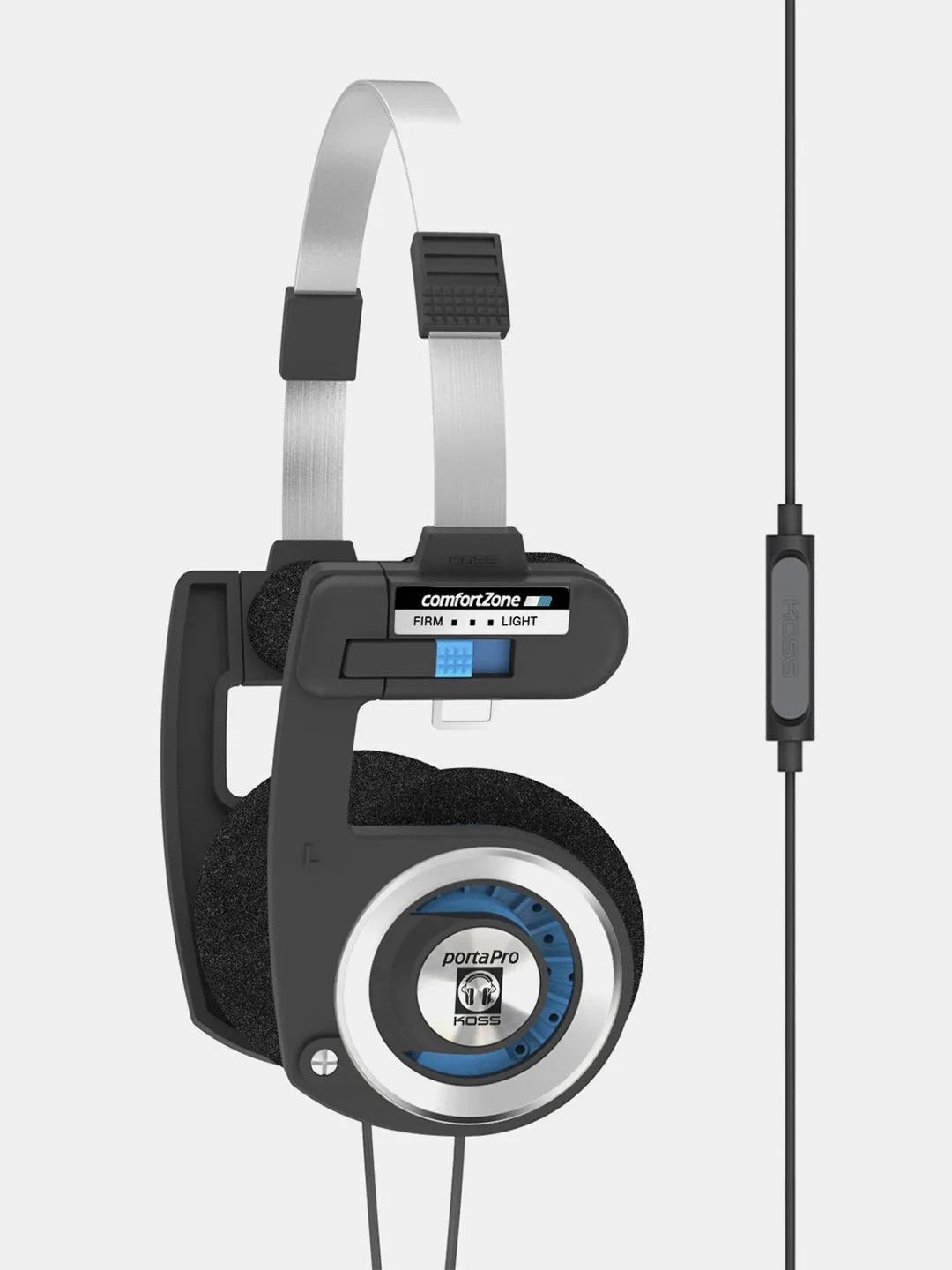
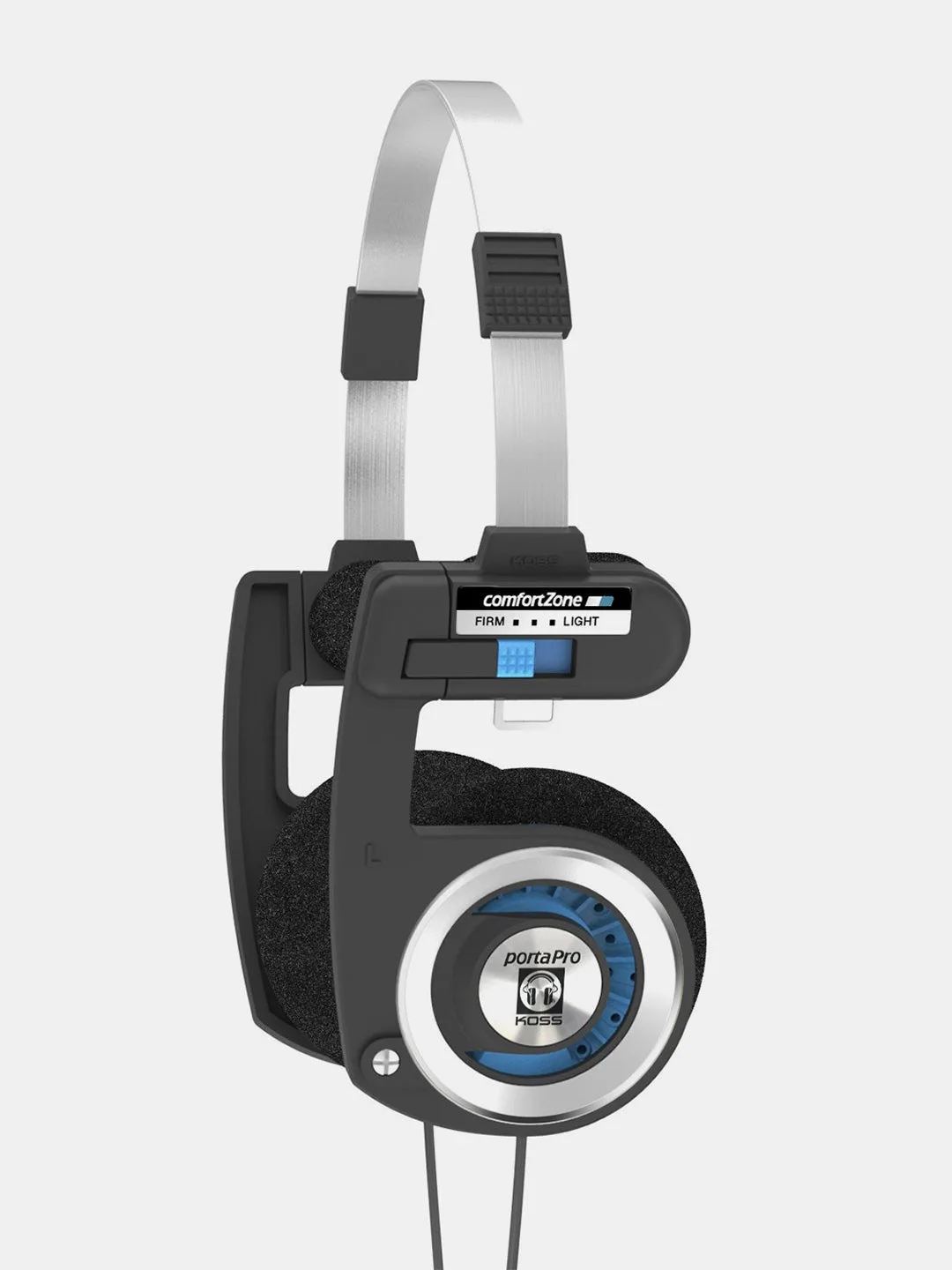
If you are buying for a shared or high-traffic setting, choose a model whose cable system you can actually service. The Porta Pro Mic/Remote keeps the iconic sound and design but adds an in-line microphone and 1-touch remote through a new cable system, so a damaged cable is a replaceable part rather than the end of the headphones. For classrooms, labs, and testing centers where many users share hardware, the UR10 is built for learning environments with clear, full-range sound in a lightweight design, and the ED1TCi uses a plastic ear cup that allows easy cleaning for multiple-user environments such as schools, libraries, hospitals, and training departments.
Symptom, cause, and action at a glance
- Silent on one device, fine on another: The headphones work when moved to a phone or laptop, but the original device stays silent. Check the jack for lint, confirm the output is not set to Bluetooth or HDMI, and test with a second pair of headphones. Device jack or device settings fault. Clean and reconfigure before replacing headphones.
- Sound cuts out when the cable moves: Audio flickers when you wiggle the cable near the plug or earcup, or one channel drops. This points to headphone cable damage rather than the jack. Replace the cable if it is detachable; if it is fixed, replace the headphones.
- Silent only when an adapter is in the chain: Audio returns when you remove the adapter, or you get mono sound or an unrecognized microphone. Check TRS versus TRRS matching and inspect the adapter contacts. Adapter fault. Replace the adapter, not the headphones.
- Silent on every device, no cable movement effect: The headphones fail on two devices and wiggling the cable changes nothing. Cleaning and re-seating will not recover this. Stop troubleshooting. The headphones or their fixed cable have failed.
Models worth considering when a jack or cable fails
- Porta Pro® Mic/Remote: The Porta Pro Mic/Remote keeps the iconic sound and design while adding an all-new cable system with an in-line microphone and 1-touch remote. A serviceable cable system means a damaged cable does not retire the headphones, which is the main reason people replace working on-ear models.
- UR10: The UR10 is built for classrooms, libraries, computer labs, and testing centers, with clear, full-range sound in a lightweight design for all-day comfort. In shared settings, headphones get plugged and unplugged constantly, so a low-cost, durable option limits the cost of each replacement.
- ED1TCi: The ED1TCi communication headphones use a plastic ear cup that allows easy cleaning with maximum durability for multiple-user environments such as schools, libraries, hospitals, and training departments. If the jack fails in a hygiene-sensitive or high-turnover environment, a wipeable design matters as much as the audio.